
Announcing nOps Scheduler & Amazon EventBridge Integration
nOps is a fully automated FinOps platform that helps companies automatically identify and eliminate cloud waste. What’s more, you only pay for what you save, so we focus on making the best recommendations based on your workloads while also making it simple for you to act on the recommendations. We analyze utilization data to detect cyclic workloads, such as resources that can be shut down on weekends or evenings—stopping resources when they are not needed yields major cost savings.
Today, we are announcing the integration of nOps Scheduler with Amazon EventBridge. nOps Scheduler makes it easy to pause resources during inactivity and leverages the Amazon EventBridge bus to deliver signals to resources to stop them during inactivity and restart them when they are most likely to be used automatically.
Configure the nOps Scheduler
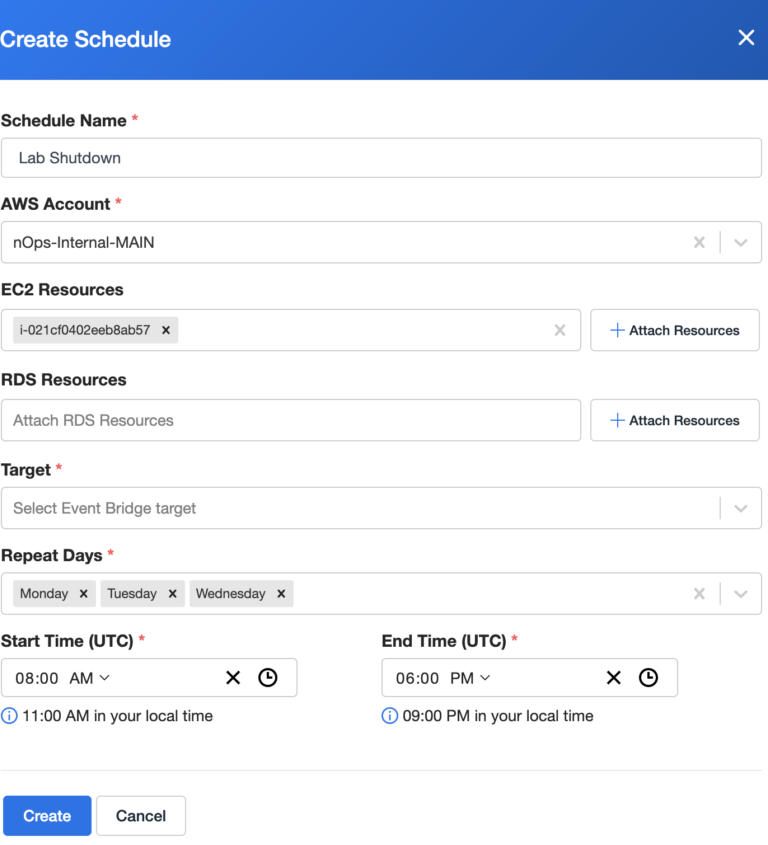
In the nOps Sharesave console, you can see all of the resources that can be paused on a scheduled basis. We analyze CPU, memory, Network traffic, and IO, and using nOps ML we predict when these resources can be shut down in the future.
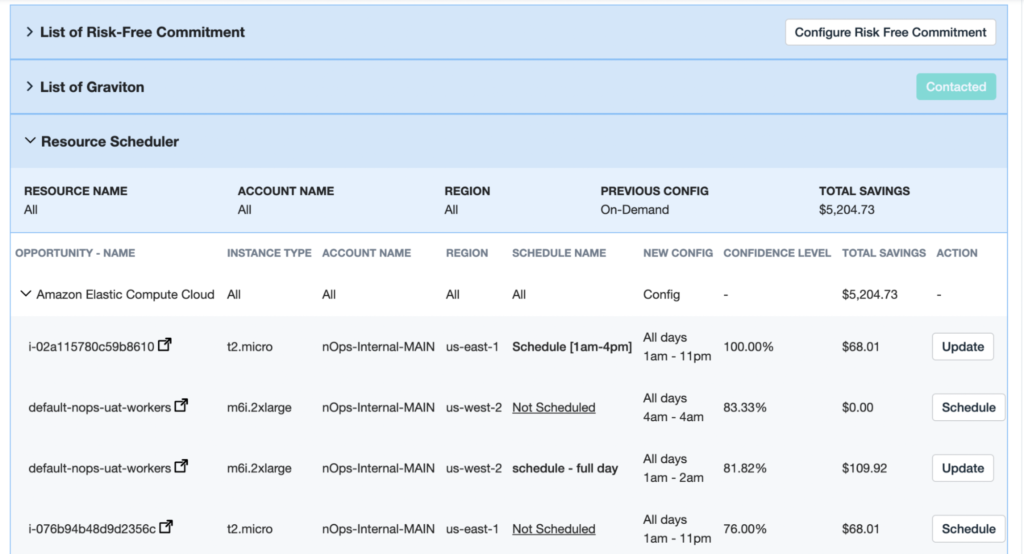
nOps makes ML-driven recommendations on when the resources can be shut down.
You can simply click the Schedule button, to take action on these recommendations.
Integration with Amazon EventBridge
As you saw in the previous screen, when you configure the scheduler you can pick the event bridge as Target to take action. Amazon EventBridge is a serverless event bus that makes it easier to build event-driven applications at scale using events generated from your applications, integrated Software-as-a-Service (SaaS) applications, and AWS services.
Under EventBridge, go to Partner event sources, and select nOps as one of the options to listen. Click on Setup and configure the options.
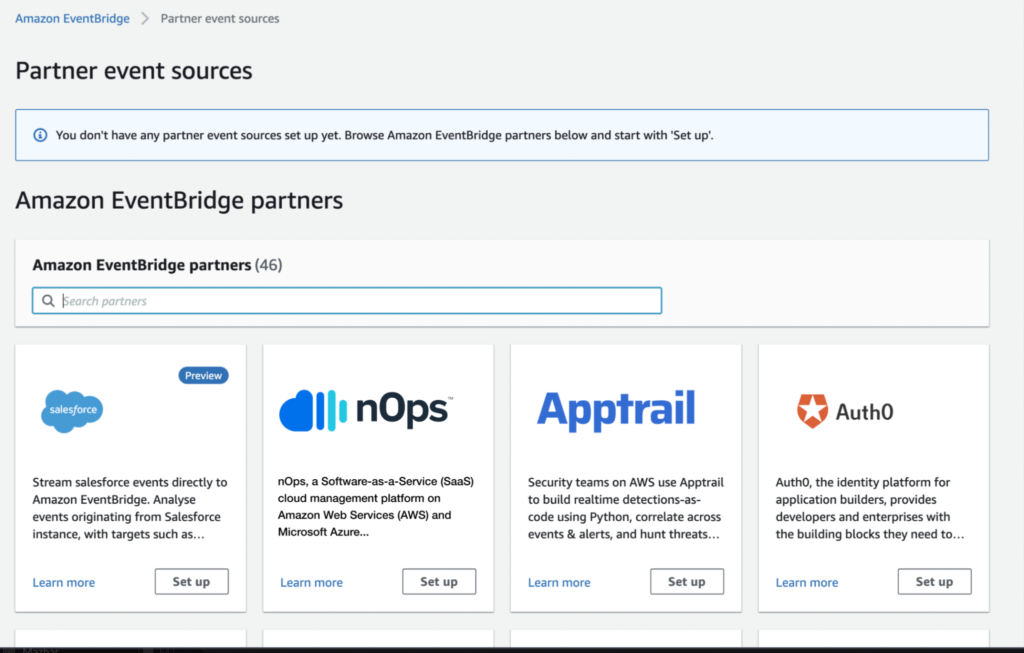
Once the EventBridge integration is set up, you can create event sources directly from the nOps application and deploy them to any account and region that you’ve connected to nOps.
When you define an EventBridge as a target for your resource schedule, nOps will generate a CloudFormation stack to deploy and configure the Lambda in your account to start and stop resources in your account. The Lambda will be triggered by the nOps Scheduler message to EventBridge and is capable of starting and stopping batches of Amazon EC2 and RDS instances in your schedule groups.
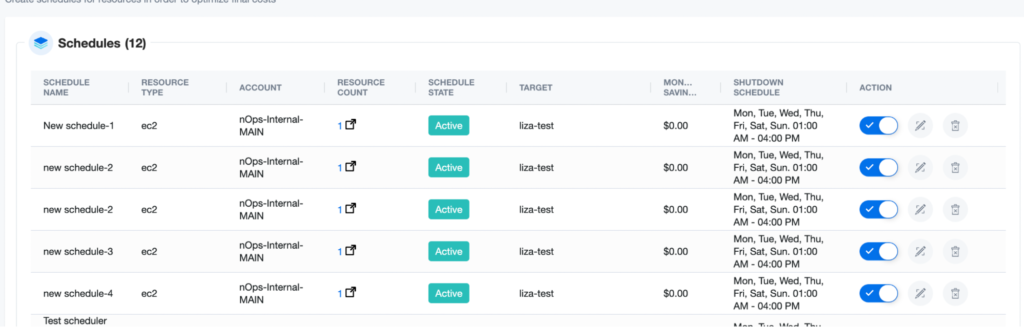
nOps Scheduler page displays all of the resources that are scheduled to be stopped.
We are always looking for ways to make it easy for customers to take action and reduce their cloud spending. Sign up today to take advantage of this feature and reduce your cloud spending.

JT Giri
CEO
nops.io
JT Giri is a father, husband, and entrepreneur. He focuses on building a culture that allows teams to reach their highest potential. He enjoys HIIT workouts, learning, and meditating.
Announcing nOps Scheduler & Amazon EventBridge Integration