New AI Optimization Agent
nOps cost recommendations in your pull requests: fix cloud waste in the code that creates it, at the moment it's being changed
Most cloud savings recommendations (rightsize an instance, move a function to a cheaper processor, delete an idle volume) live in a dashboard or a ticket, far from the code that defines the resource. The engineer who could fix it in a few lines rarely sees it, and whoever does see it has to work out which repository and file to change. So recommendations stay open for months while the same resources are edited again and again without anyone connecting the two.
We built this so a recommendation shows up exactly when someone is already editing the resource, in the place they already work, with the line to change and the savings attached.
What’s New
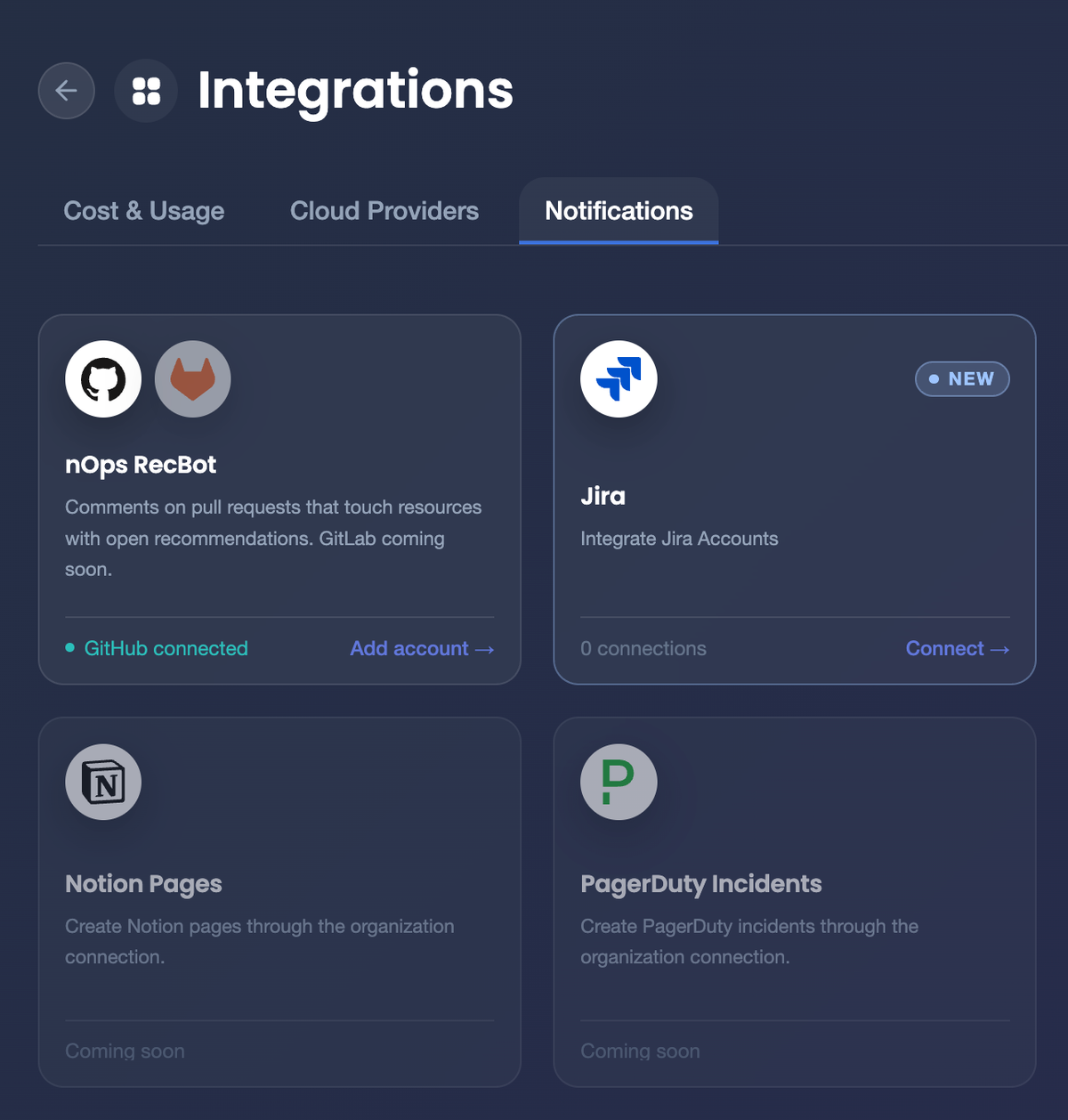
We're excited to unveil the nOps GitHub app, designed specifically to help your engineering team act on cloud cost recommendations without leaving code review. Starting today, you can connect GitHub from Settings → Integrations in nOps, and every pull request in the repositories you choose is checked against your open recommendations.
Recommendations on the lines you're changing
Pull request reviews read the infrastructure code in every pull request and match the resources it changes to your open nOps recommendations, created to bring cost findings into the code review your team already does. Now you can see the savings before you merge: when a change touches a resource with an open recommendation, a comment appears on that line saying what to change and how much it saves each month, and one summary comment lists everything the pull request touches.
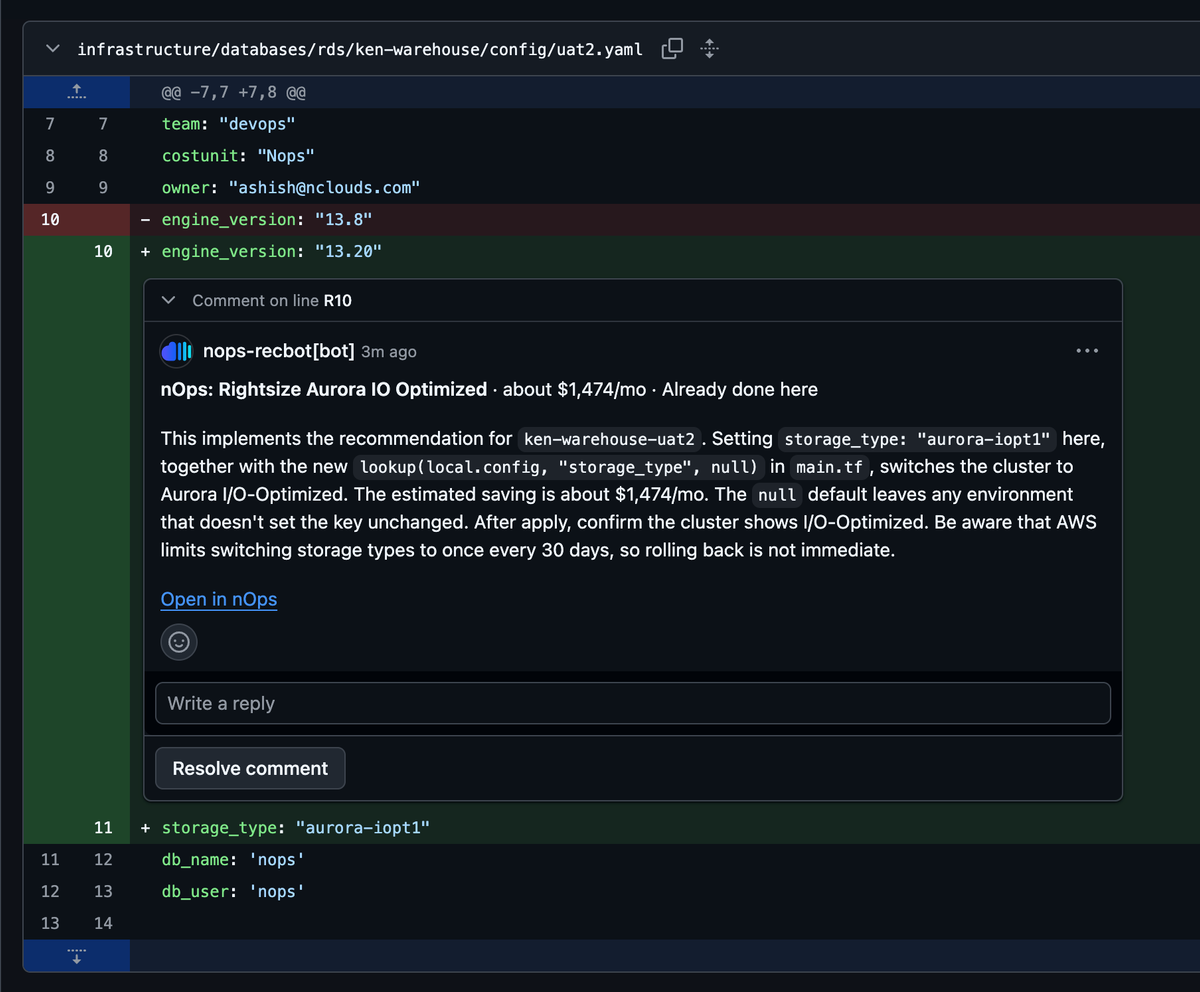
Each pull request also gets a status check with the outcome and a plain-language account of what was read: how many resources, which names couldn't be worked out and why, and how many recommendations were checked. Reviews run again on every new commit; to re-run one by hand, comment “clara run” on the pull request or select Re-run on the check.
One-click fixes for the rest of the repository
Repository recommendations list, in the same summary comment, every other open recommendation on resources the repository defines, not only the ones this pull request touches, created to turn each review into a short backlog the team can pick up. Now you can hand a fix to your coding agent in one click: each item links to Cursor and Claude Code with a ready-to-send prompt naming the file, the resource and the change.
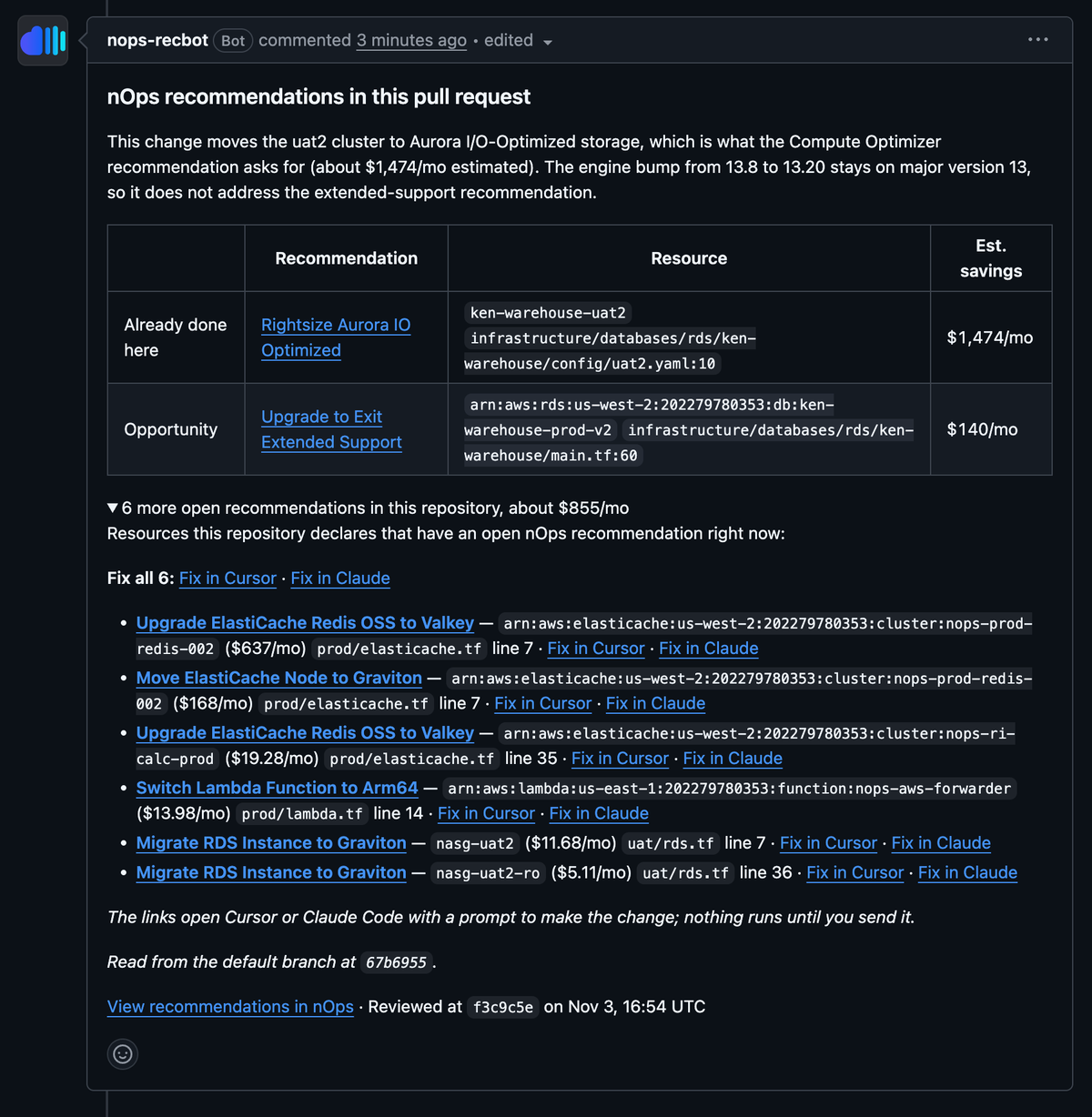
The repository's resources are read from its default branch before its first review and again after each merge, so the list reflects what's deployed. Nothing runs until you send the prompt, and the app never pushes commits or opens pull requests itself.
Who Benefits Most
Teams who own infrastructure code, and the people responsible for what it costs:
- Platform and DevOps engineers: see the cost impact of a change in the review they're already doing, with the file and line, so a saving is a small edit instead of a separate project.
- FinOps practitioners: recommendations reach the team that can implement them, in the repository that defines the resource, without chasing owners or filing tickets.
- Engineering leaders: cost becomes a normal part of code review, and every repository shows which open savings it carries.
How it Works
Install the nOps GitHub app on the repositories you choose. When a pull request is opened, updated or marked ready for review, the app reads the infrastructure code it changes (Terraform, CloudFormation, AWS CDK and Kubernetes manifests) and works out each resource's real name, including names built from variables and module inputs. It then matches those resources to the open recommendations in your cloud accounts and posts what it finds as review comments and one summary comment. Changes in application code that may relate to a recommendation, such as switching to a different AI model, are checked by an AI reviewer before they're mentioned, so you only see comments that apply.
The app can read your code but never changes it: it only writes pull request comments, reactions and a status check. Draft pull requests and pull requests opened from forks are skipped.
How to Get Started
To start using the nOps GitHub app, go to Settings → Integrations in nOps, select Connect on the GitHub pull request card, and choose the GitHub organization and repositories to review. The next pull request you open is reviewed automatically.
If you’re new to nOps, you can get started with a personalized demo.
nOps manages $5 billion in cloud and AI spending and was recently ranked #1 in G2’s Cloud Cost Management Category.