
Amazon DocumentDB Cost Optimization: How to Reduce Database Costs
Amazon DocumentDB promises MongoDB compatibility without the operational overhead of managing your own cluster. But that convenience comes at a price—and for teams migrating from self-managed MongoDB, the bill can be shocking.
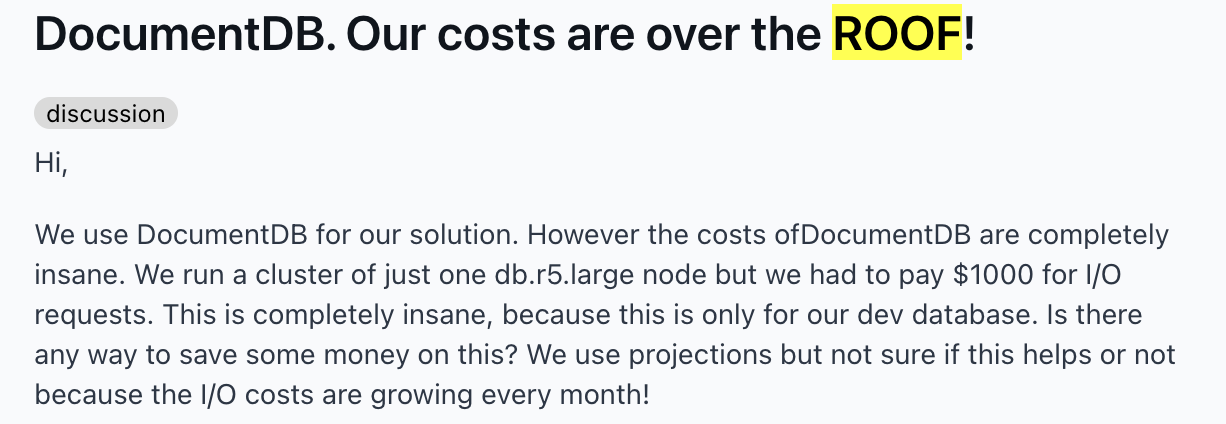
The problem isn't DocumentDB itself. It's understanding how the pricing model works and where costs hide. This guide breaks down every cost dimension—instances, I/O, storage, backups—and shows you how to optimize each one based on real-world case studies and practitioner experience.
How Amazon DocumentDB Pricing Works
To optimize DocumentDB spend, you need to understand how charges add up across compute, I/O, storage, backups, and version support. Let's break it down.
On-Demand Instances
DocumentDB bills instances per second with a 10-minute minimum. Both the primary (writer) instance and every read replica incur charges. A three-instance cluster (one primary instance, two replicas) costs three times the per-instance rate.
Common instance rates (US East, July 2026):
- db.r5.large (2 vCPU, 16 GB): $0.277/hour = ~$202/month per instance
- db.r6g.large (2 vCPU, 16 GB, Graviton2): $0.225/hour = ~$164/month per instance
- db.r6g.xlarge (4 vCPU, 32 GB, Graviton2): $0.450/hour = ~$329/month per instance
Graviton2-based instances provide approximately 30% better price/performance versus equivalent Intel-based instances. For most workloads, switching from db.r5 to db.r6g cuts costs 19-20% with the same memory footprint.
T3/T4g burstable instances run in Unlimited mode. If your average CPU over 24 hours exceeds the baseline, you're charged $0.09/vCPU-hour for excess CPU credits. This erodes the cost advantage quickly—for production clusters with consistent load, R-class instances are more economical.
Database I/O (Standard Storage)
This is where DocumentDB costs surprise teams. Under Standard storage, I/O is billed separately at $0.20 per million requests.
Read I/O mechanics: Reads are charged at 8K page granularity. Once a page loads into memory, subsequent reads of that data incur no additional I/O. An undersized instance where the working set exceeds memory constantly re-reads documents from storage, driving read I/O costs up.
Write I/O mechanics: Write I/Os are billed in 4K transaction log units. A 1 KB transaction log = one I/O. A 5 KB log = two I/Os. DocumentDB batches small concurrent write operations, reducing I/O consumption. Unlike traditional database engines, DocumentDB does not push modified database pages to the storage layer, which can further reduce write I/O.
Garbage collection I/O: DocumentDB uses Multi Version Concurrency Control (MVCC) and creates a new document version for every update. When old versions expire, garbage collection reclaims them—generating read I/Os to load old versions and write I/Os to delete them. High update rates on the same documents can make GC I/O a significant cost driver.
Database Storage
Storage is billed at $0.10/GB-month for Standard configuration. This includes replication across three Availability Zones—you pay for one logical copy, not three. Storage scales automatically in 10 GB increments as data grows.
Billable storage includes document data, indexes, and change stream data. A 100 GB cluster = $10/month storage. A 1 TB cluster = $102/month.
Backup Storage
Backup storage is free up to 100% of your cluster storage. A 50 GB cluster gets 50 GB of backup at no charge. Additional backup storage costs beyond that threshold are $0.02/GB-month.
Standard 7-day retention typically stays within the free tier. For 30-day retention, backup can grow to 3-5x cluster size. This can add up, slowly inflating your Database Cluster spend.
Extended Support for Version 3.6
Critical: Extended Support billing for DocumentDB 3.6 started July 1, 2026. This adds a surcharge per vCPU on top of the standard instance rate:
- July 1, 2026 to March 31, 2028: $0.111/vCPU-hour surcharge (80% cost increase)
- April 1, 2028 to March 31, 2029: $0.222/vCPU-hour surcharge (160% cost increase)
For a two-instance db.r5.large (2 vCPU) cluster currently costing $404/month: the July 1 surcharge adds $324/month, bringing total instance cost to $728/month. Upgrade to DocumentDB 4.0 or 5.0 to eliminate these charges.
Data Transfer
Data transfer costs can apply when DocumentDB traffic crosses Availability Zones, Regions, or leaves AWS. These charges are usually smaller than instance or I/O costs, but they can add up for chatty applications, cross-region architectures, or frequent exports.
Amazon DocumentDB Cost Optimization Strategies
Once you know what drives the bill, optimization becomes much more targeted. The biggest savings usually come from matching your storage configuration to I/O patterns, rightsizing cluster instances, reducing unnecessary reads and writes, and maximizing your pricing discounts.
Choose the Right Storage Configuration
DocumentDB offers two storage configurations, and choosing wrong can double your costs.
Comparison: Standard vs I/O-Optimized Storage
Configuration | Storage Rate | I/O Charges | Best For |
|---|---|---|---|
Standard | $0.10/GB-month | $0.20/million requests | I/O costs <25% of total cluster spend; memory-resident workloads |
I/O-Optimized | Higher storage rate | $0.00; I/O included | I/O costs >25% of total spend; write-heavy workloads, large documents, high update rates |
Use Standard when: Your working set fits in instance memory and read I/Os are minimal. For example, consider a two-instance db.r5.large cluster with 230 million I/Os/month—I/O represents about 10% of total spend ($46 I/O / $450 total). Standard is the right choice.
Use I/O-Optimized when: I/O exceeds 25% of cluster spend. Write-heavy workloads (logging pipelines, event stores), workloads with large documents, and high update rates triggering garbage collection I/O all benefit from I/O-Optimized.
Quick check: Pull ReadIOPS and WriteIOPS from CloudWatch for 30 days. Multiply by 2.63 million seconds/month. Multiply by $0.20/million. If that exceeds 25% of your instance cost, switch to I/O-Optimized.
You can change storage configuration once every 30 days moving to I/O-Optimized, or anytime moving back to Standard.
Right-Size Your Instances
Query and index optimizations can often reduce CPU and memory pressure enough to remove replicas or downsize the cluster, directly cutting instance costs.
Sizing guidelines:
Right-size instances for your workload. Your cluster should have enough memory to keep frequently accessed data in cache and serve queries with low latency.
Monitor these CloudWatch metrics to detect over-provisioning:
- CPUUtilization: Sustained <30% = oversized
- BufferCacheHitRatio: Target >95%; lower means working set exceeds memory
- FreeableMemory: If >50% of total memory stays free for days, downsize
Graviton2 instances: AWS Graviton2 instances provide up to 30% price/performance improvement for Amazon DocumentDB depending on database size and workload characteristics. Migrate db.r5 → db.r6g for the same memory at 19% lower cost.
Optimize I/O Operations
I/O optimization can have a major impact on DocumentDB costs, especially when Standard storage is used. Focus first on the queries, indexes, delete patterns, and write patterns generating the most read and write I/O.
1. Fix your indexes
Review whether your indexes actually support both the filter and sort patterns your queries use. In DocumentDB, a query that filters on one field and sorts on another may need a compound index that includes the sort field as a suffix. Otherwise, the query planner may do more work than expected, increasing read I/O.
After fixing indexes, drop any unused ones. Unused indexes add storage and can increase write I/O whenever documents change.
2. Replace TTL-based deletes with direct deletes
Consider switching from TTL-based deletes to direct deletes to reduce expensive MVCC cycles. While TTL indexes can help automate cleanup, they can also drive high I/O because DocumentDB creates new document versions during updates and reclaims older versions in the background. That means you may end up paying for the original updates, MVCC cleanup, and background deletes.
You can also group documents into collections based on time period, then delete the collections when you no longer need them. This helps avoid the I/O costs that can come with TTL indexes.
3. Reduce insert/delete churn with updates
Frequent insert-and-delete patterns can generate unnecessary write I/O, index updates, and cleanup work. Where the data model allows it, updating existing documents instead of repeatedly inserting and deleting records can reduce I/O and improve performance.
Reduce Storage Costs
Storage costs are usually more predictable than I/O costs, but they can still grow as collections, indexes, and backups accumulate. Start by reducing the amount of stored data.
Enable document compression
DocumentDB 5.0+ supports document compression using the LZ4 algorithm. Compression applies to documents ≥2 KB and can be enabled per collection.
For a compression ratio of 2:1 on a 100 GB cluster, you save about $5/month on storage and may also reduce I/O by reading fewer pages from storage.
Drop unused collections
Unused collections can quietly increase storage and backup costs. Audit your collections regularly, and archive or delete stale, duplicate, or temporary collections you no longer need. If a collection hasn't been accessed in 90+ days, archive it to S3 or delete it entirely.
Scale Instances on Schedule
You can pause instances for up to 7 days if you are not using them (for example, testing environments on the weekend). While DocumentDB doesn't support true pause, you can stop/start instances or use Lambda + EventBridge to scale down read replicas during off-hours.
For dev/test clusters that only run during business hours (M-F, 8am-6pm), this cuts instance costs by ~70%.
Manage Backup Retention
Two strategies to control backup costs:
- Shorten backup retention if you don't need long windows (7 days vs 30 days)
- Delete old manual snapshots you no longer need
Monitor CloudWatch metrics:
- BackupRetentionPeriodStorageUsed: Storage for automated backups within retention period
- SnapshotStorageUsed: Storage for manual snapshots beyond retention period
Most standard configurations stay within the 100% free tier. For 30-day retention on large clusters, backup can add $20-$100/month.
Use Database Savings Plans
Database Savings Plans provide up to 35% savings on costs for a 1-year commitment. The commitment is a dollar-per-hour spend level, not tied to specific instance types.
For example, if your DocumentDB instances run 24/7 and average about $1,000/month in compute spend, a Database Savings Plan could reduce that portion of the bill by up to $350/month.
DSP covers only instance compute—not storage, I/O, or backups. For clusters with stable instance configurations running 24/7, DSP is the primary discount lever available.
Use Caching to Reduce I/O
For read-heavy workloads, caching frequently accessed data can reduce the number of reads served from DocumentDB storage. This can lower I/O costs and improve response times by keeping common queries closer to the application.
The BufferCacheHitRatio CloudWatch metric shows the percentage of reads served from memory vs storage. Target >95%. If you're consistently below 90%, either upsize the instance or add a cache layer.
How nOps Automates DocumentDB Cost Optimization
Tracking DocumentDB costs manually across multiple clusters, optimizing I/O patterns, and rightsizing instances requires constant vigilance. nOps automates the entire process.
- Real-Time Cost Visibility & Allocation: Track, allocate and report on DocumentDB along with your other AWS, Azure, GCP, SaaS, Kubernetes and AI costs in a single pane of glass
- Anomaly Detection: Get alerted when DocumentDB spend increases unexpectedly, whether from rising I/O charges, higher instance usage, increased storage volumes, or backup growth
- Automated Commitment Management: nOps automatically manages commitments to maximize your savings and flexibility. Savings are often 20% higher than competitors
Curious how optimized you are on AWS? A 30-minute free savings analysis shows you your current Effective Savings Rate and where the opportunities are. Setup is 5 minutes with no agents or infra changes needed.
nOps manages $4 billion in cloud spend for its customers and is rated 5 stars on G2.
Frequently Asked Questions
Let's dive into a few FAQ on how to reduce costs for DocumentDB.
Should I use Standard or I/O-Optimized storage?
Use Standard if I/O costs are <25% of total cluster spend. Use I/O-Optimized if I/O exceeds 25%. Pull 30 days of ReadIOPS + WriteIOPS from CloudWatch, multiply by 2.63 million seconds/month, then multiply by $0.20/million. If that number exceeds 25% of your instance cost, I/O-Optimized saves money.
How much does DocumentDB storage cost?
Data storage is $0.10/GB-month for Standard storage configuration. This includes three-way replication across AZs. A 100 GB cluster = $10/month. A 1 TB cluster = $102/month.
What happens if I'm still running DocumentDB 3.6 after July 1, 2026?
Extended Support charges start July 1, 2026: $0.111/vCPU-hour surcharge through March 2028 (80% cost increase), then $0.222/vCPU-hour through March 2029 (160% increase). For a two-instance db.r5.large cluster, this adds $324/month starting July 1. Upgrade to DocumentDB 4.0 or 5.0 to avoid this permanently.
How can I reduce I/O costs?
Three tactics: (1) Fix indexes—ensure sort fields are present as suffixes in compound indexes; (2) Replace TTL-based deletes with direct deletes to avoid MVCC overhead; (3) Convert insert-and-delete patterns to updates where possible. Also: drop unused indexes, rightsize instances so working set fits in memory, consider switching to I/O-Optimized if I/O exceeds 25% of spend.
Are Graviton2 instances worth it for DocumentDB?
Yes. Graviton2 instances provide up to 30% better price/performance versus Intel-based equivalents. db.r6g.large costs ~19% less than db.r5.large for the same 16 GB memory. For most production workloads, switching from R5 to R6g cuts instance costs 15-20% with equal or better performance.