Introducing Cloudflare Integration in nOps
Cost allocation, anomaly detection, budgeting, and forecasting for your Cloudflare spend.
nOps now connects directly to Cloudflare's new Billable Usage API, which covers daily cost and usage data across every usage-based Cloudflare product including Workers, R2, D1, Workers AI, Vectorize, Images, and Stream.
As more infrastructure is provisioned programmatically — whether by developers, automation, or AI agents spinning up Workers and R2 buckets — teams need the same programmatic visibility into what it costs.
With Cloudflare spend now flowing directly into nOps, you can now manage it alongside the rest of your cloud and AI spend in one place without separate dashboards or manual exports.
Understand Cloudflare Costs In One Unified View
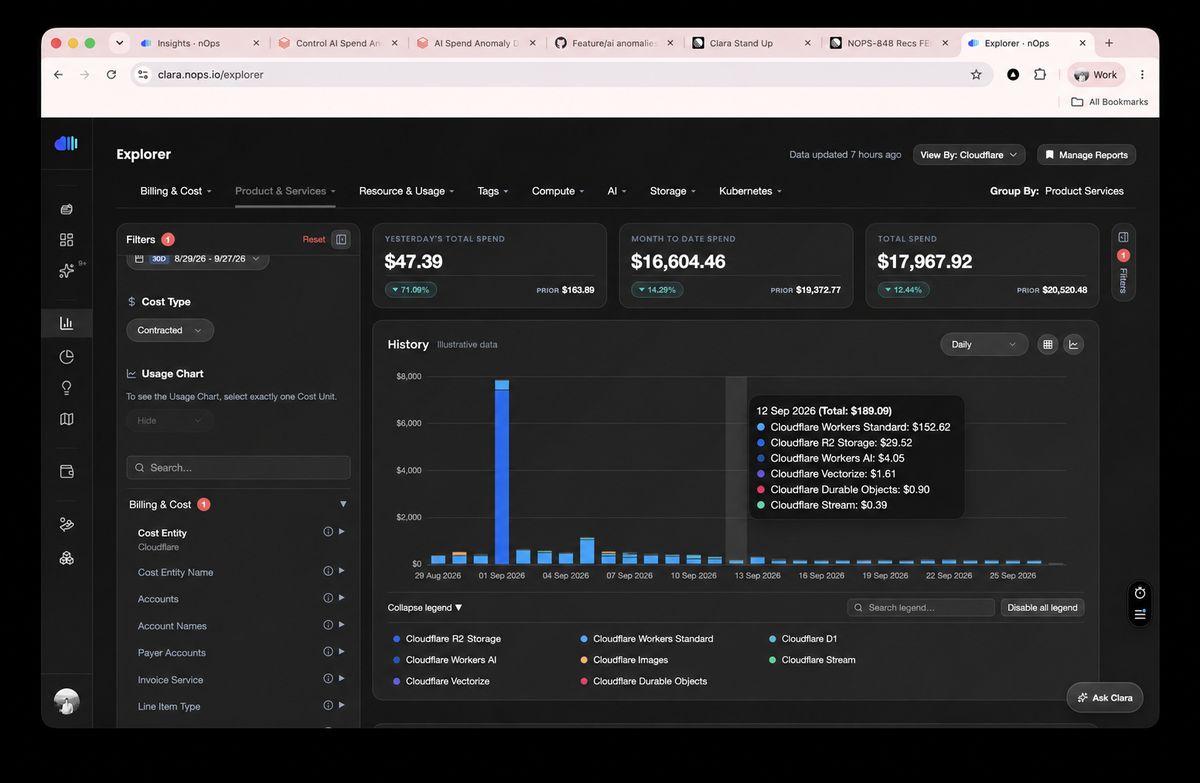
nOps breaks Cloudflare spend down the way Cloudflare bills it: product + product family, charge-period start/end, pricing quantity, consumed unit, contracted cost, billing currency, running billing-period totals, and zone where applicable.
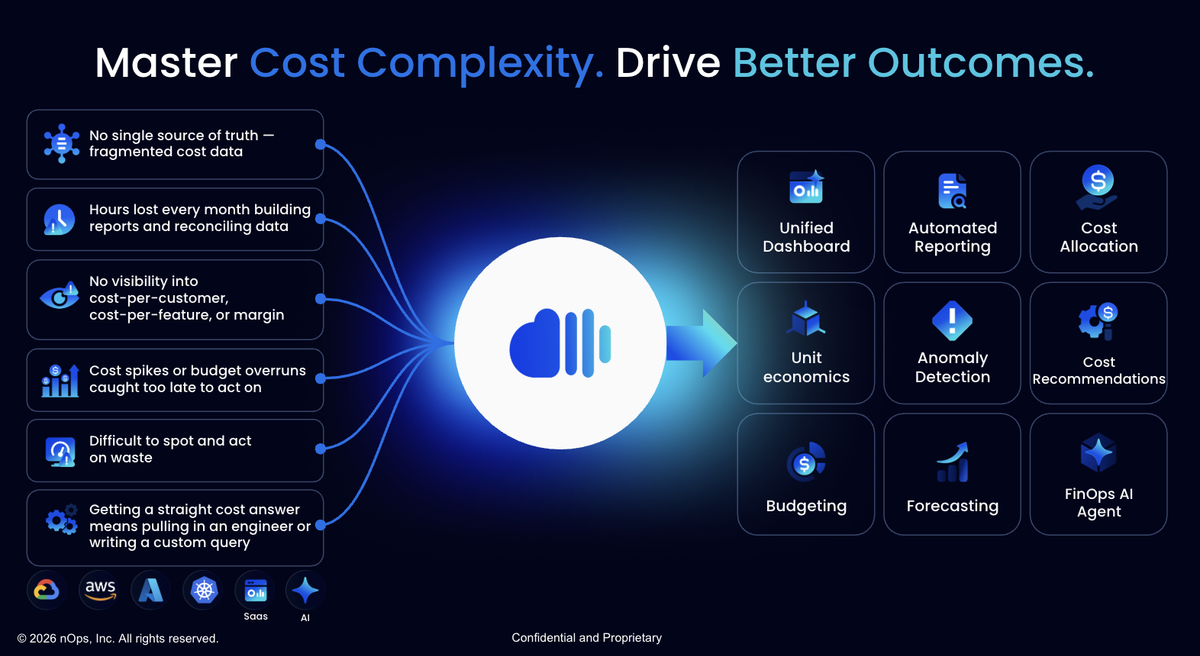
Most importantly, this integration brings Cloudflare into the same allocation model you already use for AWS, Azure, GCP, AI, Kubernetes, and SaaS. Via read-only billing token, automatically map costs by product, zone, team, product line, or cost center all in one place, without maintaining a separate reporting workflow.
Cloudflare Anomaly Detection, Forecasting, Unit Economics & Beyond
Use all the power of the nOps platform to analyze and report on your Cloudflare spend across products like Workers, R2, D1, and more. Your data rolls into all of your other existing cost management workflows, including:
- Anomaly detection. nOps compares each Cloudflare product's spend against its own baseline and surfaces anomalies the same day they happen, rather than at the end of the billing cycle.
- Forecasting. Roll Cloudflare into the same forecasts you already use across your other providers, so changes in Workers, R2, D1, and other Cloudflare spend are reflected in projected costs and potential overruns before the bill arrives.
- FinOps AI Agent and MCP. Ask the nOps FinOps AI Agent questions about Cloudflare spend alongside your other cloud, AI, Kubernetes, and SaaS costs, or query the same data through MCP from tools like Claude or ChatGPT.
Connect AI Agent Spend to the Infrastructure It Deploys
Coding agents like Cursor and Claude Code are starting to do more than write code. Increasingly, they provision the infrastructure that code runs on too: spinning up a Worker, creating an R2 bucket, standing up a D1 database, often without a ticket or a human approving each change. nOps already tracks what those agents cost to run through its Cursor and Claude Code integrations; Cloudflare Integration means the infrastructure they provision now shows up in the same place.
How to Get Started
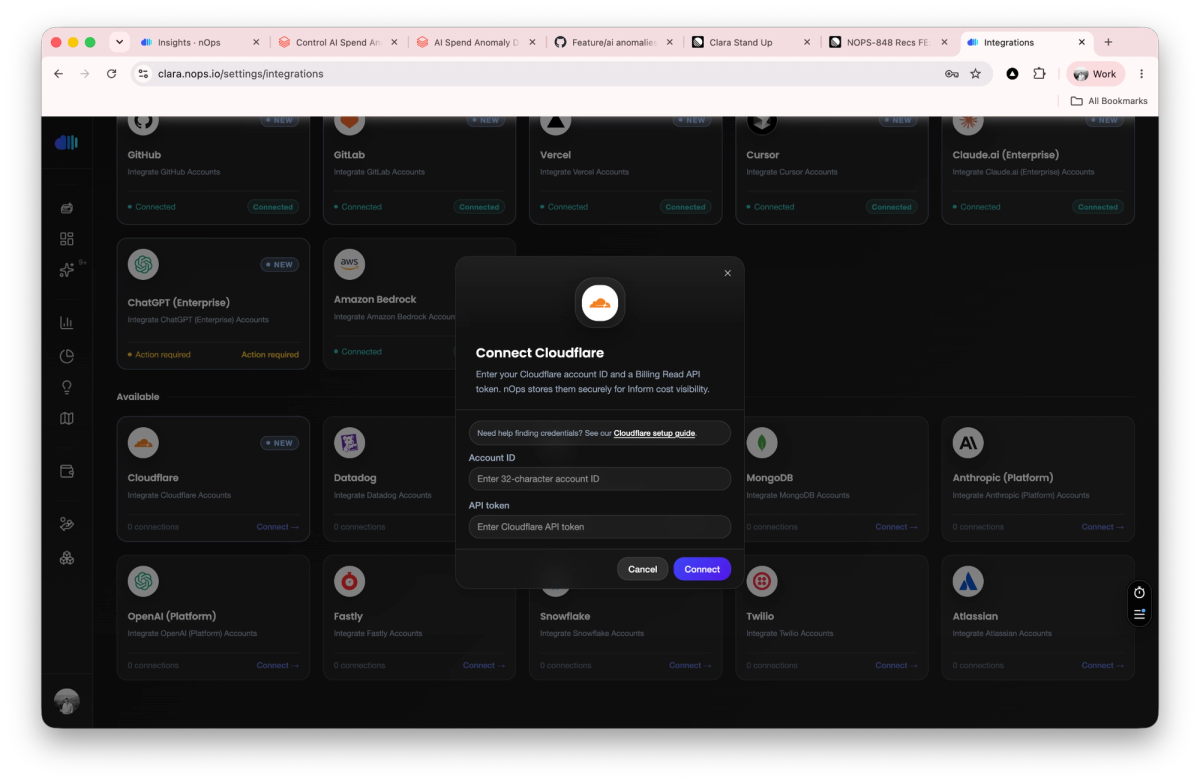
Connecting takes two things: your Cloudflare account ID and an API token scoped to Account → Billing → Read. In nOps, go to Settings → Integrations, click the Cloudflare card, and paste both in. Usage syncs daily, so cost data typically appears within 24 hours of connecting. Only nOps admins and owners can connect or manage the integration. Full setup steps are in our help center.
This first release covers self-serve Cloudflare accounts. Cloudflare's Billable Usage API doesn't yet cover Enterprise contracts, so Enterprise accounts won't produce cost data in nOps until Cloudflare extends the API — support for that is on our roadmap.
If you're already using nOps…
Have questions about Cloudflare Integration? Need help getting started? Our dedicated support team is here for you. Simply reach out to your Customer Success Manager or visit our Help Center. If you're not sure who your CSM is, send our Support Team a message.
If you're new to nOps…
nOps was recently ranked #1 with five stars in G2's Cloud Cost Management category, and we optimize $5+ billion in cloud spend for our customers.
Join our customers using nOps to understand your cloud costs and leverage automation with complete confidence by booking a free savings analysis with one of our experts.
Demo
AI-Powered Cost Management Platform
Discover how much you can save in just 10 minutes!
Book a Demo