New AI Anomaly Detection Experience with GitHub Context
Know whether an AI spend spike is waste or a productive week of shipping
AI spend doesn’t behave like the rest of your cloud bill. It jumps when an engineer switches to a pricier model, when an agent loops overnight, and when a team has its most productive sprint of the quarter. Traditional anomaly detection flags all three the same way: spend went up. That leaves FinOps and engineering leaders chasing alerts that often turn out to be exactly the work they wanted.
Today, we’re enhancing nOps Cost Anomaly Detection with deeper GitHub integration and support for GitHub fine-grained personal access tokens, bringing engineering context directly into anomaly investigation.
See Every AI Anomaly in One View
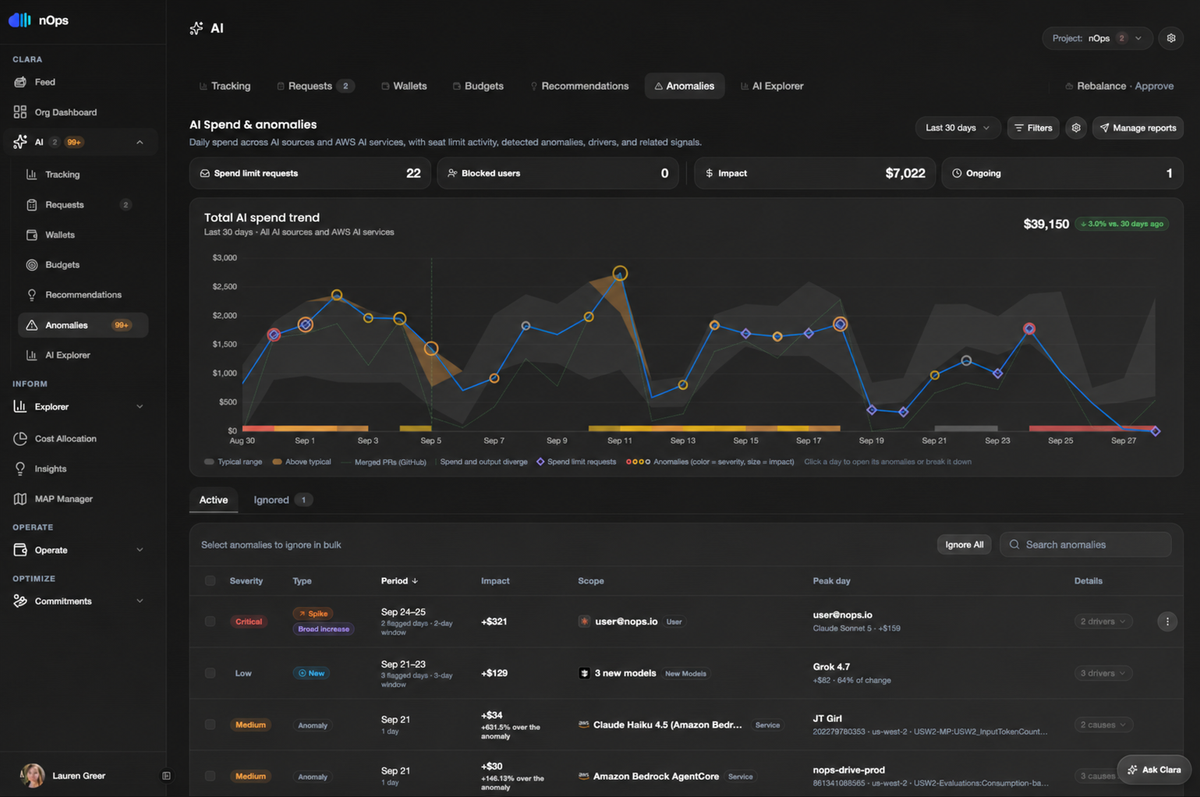
Get spend, anomalies, and seat-limit activity on a single timeline across your AI providers and developer tools, including Anthropic, Cursor, Claude Code, and OpenAI, alongside AWS AI services like Amazon Bedrock and Bedrock AgentCore.
Each source is measured against its own typical range. The anomaly view brings severity, financial impact, and related budget-governance activity together in one place, so teams can quickly see what needs attention.
Compare AI Spend to Engineering Output With GitHub Context
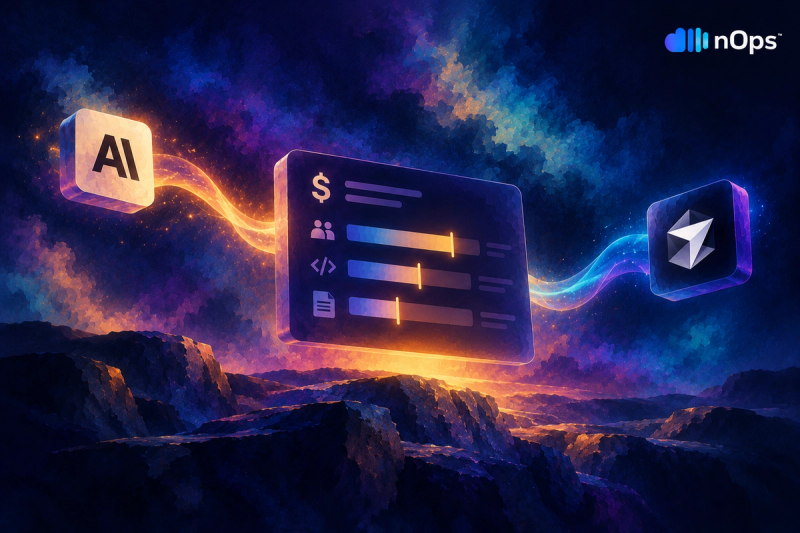
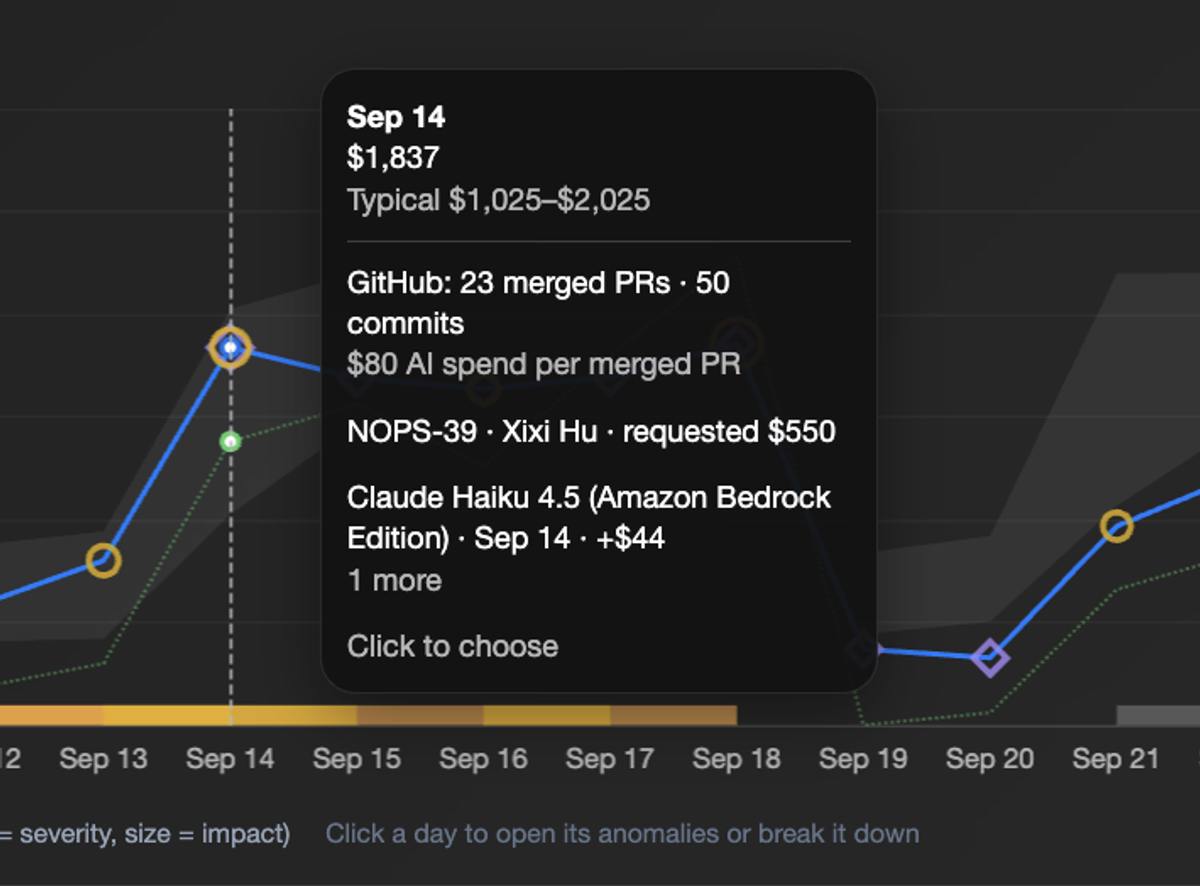
Separate expensive-and-productive from expensive-and-idle. nOps brings GitHub activity directly into AI anomaly investigation, helping teams understand whether changes in spend correspond with actual engineering work. By comparing AI spend with signals like merged pull requests and repository activity, teams can quickly distinguish expected increases from changes that warrant a closer look.
That makes it fast to answer the questions that matter when spend moves:
- Did this increase coincide with a burst of engineering work?
- Was there a deployment or merged PR around the time spend changed?
- Did a new model, service, or user drive the increase?
- Is the change expected, given what the engineering team was actually doing?
Know What Kind of Anomaly You’re Looking At
Spend going up can mean very different things, so nOps classifies each anomaly before you ever open it:
Anomaly type | What it means | Example |
|---|---|---|
Spike | A sharp increase above the typical spend range | One user’s Claude usage suddenly doubles |
Broad increase | Spend rises across multiple users, models, or services | Several teams increase AI usage at the same time |
New | A new model or service begins generating significant spend | A team starts using a newly introduced model |
Anomaly | Spend moves significantly outside its established baseline | A Bedrock service runs several times above normal |
Each anomaly also gets a severity of Critical, Medium, or Low based on its dollar impact and how far it deviates from normal. Consecutive flagged days are grouped into one window, so a three-day problem shows up as a single anomaly instead of three separate alerts.
Drill Down to the Driver
Go from “spend is up” to exactly who, which model, and which day.
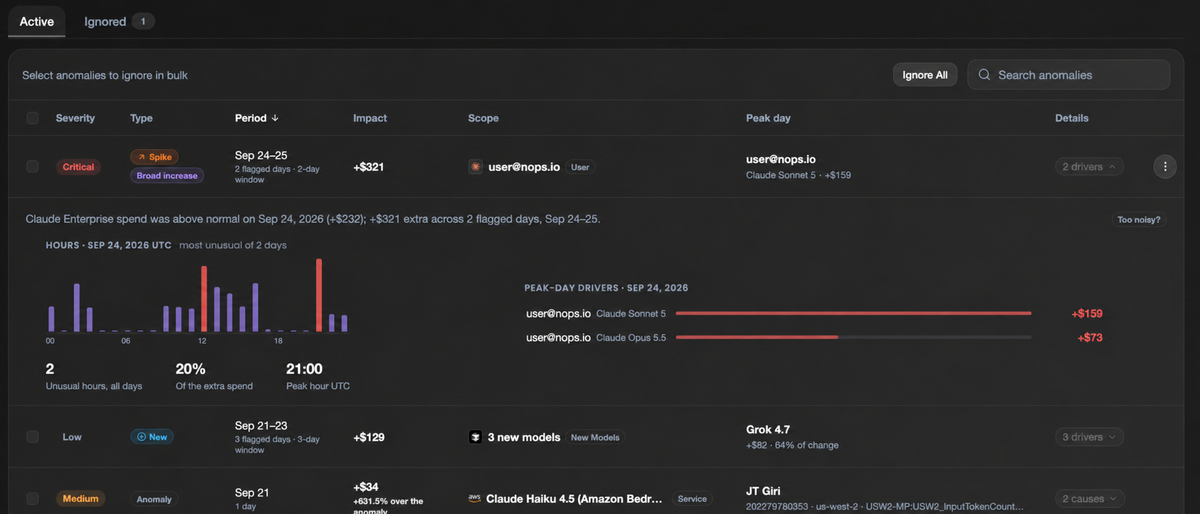
Every anomaly is scoped to where it happened, whether that’s an individual user, a set of newly adopted models, or a specific service in a specific AWS account and region. nOps identifies the peak day and its top contributor, such as the single model responsible for most of an increase, and breaks each anomaly down into the drivers and causes behind it.
You can also start from the chart. Click any day to open its anomalies or break that day’s spend down further.
Triage, Ignore, and Share
Keep the list focused on what actually needs action. Expected anomalies, like a planned load test or a sanctioned model evaluation, can be ignored individually or in bulk.
Manage Reports lets you send anomaly summaries on a schedule to the people who need them. You can also ask Clara, the nOps FinOps AI Agent, about any anomaly, or query the same data through the nOps MCP from tools like Claude or ChatGPT.
From Cost Visibility to Engineering Context
Understand not just where AI spend is going, but what’s driving it.
As developer AI tools like Claude Code and Cursor become part of everyday engineering, understanding their cost increasingly means understanding the work they support. nOps already brings developer AI spend into the same platform as the rest of your cloud and AI costs, with attribution, anomaly detection, forecasting, and budget governance. Deeper GitHub integration extends that visibility into the engineering workflow itself, connecting the financial signal to the activity behind it.
That means FinOps and engineering teams can move from “AI spend increased” to “AI spend increased here, these users and services were involved, and this is what engineering was doing at the same time.”
How to Get Started
In nOps, go to Settings → Integrations, click the GitHub card, and connect using a GitHub fine-grained personal access token. Full setup steps are in our help center.
Why fine-grained token support matters
Classic GitHub personal access tokens can access every repository the user who created them can access, and many organizations have disabled them for that reason. Fine-grained personal access tokens are limited to the repositories you select, carry individual permissions instead of broad scopes, and can be set to expire. Organization owners can also require approval before a fine-grained token can access org resources.
For nOps, that means you can grant read-only access to pull request and repository metadata on only the repositories you want tracked, with no write access and no access to source code. That makes the integration straightforward for security teams to approve, including in organizations that block classic tokens entirely.
If you’re already using nOps…
Have questions about the new AI anomaly detection or connecting GitHub? Reach out to your Customer Success Manager or visit our Help Center. If you’re not sure who your CSM is, send our Support Team a message.
If you’re new to nOps…
nOps was recently ranked #1 with five stars in G2’s Cloud Cost Management category, and we optimize $5+ billion in cloud spend for our customers.
Join our customers using nOps to understand and control your AI and cloud costs by booking a free savings analysis with one of our experts.
Demo
AI-Powered Cost Management Platform
Discover how much you can save in just 10 minutes!
Book a Demo