
10+ Best Continuous Deployment Tools for 2026
Continuous Deployment is a powerful practice for rapidly releasing code changes without manual intervention. It enables teams to respond quickly to customer feedback and rapidly deploy fixes, new features, and enhancements. This guide will explore some of the most popular Continuous Deployment tools available, including their features and benefits.
We’ll also discuss the best practices for implementing Continuous Deployment so that you can make the most of it in your organization. By the end of this guide, you’ll have a better understanding of Continuous Deployment and the tools available to help you implement it. So let’s get started!
What is Continuous Deployment?
Continuous Deployment is a vital tool for modern software development and Deployment. It is the process of automatically releasing code changes to production without manual intervention or downtime. Continuous Deployment enables teams to deploy new features quickly and consistently, allowing for faster innovation and better customer experience.
It is a form of continuous delivery and includes automated tests, deployment pipelines, and other automation tools. Continuous Deployment offers several benefits, such as faster time to market, fewer manual errors, and improved customer experience. It also allows for more frequent and reliable releases, improved application performance, and better collaboration between development and operations.
What are the Benefits of Continuous Deployment?
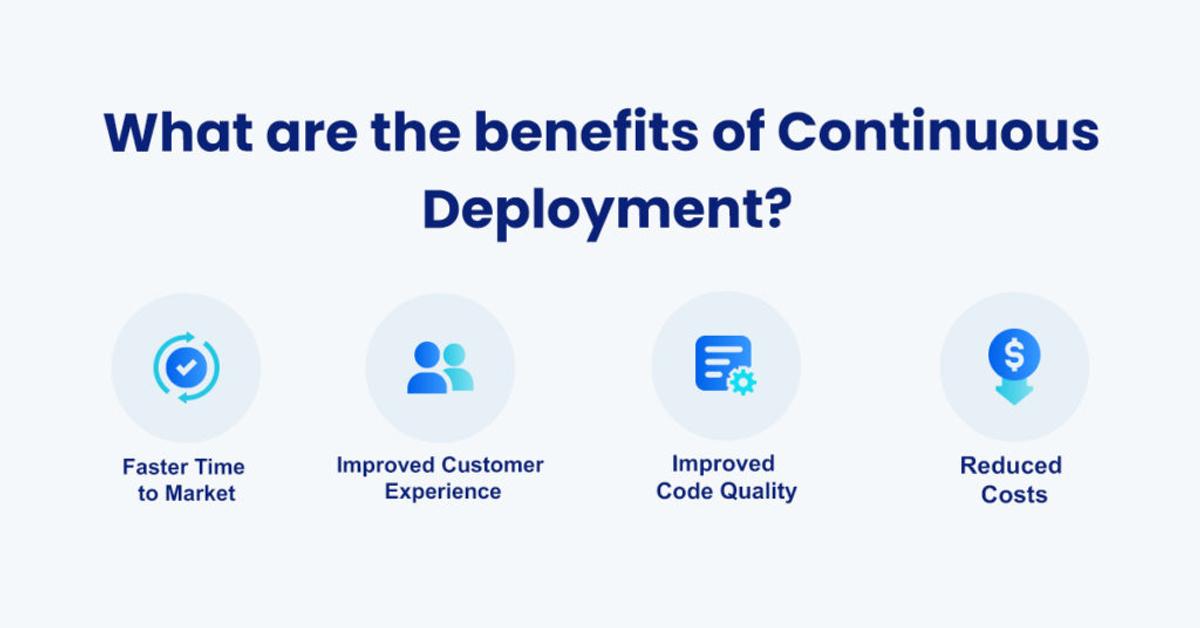
Continuous Deployment has numerous benefits for organizations, including:
Faster Time to Market
Continuous Deployment enables developers to quickly and easily deploy new features, bug fixes, and updates, meaning they can get their software to market faster than ever before. With continuous Deployment, developers can quickly and easily make changes to their software and immediately deploy them. This reduces the time it takes to market a new product or feature, giving businesses a competitive edge.
Improved Customer Experience
Continuous Deployment software also improves the customer experience. When software is launched more quickly, customers have faster access to new features and bug fixes. This can result in a better user experience, as customers will be able to access the latest features and bug fixes more quickly. Additionally, customers will be more likely to use the software if they know it is regularly updated and new features are added regularly
Improved Code Quality
Continuous Deployment also helps improve code quality. By deploying code more frequently, developers are able to identify and fix bugs before they become significant issues quickly. This helps ensure that the code is high quality and works as expected. Additionally, continuous Deployment helps ensure that the code is always up-to-date, which can help prevent security vulnerabilities.
Reduced Costs
Continuous Deployment can also help reduce costs. By deploying code more quickly and easily, developers can focus their efforts on other tasks instead of manually deploying software. This can result in cost savings, as developers can get more done quickly. Additionally, by using DevOps deployment tools to rapidly identify and fix bugs, businesses can avoid costly downtime and lost revenue.
Related Content
AWS Cloud Cost Allocation: The Complete Guide
How to tag and allocate every dollar of your AWS spend
Download Now
10+ Best Continuous Deployment Tools In 2026
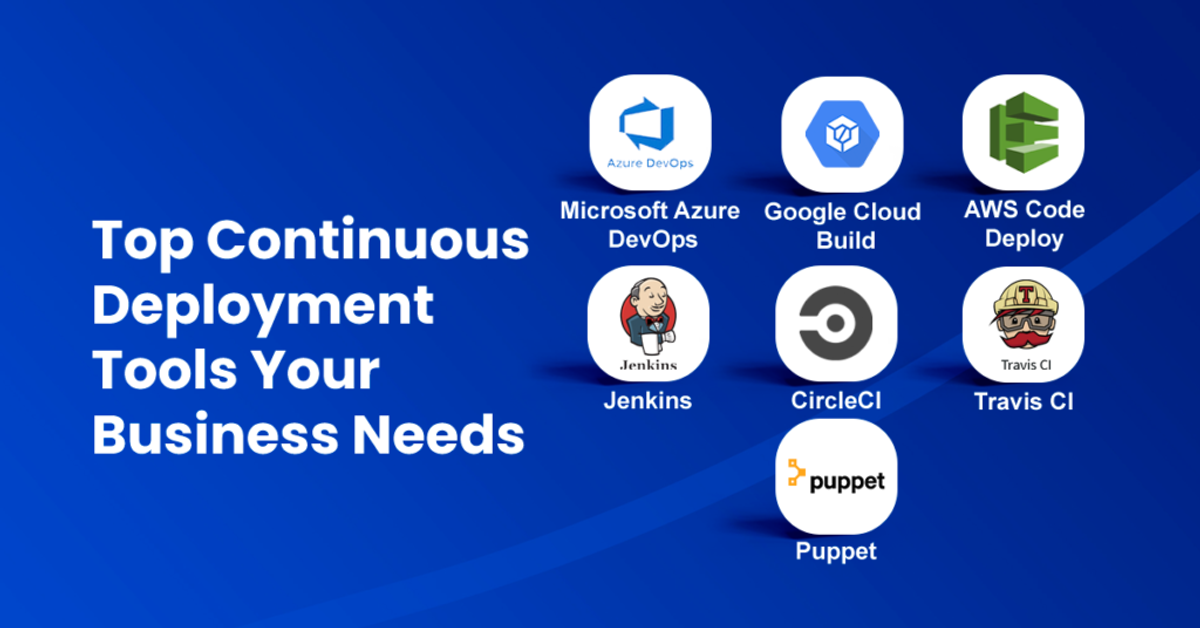
Our list of top continuous deployment platforms begins with…
1. Microsoft Azure DevOps
Microsoft Azure DevOps is a set of services that provide an end-to-end solution for developing and deploying applications on the Microsoft Azure cloud platform. It combines the power of Azure with the flexibility of DevOps, allowing teams to create, manage, and deploy applications with agility and speed. It provides a robust set of tools for continuous integration, continuous delivery, and automation, allowing teams to develop and deploy applications quickly. It also supports collaboration and communication between teams and stakeholders, making it easy to manage projects and ensure successful delivery.
Best features:
- Automate builds, tests, and deployments across any platform with powerful CI/CD pipelines
- Support for deploying to VMs, containers, serverless, and Kubernetes environments
- Includes Git repos, agile boards, and backlogs for end-to-end project tracking
- Add approvals, gates, and quality checks before and after deployments
- Integrates with 1,000+ third-party tools through the Azure DevOps Marketplace
- Designed for scale with role-based access, auditing, and parallel job support
Pricing:
Free for 5 users. Beyond that, it’s $6/user/month plus optional charges for more parallel jobs.
2. Google Cloud Build
Google Cloud Build is a continuous integration and continuous delivery (CI/CD) platform from Google Cloud Platform (GCP). It automates the building, testing, and deploying of software, making it easier for developers to release code changes to production quickly. It supports various languages, build environments, and runtimes and integrates with other GCP services such as App Engine, Cloud Storage, BigQuery, and Cloud Spanner.
Best features:
- Build, test, and deploy across multiple environments with fast, scalable pipelines
- Native integrations with GKE, Cloud Run, App Engine, and Firebase Hosting
- Supports Docker, Maven, Gradle, Bazel, and custom build steps via YAML
- Secure builds with VPC Service Controls, Binary Authorization, and IAM roles
- Integrates with GitHub, Bitbucket, GitLab, and Google Cloud Source Repositories
- Offers detailed logging, metrics, and debugging through Cloud Logging and Monitoring
Pricing:
First 2,500 build minutes per month are free; after that, builds on e2-standard-2 machines cost $0.006 per build minute.
3. AWS CodeDeploy
AWS CodeDeploy is an Amazon Web Services (AWS) service that automates software deployments to Amazon EC2 instances, on-premises instances, serverless Lambda functions, or Amazon ECS services. It automates application deployments to Amazon EC2 instances, on-premises hosts, or serverless Lambda functions. It includes features such as automatic validation of the deployment configuration, automatic rollback on failed deployments, and integration with AWS services such as Amazon CloudWatch and Amazon CloudFormation. CodeDeploy can also be used to create and manage blue/green deployments.
Best features:
- Automate deployments to EC2, Lambda, on-premises, and ECS with minimal downtime
- Support for in-place and blue/green deployment strategies across all environments
- Integrates with Amazon CloudWatch, CloudTrail, and CloudFormation for full-stack automation
- Roll back automatically on failed deployments with configurable triggers and hooks
- Centralize deployment control with approval gates and lifecycle event hooks
- Supports integration with GitHub, Bitbucket, Jenkins, and other CI tools
Pricing:
Free for EC2 and Lambda deployments; $0.02 per on-premises instance update.
4. Jenkins
Jenkins is an open-source automation server for continuous integration and delivery in DevOps. It automates repetitive tasks from building, testing, and deploying software. It helps developers quickly and easily create, test, and deploy their code. Jenkins is a popular tool for automating software development and operations tasks, and many organizations use it to streamline their software delivery process. It is highly scalable and supports multiple plugins, allowing users to customize their deployment process.
Best features:
- Automate builds, tests, and deployments across any environment or tech stack
- Supports 1,800+ plugins for source control, build tools, containers, and more
- Highly extensible with custom scripts, shared libraries, and pipeline-as-code
- Compatible with Docker, Kubernetes, GitHub, GitLab, and Bitbucket integrations
- Enables parallel and distributed builds for scalable automation
- Provides detailed logging, monitoring, and alerting through third-party tools
Pricing:
Free and open-source; enterprise support available through vendors like CloudBees.
5. CircleCI
CircleCI DevOps is a suite of continuous integration and delivery (CI/CD) tools designed to help develop, test, and deploy software quickly and reliably. It provides a comprehensive platform that automates the processes of building, testing, and deploying software, allowing developers to focus on creating the best product possible. It also offers a rich set of features, such as support for multiple languages, on-premises or cloud-based platforms, and collaboration tools.
Best features:
- Automate testing and deployments with highly customizable YAML-based pipelines
- Native integrations with GitHub, GitLab, Bitbucket, Docker, and Kubernetes
- Supports caching, parallelism, and resource classes to speed up builds
- Offers insights and monitoring with detailed build metrics and dashboards
- Secure execution with isolated Docker, VM, or macOS environments
- Enables advanced workflows, approval gates, and reusable pipeline components
Pricing:
Free plan includes 30,000 credits/month (up to 6,000 build minutes); paid plans start at $15/month for more users and compute.
6. Travis CI
Travis CI is a continuous integration and delivery service that allows developers to quickly and easily test and deploy code changes. Developers use it to automate the process of testing, building, and deploying code.
Best features:
- Automate builds, tests, and deployments triggered by GitHub or Bitbucket commits
- Supports multiple programming languages and environments out of the box
- Easily configurable with
.travis.ymlfor flexible CI/CD pipelines - Integrates with Docker, AWS, Google Cloud, Heroku, and more
- Offers build matrices, environment variables, and encrypted secrets
- Provides logs, job histories, and notifications for pipeline visibility
Pricing:
No free plan. Starter is $73/month ($66/month billed annually), Core is $262/month ($240 annually), and Pro starts at $766/month ($702 annually). The self-hosted Enterprise plan is $34 per user per month.
7. Bitbucket
Bitbucket Pipelines is the built-in CI/CD service of Bitbucket, Atlassian’s Git platform. It lets teams build, test, and deploy directly from their repositories using YAML configuration, and it integrates with Atlassian tools like Jira and Confluence for a unified environment for code development, testing, and deployment.
Best features:
- Automate builds, tests, and deployments with integrated Bitbucket Pipelines
- Supports YAML-based configuration for customizable CI/CD workflows
- Seamless integration with Jira, Trello, and other Atlassian products
- Offers over 100 pre-built integrations through Bitbucket Pipes
- Provides deployment environments for development, staging, and production
- Includes features like merge checks, code insights, and branch permissions
Pricing:
Free for up to 5 users with 50 build minutes/month; Standard at $3.65/user/month with 2,500 build minutes; Premium at $8/user/month with 3,500 build minutes.
8. Gitlab
GitLab CI/CD is the built-in continuous integration and delivery service of the GitLab DevSecOps platform. Teams define pipelines in YAML to automate testing, security scanning, and deployment, with compliance controls and project planning in the same application. GitLab supports both cloud-hosted and self-managed deployments, offering flexibility for organizations of all sizes.
Best features:
- Built-in CI/CD pipelines with YAML configuration for automated testing and deployment
- Advanced security features including SAST, DAST, and dependency scanning
- Integrated project planning tools like issue tracking, epics, and roadmaps
- Merge request approvals, code reviews, and protected branches for code quality
- Scalable infrastructure with support for Kubernetes and multi-cloud environments
- Comprehensive audit logs and compliance management for regulatory adherence
Pricing:
Free tier includes 400 compute minutes/month and up to 5 users; Premium at $29/user/month with 10,000 compute minutes; Ultimate (contact sales for pricing) with 50,000 compute minutes and advanced security features.
9. GitHub Actions
GitHub Actions is the CI/CD service built into GitHub. It lets teams build, test, and deploy code directly from their repositories using YAML workflows that run on GitHub-hosted or self-hosted runners. Workflows can be triggered by pushes, pull requests, schedules, and other GitHub events.
Best features:
- Workflows defined in YAML and stored alongside your code in the repository
- GitHub-hosted runners for Linux, Windows, and macOS, plus self-hosted runners
- A large marketplace of reusable actions for build, test, and deployment steps
- Deployment environments with protection rules, required reviewers, and secrets
- Matrix builds to test across multiple language versions and operating systems
- Deploys to any cloud, including AWS, Azure, and Google Cloud
Pricing:
Free for public repositories on standard GitHub-hosted runners, and self-hosted runners are free. Private repositories use the monthly compute included in your GitHub plan (GitHub Free includes $12, or about 2,000 Linux minutes); beyond that, standard Linux runners cost $0.006 per minute.
10. Argo CD
Argo CD is a declarative, GitOps continuous delivery tool for Kubernetes. It runs in your cluster, watches a Git repository, and keeps the cluster’s live state in sync with the state defined in Git. It is an open-source CNCF graduated project under the Apache 2.0 license.
Best features:
- Git as the single source of truth for application and cluster state (GitOps)
- Automated or manual sync of applications to the desired state
- Support for Helm charts, Kustomize, and plain Kubernetes manifests
- A web UI and CLI that show the health and sync status of every application
- Multi-cluster deployments from a single Argo CD instance
- Easy rollback by reverting to an earlier Git commit
Pricing:
Free and open source. You host it yourself, and managed options are offered by third-party vendors.
11. Spinnaker
Spinnaker is an open-source, multi-cloud continuous delivery platform that combines a flexible pipeline management system with integrations to the major cloud providers. It focuses on the release stage and is typically used alongside a CI tool such as Jenkins.
Best features:
- Pipelines that deploy to multiple clouds, including AWS, Google Cloud, Azure, and Kubernetes
- Built-in deployment strategies such as blue-green and rolling releases, plus automated canary analysis
- Manual judgment stages and approvals inside pipelines
- Triggers from CI systems like Jenkins and from Git events
- Application and cluster views that show what is running where
Pricing:
Free and open source. You host and operate it yourself, which takes real engineering effort; managed offerings are available from third parties.
12. Harness
Harness is a software delivery platform whose Continuous Delivery and GitOps module automates deployments to Kubernetes, cloud, and on-premises environments. It is available alongside Harness modules for continuous integration, infrastructure as code management, and security testing orchestration.
Best features:
- Pipelines for deploying to Kubernetes, virtual machines, and serverless targets
- Deployment strategies including canary, blue-green, and rolling
- Continuous verification and automated rollback when a release looks unhealthy
- GitOps support within the Continuous Delivery module
- Governance with approvals, policy as code, and role-based access control
- Harness Open Source included in the free plan
Pricing:
Free plan for individual developers and small teams (includes Harness Open Source and community support); the Essentials and Enterprise plans are priced through sales.
13. Octopus Deploy
Octopus Deploy is a release management and deployment automation tool. It takes builds from your CI server and handles releasing them across environments, including Kubernetes, virtual machines, and cloud services. It is available as hosted Octopus Cloud or as self-hosted Octopus Server.
Best features:
- Release snapshotting with environment promotion from development through production
- Build server integrations, so it works with the CI tool you already use
- Variables and secrets management per environment
- Runbook automation for routine and emergency operations tasks
- Tenanted deployments for releasing the same project to many customers
- Cloud-hosted and self-hosted options
Pricing:
Free plan for self-hosted Octopus Server with 10 projects, 10 machines, and 10 users; paid plans, including hosted Octopus Cloud, are listed on Octopus’s pricing page.
14. Flux
Flux is a set of continuous and progressive delivery solutions for Kubernetes that are open and extensible. Like Argo CD, it follows GitOps: Flux runs in your cluster, watches Git and other sources, and reconciles the cluster to the declared state. It is an open-source CNCF graduated project under the Apache 2.0 license.
Best features:
- GitOps reconciliation of clusters from Git repositories, Helm repositories, and OCI artifacts
- Support for Helm and Kustomize
- Progressive delivery, including canary releases, with the Flagger operator
- Multi-cluster and multi-tenant setups
- Automated image updates committed back to Git
- Notifications and alerts for deployment events
Pricing:
Free and open source.
CI vs CD tools
Continuous integration (CI) tools build and test every code change, so problems surface early. Continuous deployment (CD) tools take a tested build and release it to your environments. Many platforms do both, such as Jenkins, GitLab CI/CD, GitHub Actions, and CircleCI, while others specialize in CD, such as Argo CD, Flux, Spinnaker, Octopus Deploy, and AWS CodeDeploy. Here is how the tools in this guide compare:
| Tool | CI, CD, or both | Hosting | Free tier |
|---|---|---|---|
| Microsoft Azure DevOps | Both | Cloud and self-hosted | Free for the first 5 users |
| Google Cloud Build | Both | Cloud (Google Cloud) | 2,500 build minutes per month |
| AWS CodeDeploy | CD | Cloud (AWS), including on-premises instances | Free for EC2, Lambda, and ECS deployments |
| Jenkins | Both | Self-hosted | Free and open source |
| CircleCI | Both | Cloud, with self-hosted runners | 30,000 credits per month |
| Travis CI | Both | Cloud and self-hosted | No free plan |
| Bitbucket (Pipelines) | Both | Cloud | Free for up to 5 users |
| GitLab CI/CD | Both | Cloud and self-managed | 400 compute minutes per month |
| GitHub Actions | Both | Cloud and self-hosted runners | Free for public repositories; included minutes on private |
| Argo CD | CD | Self-hosted (runs in your Kubernetes cluster) | Free and open source |
| Spinnaker | CD | Self-hosted | Free and open source |
| Harness | Both | Cloud (SaaS) | Free plan |
| Octopus Deploy | CD | Cloud and self-hosted | Free plan (self-hosted Octopus Server) |
| Flux | CD | Self-hosted (runs in your Kubernetes cluster) | Free and open source |
Continuous deployment best practices
Deploying to production automatically only works when each release is small, tested, and easy to undo. These practices make that safe:
Use feature flags
Feature flags separate deploying code from releasing it. You can ship new code to production switched off, turn it on for a small group of users, and switch it off instantly if something goes wrong, without redeploying.
Release with canary and blue-green deployments
A canary release sends a small share of traffic to the new version first and expands it as it proves healthy. A blue-green deployment runs the old and new versions side by side and switches traffic over at once, so you can switch back just as fast. Canary releases limit the blast radius; blue-green gives you a clean cutover at the cost of running two environments.
Automate rollback
Define what a healthy release looks like, such as error rate, latency, and failed health checks, and let the pipeline roll back automatically when a release crosses those thresholds. Tools like AWS CodeDeploy can roll back on failed deployments, so recovery does not depend on someone noticing at 2 a.m.
Move toward progressive delivery
Progressive delivery combines feature flags, canary releases, and automated analysis to expand a release in stages and stop it when metrics degrade. On Kubernetes, tools such as Flux (with Flagger) and Argo Rollouts support this approach.
How nOps Helps with Faster and More Efficient Deployment
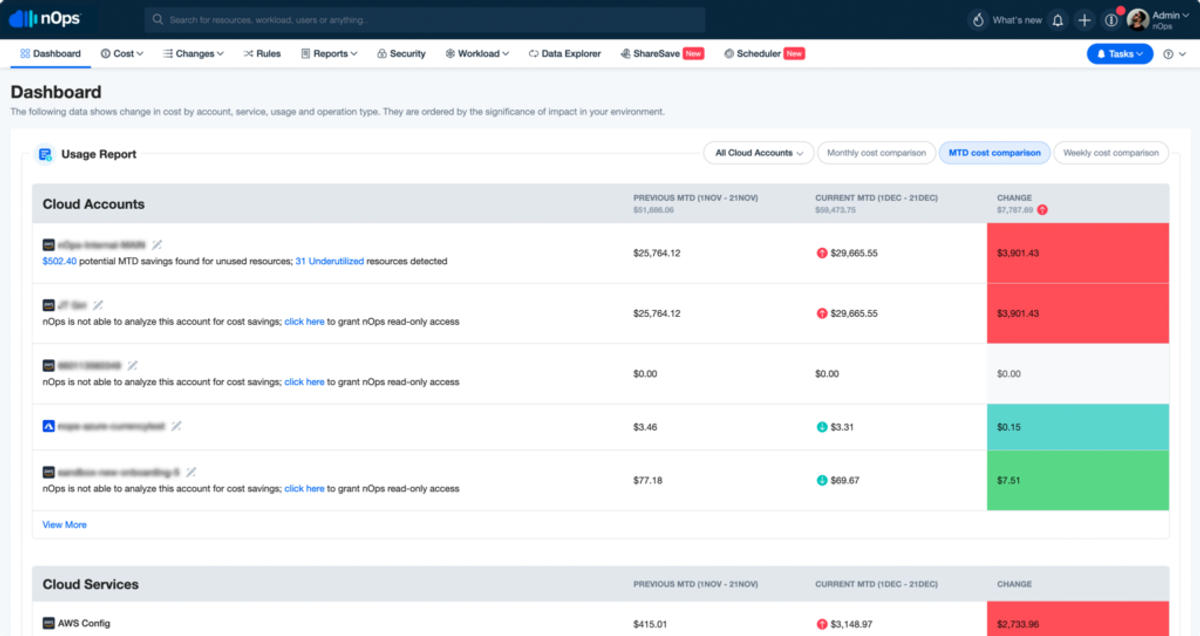
nOps is a G2 5-star rated FinOps platform that gives DevOps teams unified visibility across multicloud, SaaS, AI, and Kubernetes spend, with automated optimization of the pricing layer. By optimizing compute, commitments, and resource efficiency, nOps helps DevOps teams accelerate continuous deployment—without sacrificing cost control or infrastructure governance.
- ✅ Automate cost-optimized compute provisioning for every deployment with Compute Copilot, ensuring stability, scalability, and lowest possible price across EC2, EKS, and Spot
- ✅ Eliminate manual commitment management during release cycles—nOps dynamically adjusts Reserved Instances and Savings Plans to avoid waste and overpayment
- ✅ Ensure full visibility into deployment impact on cloud costs with real-time dashboards and historical trend analysis by service, team, and application
- ✅ Maintain speed and governance with built-in workload automation and policy controls that support continuous delivery without financial risk
- ✅ Enable DevOps to deploy with confidence knowing all underlying infrastructure is continuously rightsized, optimized, and compliant
- ✅ Track cost anomalies and deployment-driven usage spikes as they happen, with alerts that help teams respond fast and stay within budget
Join the DevOps teams using nOps to get full visibility into cloud, SaaS, and AI costs and automate infrastructure decisions with confidence by booking a demo with one of our experts.
nOps optimizes $5 billion in AI and cloud spend and was recently ranked #1 in G2’s cloud cost management category.
Demo
AI-Powered Cost Management Platform
Discover how much you can save in just 10 minutes!
Book a Demo
Frequently Asked Questions (FAQ)
Which tool is used for continuous deployment?
Popular tools for continuous deployment include Jenkins, GitLab CI/CD, GitHub Actions, CircleCI, Argo CD, Spinnaker, Harness, Octopus Deploy, and Flux. These tools automatically deploy code to production after it passes testing, enabling faster release cycles. The best choice depends on your tech stack, deployment strategy, and integration with existing CI/CD pipelines.
What are CI tools and CD tools?
CI tools (Continuous Integration) automate code integration and testing, ensuring new commits don’t break the build. CD tools (Continuous Delivery/Deployment) automate packaging, release, and deployment to staging or production. Together, they support faster, safer software releases through automation, version control integration, and repeatable build-test-deploy pipelines.
Is Jenkins a continuous deployment tool?
Yes, Jenkins can be used for continuous deployment when properly configured. It automates code building, testing, and deployment using pipelines and plugins. While Jenkins is primarily known as a CI tool, it supports CD workflows as well, making it a versatile option for end-to-end automation.
What is the best CI CD tool?
There’s no single “best” tool—GitHub Actions, GitLab CI/CD, CircleCI, and Jenkins are all strong contenders for best continuous delivery tools. GitLab offers an all-in-one DevOps platform. GitHub Actions integrates seamlessly with repositories. Jenkins is highly customizable. Choose based on team size, existing tools, and whether you need cloud-native, open-source, or enterprise-grade features.
10+ Best Continuous Deployment Tools for 2026