 Skip to content



Top GCP FinOps Tools in 2026: Compare Features, Pricing & Performance
Managing Google Cloud Platform costs without the right tooling is like trying to catch rain with your hands — you’ll see the spend flowing past, but you won’t control where it goes. As FinOps teams expand beyond AWS to manage multi-cloud environments, GCP-specific cost challenges demand specialized solutions.
The FinOps Foundation’s 2026 State of FinOps report found that 98% of practitioners now manage AI spend and 90% handle SaaS costs, signaling that cloud financial management has evolved far beyond simple infrastructure tracking. For teams managing GCP workloads — especially data-intensive services like BigQuery, serverless functions, and Kubernetes clusters — generic cost dashboards don’t cut it anymore.
This guide examines the top GCP FinOps tools in 2026, comparing their cost visibility, commitment management, automation capabilities, and pricing models to help you choose the platform that matches your team’s maturity and GCP footprint.
What Is FinOps for Google Cloud
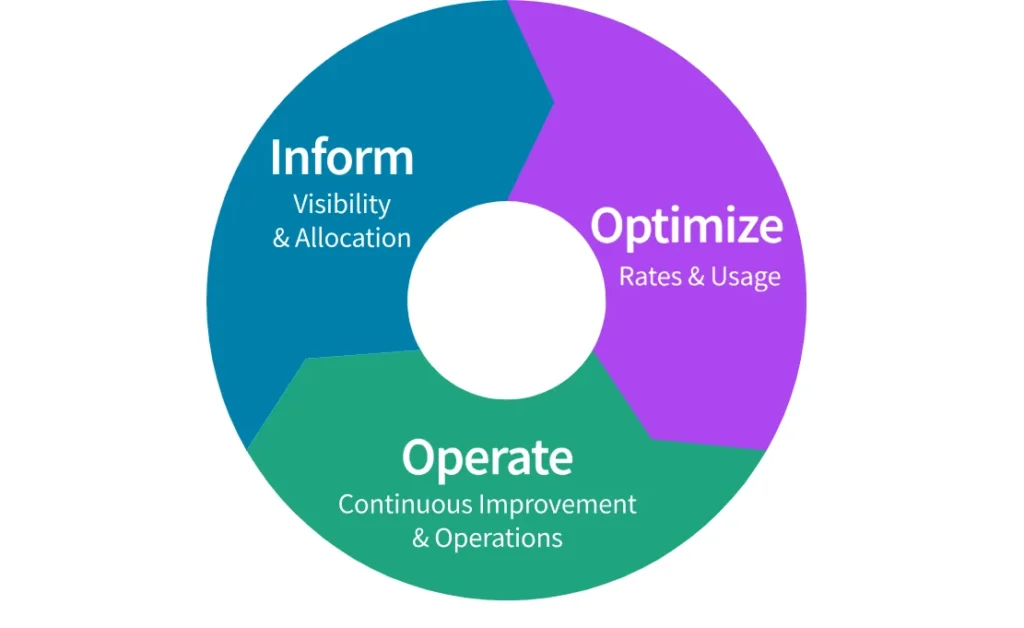
FinOps (Financial Operations) is the practice of bringing financial accountability to cloud spending through collaboration between engineering, finance, and business teams. The FinOps Foundation defines it as “an evolving cloud financial management discipline and cultural practice that enables organizations to get maximum business value by helping engineering, finance, and business teams to collaborate on data-driven spending decisions.”
For Google Cloud Platform specifically, FinOps addresses several unique challenges:
Per-second billing granularity — GCP’s fine-grained pricing requires detailed tracking to understand actual costs and creates attribution challenges, especially across BigQuery, GKE, and serverless workloads
Sustained Use Discounts (SUDs) — Automatic discounts that apply after 25% monthly usage make it harder to predict future costs without modeling
Committed Use Discounts (CUDs) — Google Cloud offers both resource-based and spend-based committed use discounts, which differ from AWS and Azure commitment constructs.
BigQuery slot reservations — GCP uses a consumption model (on-demand or slot-based) that requires different attribution approaches than VM-based pricing.
Serverless cost unpredictability — Cloud Functions, Cloud Run, and Dataflow can spike costs rapidly without proper monitoring
A Reddit user in r/googlecloud captured the GCP FinOps challenge: “Google gives you this incredible serverless engine, but then makes you, the user, responsible for building the cost management dashboard to rein it in.”
Why GCP FinOps Tools Matter in 2026
Three converging trends make GCP FinOps tooling critical in 2026:
Multi-cloud is the default, not the exception. Teams rarely run GCP in isolation. Most organizations use GCP alongside AWS for specialized workloads (data analytics, machine learning) or as part of a deliberate multi-cloud strategy. Managing cloud costs across providers without unified visibility creates blind spots that inflate total cloud spend.
AI and data workloads drive GCP adoption — and cost complexity. BigQuery, Vertex AI, Dataflow, and Cloud AI services power enterprise ML pipelines. These services don’t behave like traditional VMs. They scale dynamically, consume resources in unpredictable bursts, and lack obvious cost-per-unit metrics. One engineering leader captured this in a recent call: “When we talk about rate optimization, it’s the framework of reserved instances and savings plans — but for BigQuery slots and Dataflow jobs, we’re flying blind without specialized tools.”
GCP commitment changes in 2026 require proactive management. As of January 21, 2026, Google automatically migrated eligible billing accounts from the legacy credit-based spend-based CUD model to a new direct-discount model. Teams that don’t actively manage CUD utilization risk over-committing or missing optimization opportunities during this transition.
How We Evaluated These GCP FinOps Tools
We assessed each platform across five criteria:
Multi-Cloud Support Depth
Does the tool treat GCP as a first-class citizen, or is it an AWS-centric platform with GCP bolted on? We prioritized platforms that ingest GCP billing data natively via BigQuery export or FOCUS export, normalize GCP cost structures alongside AWS/Azure, and provide unified reporting without requiring separate dashboards per cloud.
GCP-Specific Features
Can the platform handle Committed Use Discount analysis, BigQuery slot cost attribution, Cloud Run per-request costs, and GKE node pool optimization? Generic cloud cost tools that only track VM hours miss the nuances of GCP’s serverless and data-centric services.
Automation Capabilities
Cloud cost management at scale requires automation. We evaluated whether tools provide automated anomaly detection, CUD purchase recommendations, resource scheduling, and idle resource cleanup — or if they’re purely reporting platforms that require manual action on every insight.
Integration Ecosystem
Modern FinOps practices extend beyond cloud infrastructure to SaaS tools (Datadog, Snowflake, Databricks), Kubernetes cost attribution, and financial planning systems. We assessed each platform’s ability to unify GCP costs with other cloud costs and third-party tool spend for complete visibility.
Pricing Transparency
FinOps tools should make cloud costs visible, not add hidden expense layers. We noted whether platforms publish transparent pricing, charge flat fees vs percentage-of-spend, and offer flexible contract terms.
Key Features to Look for in a GCP FinOps Platform
Here’s the checklist of key tool capabilities for optimizing cloud costs:
Cost Visibility & Attribution
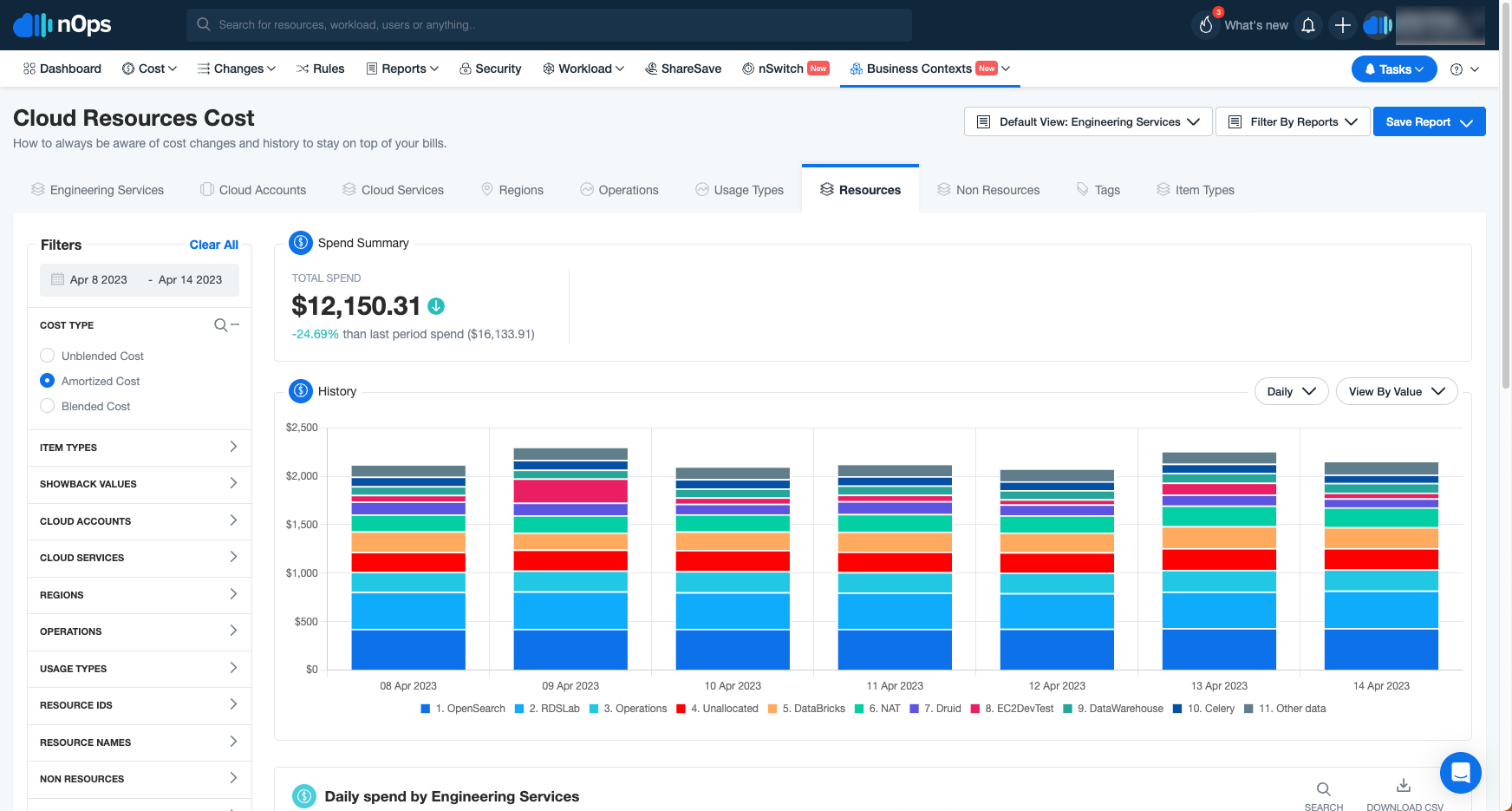
The foundation of FinOps is knowing what you’re spending and why. Look for platforms that provide:
Granular cost breakdowns by service, project, team, environment, and custom labels — GCP supports labels for cost allocation, but they must be applied consistently across resources—otherwise billing data remains fragmented.
Unit cost metrics — Cost per customer, per API call, per transaction, or per feature enables ROI analysis and pricing model validation
Multi-cloud normalization — If you run AWS and GCP, you need unified reporting that doesn’t require switching dashboards or reconciling inconsistent data formats
Committed Use Discount Management
GCP Committed Use Discounts (CUDs) offer up to 57% savings on compute and 35% on database services in exchange for 1-year or 3-year commitments. However, managing CUDs manually is labor-intensive. Effective FinOps platforms provide CUD coverage analysis, utilization tracking, and renewal alerts. Advanced platforms offer automated CUD purchase recommendations or adaptive commitment management that adjusts coverage continuously.
Budget Tracking & Forecasting
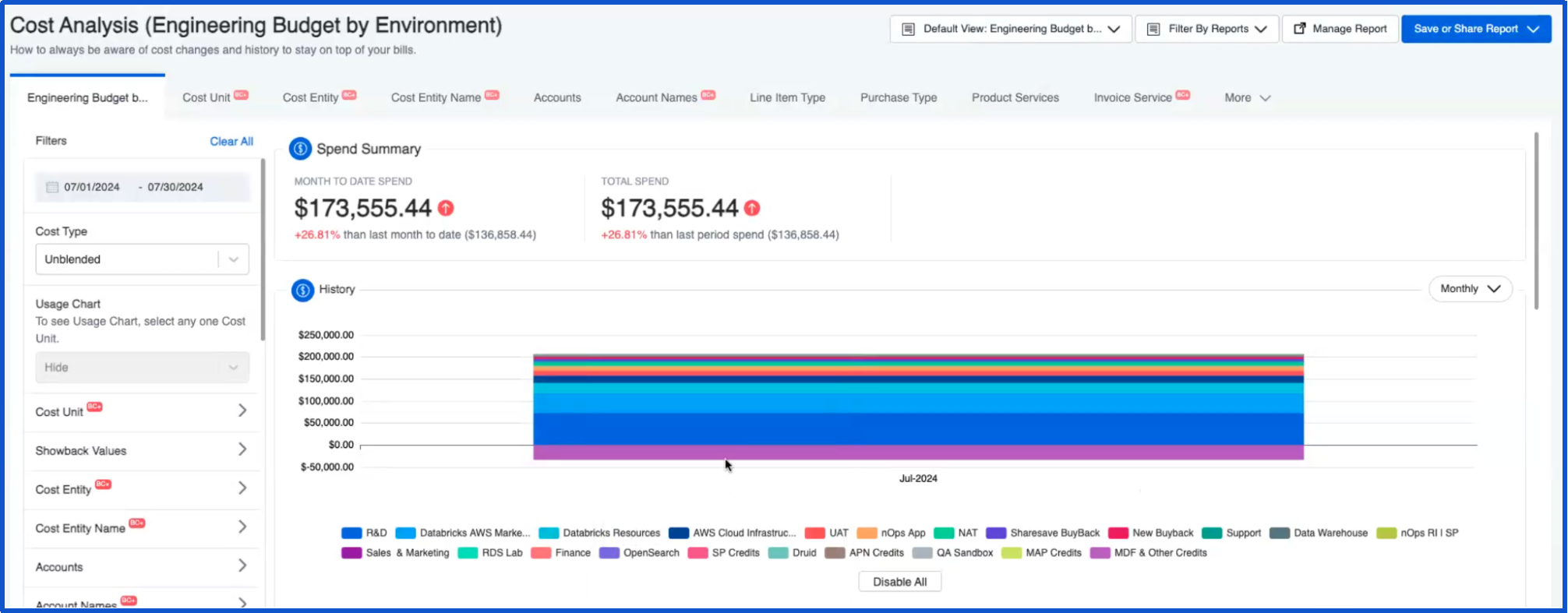
Real-time budget tracking prevents surprise overspend. Key capabilities include:
Budget alerts at custom thresholds (e.g., 50%, 80%, 100% of budget) sent to Slack, email, or PagerDuty
Forecasting based on historical trends and seasonal patterns — not just linear extrapolation
Team-level budgets that cascade from org-wide caps down to individual projects or cost centers
One VP of Engineering described their pain point: “We’re trying to get everything under one umbrella for cost benefit and ease of management standardization.”
Anomaly Detection & Optimization Recommendations
Cloud costs can spike unexpectedly due to misconfigurations, runaway batch jobs, or unanticipated traffic surges. Anomaly detection should learn baseline spending patterns automatically and alert on spend increases within hours, not days. Cost visibility alone doesn’t reduce spend — platforms should surface actionable recommendations for right-sizing, idle resource identification, storage class optimization, and CUD utilization gaps.
As one r/startups commenter noted: “The real pain is lack of visibility and too many underutilized resources… teams see the cost data but struggle to turn those insights into actual optimization actions.”
Top 10 GCP FinOps Tools in 2026
The options listed here will help you supercharge your GCP cloud cost management efforts, so you can get more out of every dollar you spend on Google Cloud.
1. nOps
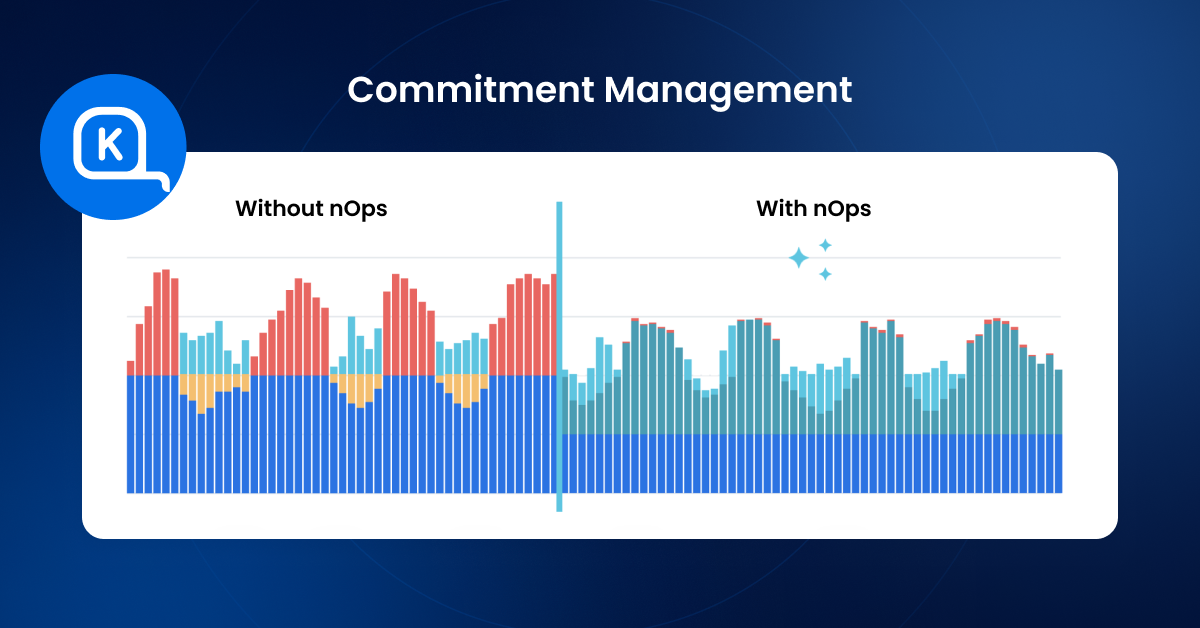
nOps is an end-to-end GCP cost optimization platform that enables organizations to maximize cloud value by optimizing cost efficiency, financial accountability, and cloud performance—without manual intervention. It helps teams achieve up to 60% cost reduction while aligning cloud investments with business objectives.
Key Capabilities:
Commitment Management: autonomous hourly optimization of your GCP CUDs and SUDs for the biggest discounts and maximum flexibility
nOps Visibility: understand 100% of your GCP costs with automated dashboards, reports, container cost allocation, budgets & cost tracking
FinOps AI Agent: pose any of your cloud-related questions to nOps AI — it is trained on your data to give you instant answers, executive-ready reports, or executable scripts to take action on recommendations.
Best For: FinOps and platform teams that want autonomous commitment optimization and maximum savings outcomes without adding operational burden or financial lock-in.
Pricing: Savings-first pricing — customers only pay after nOps delivers measurable savings. You can get a free savings analysis to find out how much you can save.
2. CloudZero
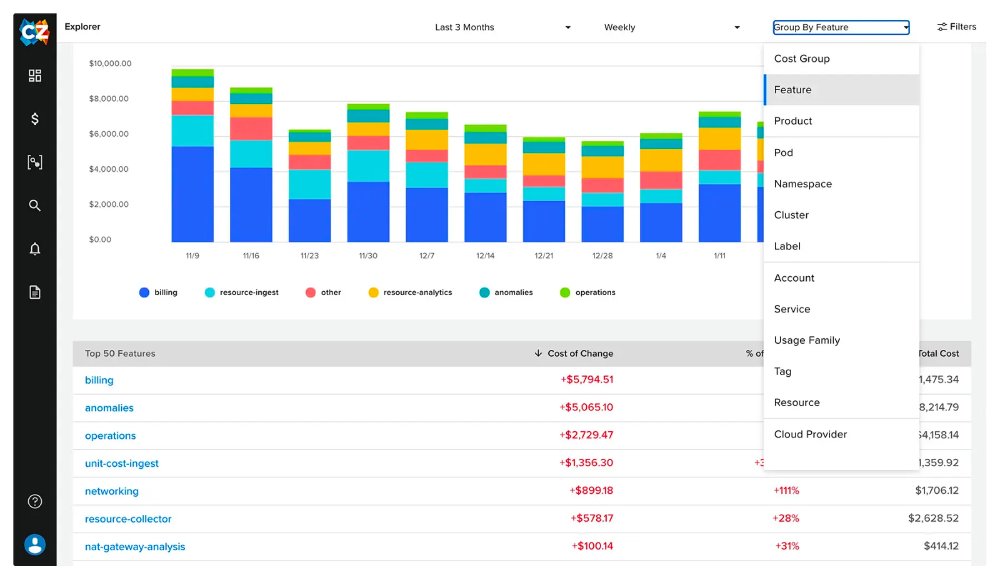
CloudZero is a cloud cost intelligence platform focused on unit cost economics — cost per customer, per product, per feature. Automatically allocates 100% of cloud spend, including shared and untaggable resources, without requiring extensive manual tagging. Supports AWS, Azure, and GCP.
Key Capabilities: Granular GCP cost breakdowns, automatic allocation to business units, unit cost tracking, real-time budget alerts, right-sizing recommendations, integration with Kubernetes/Snowflake/Databricks/Datadog.
Best For: Organizations that need primarily a visibility solution (rather than optimization as well).
Pricing: Custom pricing based on cloud spend volume.
3. Apptio Cloudability
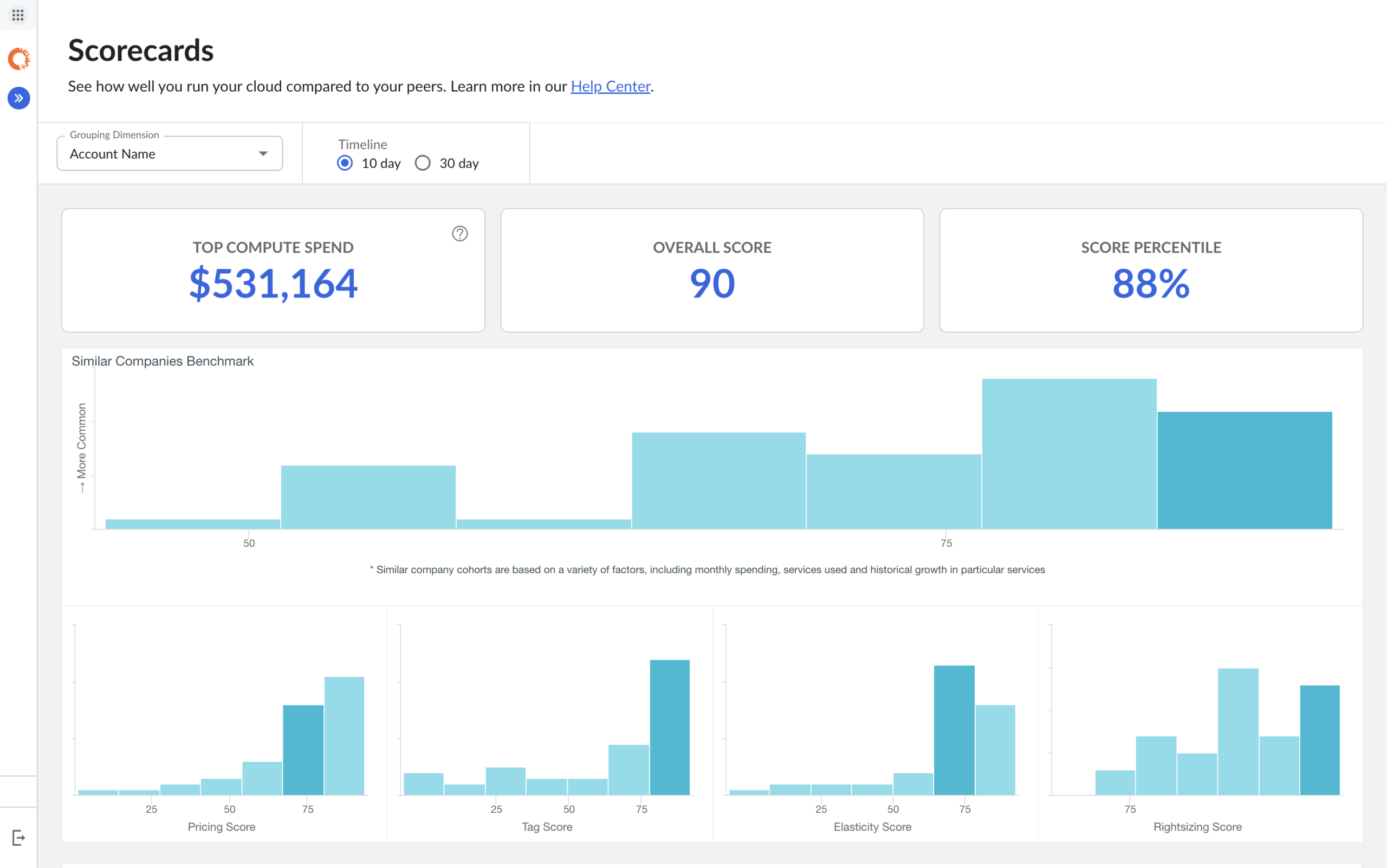
Apptio Cloudability (now part of IBM) is an enterprise-grade cloud financial management platform with support for AWS, Azure, GCP, Kubernetes, and OpenShift. Focuses on visibility, governance, and financial reporting for large organizations.
Key Capabilities: GCP billing exports with up to 64 labels, hierarchical budgets, chargeback/showback workflows, forecasting, governance policy enforcement, integration with IBM Turbonomic.
Best For: Large enterprises with multi-cloud environments, strict governance requirements, and centralized FinOps teams with CFO-level reporting needs.
Pricing: Tiered pricing based on annual managed cloud spend. Annual contracts typically required.
4. Harness Cloud Cost Management
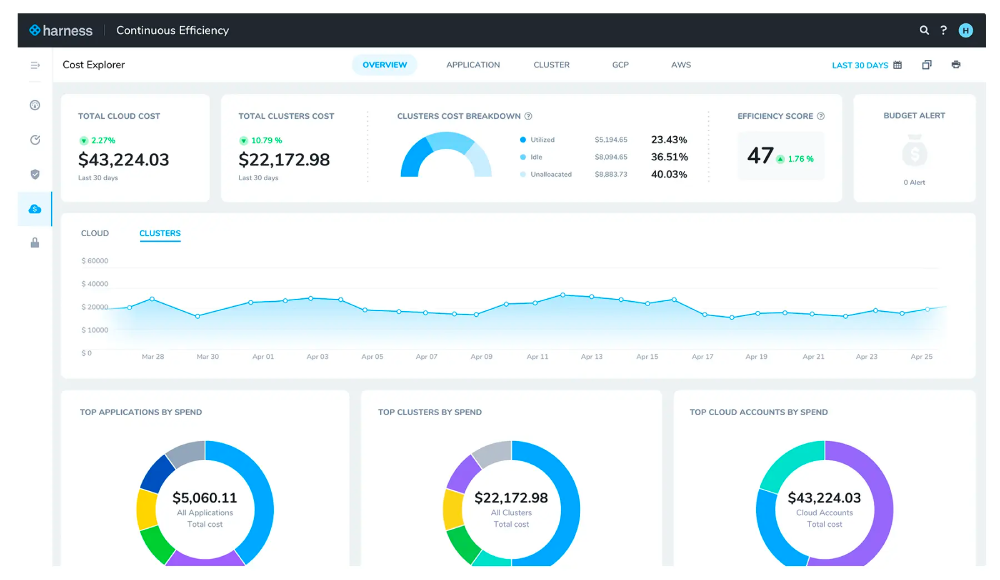
Part of Harness’s broader software delivery platform, combining FinOps with CI/CD. Supports AWS, Azure, GCP, and Kubernetes with a focus on engineering-driven optimization.
Key Capabilities: Real-time GCP dashboards, label-based attribution, budget alerts, idle VM detection, CUD recommendations, Kubernetes namespace-level cost allocation for GKE, AutoStopping for automated resource scheduling.
Best For: Engineering teams already using Harness for CI/CD who want integrated cost visibility.
Pricing: Free tier available for smaller environments; paid tiers scale with usage and platform features.
5. Kubecost
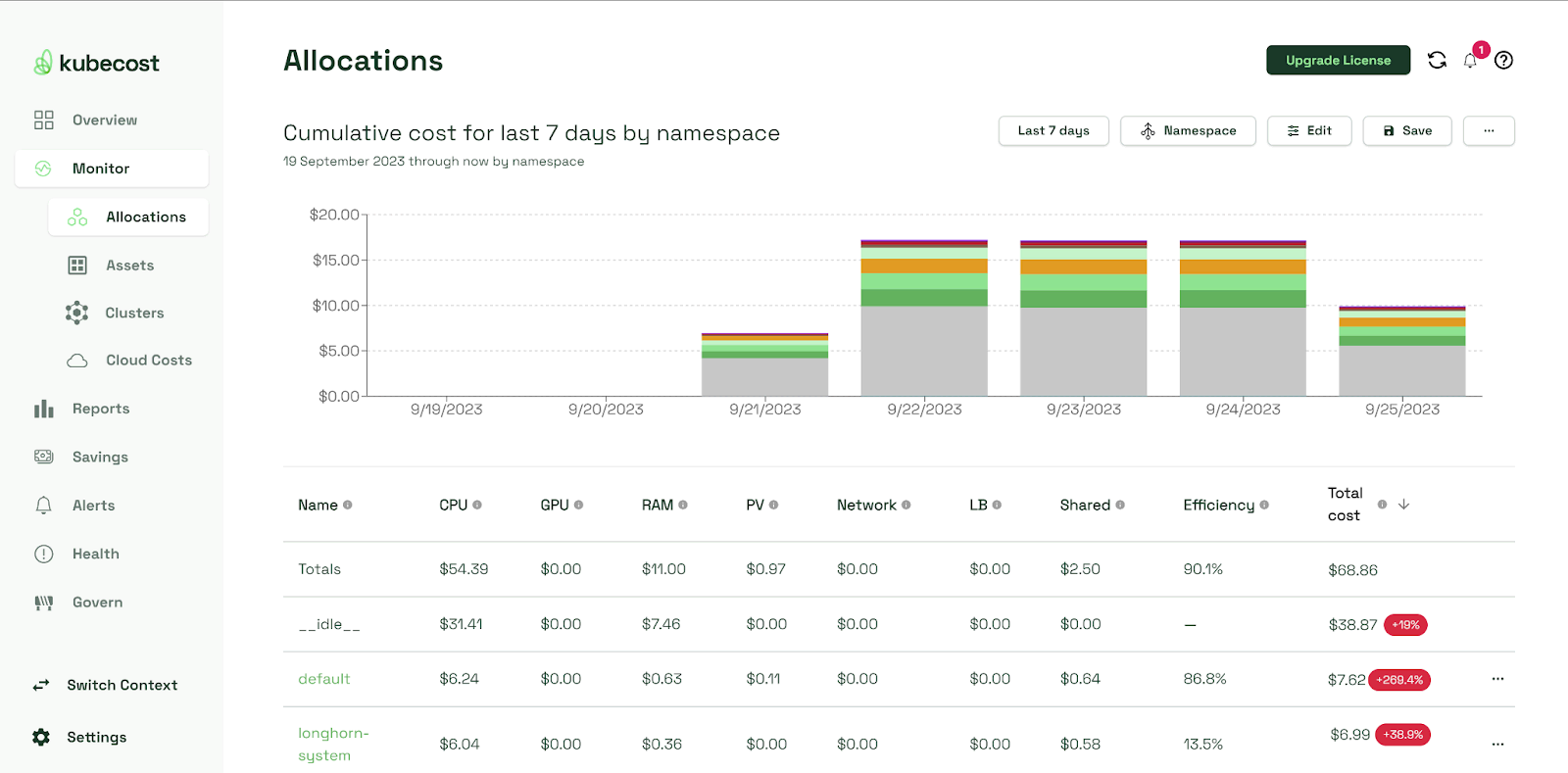
Kubernetes-specific cost monitoring for clusters running on AWS EKS, Azure AKS, Google GKE, and on-premises. Delivers pod-level, namespace-level, and label-level cost attribution for containerized workloads.
Key Capabilities: GKE cluster cost breakdowns by namespace/pod/deployment/service, label-based attribution, namespace budgets, pod right-sizing, node pool optimization, cluster efficiency scoring.
Best For: Teams running significant GKE workloads who need granular Kubernetes cost visibility.
Pricing: Free: Kubecost Community Edition (single cluster). Paid: Enterprise pricing is typically per-cluster and varies based on scale.
6. Finout
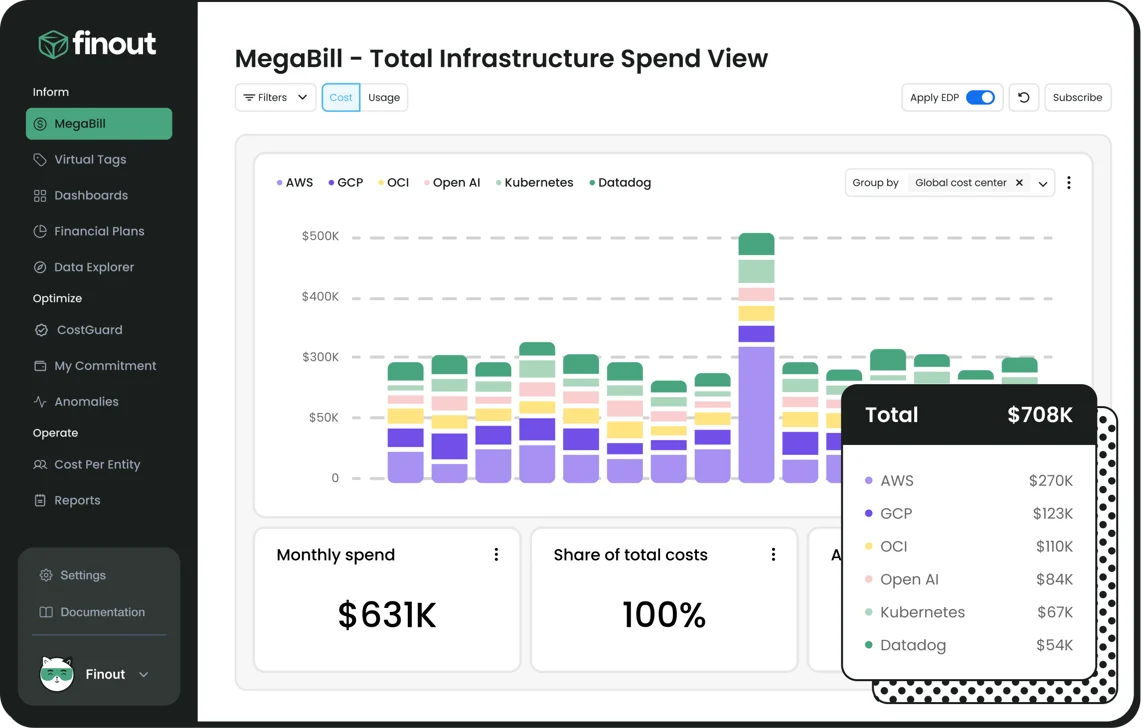
Multi-cloud cost management platform supporting AWS, Azure, GCP, Kubernetes, and third-party SaaS tools (Snowflake, Databricks, MongoDB). Focuses on cost allocation and anomaly detection without requiring extensive tagging.
Key Capabilities: GCP billing ingestion, virtual tagging, real-time budget alerts, forecasting with seasonality, unit cost tracking, anomaly detection with ML, FOCUS export support.
Best For: Multi-cloud organizations with complex third-party tool costs who need primarily visibility rather than optimization across cloud + SaaS + data platforms.
Pricing: Custom pricing based on managed spend. Contact for quote.
7. CloudHealth by VMWare
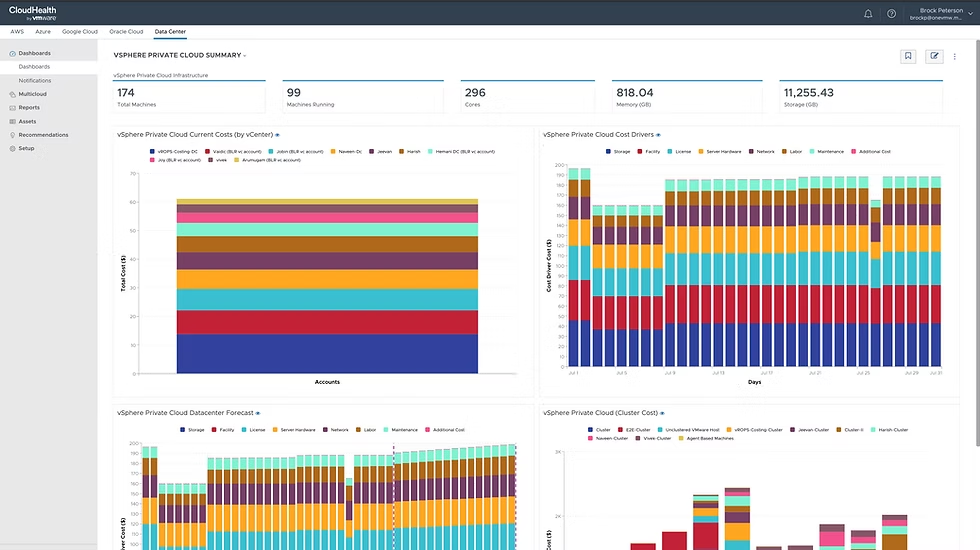
Enterprise cost management platform supporting AWS, Azure, GCP, and VMware environments. Provides cost visibility, governance, security posture management, and operational insights.
Key Capabilities: GCP billing ingestion, business mapping for cost allocation, multi-dimensional budgets, right-sizing recommendations, chargeback workflows, security and compliance policy enforcement.
Best For: Enterprises with hybrid cloud environments (public + VMware on-prem) who need unified visibility across infrastructure silos.
Pricing: Tiered pricing based on managed infrastructure spend. Enterprise licensing required. Contact CloudHealth for current pricing under Broadcom ownership.
8. Vantage
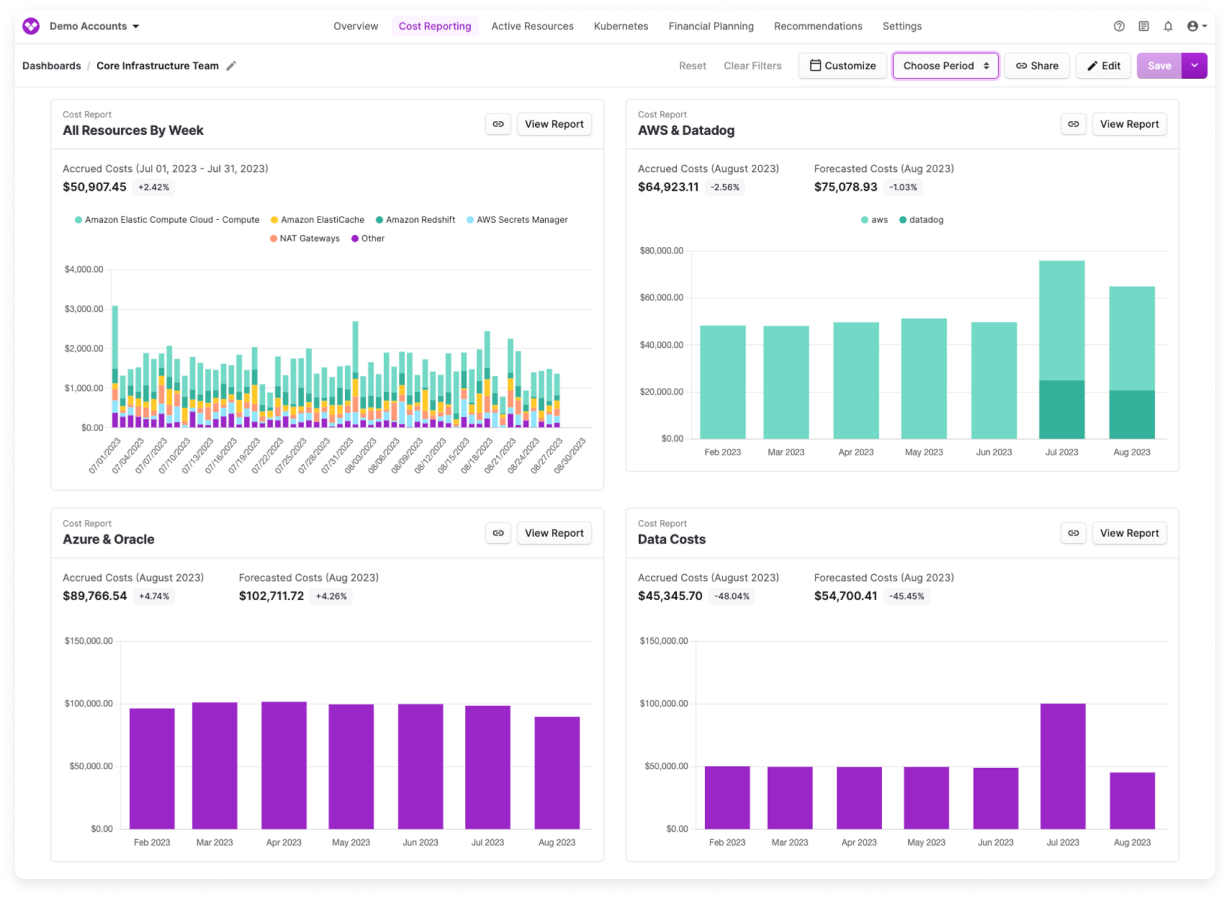
Modern multi-cloud cost platform supporting AWS, Azure, GCP, Kubernetes, and third-party integrations. Recently launched advanced features like Dynamic Forecasting and time-bound virtual tags.
Key Capabilities: GCP billing with custom reporting, virtual tagging, budget alerts with anomaly detection, Dynamic Forecasting (ties cloud costs to business metrics), integration with GitHub/Datadog/Snowflake, developer-friendly API.
Best For: Engineering-led teams who want cost visibility integrated into developer workflows. High product release velocity.
Pricing: Usage-based pricing with a free tier and published paid plans.
9. Kubex (formerly Densify)
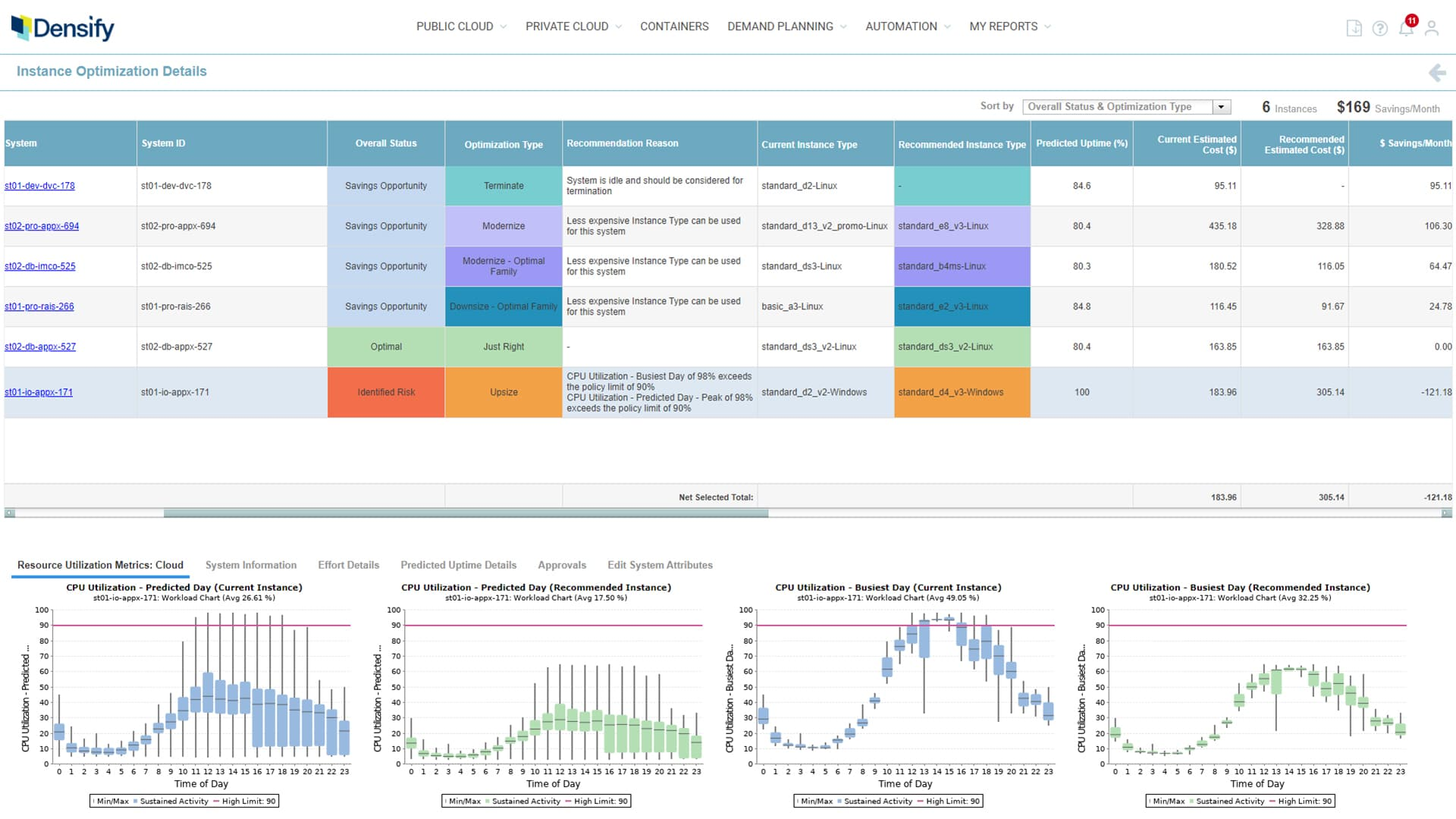
Cloud and container resource optimization platform using machine learning to right-size workloads across AWS, Azure, GCP, and Kubernetes. Prioritizes performance-aware optimization.
Key Capabilities: GCP resource utilization analysis, ML-driven right-sizing for GCE VMs/Cloud SQL/GKE, predictive modeling, performance threshold preservation.
Best For: Performance-sensitive workloads where cost optimization can’t compromise application SLAs (databases, analytics, latency-sensitive services).
Pricing: Custom enterprise pricing based on managed infrastructure. Contact for quote.
10. CAST AI
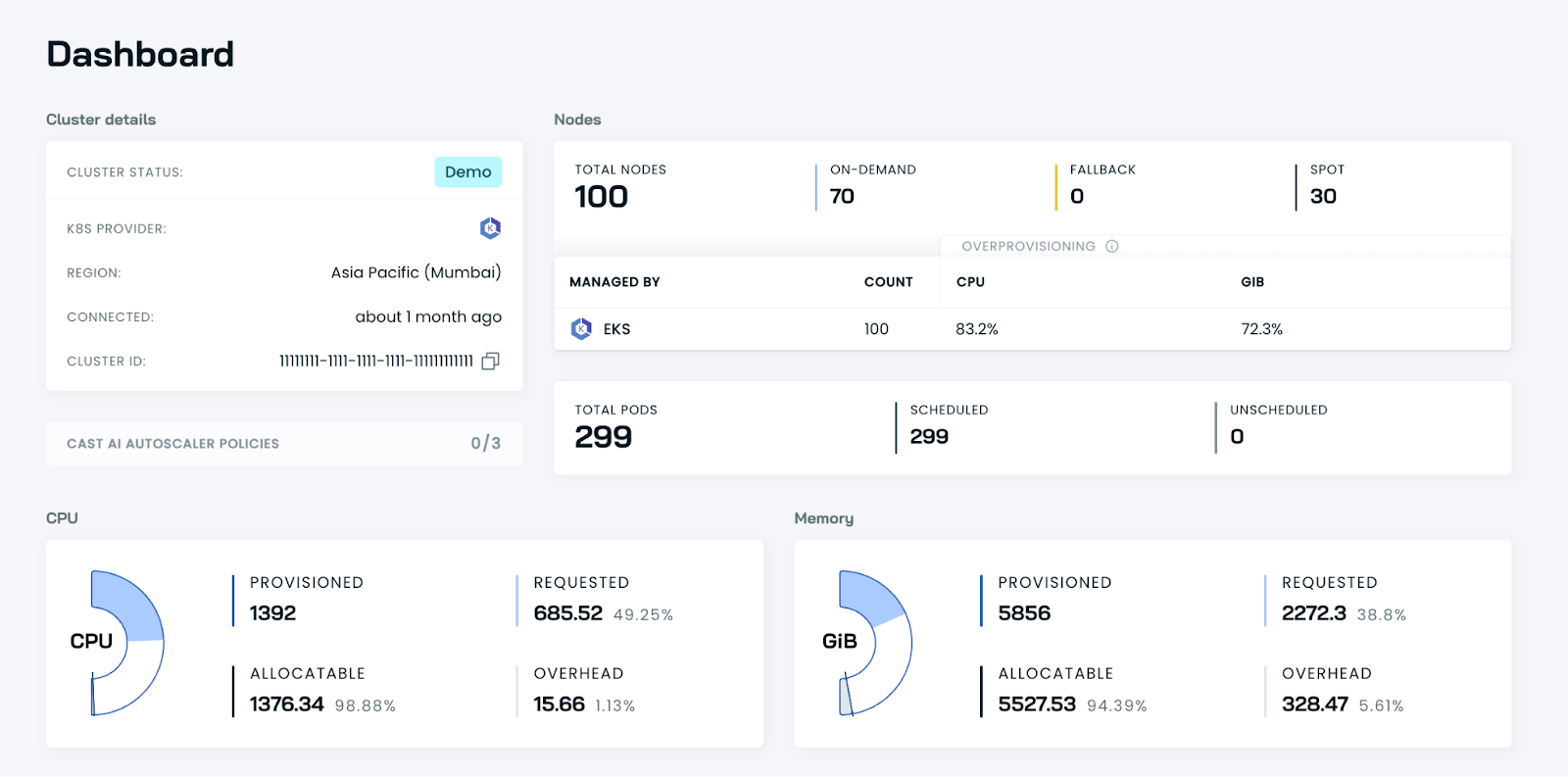
Kubernetes cost optimization specialist for GKE, EKS, and AKS. Provides automated cluster management, spot instance orchestration, and node pool optimization.
Key Capabilities: GKE cluster cost analysis, namespace attribution, automated node right-sizing, spot instance management with ML-based interruption prediction, cluster autoscaling tuning.
Best For: Organizations running production workloads on GKE who want automated cost optimization of workloads without broader GCP cost management capabilities.
Pricing: Free tier for smaller clusters. Paid tiers based on managed cluster spend.
Google Cloud Native Billing Tools vs Third-Party FinOps Platforms
Google Cloud provides several native tools for cost management:
| Tool | What it does | Best for |
|---|---|---|
| FinOps Hub | Centralized dashboard for optimization recommendations, commitment utilization, and savings opportunities | High-level cost management and optimization tracking |
| Cloud Billing Console | Core billing reports, budgets, alerts, and cost breakdowns | Day-to-day cost monitoring and budgeting |
| Recommender | Automated suggestions for right-sizing, removing idle resources, and purchasing CUDs | Actionable cost optimization |
| BigQuery Billing Export | Exports detailed billing data for custom analysis | Advanced analytics and custom reporting |
When Native Tools Are Sufficient
GCP native tools work well for single-cloud environments where GCP is the only provider, small teams (< 10 engineers) with straightforward cost structures, and early-stage FinOps practices focused on basic visibility before deeper cost management and automated optimization.
When Third-Party Platforms Add Value
Third-party FinOps tools become necessary when multi-cloud environments require unified AWS + GCP + Azure reporting, complex cost allocation across products/customers/teams exceeds native tagging capabilities, automation at scale is needed (resource scheduling, anomaly detection, automated CUD purchases), or SaaS tool consolidation requires unifying Snowflake/Databricks/Datadog costs with cloud infrastructure spend.
The tipping point typically occurs when cloud spend exceeds $100K/month or when engineering teams spend more than 10 hours/week manually analyzing billing data.
Feature Comparison of Leading GCP FinOps Tools
Let’s summarize the comparison of all Google Cloud Cost Management tools on this list:
DLS Table
| Tool | GCP Coverage | Best for | Limitation | Overall take |
|---|---|---|---|---|
| nOps | Full GCP FinOps and commitment optimization | Automated savings, commitment management, and multi-cloud visibility | More than some teams need if they only want lightweight reporting | Best overall choice for teams that want optimization, automation, and visibility in one platform |
| CloudZero | Strong GCP support | Unit economics and business-aware cost visibility | Stronger on cost intelligence than hands-off optimization | Best for SaaS teams focused on cost allocation and unit cost analysis |
| Apptio Cloudability | Strong GCP support | Enterprise governance, reporting, and forecasting | More enterprise-heavy and less automation-focused | Best for large organizations with mature FinOps processes |
| Harness CCM | Good GCP support | Engineering-led cost control and automation workflows | Less differentiated for GCP commitment management | Best for teams already using Harness |
| Kubecost | GKE-focused | Kubernetes cost visibility | Not a full cloud FinOps platform | Best for teams focused primarily on Kubernetes spend |
| Finout | Strong GCP support | Cost allocation across cloud and SaaS spend | Stronger on visibility than optimization | Best for organizations that need flexible allocation and spend consolidation |
| CloudHealth | Strong GCP support | Hybrid and enterprise cloud governance | Less modern and automation-first in positioning | Best for large enterprises, especially hybrid environments |
| Vantage | Good GCP support | Developer-friendly cost reporting and visibility | More reporting-focused than optimization-focused | Best for teams that want flexible, lightweight cost visibility |
| Densify | Supports GCP and GKE optimization | Rightsizing and performance-aware optimization | Less complete as a broad FinOps platform | Best for performance-sensitive infrastructure optimization |
| CAST AI | GKE and Kubernetes-focused | Deep Kubernetes automation and optimization | Not a broad cloud FinOps platform | Best for Kubernetes-specific cost and efficiency optimization |
How to Choose the Right GCP FinOps Tool
Across the tools in this guide, commitment optimization remains one of the largest savings levers in GCP. nOps focuses on maximizing that lever automatically — increasing your effective savings rate without adding operational overhead. And, we only get paid after delivering you measurable savings.
In 2026, “good enough” means you’re likely leaving money on the table. We’ve talked to companies that can save millions on their cloud bills by switching to nOps from competitors.
There’s no risk to book a free savings analysis to find out if nOps can help you get more value out of your cloud investments.
nOps manages $3B+ in cloud spend and was recently rated #1 in G2’s Cloud Cost Management category.
Frequently Asked Questions
Let’s dive into a few questions about GCP cost optimization and reducing your cloud spending with Finops tooling.
What are GCP FinOps tools?
GCP FinOps tools are the systems teams use to answer real billing questions: which products drove this month’s spike, which workloads are underused, where committed use discounts are being wasted, and whether cloud costs map cleanly to owners. Google’s own billing tools cover part of this; platforms like nOps go further with automation and ongoing cost optimization.
Why do companies need FinOps tools for Google Cloud?
Google Cloud bills are detailed, fast-changing, and hard to manage from invoices alone. FinOps tools turn raw billing exports, labels, and cost and usage trend data into something teams can act on: forecasts finance can trust, anomaly alerts engineers can investigate, and cost allocation that naps cloud resource costs back to teams or services.
Does Google Cloud offer native FinOps tools?
Yes. Google Cloud has native cost management tooling, including Cloud Billing, budgets and alerts, billing export, and FinOps Hub. FinOps Hub pulls together recommendations, utilization insights, committed use discount metrics, and a FinOps score in one place. Many teams start with these basic cost management tools, then add nOps when they want automated cost optimization or deeper visibility.
How do FinOps tools help reduce Google Cloud costs?
They reduce spend by surfacing waste in forms teams can actually fix: idle resources, oversized instances, weak commitment coverage, unexplained usage jumps, and poor cost allocation. The best cost management and cloud cost optimization tools do more than report cloud costs after the fact. They help teams catch anomalies earlier, apply recommendations, and make purchasing decisions with better usage data.

Last Updated: March 19, 2026, FinOps
Tags
Last Updated: March 19, 2026, FinOps
