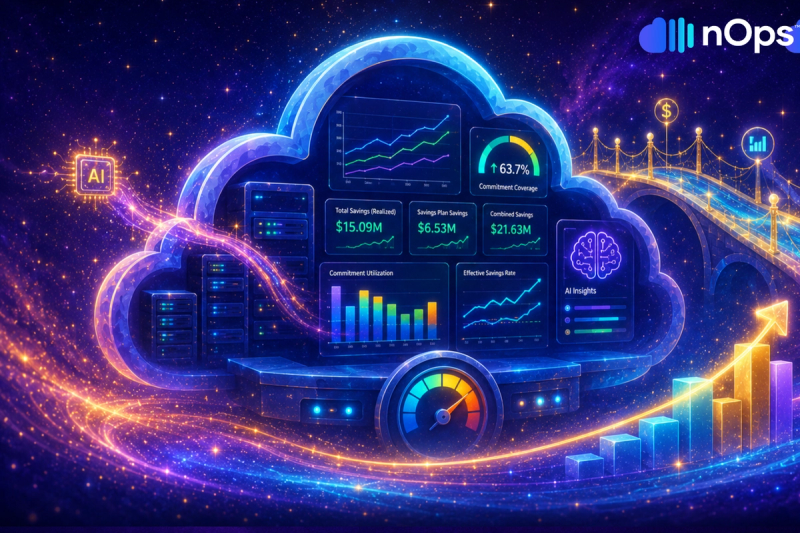
Introducing the Compute Copilot Summary Page
Get a Unified View of All of Your EKS, ASG & Commitment Savings
The new Compute Copilot Summary Page brings together every layer of savings in one place—so you can see how much you could save, where the opportunities are, and what’s driving optimization across your infrastructure.
Whether it’s binpacking inefficiencies in EKS, underutilized ASGs, or missed commitment coverage, this page gives FinOps, DevOps, and engineering teams one place to track potential savings and measure impact—across containers, pods, nodes, and commitments.
What's New
Starting today, you’ll find the new page under Compute Copilot in the nOps Dashboard.
Saving Opportunities Summary
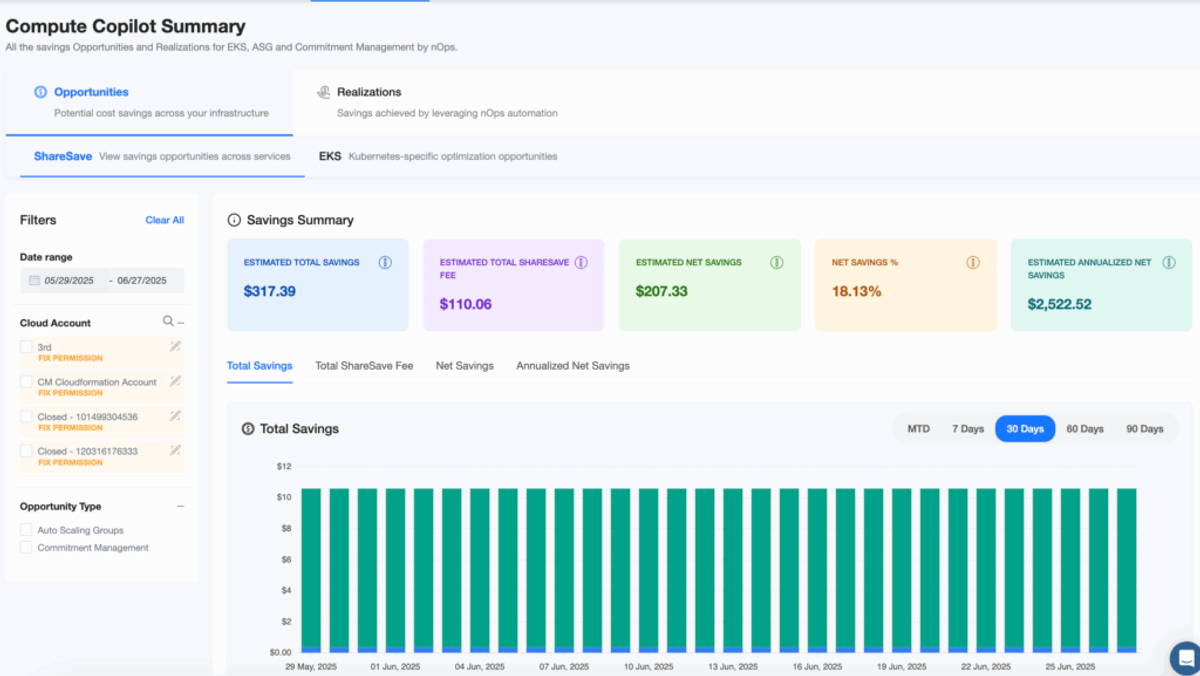
This tab gives you a single view of all potential savings across EKS, Auto Scaling Groups, and commitments.
You’ll see:
- How much you could be saving, total and net after any fee
- What percentage of your environment could be optimized
- A projected annualized savings amount based on current opportunities
This helps teams prioritize where to act—whether it’s reducing underutilized EC2, binpacking in EKS, or increasing commitment coverage.
Saving Realizations Summary
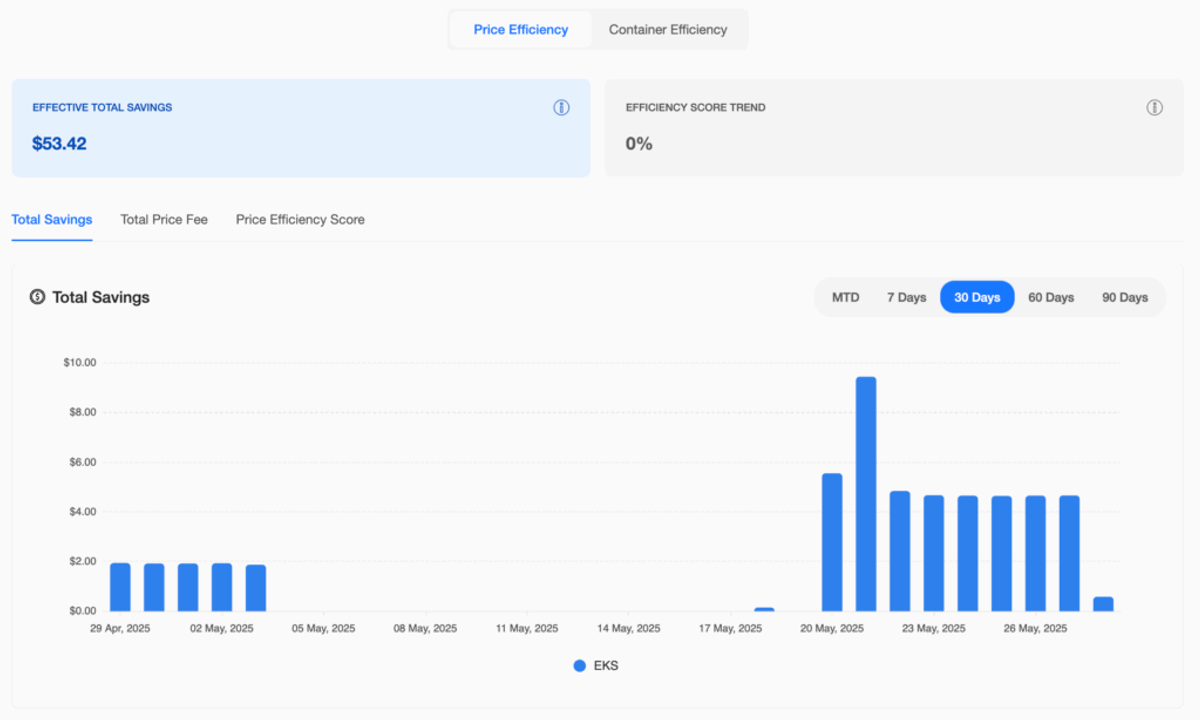
The Realizations tab shows what nOps has already optimized and how much you’ve saved. For EKS, savings are broken into:
- Price Efficiency – improvements from better infrastructure pricing
- Container Efficiency – savings from right-sizing and improving pod-level usage
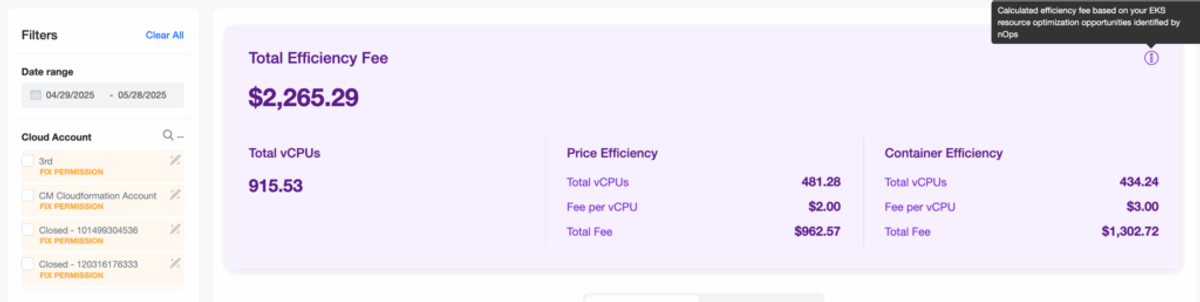
You get a breakdown of realized savings, the total fee for those savings, and the efficiency gains behind them—so you can validate impact and track where automation is delivering results.
Each view includes:
- Realized savings amounts
- Total optimization fee
- Efficiency scores based on vCPU improvements
- Breakdowns by cluster, node group, and namespace
At the top, a Total Efficiency Fee card shows how much optimization has been applied and how it’s split between pricing and container improvements—so you can clearly measure the impact of automation across the stack.
How To Get Started
If you're already on nOps...
Have questions about the new Compute Copilot Summary Page? Need help getting started? Simply reach out to your Customer Success Manager or visit our Help Center. If you’re not sure who your CSM is, send our Support Team a message.
If you’re new to nOps…
nOps automates EKS optimization—including container rightsizing, node efficiency, Spot orchestration, and commitment management—without vendor lock-in or infra changes.
Join our customers using nOps to understand your cloud costs and leverage automation with complete confidence by booking a demo with one of our AWS experts.
nOps was recently ranked #1 with five stars in G2’s cloud cost management category, and we optimize $5+ billion in cloud spend for our customers.
Demo
AI-Powered Cost Management Platform
Discover how much you can save in just 10 minutes!
Book a Demo