 Skip to content



- Blog
- Cost Optimization
- Multi-Cloud Cost Optimization: How to Control Spend Across AWS, Azure, and GCP
Multi-Cloud Cost Optimization: How to Control Spend Across AWS, Azure, and GCP
Many companies running more than one cloud provider didn’t plan it that way. The Flexera 2026 State of the Cloud Report found that multi-cloud adoption keeps ticking up — but it’s usually the result of mergers, acquisitions, or different teams picking different providers over time, not some grand architectural strategy.
That creates a real problem: each provider bills differently, names things differently, and structures discounts differently. And the cost management challenge compounds fast.
This guide covers the strategies that actually move the needle on multi-cloud cost optimization, plus the top 10 tools practitioners are using right now.
Why Multi-Cloud Cost Optimization Is Harder
Nothing maps cleanly between providers, and that’s the root of the problem.
AWS gives you billing through Cost and Usage Reports (CUR). Azure exports to Cost Management. Google Cloud (GCP) pipes everything into BigQuery. Different fields, different pricing units, different metadata. The discount programs are just as fragmented. AWS has Reserved Instances and Savings Plans. Azure uses Reservations. GCP does Committed Use Discounts (CUDs). Each operates at different scopes with different flexibility rules.
The Foundation: Unified Visibility
None of the optimization tactics below matter if you can’t see what you’re spending in one place. That means pulling AWS CUR data, Azure Cost Management exports, and GCP billing data into a single cost layer — and mapping them to consistent dimensions like team, product, environment, and service.
The FinOps Foundation’s FOCUS specification was built for exactly this. It standardizes how providers format billing data so you can compare costs across platforms without custom integrations for each one. The State of FinOps 2026 report puts it clearly: what was once a cloud-focused practice is now definitively multi-technology, with teams managing spend across cloud, SaaS, AI infrastructure, and even data centers under one FinOps framework.
Without a normalized cost layer, every downstream effort — rightsizing, commitment management, anomaly detection — runs on partial data. You optimize slices instead of the whole.
Building a Cross-Provider Tagging Strategy
Tags are how cost data becomes meaningful. But getting tagging right across multiple clouds is a governance challenge as much as a technical one.
You need to decide which tags are mandatory (team, product, environment, cost center), who enforces them, and what happens to untagged resources. Sounds straightforward — until you’re managing hundreds of engineers across three clouds.
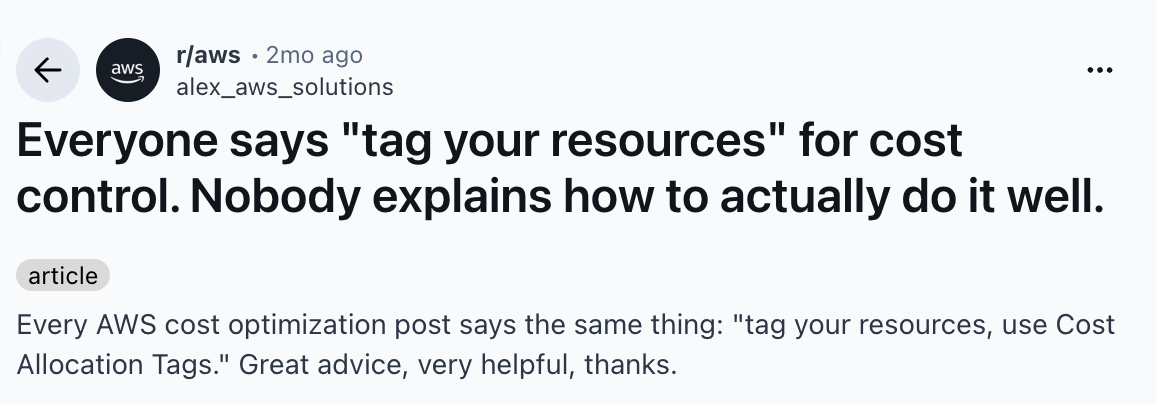
A thread on r/aws nailed the frustration: “Every AWS cost optimization post says the same thing: ‘tag your resources, use Cost Allocation Tags.’ Great advice — except nobody explains how to actually do it well.” That post pulled 118 upvotes and 66 comments, mostly from engineers who’d hit the same wall.
Manual and retroactive tagging simply doesn’t scale. Auto-tag resources at provisioning using AWS Tag Policies, Azure Policy, and GCP Organization Policy. And treat untagged spend as a governance failure, not a rounding error.
One caveat worth noting: tags have limits. They can’t capture costs for untaggable resources, shared infrastructure, or containerized workloads running across Kubernetes namespaces. For those gaps, code-driven or metadata-based allocation is the fallback.
Managing Commitments Across Multiple Providers
Reserved Instances, Savings Plans, and Committed Use Discounts don’t interoperate. At all. AWS Savings Plans flex across instance families but lock you into baseline utilization. Azure Reservations scope to the subscription level. GCP CUDs apply at the project level. Buying commitments in one provider does absolutely nothing for your spend in another.
So you need to track utilization rates, set coverage targets, and review commitment portfolios — per provider, at minimum quarterly.
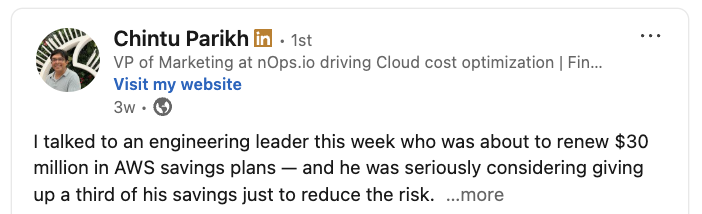
In nOps sales conversations, the tension around commitments comes up constantly. In particular, engineering and finance executives cite the fear of signing one-, two-, or three-year contracts and paying for capacity your team never uses.
Rightsizing Workloads Across Cloud Environments
Rightsizing — matching resources to actual usage — sounds simple but plays out differently on each provider. AWS Compute Optimizer, Azure Advisor, and GCP Recommender all give you native recommendations. They’re a fine starting point, not a finish line.
The catch: native tools only see their own environment. They can’t tell you whether a workload belongs on that provider at all, or whether it’d run cheaper somewhere else.
In multi-cloud setups, waste in one cloud is often invisible to the teams working primarily in another. Build rightsizing into regular engineering cycles, not just emergency bill reviews.
One practical insight from an r/FinOps thread (January 2026): “Auto-remediation sounds great, is risky in practice. Automatically deleting resources or resizing instances without human review will eventually hit something critical. The safer pattern is auto-detect + notify + one-click fix.” Smart tools don’t automate blindly — they apply guardrails, context, and performance constraints so fixes are safe by default.
Connecting Multi-Cloud Spend to Business Outcomes
Allocating costs to teams? That’s table stakes. The real question is whether your cloud spend is delivering business value — and that means tying it to product lines, features, customers, or transactions.
Translate raw spend into unit cost metrics: cost per customer, cost per API call, cost per order. Instead of “why did the bill go up?”, the conversation shifts to “did the spend generate value worth its cost?”
Multi-cloud makes this harder because a single transaction might touch infrastructure across multiple providers. And with AWS, Azure, and GCP constantly rolling out new instance generations, pricing models, and AI infrastructure, the baseline is always shifting. Without unit economics, it’s nearly impossible to tell whether those changes are actually improving operational efficiency — or just adding cost.
Governance That Scales Across Providers
Visibility without accountability just gives you a prettier view of the same problems. You need a governance layer.
In multi-cloud environments, that means centralized policies — tagging requirements, commitment thresholds, rightsizing triggers, budget alerts — enforced consistently across providers, not managed separately per cloud.
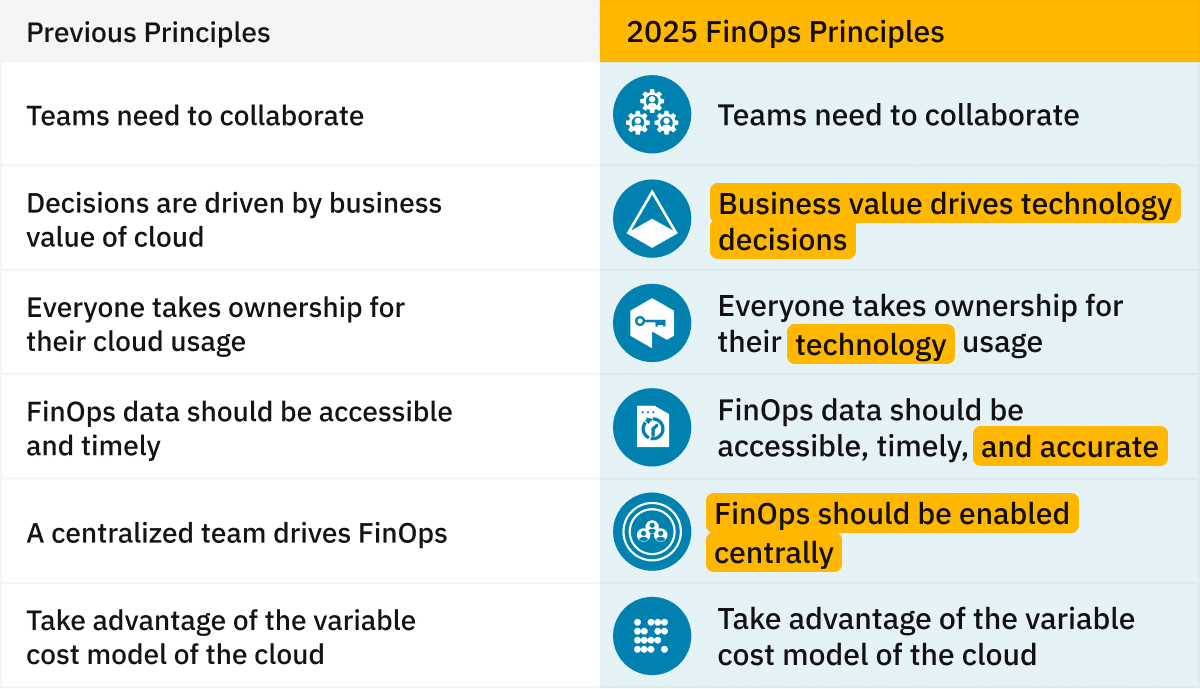
The FinOps Framework recommends enabling FinOps centrally while letting engineering teams own optimization within guardrails. A central function sets standards and tracks shared KPIs; individual teams own execution in their environments.
Multicloud Cost Optimization Strategies: A Comparison
| Strategy | AWS Implementation | Azure Implementation | GCP Implementation |
|---|---|---|---|
| Billing Export | Cost & Usage Report (CUR) | Cost Management Export | BigQuery Billing Export |
| Discount Program | Reserved Instances / Savings Plans | Azure Reservations | Committed Use Discounts (CUDs) |
| Discount Scope | Account / Org level | Subscription level | Project level |
| Native Rightsizing | Compute Optimizer | Azure Advisor | GCP Recommender |
| Tag Enforcement | AWS Config / Tag Policies | Azure Policy | Organization Policy / Labels |
| Cost Anomaly Detection | AWS Cost Anomaly Detection | Azure Cost Alerts | GCP Budget Alerts |
| Commitment Flexibility | Savings Plans (instance-family flexible) | Reservations (subscription-scoped) | CUDs (project-scoped) |
Multi-Cloud Cost Optimization Tools
1. nOps
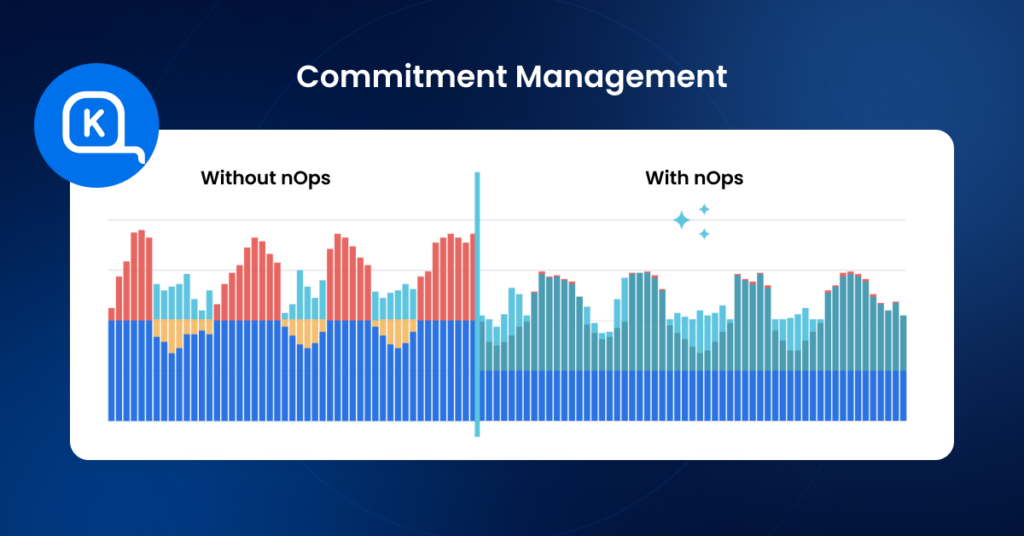
nOps is a multicloud optimization platform that combines autonomous rate optimization with multi-cloud visibility and allocation. Its core differentiator is automated commitment management for industry-leading (60%+) discounts and reduced commitment risk.
Key Features: Autonomous commitment management that continually adjusts AWS, Azure, and Google Cloud portfolios. Extensive cost visibility with hourly granularity for multicloud, SaaS, AI and Kubernetes. FinOps AI agent to answer your cloud cost questions in natural language.
Who it helps: Organizations that want hands-off commitment optimization with a pay-for-performance model.
Pricing: Savings-first pricing — customers only pay after nOps delivers measurable savings. You can get a free savings analysis to find out if you’re perfectly optimized or if there’s still more you can save.
2. Vantage
Vantage is a self-service cloud cost platform built for developer-friendly cost reporting and analysis.
Key Features: Multi-cloud cost dashboards across AWS, Azure, GCP, Kubernetes, Datadog, Snowflake, and more. Cost reports with segment filtering. Autopilot for automated savings. Kubernetes cost monitoring with per-pod breakdowns. Budget tracking and forecasting.
Who it helps: Engineering teams that want clean, developer-facing cost dashboards without heavy FinOps overhead, but don’t need automated optimizations.
Pricing: Tiered pricing based on monthly cloud spend under management. Free tier for small environments. Paid plans scale with spend. Autopilot (automated optimization) is priced at 5% of savings generated, charged separately from the platform fee.
3. CloudZero
CloudZero is a cost intelligence platform that emphasizes unit economics — connecting cloud spend to business dimensions like cost per customer, cost per feature, or cost per AI inference.
Key Features: Code-driven cost allocation for tagged, untagged, and untaggable resources. Unit cost metrics mapped to customers, products, features, and teams. Multi-cloud support plus Kubernetes, Snowflake, Datadog, and Databricks. Anomaly detection with business-context alerts.
Who it helps: Organizations that need to connect cloud spend to business outcomes at a granular level. Strong for environments looking primarily for visibility rather than automation.
Pricing: Tiered pricing model. Pricing scales with total cloud spend under management. Contact sales for specific tier details.
4. CAST AI
CAST AI is a Kubernetes-native optimization platform that automates cluster rightsizing, instance selection, and spot instance management across AWS, Azure, and GCP.
Key Features: Automated Kubernetes cluster optimization with real-time instance rightsizing. Cross-cloud spot instance management. Automated bin packing and workload rebalancing. Cost monitoring by cluster, namespace, and workload.
Who it helps: Organizations mostly focused on running significant Kubernetes workloads across multiple clouds.
Pricing: Usage-based pricing tied to actual compute consumption managed by the platform. Optimization features are priced based on the number of cluster vCPUs under management.
5. ScaleOps
ScaleOps focuses on real-time, autonomous Kubernetes resource optimization. The platform automatically rightsizes CPU, memory, and GPU allocations based on live workload behavior — including AI and GPU-intensive workloads. ScaleOps recently raised $130M in Series C funding (March 2026) to address GPU shortages and soaring AI cloud costs
Key Features: Real-time pod rightsizing for CPU, memory, and GPU. Autonomous replica optimization and smart pod placement. Karpenter optimization. GPU workload rightsizing with dynamic GPU sharing. Cost monitoring by cluster, namespace, or application.
Who it helps: Teams mostly focused on running Kubernetes at scale, especially with GPU-intensive AI workloads.
Pricing: Not publicly listed. ScaleOps uses a custom pricing model based on cluster scale and usage.
6. Finout
Finout is a FinOps platform built around its MegaBill concept — consolidating all cloud and SaaS costs into a single dashboard with virtual tagging that does not require changes to existing cloud configurations.
Key Features: MegaBill unified cost dashboard across AWS, Azure, GCP, Kubernetes, Databricks, and Snowflake. Virtual Tagging for cost allocation without modifying cloud configurations. Shared cost reallocation. CostGuard for detecting idle resources. ML-based anomaly detection.
Who it helps: Organizations looking primarily for visibility and tagging rather than automated optimization.
Pricing: Cloud usage-based pricing model that scales with spend under management. No publicly listed prices — Finout provides custom quotes based on environment complexity and spend volume.
7. IBM Apptio Cloudability
IBM Apptio Cloudability is an enterprise-grade cloud financial management platform. Positioned as a Leader in the 2025 Gartner Magic Quadrant for Cloud Financial Management Tools, it is designed for large organizations managing complex multi-cloud and hybrid environments.
Key Features: Multi-cloud cost visibility across AWS, Azure, and GCP. Rightsizing and storage optimization recommendations. Budget forecasting and anomaly detection. Kubernetes cost management via Kubecost integration. Integration with the broader IBM Apptio TBM suite.
Who it helps: Large organization that need cloud financial management and cost controls integrated with broader IT financial planning that are willing to pay enterprise prices. Strong for organizations already in the IBM ecosystem.
Pricing: Annual contract pricing tiered by managed cloud spend. Entry-level starts at approximately $30,000/year for up to $1M in managed cloud spend, scaling to $76,680/year for up to $3M and $132,480/year for up to $6M (based on AWS Marketplace listings). Overage fees apply when spend exceeds contracted limits.
8. Zesty
Zesty is a Kubernetes optimization platform that coordinates VPA, HPA, storage, and cloud commitments in a unified system. The platform focuses on continuously increasing cluster utilization while maintaining performance under load.
Key Features: Automated vertical and horizontal pod autoscaling coordination. Real-time CPU and RAM adjustments. Storage optimization with automatic EBS volume rightsizing.
Who it helps: Kubernetes-heavy teams that want automated rightsizing of unused resources.
Pricing: Free tier available. Paid plans start from $99/month based on cluster scale. Custom enterprise pricing available for larger deployments.
9. Spot by NetApp (now Spot by Flexera)
Spot by NetApp — now operating as Spot by Flexera following Flexera’s acquisition — provides cloud infrastructure optimization through intelligent workload management, spot instance automation, and commitment lifecycle management via its Eco product.
Key Features: Elastigroup for automated spot instance management with SLA-backed availability. Ocean for Kubernetes infrastructure optimization. Eco for RI and Savings Plan lifecycle management. Cross-cloud support for AWS, Azure, and GCP.
Who it helps: Organizations that want managed spot infrastructure with availability guarantees.
Pricing: Tier-based pricing model with rates based on total cloud spend and optimization features used (Elastigroup, Ocean, or Eco). Free management of up to 20 virtual machines with one connected cloud account. Paid tiers charge a percentage of savings or per-vCPU rates that decrease at higher usage volumes. Available on AWS Marketplace.
10. Harness Cloud Cost Management
Harness Cloud Cost Management is a module within the broader Harness software delivery platform. It brings cloud cost visibility and optimization into the same environment where teams manage CI/CD pipelines, feature flags, and infrastructure automation.
Key Features: Multi-cloud cost dashboards across AWS, Azure, and GCP. Kubernetes cost management with namespace-level allocation. AutoStopping for non-production workloads. Recommendations for rightsizing and commitment optimization. Integration with Harness CI/CD pipelines. Budgeting, forecasting, and anomaly detection.
Who it helps: Organizations already using Harness for CI/CD that want cost management integrated into engineering workflows.
Pricing: Harness uses modular pricing — Cloud Cost Management is available standalone or bundled. Free tier available. Paid plans are tiered by cloud spend under management. Enterprise plans include AutoStopping, governance policies, and custom reporting. See more details on pricing.
| Tool | Primary Focus | Multi-Cloud | Kubernetes | Commitment Mgmt | Pricing Model |
|---|---|---|---|---|---|
| nOps | Autonomous rate optimization | AWS, GCP, Azure | Yes | Automated | % of savings + flat fee |
| Vantage | Developer-friendly cost reporting | 20+ providers | Yes | Autopilot (5% of savings) | Tiered by spend |
| CloudZero | Unit economics / cost intelligence | AWS, Azure, GCP | Yes | Manual recommendations | Flat tiered fee |
| CAST AI | Kubernetes optimization | AWS, Azure, GCP | Core focus | Spot automation | Usage-based (vCPUs) |
| ScaleOps | K8s resource rightsizing + GPU | AWS, Azure, GCP | Core focus | No | Custom pricing |
| Finout | Virtual tagging / cost allocation | AWS, Azure, GCP | Yes | No | Usage-based |
| IBM Apptio Cloudability | Enterprise CFM | AWS, Azure, GCP | Yes (Kubecost) | Recommendations | Annual contract ($30K+) |
| Zesty | K8s autoscaling + commitments | AWS, Azure, GCP | Core focus | Integrated | From $99/mo |
| Spot by Flexera | Spot instances + RI lifecycle | AWS, Azure, GCP | Yes (Ocean) | Eco (automated) | % of savings / per-vCPU |
| Harness CCM | Cost-aware CI/CD | AWS, Azure, GCP | Yes | Recommendations | Tiered by spend |
Picking the Right Multi-Cloud Optimization Tool
The right tool depends on where your biggest cost lever is:
Cost savings is the main pain point? If you’re looking to save on multicloud, the biggest lever for reducing cloud costs is commitment management. Platforms with autonomous purchasing (nOps) deliver the fastest payback in this case.
Kubernetes eating your budget? If overprovisioned pods, bad bin packing, or GPU waste are the culprits, Kubernetes-native platforms (CAST AI, ScaleOps, Zesty) dig deeper than general-purpose tools.
Can’t explain the bill to the CFO? If you need cost-per-customer or cost-per-feature — not just “here’s the infra spend” — platforms focused on unit economics (nOps, CloudZero, Finout) build that translation layer.
Enterprise governance and compliance? IBM Apptio Cloudability offers the most complete financial accountability and management suite, though you’ll pay for the complexity in implementation time and cost.
Already on a DevOps platform? Harness CCM and Vantage integrate naturally with existing engineering workflows, reducing tool sprawl.
Optimize & understand your multi cloud environment with nOps
nOps covers the full visibility layer with an interactive FinOps workspace — not the static dashboards or reports you’re used to, but a system built for the age of AI. Explore and analyze your cloud cost data in natural language, build dynamic views on the fly, and get accurate, verified answers powered by pre-defined FinOps metrics.
But to actually reduce AWS costs, improve margins, and increase efficiency, you need to act on what the data shows.
That’s where commitment management comes in as the most powerful lever for cloud cost optimization. At nOps, we help customers maximize their savings and flexibility without manual effort. We optimize hourly for the best savings rates across the industry.
Key benefits of nOps automated Commitment Management include:
• Savings-first pricing model: nOps offers a free savings analysis, so you can see exactly how much you could save. Pricing is based on a portion of realized savings, which reduces downside risk.
• Maximize savings on autopilot: nOps continuously adjusts commitments every hour to match real usage, helping customers capture incremental savings that slower optimization approaches can miss. That hourly adjustment is a major reason nOps can drive up to 20% more savings than competing solutions.
• Eliminate commitment risk: nOps shortens commitment windows from years to a fraction of the time, helping customers access maximum discounts with far less risk.
Curious what that looks like in your environment? Book a free savings analysis with one of our AWS experts to see how much more you could save.
nOps manages $4 billion in cloud spend for customers and is rated 5 stars on G2.
Frequently Asked Questions
What is multi-cloud cost optimization?
Why is multi-cloud cost management harder than single-cloud?
What is the FOCUS specification?
FOCUS (FinOps Open Cost and Usage Specification) is a FinOps Foundation standard that normalizes billing data for cloud services across providers. Think of it as a shared language for cost data — it lets you compare spend across AWS, Azure, and GCP without building custom integrations for each. Adoption is picking up as FinOps teams mature.
How much can you actually save?
One tool for everything, or mix and match?
How do you handle tagging inconsistencies across clouds?

Last Updated: April 9, 2026, Cost Optimization
Last Updated: April 9, 2026, Cost Optimization
