New: Cost Target Alerts in Slack (Update)
Get notified the moment your cloud spend exceeds plan — directly where your team works.
Finance, FinOps, and engineering teams collaborate in Slack every day and need real-time visibility when spend deviates from plan.
That’s why we built Slack notifications for Cost Target Alerts to notify you the moment a cost target breaches. Teams can now receive actionable, concise alerts directly where they work, allowing them to react faster, collaborate in context — reducing time-to-detect and time-to-triage.
What’s New
Starting today, you can attach one or more Slack webhooks to any Cost Target alert, bringing actionable notifications into your existing workflows.
Notify multiple channels at once
Connect any number of Slack webhooks to a single alert. Route alerts to different channels — for example, a team channel for triage and a leadership channel for visibility.
Mention users in Slack alerts
You can now @-mention specific users or user groups. Configuration is simple — when adding a Slack webhook token, nOps automatically syncs active users from your Slack workspace, ensuring your alert configuration always reflects your current Slack membership.
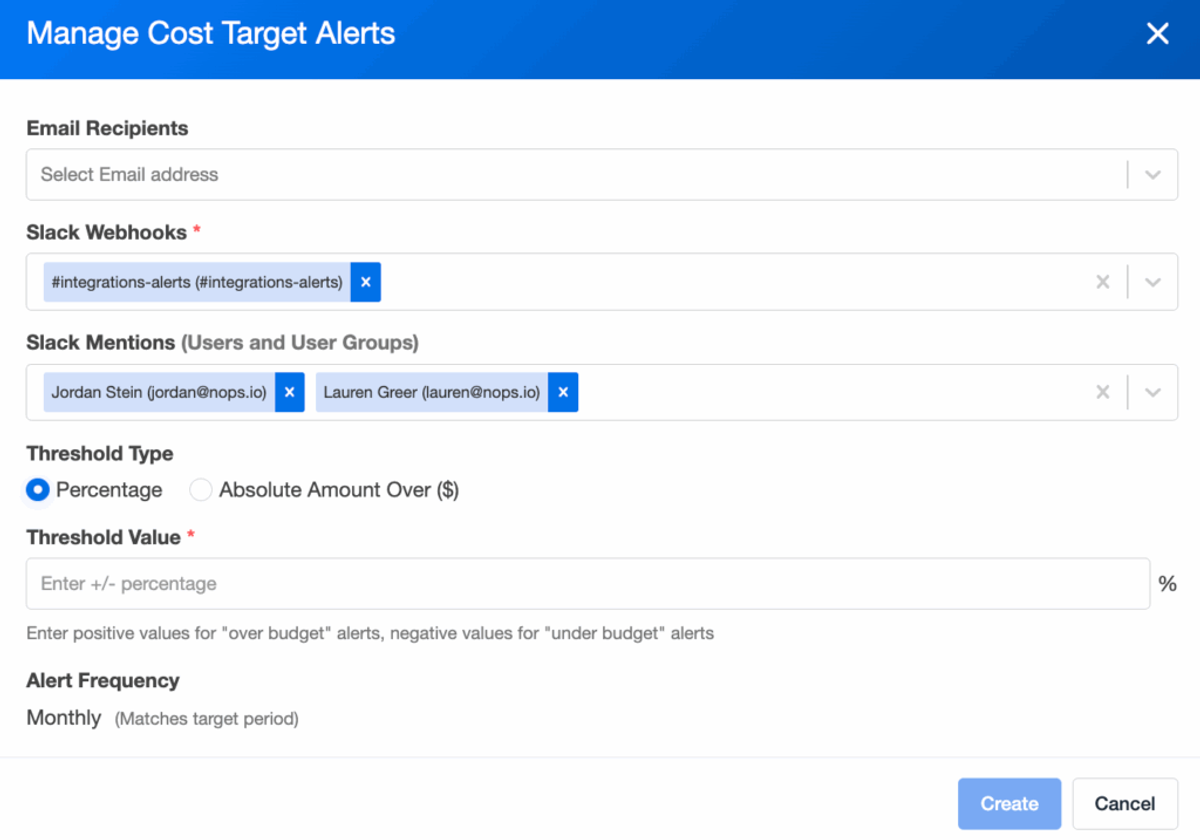

Clear, actionable messages
Each Slack message includes:
- Summary at a glance: Target, Actual, Difference, and Percent.
- Top contributors: Up to five planning lines to highlight where the overage or underrun is concentrated.
Works alongside email and respects frequency windows
Slack notifications complement existing email alerts and respect the same frequency settings (daily, weekly, monthly, yearly).
How It Works
When a cost target breaches:
- nOps generates a Slack message summarizing the variance and top causes
- The message is sent to each Slack webhook connected to the alert.
- Email sending (if configured) remains in place.
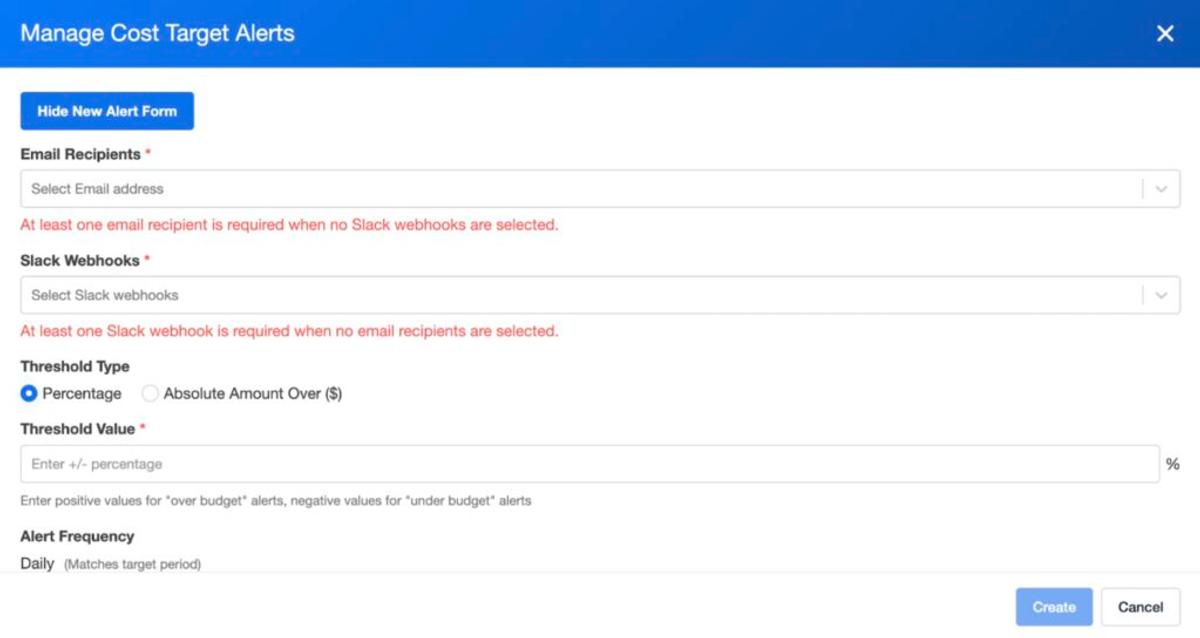
How To Get Started
1. Add Slack webhooks
- Go to Integrations → Notification → Slack → Add webhook.
- Paste your Slack Incoming Webhook URL, give it a name and optionally add the channel name.
2. Connect webhooks to a Cost Target alert
- Create or edit an alert on your Cost Target.
- In the alert settings, select one or more Slack webhooks.
- Save the alert.
3. Receive alerts
- When the configured threshold is breached, you’ll receive a Slack message in the selected channel(s), along with any configured email recipients.
Note: Slack alerts are only sent when webhooks are explicitly attached to the alert. Existing alerts remain email-only until webhooks are selected.
If you’re already on nOps…
Have questions or want help rolling this out across your alerts? Simply reach out to your Customer Success Manager or visit our Help Center. If you’re not sure who your CSM is, send our Support Team a message.
If you’re new to nOps…
nOps was ranked #1 with five stars in G2’s cloud cost management category, optimizing $5B+ in cloud spend.
Join our customers using nOps to understand your cloud costs and leverage automation with complete confidence by booking a demo with one of our AWS experts.
Demo
AI-Powered Cost Management Platform
Discover how much you can save in just 10 minutes!
Book a Demo