New Enhancements to the AWS Migration Acceleration Program (MAP) Tracker
Manage your resource tagging with more control, flexibility, and ease of use
The AWS Migration Acceleration Program (MAP) offers credits to offset the costs of migrating to AWS—but only if your resources are properly tagged. The nOps MAP tool helps you tag untagged resources, correct mistagged resources, track migration progress, and forecast expected credits. And now, it gives you more flexibility in managing your untagged resources.
What’s New
We’re excited to unveil new enhancements to the AWS MAP tool that offer additional control over how you manage untagged resources. Use cases include:
- Hide irrelevant resources from the untagged list without tagging them.
- Unhide resources later if you need to review them again.
- View resources across three categories: Tagged, Untagged, and Hidden.
- Perform bulk actions across multiple resources.
- Filter by account and region to stay organized.

You can easily track resource counts and costs across each category or drill down into each resource, with status indicators to quickly spot what’s active, hidden, or needs tagging.
How it Works
Each day, new MAP data is ingested, creating updated resource lists. To use this new feature, you can:
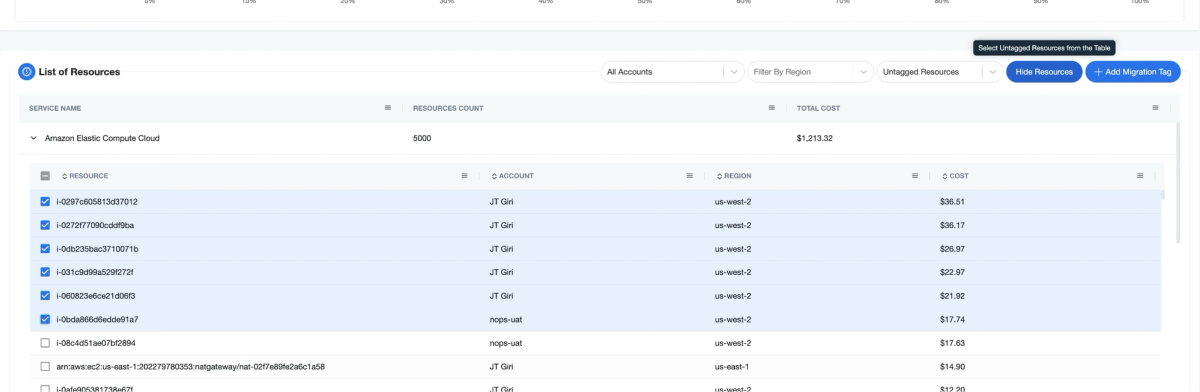
- Select resources from the “Untagged” list.
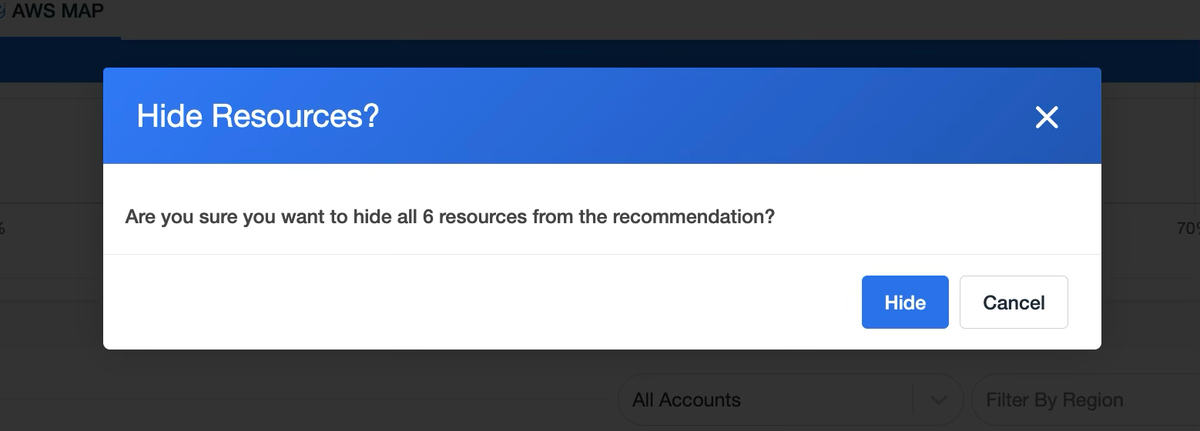
- Click “Hide Resources” to remove them from view.
- Review hidden resources any time from the “Hidden”
- Only untagged resources can be hidden—tagged ones remain unchanged.
- To unhide the resources, change the filter to “Hidden Resources” and select the resources that you want to revert.
If you’re already on nOps…
Have questions about the new MAP enhancements? Need help getting started? Our dedicated support team is here for you. Simply reach out to your Customer Success Manager or visit our Help Center. If you’re not sure who your CSM is, send our Support Team an email.
If you’re new to nOps…
nOps was recently ranked #1 with five stars in G2’s cloud cost management category, and we optimize $5+ billion in cloud spend for our customers.
Join our customers using nOps to understand your cloud costs and leverage automation with complete confidence by booking a demo with one of our AWS experts.
Demo
AI-Powered Cost Management Platform
Discover how much you can save in just 10 minutes!
Book a Demo