AWS Cloud Management Tools Your Business Needs in 2026
AWS hit a $150 billion annualized revenue run rate in Q1 2026, growing 28% year-over-year. That growth isn’t just coming from traditional compute and non-compute services — it’s also AI. Inference workloads now consume more compute than training for the first time, AI-related spending accounts for 19–22% of total cloud costs (up from 8% in 2023), and usage patterns for these workloads are far more volatile than anything FinOps teams planned for.
This is the environment in which you’re choosing cloud management tooling in 2026. The question isn’t whether you need it — it’s whether the tool you pick can handle AI-era volatility, multi-account sprawl, and the automation demands that manual FinOps processes can’t keep up with.
This guide breaks down what AWS cloud management actually involves, the strategies that work at scale, and the 12 tools worth evaluating — with verified pricing, honest trade-offs, and specific recommendations.
What Is AWS Cloud Management?
AWS defines cloud management as coordinating, governing, and automating efforts so organizations can innovate and scale their cloud workloads. That’s the textbook answer. In practice, it’s knowing understanding who spent on what and avoiding unexpected billing horror stories.
Cloud management covers five interconnected areas: provisioning infrastructure consistently (via CloudFormation, Terraform, or CDK), monitoring application health and detecting anomalies before customers notice, maintaining compliance and security posture across multiple AWS accounts, optimizing cost through waste elimination and commitment automation, and governing access so the right people can move fast without creating risk.
What makes 2026 different from even two years ago is the AI workload dimension. Traditional EC2 instances have predictable usage curves — you can forecast them quarterly. GPU-backed inference endpoints, RAG pipelines, and training jobs don’t follow those patterns. They spike unpredictably, scale non-linearly, and generate costs that are harder to forecast than traditional infrastructure. Cloud management tooling that was designed for steady-state compute doesn’t cut it when your fastest-growing cost center is also your least predictable one.
Why Cloud Management Has Become Non-Negotiable
Two years ago, you could maybe get away with quarterly cost reviews and a shared spreadsheet. Not anymore.
The average enterprise spends $1.7 million per year on AI cloud services alone — and that’s on top of existing infrastructure. Hyperscaler capital expenditure exceeded $600 billion in 2026, a 36% increase over 2025. All of that capacity is being sold to customers, which means bills are growing faster than teams can manually govern.
Flexera’s 2026 report found that 16% of respondents spend between $200K–$500K per month on public cloud services. At that scale, even 5% waste represents six figures annually. But waste isn’t just idle EC2 instances anymore — it’s over-provisioned GPU allocations, Savings Plans that don’t match shifted workloads, and inference endpoints running 24/7 for workloads that spike for 3 hours a day.
The organizations that treat cloud management as a platform discipline (automated, continuous, cross-functional) are the ones that maintain margins while scaling. The ones treating it as a quarterly finance exercise are leaking money they can’t see until it’s already spent.
The Five Layers of AWS Cloud Management
Cloud management fails when teams treat it as a single problem with a single tool. In reality, it’s five layers that need to work together:
Cloud optimization is the most visible layer — where’s the money going, who’s responsible, and what can be automated? This includes allocation (tagging, showback), waste elimination (idle resources, over-provisioned instances), and commitment management (Savings Plans, RIs). In 2026, it also includes AI inference cost tracking by model, endpoint, and use case.
Security and compliance operates at the account and resource level — IAM policies, configuration drift, vulnerability scanning, and audit trails for SOC 2, HIPAA, and PCI-DSS. AWS Config and Security Hub handle basics; most organizations layer third-party tools for cross-account governance.
Performance and reliability covers rightsizing, auto-scaling, capacity planning, and SLA monitoring. The wrinkle in 2026: GPU instance availability is constrained, so performance management now includes capacity reservation strategy — not just “make it bigger.”
Operational governance is the connective tissue — tagging policies, account vending, change management, and IaC enforcement. This is where most organizations underinvest and later regret it, because poor governance makes every other layer harder.
Container and Kubernetes management has become its own layer as EKS adoption grows. Cluster cost allocation by namespace, pod-level rightsizing, node auto-scaling, and bin-packing optimization require specialized tooling that traditional cost platforms don’t provide.
AWS Cloud Management Strategies That Actually Work in 2026
Best practices for cost-optimizing your cloud infrastructure include:
Tag at the source, not after the fact. Every resource should be tagged at creation via IaC — team, environment, service, cost-center. Organizations that try to retroactively tag thousands of existing AWS cloud resources spend months on a project that’s obsolete by the time it finishes. The IaC layer (Terraform modules, CDK constructs, CloudFormation templates) should enforce tags as required fields. If a resource can’t be created without tags, you never accumulate untaggable debt.
Treat commitment management as a continuous algorithm, not a quarterly decision. The old model: a FinOps analyst reviews usage trends quarterly, proposes a Savings Plan purchase, gets CFO approval, buys it, and hopes usage doesn’t shift. The 2026 model: automated tools monitor usage hourly, adjust commitment portfolios continuously, and maintain target coverage ratios without human intervention. The difference in effective savings rate is typically 15–25 percentage points. Organizations that still manage commitments manually are leaving the most accessible savings on the table.
Separate visibility from action. Many teams buy a cost visibility tool, generate beautiful dashboards, and then… nothing changes. Dashboards don’t save money — actions do. The strategy that works: pair a visibility layer (to understand what’s happening) with an automation layer (to actually do something about it). Some platforms handle both; others require you to combine tools (e.g., Vantage for visibility + ProsperOps for commitment automation).
Give engineers cost context in their existing workflow. Engineers don’t log into cost dashboards. They live in Slack, GitHub, and their IDE. The organizations seeing real cultural change around cost are the ones surfacing unit costs in pull requests, posting anomaly alerts to team channels, and letting engineers query spend data without context-switching. This is why AI-powered cost agents (like Clara in Slack, or custom Datadog/Slack integrations) are gaining traction — they meet engineers where they already work.
Plan for AI workload management now, not later. If your organization is deploying LLMs, running inference endpoints, or using Bedrock/SageMaker, you need AI cost visibility by model and endpoint today — before those costs become your largest line item. Traditional cost tools don’t understand tokens, model versions, or inference batching. Purpose-built AI cost tracking (or platforms that have added it) is becoming a requirement, not a nice-to-have.
Use multi-account structure as your primary governance boundary. AWS Organizations with per-workload or per-team accounts provides natural cost isolation, blast-radius containment, and simplified IAM. It’s easier to set a budget per account than to untangle shared-account spend by tag after the fact.
Best AWS Cloud Management Tools (2026)
The list of the best AWS Management Tools begins with:
1. nOps
nOps is an AWS management platform that combines full cost visibility with autonomous optimization. It manages over $5B in annual cloud spending across hundreds of customers, from startups to enterprises. Clara, its AI-powered FinOps agent, lets teams query cost data conversationally and automate reporting.
Pros:
- Autonomous commitment management pushes effective savings rates to 50%+ without manual intervention
- Pay-for-performance pricing — you pay a percentage of realized savings, not a flat fee on spend you haven’t optimized
- AWS-native depth: compute and non-compute including EKS, EC2, RDS, Lambda, EBS
- Full visibility including reports, budgets, forecasts, anomaly detection, cost allocation, FinOps agent
Cons:
- Doesn’t currently focus on workload or resource optimization (though its commitment management is compatible with it)
- Doesn’t currently focus on cloud security or governance optimization
Best for: AWS-heavy organizations that want hands-off optimization with measurable ROI, not just dashboards.
Pricing: Flat fixed fee for cost visibility and allocation (based on cloud spend tier). Autonomous rate optimization uses a share-of-savings model — you pay only a percentage of the savings nOps generates. See current pricing.
2. AWS Cost Explorer + Cost Optimization Hub + Budgets
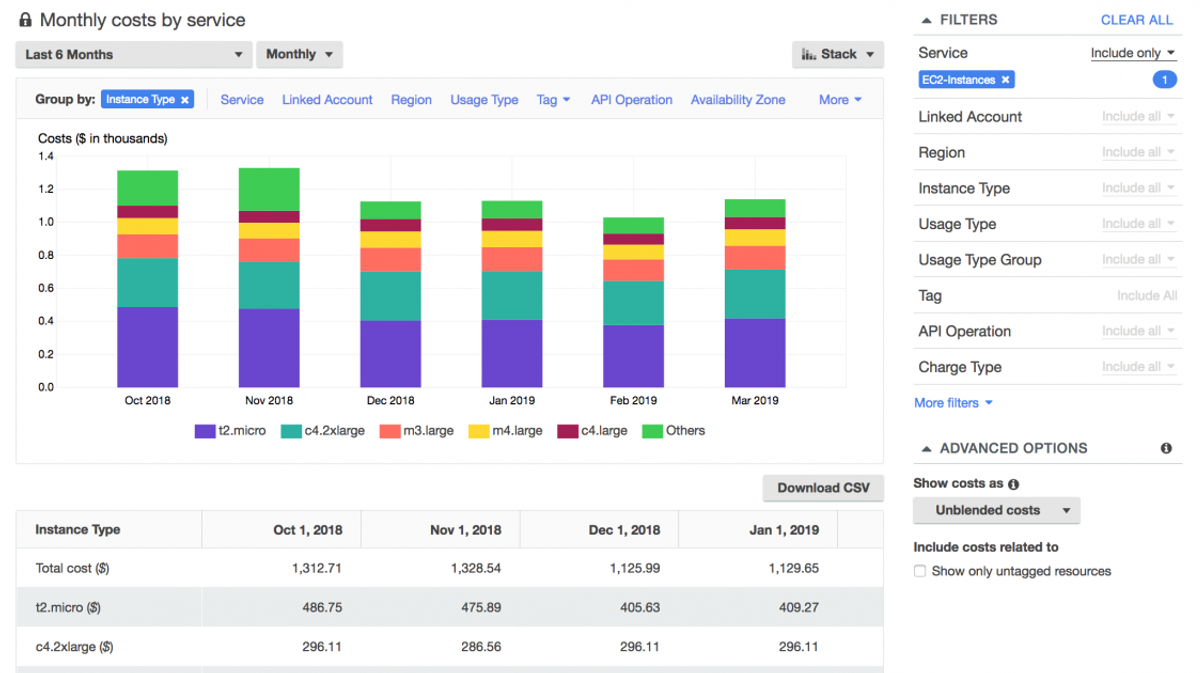
AWS’s native cloud management suite provides baseline visibility, forecasting, and budgeting at no additional charge (beyond standard AWS account costs).
Cost Explorer visualizes spend by service, account, tag, or time period. Cost Optimization Hub aggregates rightsizing, idle resource, and graviton migration recommendations across accounts. AWS Budgets triggers alerts and actions when spend exceeds thresholds.
Pros:
- No additional cost — included with every AWS account
- Direct access to raw CUR data without third-party data transfer
- Tight integration with AWS Organizations for multi-account views
- Cost Optimization Hub consolidates recommendations from Compute Optimizer, S3, and more
Cons:
- No automation — recommendations require manual implementation
- Limited allocation capabilities (tag-based only, no AI-powered attribution)
- Forecasting is basic compared to ML-driven third-party tools
- No commitment management automation
Best for: Teams just getting started with cloud management, or organizations that need a free baseline before investing in automation.
Pricing: Free (included with AWS account). CUR data storage in S3 incurs standard S3 charges.
3. CloudZero
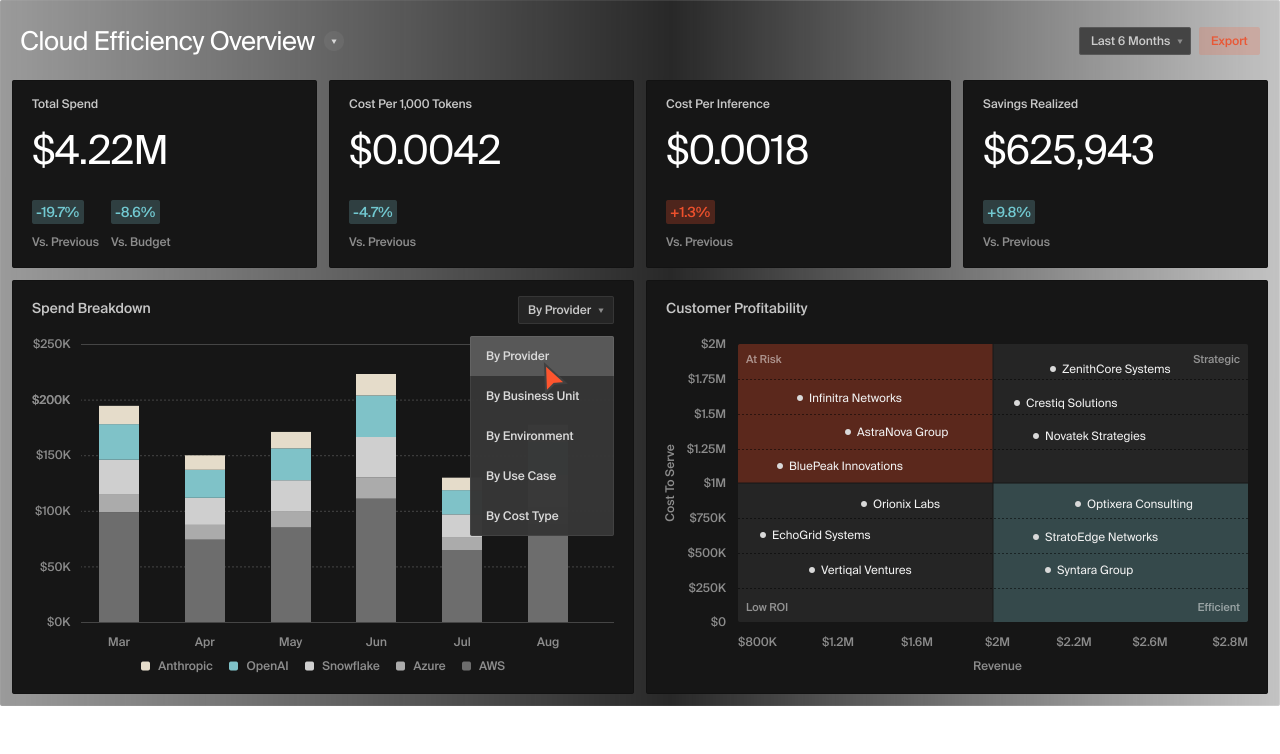
CloudZero takes an engineering-led approach to FinOps, mapping cloud costs to products, features, and customers rather than just AWS accounts and tags.
It covers unit economics modeling, cost allocation by engineering dimensions (microservice, deployment, customer), Kubernetes cost visibility, anomaly detection, and budgeting workflows. CloudZero can attribute costs to untagged resources using telemetry.
Pros:
- Unit cost modeling connects spend to business metrics (cost-per-customer, cost-per-transaction)
- Works without requiring 100% tag coverage
- Strong Kubernetes and containerized workload support
- Engineering-friendly interface and Slack integrations
Cons:
- Primarily a visibility and allocation platform — limited automated optimization
- Pricing scales with managed spend, which can become expensive at scale
- No autonomous commitment management
Best for: Engineering organizations that need to understand cost-per-feature or cost-per-customer, especially SaaS companies with complex microservice architectures.
Pricing: Percentage of managed cloud spend. At $1M in cloud spend, approximately 1% (~$10K/year). Drops to 0.6–0.7% at $10M+. Annual contracts typical.
4. IBM Cloudability (formerly Apptio Cloudability)
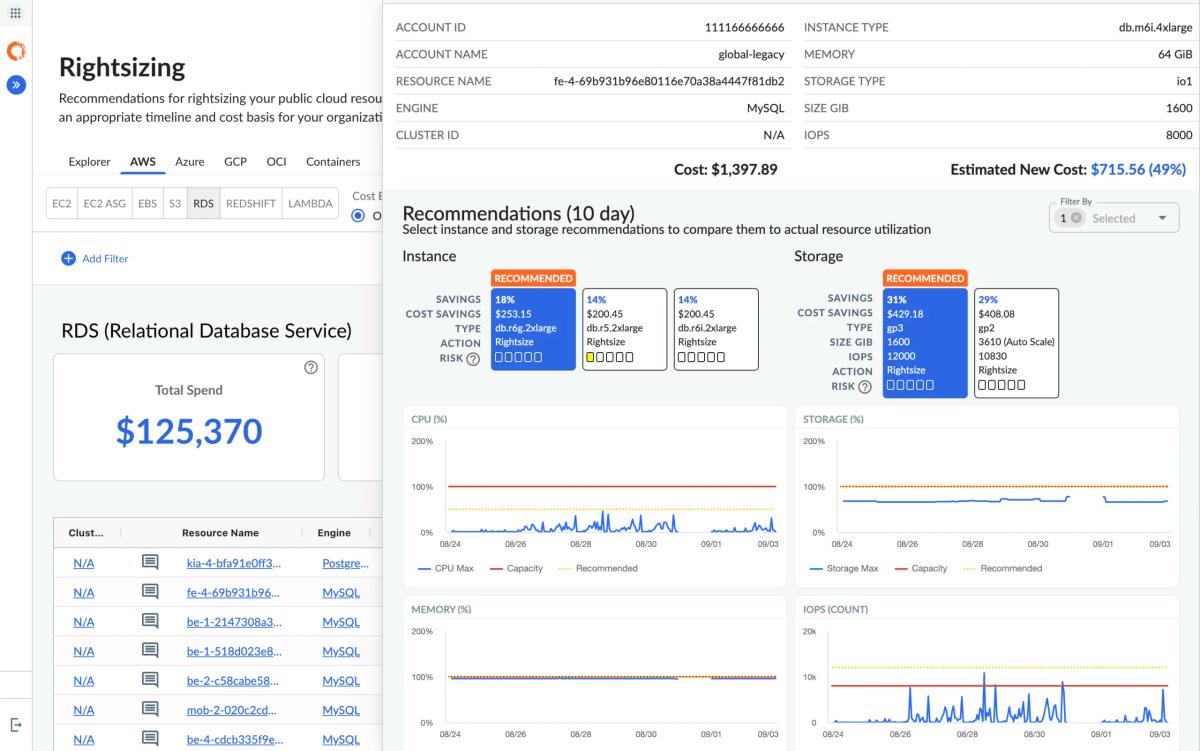
IBM Cloudability is an enterprise FinOps platform focused on governance, allocation, forecasting, and executive reporting across multi cloud environments.
It focuses on cost allocation and showback/chargeback, budget forecasting, commitment optimization recommendations, policy-based governance, and executive dashboards. Recognized in the 2025 Gartner Magic Quadrant for Cloud Financial Management Tools.
Pros:
- Enterprise-grade allocation and chargeback workflows
- Support for multiple cloud environments (AWS, Azure, GCP) and hybrid cloud environments
- Strong forecasting and budget planning capabilities
- Executive and board-level reporting built in
Cons:
- Expensive — enterprise pricing with minimum annual commitments
- Heavy implementation; not self-service for small teams
- Recommendations are manual (no autonomous execution)
- UI can feel dated compared to newer platforms
Best for: Large enterprises (Fortune 500–2000) running formal FinOps programs with dedicated teams and multi-cloud footprints.
Cloudability Pricing: Starts at approximately $30,000/year for up to $1M in managed cloud spend. Scales with spend; enterprise contracts typically 12–36 months.
5. Vantage
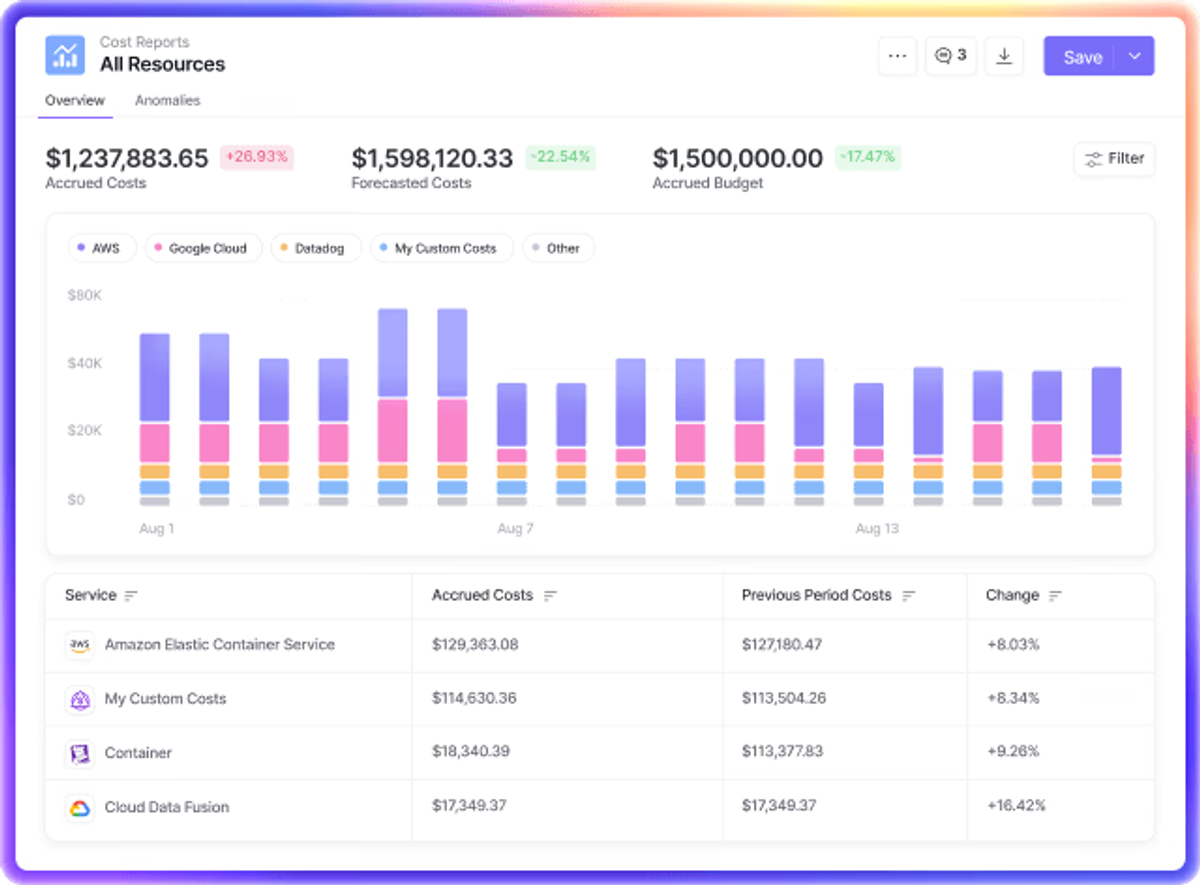
Vantage is a developer-friendly cloud management platform offering clean dashboards, anomaly detection, and multi-cloud support with minimal setup.
What it does: Cost reporting and dashboards, anomaly alerts, budget tracking, Kubernetes cost visibility (by cluster, namespace, pod), and autopilot savings recommendations. Supports AWS, Azure, GCP, Datadog, Snowflake, and other SaaS providers.
Pros:
- Self-service onboarding — connect an account and see dashboards in minutes
- Unlimited users at every tier
- Multi-provider support (including SaaS tools like Datadog and Snowflake)
- Clean, modern UI designed for engineers
- Active content and community presence (Forbes, FinOps Foundation)
Cons:
- No automated optimization or commitment execution
- Kubernetes support is visibility-only (no automated rightsizing)
- Limited governance features compared to enterprise platforms
Best for: Mid-market teams and developers who want fast, clean cost visibility across cloud and SaaS providers without a heavy implementation.
Vantage Pricing: Fixed-rate subscription starting at approximately 1% of cloud costs tracked. Unlimited users included. Free tier available for small workloads.
6. CloudHealth by Broadcom (formerly VMware Tanzu CloudHealth)
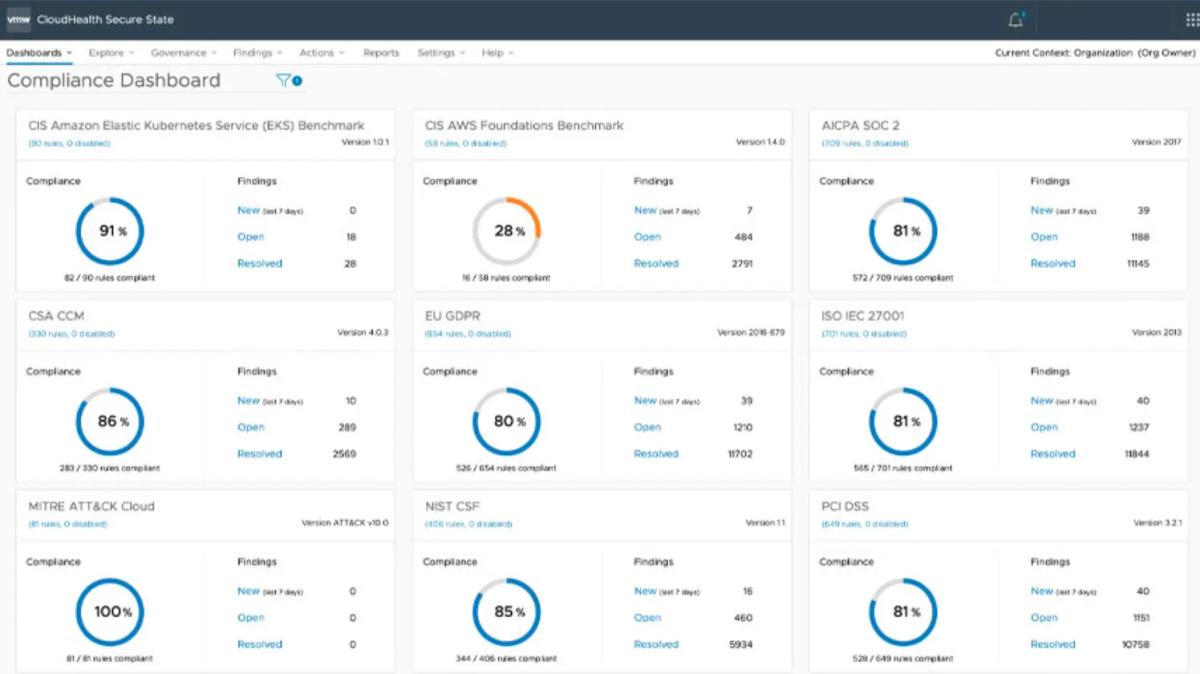
CloudHealth is a mature multi-cloud management and governance platform, now owned by Broadcom following the VMware acquisition.
It covers Cost reporting, allocation, rightsizing recommendations, governance policies, security and compliance checks, and multi-cloud support (AWS, Azure, GCP). One of the longest-running cloud management platforms in the market.
Pros:
- Mature platform with deep feature set across cost, security, and governance
- Multi-cloud support with unified views
- Policy engine for automated governance actions
- Large customer base and proven at enterprise scale
Cons:
- Broadcom acquisition has created uncertainty about product roadmap and support
- UI and UX feel dated compared to newer entrants
- Pricing is opaque and contract-heavy
- No autonomous commitment management
Best for: Large organizations already in the Broadcom/VMware ecosystem that need a single pane of glass across cost, security, and governance.
Pricing: Starts at approximately $13,800/year for up to 100 cloud resources per month (12-month contract). Scales with resource count; enterprise pricing requires custom quote.
7. Flexera Cloud Cost Optimization (+ Spot by Flexera)
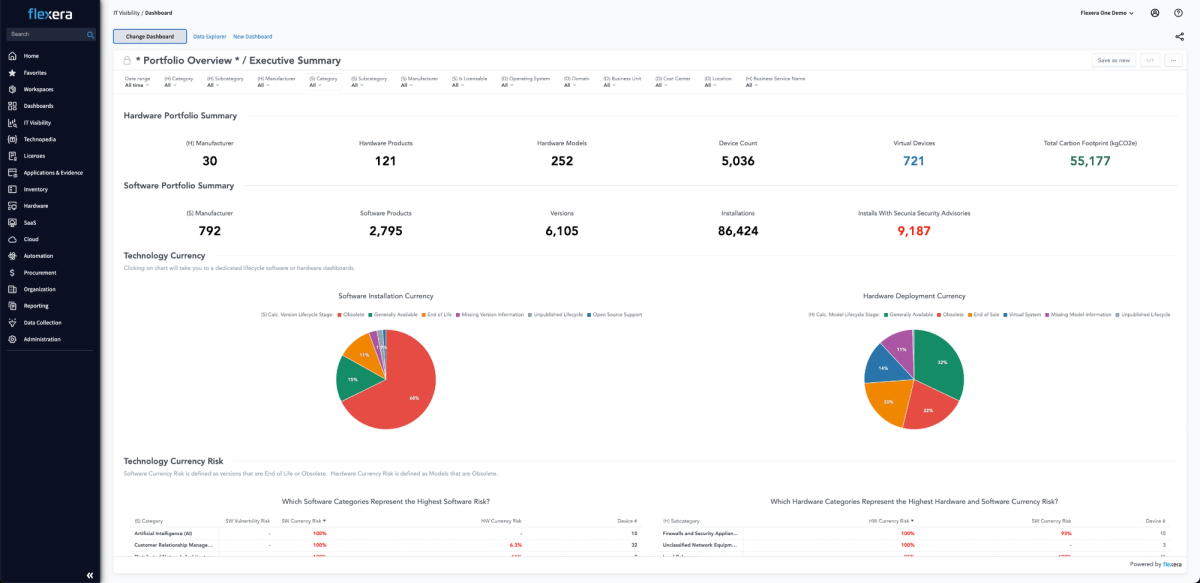
Flexera offers enterprise IT asset management and cloud optimization. In March 2025, Flexera completed the acquisition of Spot by NetApp for $100M, adding automated compute optimization to its governance portfolio.
Flexera offers multi-cloud cost visibility, governance policies, rightsizing recommendations, workload migration planning, and (via Spot by Flexera) automated Spot instance management, reserved commitment optimization, and Elastigroup compute scaling.
Pros:
- Broadest scope: combines ITAM, SaaS management, and cloud cost in one vendor
- Spot by Flexera adds real automation (not just recommendations)
- Strong multi-cloud and hybrid support
- Publishes the annual State of the Cloud Report (industry benchmark)
Cons:
- Complex platform — requires dedicated admin to configure and maintain
- Pricing is enterprise-only and not publicly transparent
- Spot integration still being unified post-acquisition
- Not purpose-built for AWS; breadth comes at the cost of depth
Best for: Enterprise IT organizations managing both cloud and on-prem that want a single vendor for cost, compliance, and asset management.
Flexera Pricing: Custom enterprise pricing based on managed cloud spend and modules selected. Available on AWS Marketplace with 12/24/36-month terms (Marketplace notes “save up to 54%” on 24 months). Spot products priced on savings-based and vCPU dimensions.
8. ProsperOps
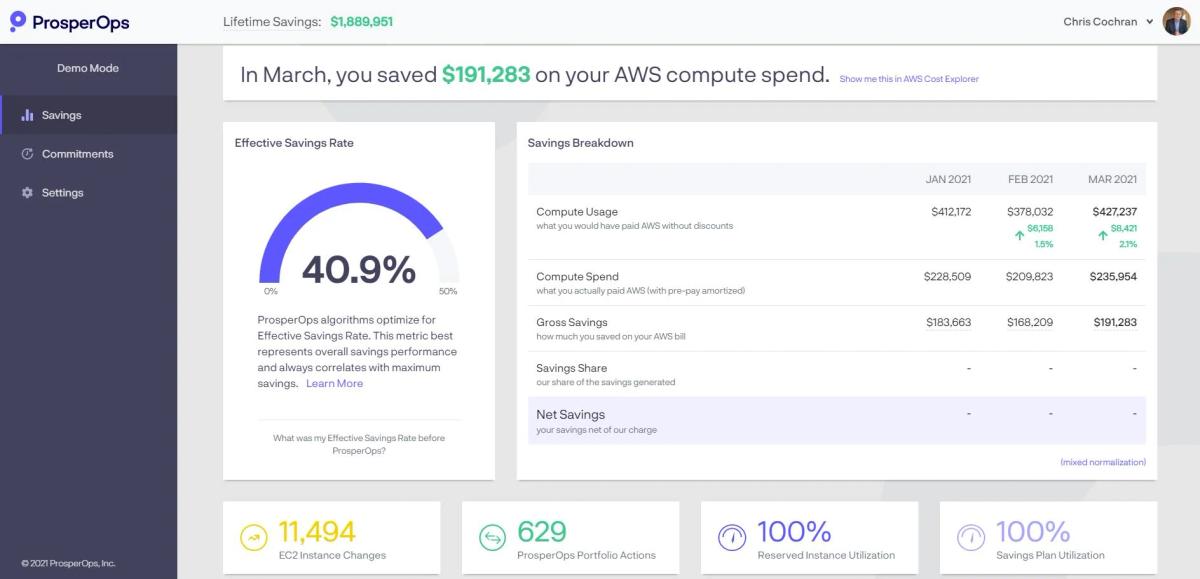
ProsperOps automates Savings Plan and Reserved Instance management using algorithms that continuously adjust commitment coverage based on real usage. It functions as autonomous discount instrument management — ProsperOps buys, adjusts, and sells back commitments (Savings Plans, RIs, Convertible RIs) on your behalf to maximize your effective savings rate without overcommitting.
Pros:
- Fully autonomous — no manual commitment decisions required
- Pure share-of-savings pricing — zero cost if no savings generated
- No upfront fees, minimum commitments, or fixed subscription costs
- Proven track record on AWS (r/FinOps community consistently recommends)
Cons:
- Narrow scope — only handles rate optimization (commitments), not usage optimization
- No cost visibility, allocation, or reporting features
- Doesn’t address rightsizing, idle resources, or Kubernetes
Best for: Teams that want to fully automate discount instrument management without building internal commitment expertise. Pairs well with a visibility tool like Vantage or CloudZero.
ProsperOps Pricing: Share-of-savings model — you pay a percentage of the dollar savings ProsperOps generates. However, ProsperOps may charge for certain inherited commitments as well.
9. CAST AI
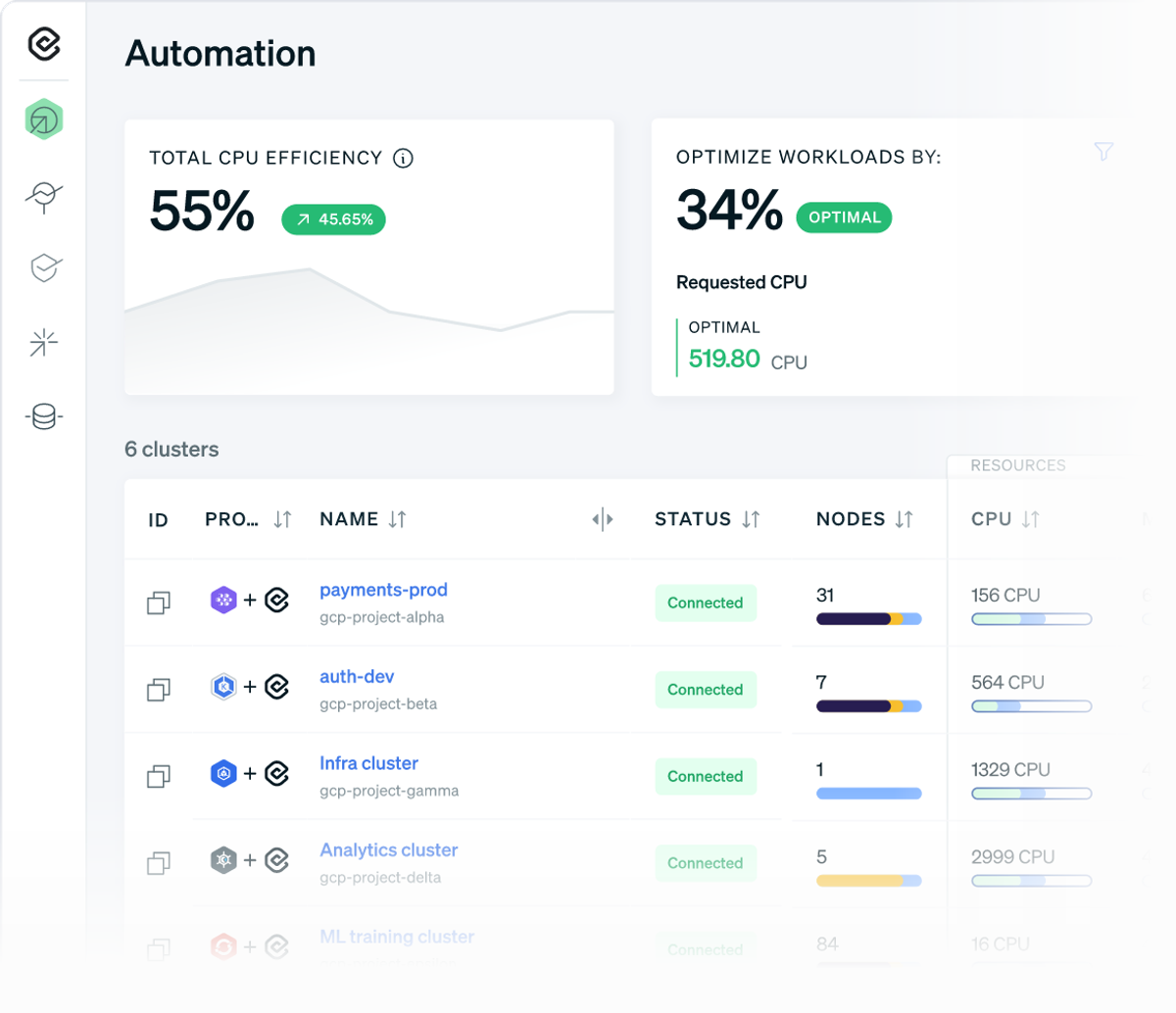
CAST AI is a Kubernetes-native optimization platform that automates cluster rightsizing, bin-packing, and Spot instance management for EKS, GKE, and AKS.
What it does: Real-time cluster autoscaling, workload rightsizing, Spot/preemptible instance automation with fallback, bin-packing optimization, and security posture management for Kubernetes.
Pros:
- Aggressive automated optimization — customers report 50–70% cost reduction
- Cross-cloud Kubernetes support (EKS, GKE, AKS)
- Free monitoring tier with no limits on clusters
- Security scanning included (KSPM)
Cons:
- Kubernetes-only — no help with non-containerized workloads
- Automation requires trust in the platform to modify cluster infrastructure
- Growth plan cost ($5/CPU/month) can add up in large clusters
Best for: Teams running significant Kubernetes workloads who want automated node management and Spot orchestration without building it in-house.
Pricing: Free tier for cost monitoring (unlimited clusters). Growth plan: $1,000/month base + $5/CPU/month for full optimization (autoscaling, Spot, rightsizing, bin-packing). Enterprise: custom.
10. Zesty
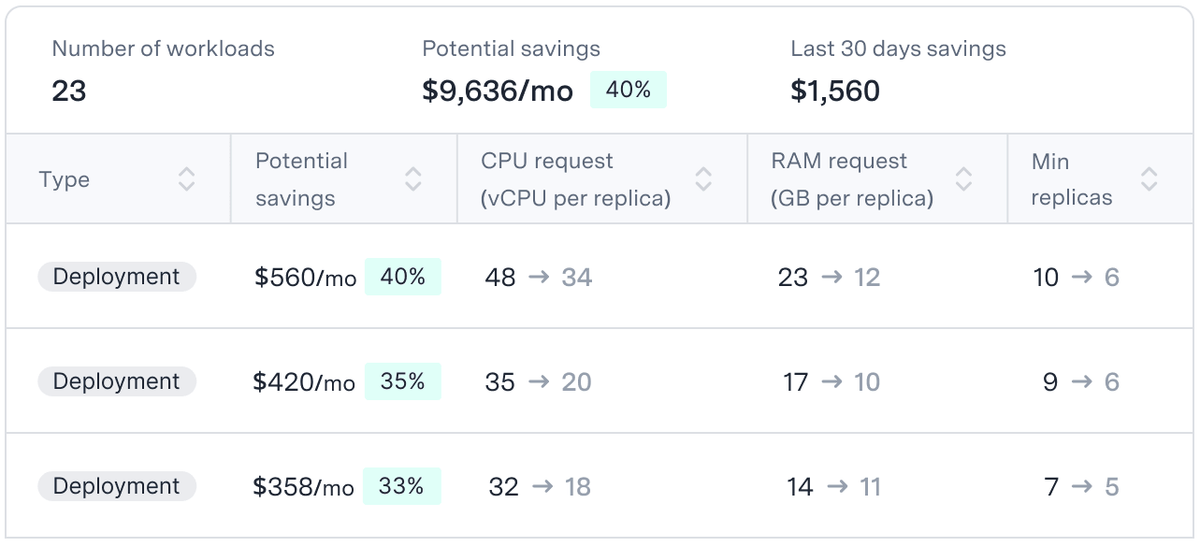
Zesty automates Kubernetes optimization and cloud commitment management, with a focus on maintaining SLA performance while cutting waste.
Its products include Kompass (Kubernetes optimization platform), which automates pod rightsizing, node scaling, and bin-packing. Commitment management continuously aligns reserved capacity with shifting usage patterns to maintain high coverage without over-commitment.
Pros:
- Claims up to 70% Kubernetes cost reduction
- Combines K8s optimization with commitment management in one platform
- Maintains SLA guarantees during optimization
- Supports EC2, EBS, and EKS workloads
Cons:
- Primarily AWS-focused
- Smaller community and less third-party validation than CAST AI or Kubecost
- Pricing not publicly disclosed
Best for: AWS teams running Kubernetes that want both pod-level optimization and commitment management from one vendor.
Zesty Pricing: Custom pricing; contact sales. Reported to use a share-of-savings component similar to other optimization platforms.
11. Kubecost
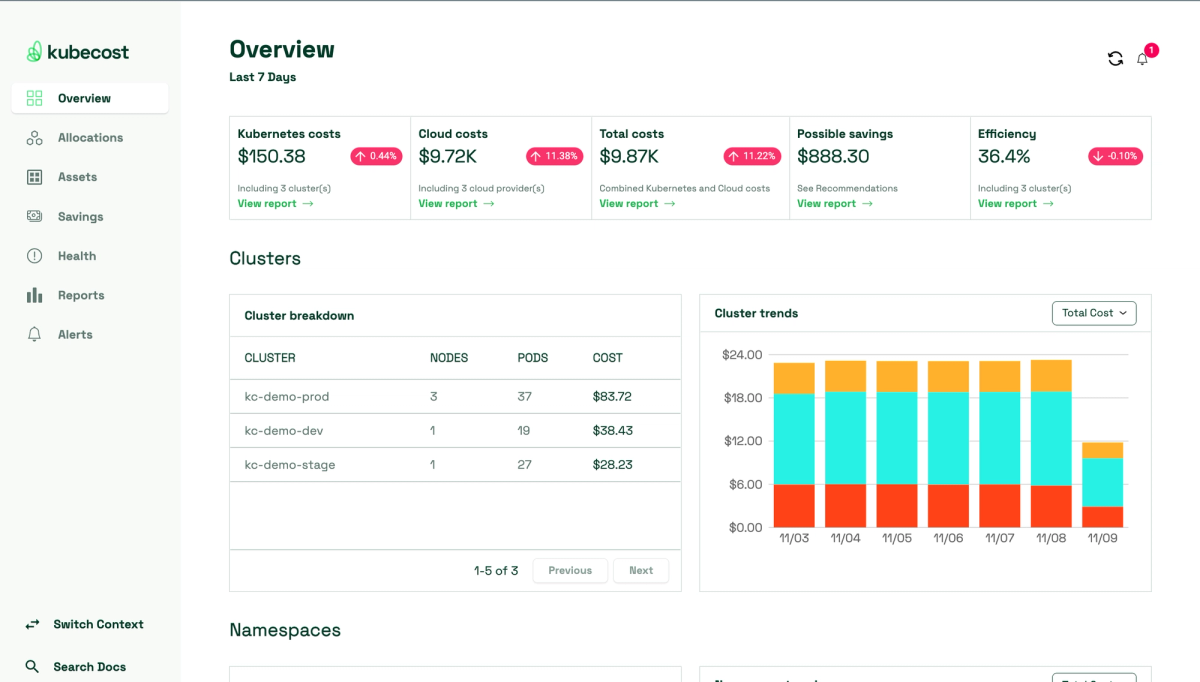
Kubecost (acquired by IBM in 2024) provides Kubernetes cost allocation and visibility, tracking spend by namespace, pod, node, label, and team.
Kubecost offers real-time and historical cost allocation for Kubernetes clusters, per-pod and per-namespace breakdowns, rightsizing recommendations, network cost monitoring, and multi-cluster aggregation (paid tier).
Pros:
- Free tier available for single-cluster deployments (unlimited nodes)
- Open-source foundation (OpenCost/CNCF)
- Deep allocation granularity — namespace, deployment, pod, label, team
- Network cost visibility (unique differentiator)
Cons:
- Visibility and allocation only — no automated optimization
- Multi-cluster support requires paid tier
- Enterprise pricing can ramp quickly with cluster count
- Limited scope outside Kubernetes
Best for: Teams that need precise Kubernetes cost allocation for chargeback/showback without committing to a full optimization platform.
Kubecost Pricing: Free for single cluster (unlimited nodes). Enterprise/multi-cluster pricing custom (contact IBM). Self-hosted or cloud-hosted options available.
12. Spot by Flexera (formerly Spot by NetApp)

Spot by Flexera automates Spot instance management, compute optimization, and infrastructure scaling. NetApp sold the Spot business to Flexera for $100M (completed March 2025).
Elastigroup (Spot instance orchestration with on-demand fallback), Ocean (Kubernetes infrastructure automation), and Eco (commitment management). Handles the complexity of Spot interruptions, capacity management, and instance diversification.
Pros:
- Battle-tested Spot orchestration with automatic fallback to on-demand
- Ocean provides full Kubernetes node lifecycle management
- Eco handles RI/SP management alongside Spot
- Now integrated into Flexera’s broader cloud management suite
Cons:
- Pricing based on per-unit usage (vCPU, savings) — can be complex to forecast
- Post-acquisition roadmap uncertain as Flexera integrates the technology
- Overlap with Flexera’s own optimization products creates confusion
- Originally multi-cloud, but deepest on AWS
Best for: Teams heavily leveraging Spot instances that need reliable orchestration and fallback automation, especially those already in the Flexera ecosystem.
Pricing: Usage-based via AWS Marketplace. Priced on two dimensions: percentage of savings achieved (commitment management) and vCPU usage (compute optimization). Available on 12/24/36-month Marketplace terms.
How to Choose the Right AWS Cloud Management Tool
The right tool depends on three questions:
1. Do you need visibility or automation? If your team just needs to understand where money goes, Vantage, CloudZero, or AWS’s native tools are sufficient. If you want the tool to actually reduce your bill without manual effort, you need nOps, ProsperOps, or CAST AI.
2. What’s your primary workload type? Kubernetes-heavy teams benefit from CAST AI, Kubecost, or Zesty. Broad EC2/RDS/Lambda shops need nOps or ProsperOps for commitment coverage. Mixed environments with compliance requirements point toward CloudHealth or Flexera.
3. What’s your scale and team size? A 5-person startup can self-serve with Vantage’s free tier and AWS Cost Explorer. A 500-person enterprise with $50M in annual cloud spend needs IBM Cloudability or nOps with dedicated FinOps support.
The most common stack in 2026: one commitment management tool (nOps or ProsperOps) + one visibility/allocation platform (CloudZero, Vantage, or native AWS). Teams running significant Kubernetes add Kubecost or CAST AI for container-level granularity.
Why nOps Is the Best AWS Cloud Management Tool
nOps covers the full visibility and cost estimation layer. Instead of stitching together billing exports, dashboards, and product data, nOps automatically reports, allocates and analyzes cloud costs across teams, environments, services, and workloads.
But visibility alone doesn’t improve those metrics.
To actually reduce AWS costs, improve margins, and increase efficiency, you need to act on what the data shows.
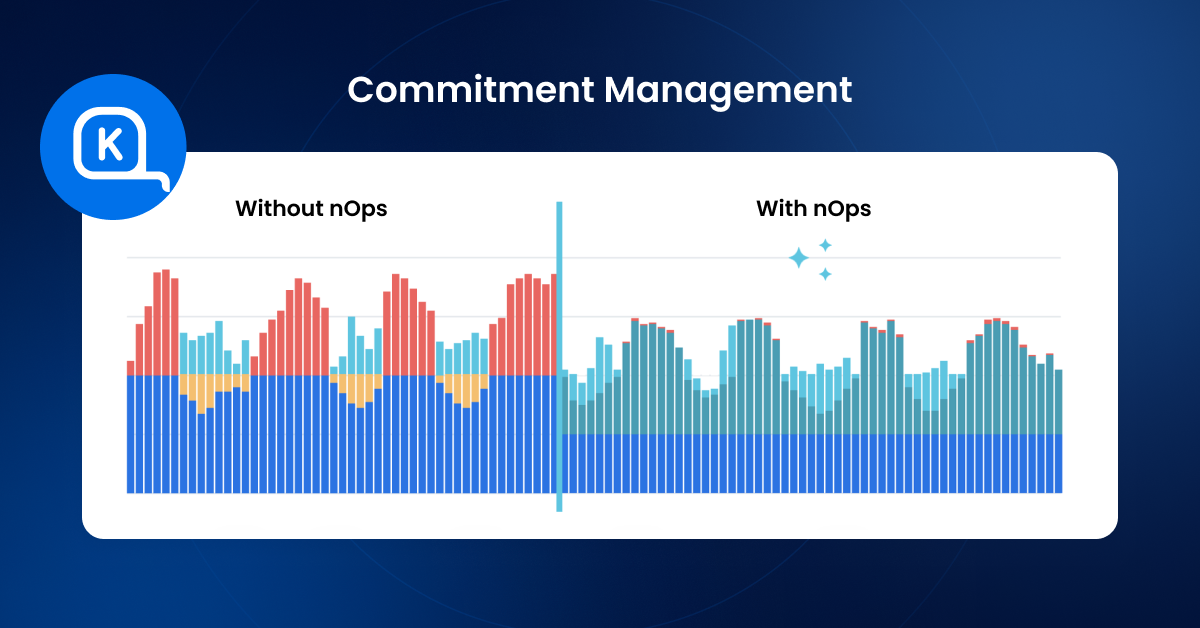
That’s where commitment management comes in as the most powerful lever for AWS cost optimization. At nOps, we help customers maximize their savings and flexibility without manual effort. We optimize hourly for the best savings rates across the industry.
Key benefits of nOps automated Commitment Management include:
• Savings-first pricing model: nOps offers a free savings analysis, so you can see exactly how much you could save. Pricing is based on a portion of realized savings, which reduces downside risk.
- Maximize savings on autopilot: nOps continuously adjusts commitments every hour to match real usage, helping customers capture incremental savings that slower optimization approaches can miss. That hourly adjustment is a major reason nOps can drive up to 20% more savings than competing solutions.
- Eliminate commitment risk: nOps shortens commitment windows from years to a fraction of the time, helping customers access maximum discounts with far less risk.
Curious what that looks like in your AWS environment? Book a free savings analysis with one of our AWS experts to see how much more you could save.
nOps manages $5 billion in cloud spend for customers and is rated 5 stars on G2.
Demo
AI-Powered Cost Management Platform
Discover how much you can save in just 10 minutes!
Book a Demo
Frequently Asked Questions
Let’s dive into a few FAQ about cloud management of your AWS cloud environment.
What is the difference between cloud management and cloud optimization?
Cloud management is the broader discipline covering provisioning, monitoring, security, compliance, and optimization of your AWS resources. Cloud optimization specifically focuses on reducing cloud computing waste and maximizing value — it’s one component of cloud management.
Can I use multiple AWS cloud management tools together?
Yes, and many organizations do use multiple AWS cloud management services and tools. A common 2026 stack pairs a commitment automation tool (nOps, ProsperOps) with a visibility platform (Vantage, CloudZero) and a Kubernetes-specific tool (Kubecost, CAST AI).
Are AWS's native tools enough for cloud management?
For basic visibility and alerting, tools like AWS Cost Explorer, AWS Budgets, AWS Systems Manager can be sufficient. For automated optimization, allocation by team/feature, or commitment management, third-party tools provide significant additional value. Most organizations outgrow native tools once spend exceeds $100K/month.
How much do AWS cloud management tools cost?
Ranges widely: from free (AWS native, Kubecost single-cluster) to a percentage of managed spend (CloudZero, Vantage) to share-of-savings (nOps, ProsperOps — you pay only when the tool saves you money) to $30K+/year enterprise contracts (IBM Cloudability, Flexera).
AWS Cloud Management Tools Your Business Needs