Skip to content



- Blog
- Commitment Management
- Cloudability Pricing Guide: How Much Does It Cost in 2026?
Cloudability Pricing Guide: How Much Does It Cost in 2026?
IBM Cloudability — formerly Apptio Cloudability — is one of the more established cloud financial management platforms on the market. For teams evaluating FinOps tools, one of the first questions is simple: what does it actually cost? Since Cloudability pricing isn’t laid out in a straightforward public pricing page, it often takes a bit of research across sources like AWS Marketplace, review sites, and vendor materials to build a clear picture.
That’s why we rounded up the available pricing information in one place. This guide breaks down how Cloudability pricing works, what you can expect across different spend levels, which factors can affect your total cost, and how it compares to alternative approaches in the market.
What is Cloudability?
Cloudability is a cloud financial management platform that helps organizations understand, allocate, and optimize cloud costs. It’s primarily positioned as a cost visibility and reporting platform, with an additional automation layer through its Savings Automation product, which can automatically purchase and manage commitments like Savings Plans and Reserved Instances.
Other key features include multicloud reporting, cost allocation and chargeback, anomaly detection, and recommendations for optimization (which typically require manual intervention to execute).
How Cloudability Pricing Works
Cloudability uses a percentage-of-spend pricing model tied to annual contracts. The more cloud spend you put under management, the more you pay for the platform. Here’s how the structure breaks down:
Annual contracts with tiered pricing. Cloudability generally doesn’t offer month-to-month plans. You’re committing to a 12-month contract with pricing based on how much cloud spend you need the platform to manage. Tiers are defined by managed spend thresholds — not by the number of users or features.
Percentage-of-spend scales with your bill. As your cloud spend grows, your Cloudability costs grow proportionally. According to one reviewer, “The price of the license or the usage is a percentage of the top consumption. So it varies from year to year. And, if you are a large customer with a significant amount of consumption, proportionally, Cloudability will be expensive.”
Overage fees for exceeding contracted limits. If your cloud spend grows beyond what you contracted for — which happens regularly at fast-growing companies — you’ll incur additional charges. According to the AWS Marketplace listing, overage rates range from $1,930 to $4,410 per unit depending on your plan tier.
Feature tiers affect total cost. Cloudability offers multiple plan levels — Essentials, Standard, and Premium — each with different overage rates and feature sets. The tier you need depends on whether you require basic visibility or advanced capabilities like cost optimization recommendations and governance.
Cloudability Savings Automation is charged separately. If you’re looking for automated Reserved Instance and Savings Plans management, you’ll typically need a separate pricing agreement/contract.
Estimated Cloudability Pricing in 2026
Cloudability doesn’t publish a public price list, but between the AWS Marketplace listing and third-party sources like Holori and Capterra, we can piece together a reasonable picture of what you’ll pay.
Here’s what the base tiers look like for a 12-month contract:
Managed Cloud Spend | Annual Cost | Effective Rate |
|---|---|---|
Up to $1M/year | ~$30,000 | ~3.0% of spend |
Up to $3M/year | ~$76,680 | ~2.6% of spend |
Up to $6M/year | ~$132,480 | ~2.2% of spend |
Note: These figures are based on the AWS Marketplace listing for IBM Cloudability. Effective rates are calculated from the listed annual cost divided by managed spend ceiling. Pricing through direct sales may vary — custom quotes often differ from marketplace rates.
To put that in practical terms across different organization sizes:
Small teams ($500K–$1M annual cloud spend). You’re looking at roughly $30,000 per year for the platform. At $500K in spend, that’s a 6% effective rate based on the $30K minimum — which is steep when you consider Cloudability is giving you recommendations, not executing savings.
Mid-market ($3M–$6M annual cloud spend). Expect to pay $76K–$132K annually. The effective rate improves slightly at scale, but you’re still spending six figures on a platform that requires your team to do the heavy lifting. Companies in this range often have one or two FinOps practitioners — and they’re spending significant time implementing recommendations rather than on strategic work.
Enterprise ($10M+ annual cloud spend). At the high end, costs can scale dramatically. CloudZero’s analysis noted that Cloudability can cost up to $5.4 million to manage $15 million in cloud spending through the marketplace. Even with volume discounts through direct sales, you’re still looking at a substantial platform fee on top of the engineering effort to act on recommendations.
Overage Fees by Plan Tier
If your cloud spend exceeds your contracted amount, here’s what the additional charges look like:
Plan Tier | Overage Cost Per Unit |
|---|---|
Essentials | $1,930 |
Standard | $2,760 |
Premium | $4,410 |
Financial Planning | $1,650 |
These overages add up fast. If your cloud spend grows 20% beyond your contract mid-year — a common scenario during infrastructure scaling, migrations, or AI workload ramp-ups — you could be looking at tens of thousands in unplanned Cloudability fees.
Key Factors That Impact Your Cloudability Cost
Let’s break down each of the pricing models and overall factors impacting your final bill.
Total cloud spend
How much you spend on cloud services is the primary pricing lever. Cloudability’s percentage-of-spend model means your FinOps tooling cost is directly coupled to your cloud bill.
Number of cloud accounts / environments
While Cloudability’s base pricing is tied to managed spend rather than account count, complexity increases with the number of accounts. Organizations managing dozens or hundreds of accounts across multiple business units need more sophisticated allocation, reporting, and governance — which often pushes them into higher-tier plans.
Multi-cloud usage (AWS, Azure, GCP)
Cloudability supports major cloud service providers AWS, Azure, and GCP, but the depth of feature support varies by provider. If you need full multi-cloud cost visibility, that’s a core Cloudability strength. But if you’re primarily on AWS, you may be paying for multi-cloud capabilities you don’t use.
Feature requirements (reporting, governance, etc.)
The jump from Essentials to Premium isn’t just about features — it’s about overage rates too. A Premium plan has overage charges more than double the Essentials tier ($4,410 vs $1,930 per unit). Picking the right tier requires forecasting both your feature needs and your spend growth trajectory.
Contract length and enterprise agreements
Like most enterprise software, list prices are a starting point. Direct-sales contracts often include volume discounts, custom terms, and bundled services. But negotiation takes time, and annual commitments limit your flexibility if your needs change.
Hidden Costs to Consider
The platform fee is only part of the total cost of ownership. Here’s where the less obvious costs accumulate:
Implementation and onboarding
Cloudability requires meaningful setup — connecting cloud accounts, configuring cost allocation rules, building dashboards, and training users. Cloudability does offer professional services, but those aren’t included in the base platform fee.
Data integration complexity
Getting cost data into Cloudability is one thing. Getting it to work with your existing workflows — ITSM tools, CI/CD pipelines, Slack alerting, finance systems — requires additional integration work. The platform’s API exists, but building and maintaining integrations is your team’s responsibility.
Training and adoption
Multiple PeerSpot and G2 reviewers flag the learning curve as a significant issue. One reviewer noted that “the interface is difficult to navigate, making adoption challenging.” The Groups feature — released in 2025 for access control — was described by one user as “basically unusable because if it can’t be used everywhere, you would have to run both group-based access control and direct user-based access control at the same time.”
Limited automation vs manual effort
This is the big one. For the most part, Cloudability tells you what to do but doesn’t do it for you. Implementing rightsizing recommendations, purchasing commitments*, scheduling resources, and acting on anomaly alerts — that’s all manual work.
*The core platform includes recommendations only; Cloudability does provide commitment management automation for an additional fee.
Scaling costs with cloud spend
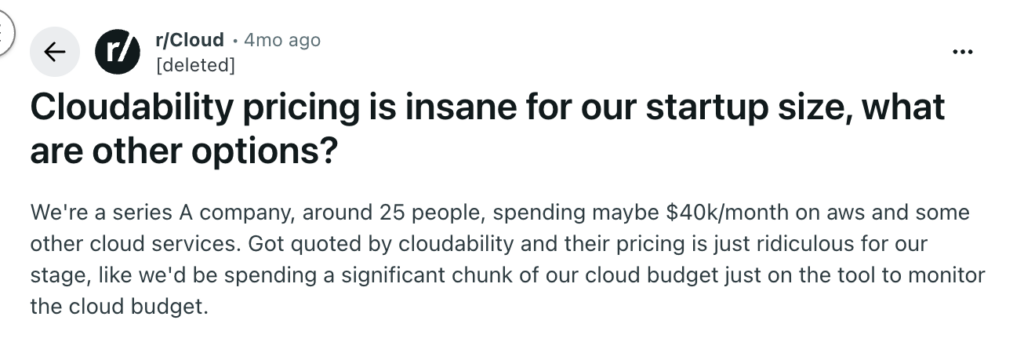
Because pricing is tied to managed spend, your Cloudability costs rise as your infrastructure grows — even if you’re using the same features. A company that grows from $3M to $6M in annual cloud costs doesn’t just pay more for cloud — they pay more for the tool monitoring that cloud. In the r/FinOps subreddit, users in this position described feeling stuck: “too small for Cloudability, too big for spreadsheets” — stuck in a middle ground where enterprise cost management platforms are expensive but lightweight tools can’t keep up.
Is there a Better Cloudability Alternative?
The core question isn’t really “how much does Cloudability cost?” It’s “what are you getting for that cost?”
Cloudability gives you cost visibility and recommendations. You get dashboards, reports, and suggestions for how to optimize costs. But you still need a team or additional add-ons to implement those suggestions, manage commitments, execute rightsizing, and handle the ongoing operational work of optimizing your cloud investments.
A different approach is to pay for outcomes instead of access.
Here at nOps, we take a savings-first pricing model — you don’t pay us until we’ve delivered measurable cost savings. No upfront platform fees, no percentage-of-spend charges, no annual minimums. Here’s what that looks like in practice:
1. Autonomous commitment management. We don’t just recommend which commitments to buy — we purchase and manage them continuously using adaptive laddering. Commitments are adjusted in small increments based on real-time usage patterns, not annual bulk buys. The result is higher utilization rates and lower waste.
2. Compute optimization that executes. Compute Copilot automatically places workloads on the most cost-effective compute option — Spot, On-Demand, or Reserved — based on real-time pricing and availability. It handles interruptions and failovers automatically.
3. No cost without savings. Our pricing model is simple: if we don’t save you money, you don’t pay. That aligns our incentives with yours in a way that percentage-of-spend pricing never can.
To see how much you can save by switching in just 30 minutes, consider a free savings assessment.
How to Choose the Right FinOps Tool
Picking a FinOps platform isn’t just about price — it’s about fit. Here’s a decision framework based on what we see teams actually evaluating:
Budget vs ROI expectations
A visibility-first platform like Cloudability can make sense if your main goal is centralized reporting and cost governance. But when pricing is tied to cloud spend — and additional automation may come at an added cost — it’s worth looking beyond platform fees alone. If your priority is maximizing net savings, a model that combines commitment management and visibility without stacking more fees can deliver stronger ROI.
Automation vs reporting needs
Some organizations already have the engineering capacity to act on recommendations. They need data, not automation. Cloudability is a solid fit there. But teams that are stretched thin — especially those where one or two people own FinOps alongside their day jobs — need a platform that executes, not just reports.
Multi-cloud vs single-cloud
Cloudability’s strongest value proposition is multi-cloud visibility across AWS, Azure, and GCP. If your organization runs significant workloads across multiple providers, that breadth matters. If you’re primarily on AWS, you’re paying for multi-cloud support you may not need.
Engineering vs finance use case
Cloudability skews toward finance-team use cases — budgeting, forecasting, chargeback, executive reporting. If your FinOps program is driven by engineering teams looking for automated optimization, you’ll want a platform built for that workflow. The choice comes down to whether you need a cost dashboard for finance or a cost automation engine for engineering.
The Bottom Line
Taken together, the reviews and pricing details point to a clear pattern: Cloudability gives teams strong visibility into cloud costs, and it can automate commitment management through Cloudability Savings Automation, but that automation is not part of the core platform and is typically sold separately.
nOps takes a different approach. Our savings-first model includes automated commitment management without upfront platform fees, while still giving teams the visibility they need into costs, usage, and optimization opportunities. Instead of treating visibility as the end product and automation as an add-on, nOps combines both in a platform designed to make savings measurable and continuous.
Curious what that looks like in your environment? Book a free savings analysis with one of our AWS experts to see how much more you could save.
nOps manages $3 billion in cloud spend for customers and is rated 5 stars on G2.
Demo
AI-Powered Cost Management Platform
Discover how much you can save in just 10 minutes!
Frequently Asked Questions
Let’s dive into a few FAQ about Cloudability, how much it costs, and where it fits among the landscape of cloud financial management tools.
How much does Cloudability cost?
Cloudability pricing starts at approximately $30,000 per year to manage up to $1M in annual cloud spend, based on the AWS Marketplace listing. Costs scale with managed spend — expect $76K–$132K for $3M–$6M in cloud spend. Enterprise contracts are custom-quoted through direct sales.
Does Cloudability offer transparent pricing?
Not really. Cloudability does not publish straightforward list pricing on its main product pages. Current marketplace listings emphasize requesting a demo or private offer, and third-party pricing pages describe quote-based pricing rather than fixed public tiers. That makes budgeting and calculating business value harder if you want self-serve price transparency.
Are there cheaper alternatives to Cloudability?
Yes. nOps can be a cheaper alternative because Cloudability charges based on the amount of cloud spend under management, with pricing that can reach tens or hundreds of thousands per year before extra automation costs. nOps only charges when it delivers measurable savings, which lowers upfront cost and reduces financial risk.
What is Cloudability’s pricing model?
Cloudability appears to use custom enterprise pricing rather than a simple monthly self-serve plan. IBM’s marketplace pages route buyers toward demos and private offers, while product documentation shows the platform manages cloud pricing, discounts, and cloud cost data inside the product, not that IBM publishes standard public subscription fees.
Is Cloudability multicloud?
Yes. Cloudability is a FinOps platform that helps organizations manage, analyze, and optimize cloud costs across multi cloud environments. However, while its cloud cost management features like reporting on your cloud costs, cost allocation, cost anomaly detection, forecasting capabilities, cloud budgets and cost visibility go across multiple cloud providers like AWS, Azure, and Google Cloud, but its commitment management and automated savings capabilities are primarily focused on AWS.

Last Updated: March 26, 2026, Commitment Management
Tags
Last Updated: March 26, 2026, Commitment Management