Introducing One-Click Onboarding for Compute Copilot Karpenter
Effortless onboarding for your Karpenter resources
It now just takes one click to onboard your Node Pools to Compute Copilot, an intelligent workload provisioner that integrates with your Karpenter to autonomously manage, scale, and optimize all of your AWS compute for cost and reliability.
What’s New
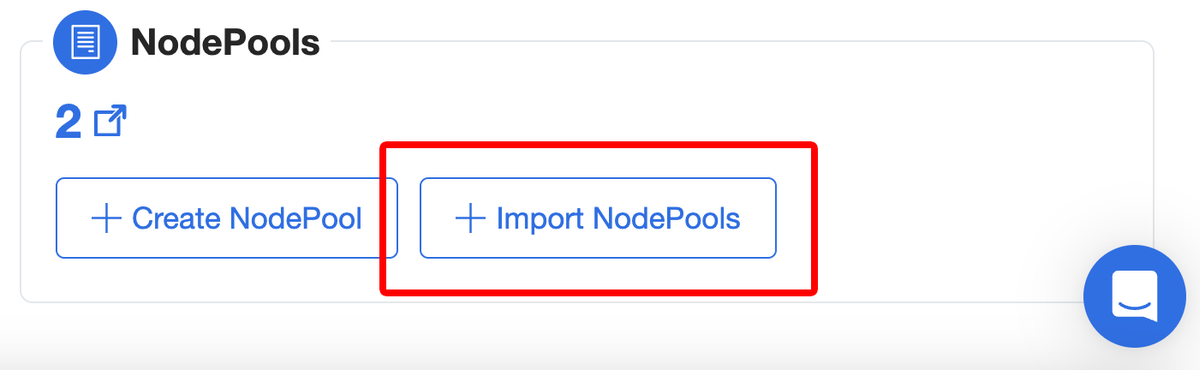
We’re excited to unveil Node Pool Imports for nOps, designed to make it ultra-easy and quick to onboard and automatically manage your clusters. Starting today, you can access one-click Node Pool Imports in the Compute Copilot dashboard.
Simply one-click import your Node Pools, and nOps will handle the rest.
Once you import, you can make any changes to the Node Pools in your code repository and they will automatically sync with nOps. This eliminates manual overhead and facilitates centralized management, ensuring your configurations are always in sync and optimized to prioritize performance.
How it Works
Compute Copilot uses your imported Node Pool to identify key configurations, generating dynamic and ephemeral configuration files in Karpenter that guarantee you’re always running the most cost-effective, stable instances for your workload.
This setup ensures optimal performance by continually adapting to changing conditions without manual intervention, and eliminates overhead in configuring, managing, and troubleshooting Node Pools.
And it is just as easy to offboard by deleting a tag in the Node Pool, via the CLI, or via the UI — less than a minute and you are done.
How to Get Started
To start using nOps Onboarding, navigate to the Compute Copilot dashboard. Ensure that the nOps Agent is installed, which will ensure nOps is aware of the Node Pools that exist in the cluster.
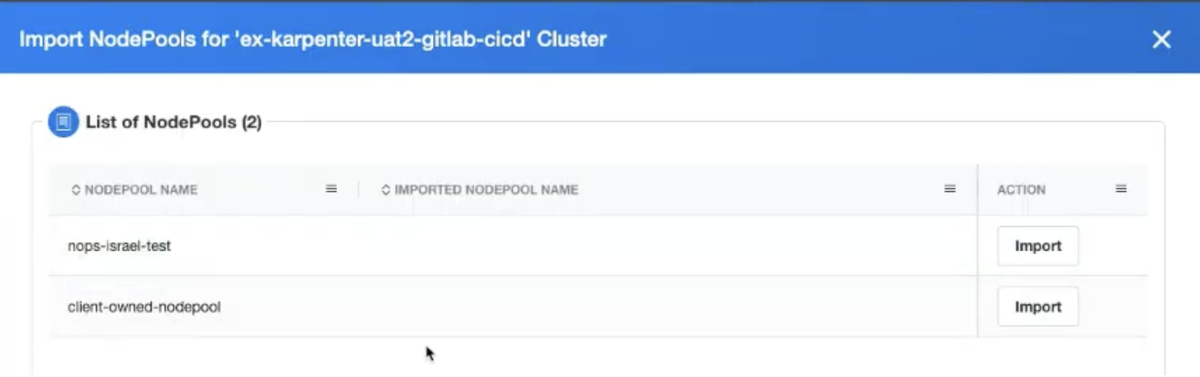
To import Node Pools, simply click the `Import` button on the UI. This will instantly create an nOps copy linked to the original version and send it for deployment into your cluster.
Alternatively, you can choose to use GitOps support to manage your Node Pools — consult the documentation for more information.
If you’re already on nOps…
Have questions about the new feature? Need help getting started? Our dedicated support team is here for you. Simply reach out to your Customer Success Manager or visit our Help Center. If you’re not sure who your CSM is, send our Support Team an email.
If you’re new to nOps…
nOps was recently ranked #1 with five stars in G2’s cloud cost management category, and we optimize $5+ billion in cloud spend for our customers.
Join our customers using nOps to understand your cloud costs and leverage automation with complete confidence by booking a demo with one of our AWS experts.
Demo
AI-Powered Cost Management Platform
Discover how much you can save in just 10 minutes!
Book a Demo