nOps Now Supports Terraform for Account Onboarding
Onboard AWS Accounts via Infrastructure-as-Code
nOps now offers Terraform as a new option for onboarding linked AWS accounts, expanding beyond the previous AWS CloudFormation support. The benefits include:
Seamless Integration with Existing Infrastructure-as-Code Workflows
Integrate nOps directly into your preferred Infrastructure-as-Code (IaC) tools and workflows, without any need to adjust your existing processes.
Another benefit of onboarding via Terraform is the ability to manage your nOps configuration centrally within your CI/CD pipelines. This allows you to maintain state directly in your codebase, simplifying management and ensuring consistency across deployments.
Enhanced Control and Flexibility:
Terraform’s greater granularity and control allows you to configure your nOps accounts in accordance with your specific needs and established access controls.
Streamlined Onboarding Experience
Onboarding your AWS accounts to nOps is easy with features like:
- Automatic detection of existing nOps projects for the AWS account
- Creation of new nOps projects if none exist
- Handling of master and member AWS accounts
- Automatic setup of IAM roles and policies for nOps integration
- S3 bucket creation and configuration for master accounts
- Integration with nOps API for secure token exchange
How to Get Started
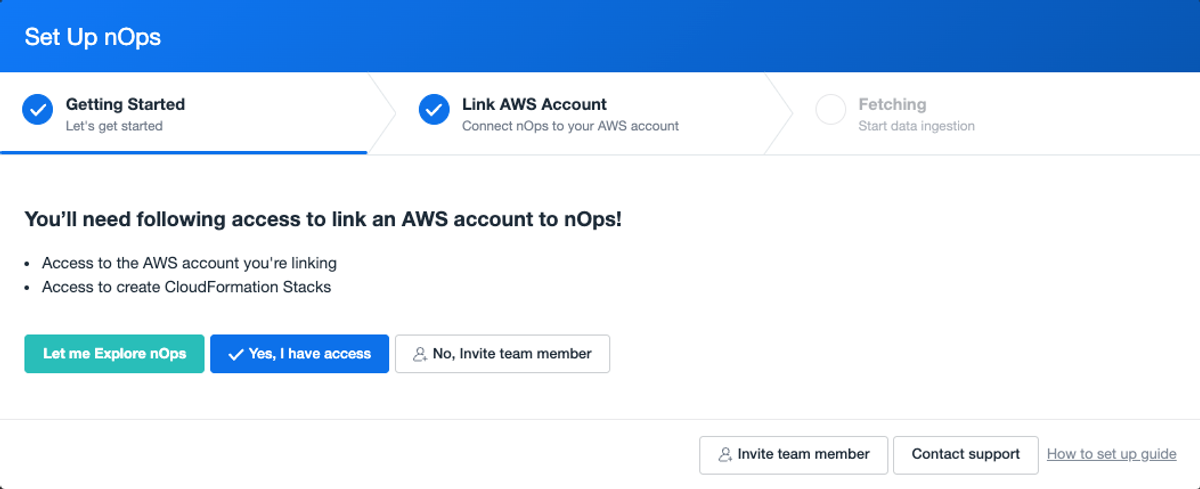
When you log in to your nOps account for the first time, a pop-up screen will appear. This pop-up screen will guide you on how you can add your AWS account(s) to nOps
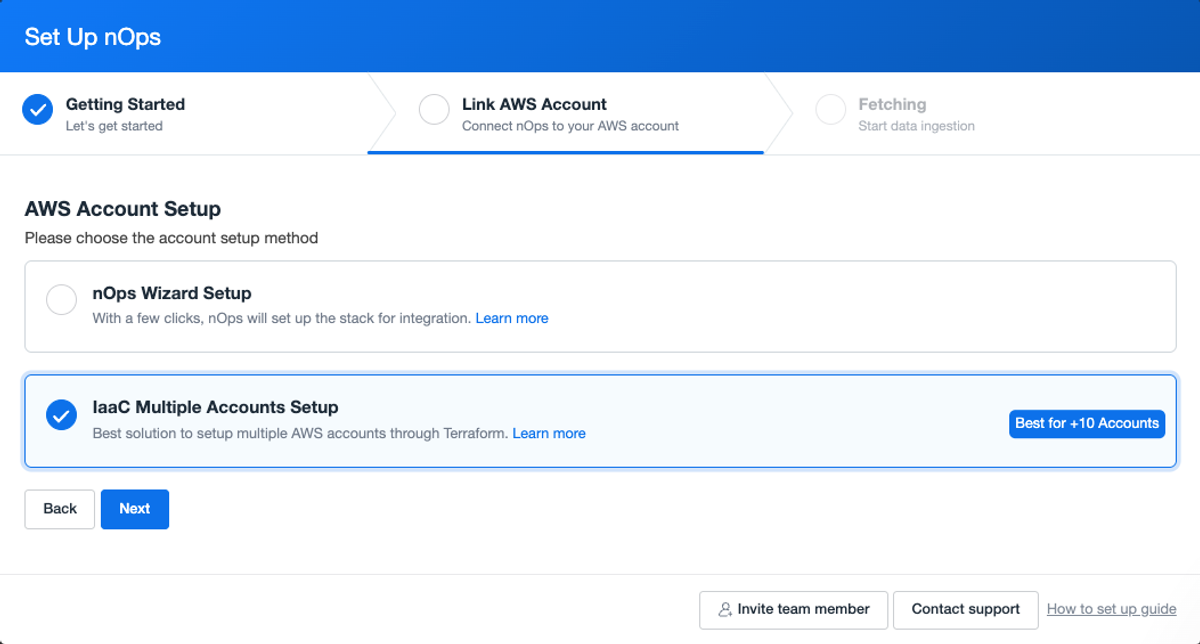
Select the IaaC Multiple Accounts Setup option and click Next.
Follow the steps outlined in the help documentation to complete your onboarding via Terraform.
If you’re already on nOps…
Have questions about Terraform onboarding? Need help getting started? nOps users can access this new feature directly from the nOps dashboard or reach out to your Customer Success Manager to learn more.
If you’re new to nOps…
nOps was recently ranked #1 with five stars in G2’s cloud cost management category, and we optimize $5+ billion in cloud spend for our customers.
Join our customers using nOps to understand your cloud costs and leverage automation with complete confidence by booking a demo with one of our AWS experts.
Demo
AI-Powered Cost Management Platform
Discover how much you can save in just 10 minutes!
Book a Demo