Introducing Showback Value References
Automatically reuse cost allocation logic across Showbacks in real-time
Cloud cost allocation often involves slicing the same data by multiple dimensions—like team, product, or environment.
This latest enhancement to Cost Allocation makes it easy to reuse existing allocation logic across multiple Showbacks without rebuilding filters each time — saving manual effort and time.
What's New
Showback Value References is a new filter option that lets you reference an existing Showback Value in your Allocation Rules — available now in your Showbacks dashboard.
With Showback Value References, you can:
- Instantly reuse filters from other Showbacks
- Eliminate repetitive filter creation
- Keep allocation logic consistent across teams, products, and environments
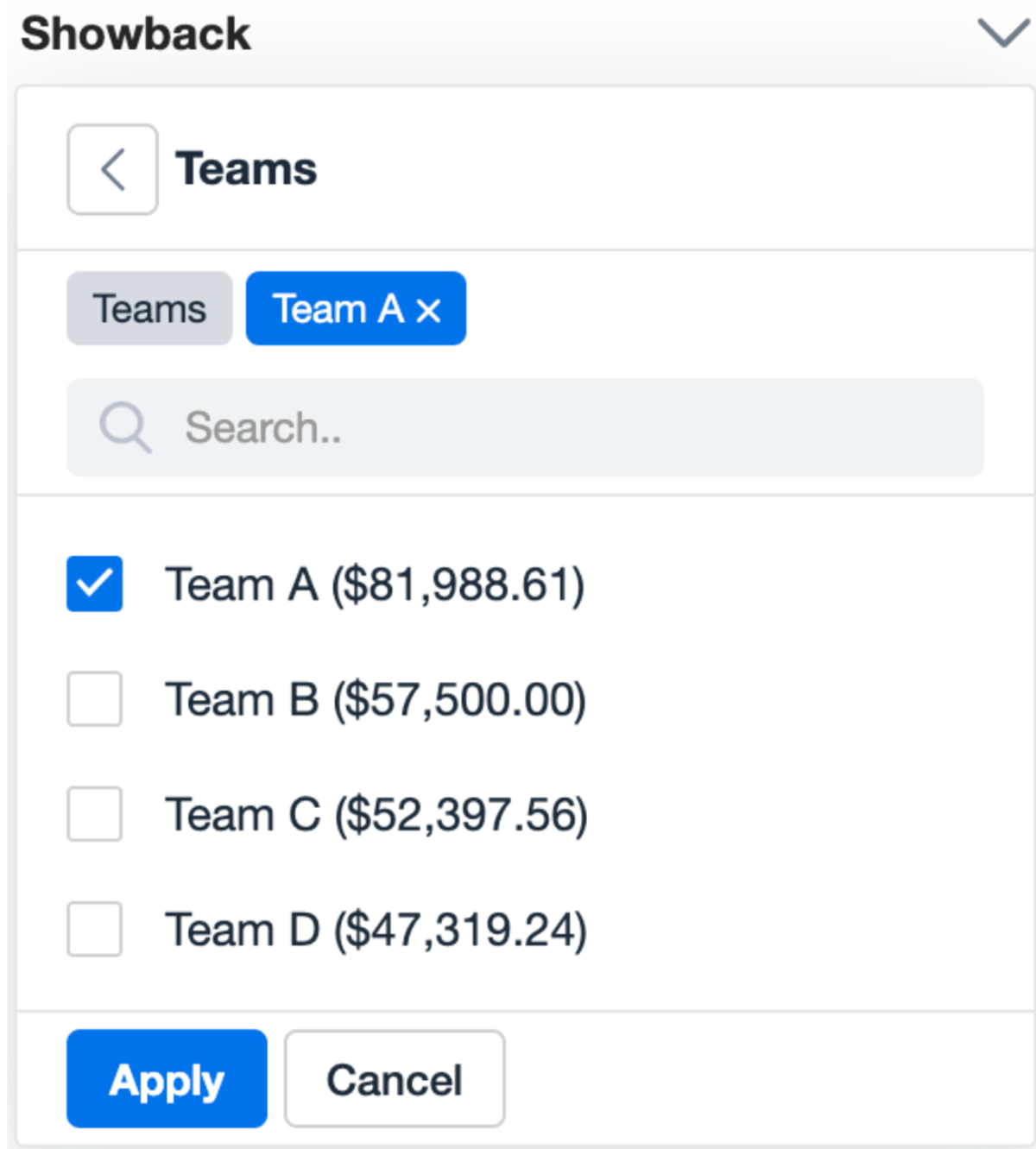
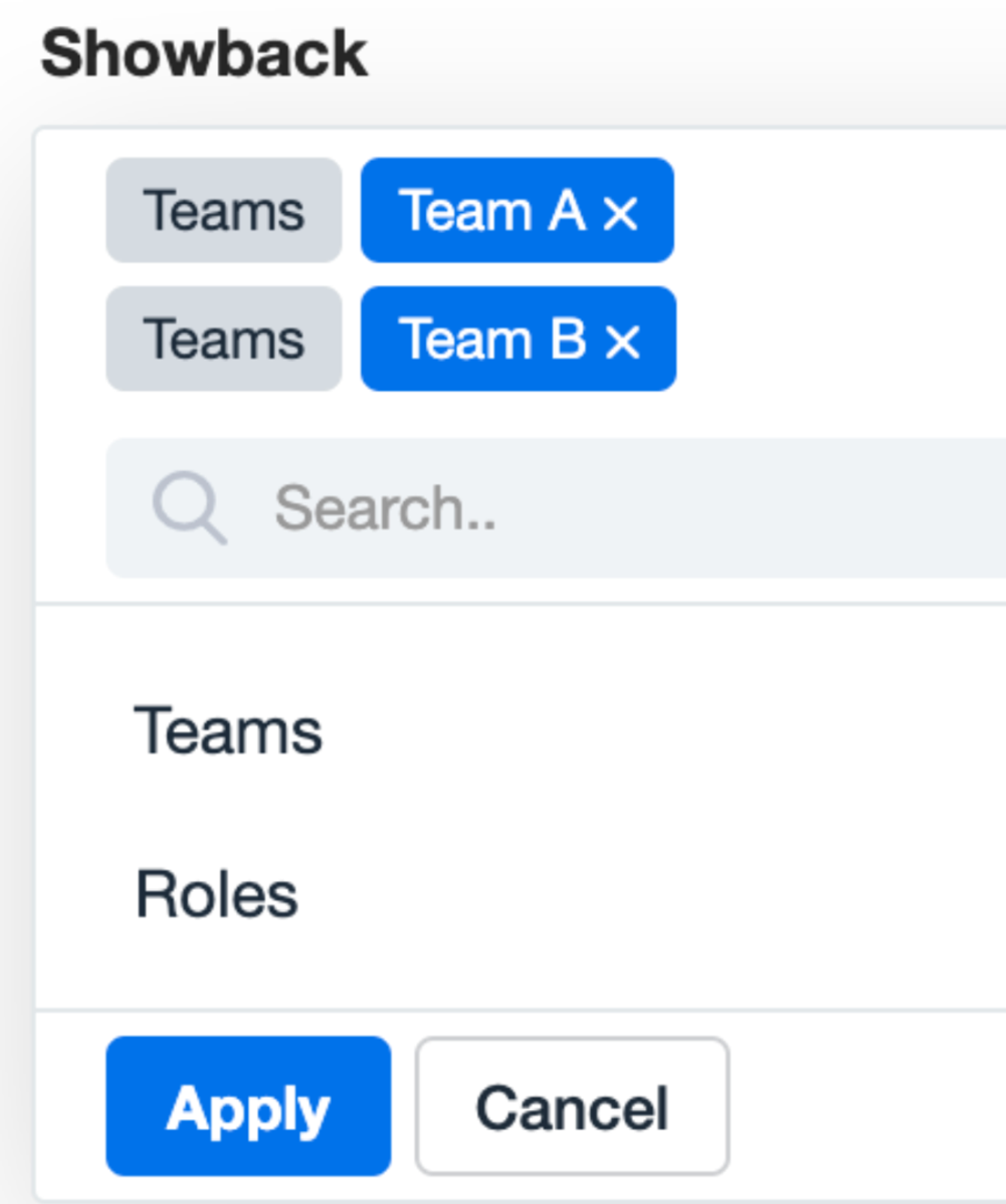
Example: Already built a “Costs by Teams” Showback using tags? To view “Team A – S3 only,” just reference the “Team A” value, add a filter for S3, and you’re done — no need to recreate filters.
Recursive Reuse Across Multiple Showbacks
Showback Values can be referenced across multiple layers. You can reuse logic from one Showback in another—and continue downstream. nOps prevents circular references and automatically manages all complexity behind the scenes.
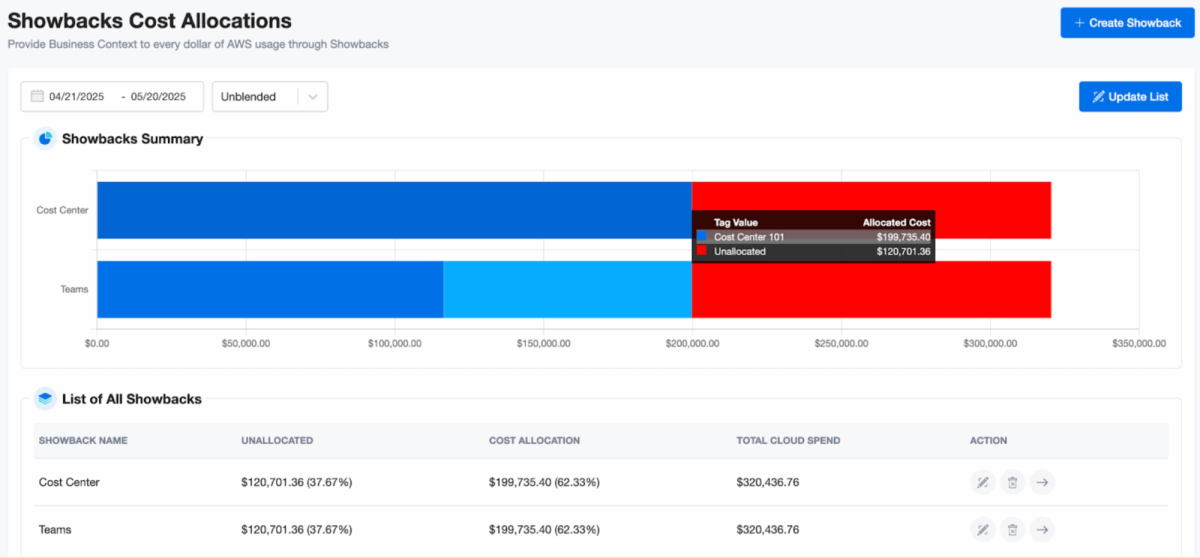
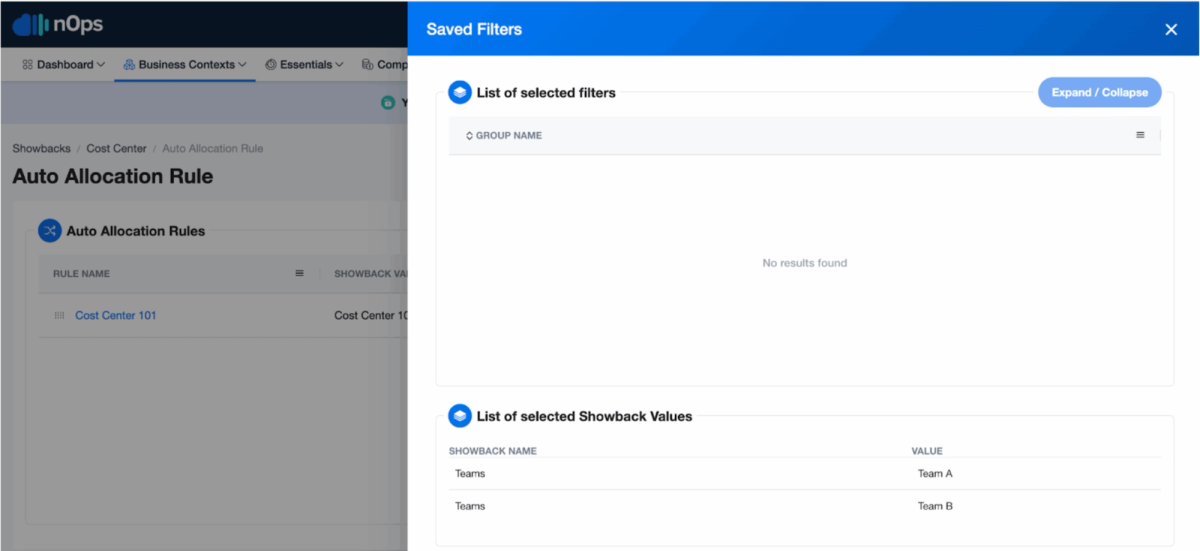
This unlocks powerful use cases like:
- Building global allocation models and reusing them in departmental views
- Segmenting infrastructure costs by both technical and business dimensions
- Keeping your Showback rule logic clean and consistent
How it Works
- When creating or editing a Showback Allocation Rule, you’ll see a new Referenced Showback Values filter dropdown.
- Select one or more Showbacks, then pick values from each (like “Team A”, “Product X”).
- nOps will dynamically combine the referenced filters with any additional filters you set (e.g., resource type = S3).
- Under the hood, we reference all allocation rules tied to the selected Showback Value and automatically exclude higher-level allocations that were already consumed elsewhere.
All cost calculations update in real time and work seamlessly with the existing caching and filtering system.
How to Get Started
To start using Showback Value References:
- Go to your Showback details or allocation rules screen.
- Create or edit an Allocation Rule.
- Open the new Referenced Showback Values filter.
- Choose existing Showbacks and Values to reuse.
Want more details? Check out our Showback Creation Guide at nOps Help.
If You’re Already on nOps…
Have questions or need help getting started? Our dedicated support team is here for you. Simply reach out to your Customer Success Manager or visit our Help Center. If you’re not sure who your CSM is, send our Support Team an email.
If You’re New to nOps…
nOps was recently ranked #1 in G2’s Cloud Cost Management category, and we optimize $5B+ in cloud spend.Want to see nOps Cost Allocation in action? Book a demo with one of our AWS experts to get started.
Demo
AI-Powered Cost Management Platform
Discover how much you can save in just 10 minutes!
Book a Demo