Top 9 CloudHealth Alternatives & Competitors in 2026
Managing cloud costs is never simple, and CloudHealth by VMware has long been a go-to solution for bringing order to that chaos. It offers strong visibility across AWS, Azure, and GCP, with reporting and governance features that help organizations understand where money is going and how to control it.
However, CloudHealth can be expensive and often feels geared toward older enterprise workflows. For teams that want modern automation, AI-driven optimization, it may not be the best fit.
In this article, we’ll break down the 9 best CloudHealth alternatives with pros, cons, ratings, pricing, and other key details.
What is CloudHealth?
VMware Tanzu CloudHealth is a cloud management platform, now owned by Broadcom following its 2023 VMware acquisition, designed to help organizations monitor, govern, and optimize multi-cloud environments. It pulls in data from providers like AWS, Azure, and Google Cloud to give finance, engineering, and operations teams a single place to track costs, usage, and compliance.
By consolidating this information, CloudHealth makes it easier to spot savings opportunities, enforce governance policies, and align cloud usage with business goals. For enterprises running across multiple clouds, it’s positioned as a central hub for cost visibility and resource management.
Key Features of CloudHealth
Here are some of the capabilities that stand out:
- Unified cost visibility – Instead of jumping between AWS, Azure, and GCP consoles, CloudHealth pulls data from all major providers into one place. This makes it easier for finance and engineering teams to track spend across accounts, projects, and business units.
- Optimization recommendations – CloudHealth analyzes resource usage to suggest where costs can be cut, whether that’s rightsizing VMs, consolidating idle storage, or identifying underutilized commitments.
- Policy-driven governance – With CloudHealth, organizations can define rules for budgets, compliance, and accountability. These policies enforce guardrails automatically, helping large teams maintain standards while scaling cloud usage.
- Detailed reporting – Dashboards and scheduled reports provide executives and stakeholders with clear visibility into cloud spend and usage trends.
- Security and compliance tracking – Beyond costs, CloudHealth includes monitoring for risks and misconfigurations that could create security or compliance gaps. It aligns with common frameworks like SOC2, making audits and reviews more straightforward.
- Resource and inventory management – The platform maintains a view of resources across providers, helping teams eliminate idle instances, rebalance usage, and better allocate commitments.
- Integrations for workflows – CloudHealth ties into ticketing systems, reporting tools, and other enterprise platforms, allowing organizations to bring cost and governance data directly into their existing processes.
Limitations of CloudHealth
While CloudHealth offers strong visibility and governance, user reviews on G2 point out several areas where the platform falls short:
- User interface and performance issues – Multiple reviewers mention that the interface can be clunky, with screens that occasionally lag or freeze. For some, navigation and notifications are unintuitive, leading to a steeper learning curve than expected.
- Reporting limitations – Reporting is one of the most common pain points. Users would like more flexibility to drill down into individual resources, not just account-level data. Others highlight difficulties in customizing reports to match business needs.
- Export challenges – While CloudHealth generates strong visuals and charts, some find that exporting them into presentation-ready formats into various tools (e.g. Microsoft Office) remains a limitation. This makes it harder for some teams to share insights in leadership meetings.
- Scalability concerns – A few users noted that CloudHealth doesn’t scale as smoothly across all cloud providers, with GCP environments in particular flagged as less reliable.
- Connectivity and integration gaps – Some reviews call out integration challenges with other VMware tools and missing connections to certain PaaS services, which can limit functionality in specific workflows.
Top 9 CloudHealth Alternatives
Let’s dive into the list of CloudHealth competitors.
Tool | Best For | Pricing | G2 Rating |
|---|---|---|---|
nOps | Automated savings and full cost visibility across AWS, Azure, and GCP, without paying unless it works | Free to start; results-based (% of savings) for commitment management | 4.8/5 (ranked #1 in category) |
CloudZero | Clear business context from cloud costs, even without perfect tagging | Custom, based on cloud spend; subscription model | 4.7/5 |
Apptio Cloudability | Structured enterprise budgeting/forecasting | Custom enterprise pricing | 4.2/5 |
Datadog Cost Management | Teams already on Datadog wanting layered cost visibility | Usage-based add-on to Datadog | 4.4/5 |
Finout | Precise allocation across multi-cloud/SaaS without perfect tagging | Usage-based, often % of savings or spend tiering | 4.8/5 |
Spot by NetApp | Automated compute optimization across multi-cloud | % of savings + enterprise licensing | 4.6/5 |
Flexera | Large enterprises, strict hybrid-IT governance | Enterprise licensing, custom quotes | 4.3/5 |
Kubecost | Kubernetes-heavy cluster cost allocation | Free OSS tier + paid enterprise | 4.4/5 |
Harness CCM | Developer-friendly cost visibility with CI/CD | Usage-based, free tier available | 4.5/5 |
#1. nOps
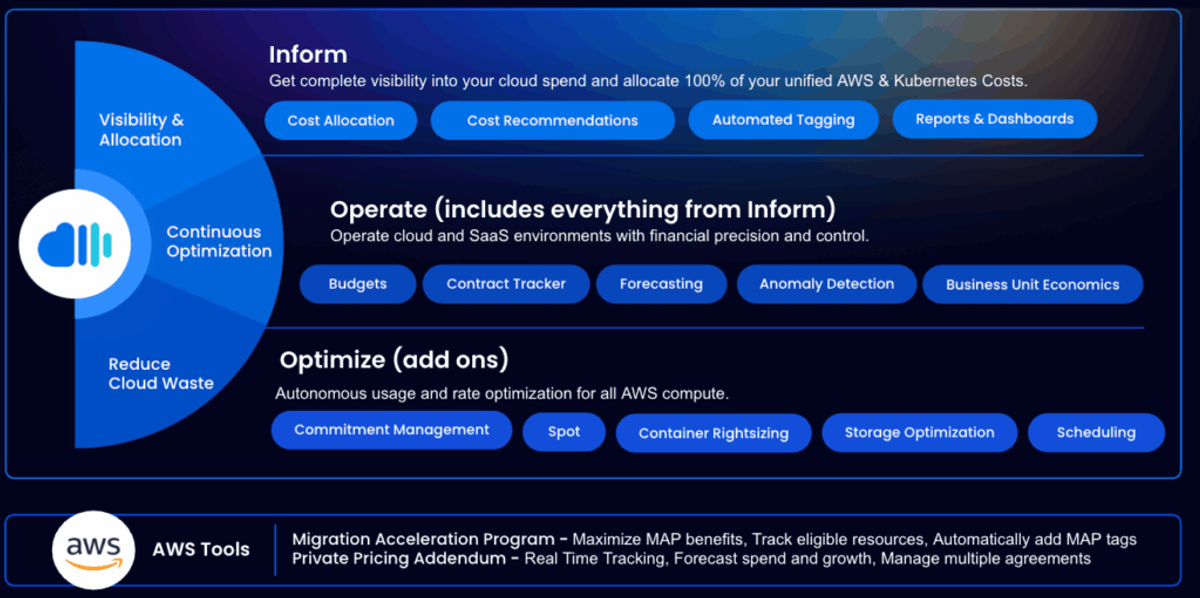
nOps pairs full-stack cost visibility — AWS, Azure, GCP, Kubernetes, and SaaS in one place — with the biggest lever in cloud spend: autonomous commitment management under a savings-first pricing model, where nOps is paid only after it saves you money. It's also one of the only platforms on this list built for the AI cost era, with dedicated visibility into Bedrock, Cursor, and other AI spend.
Pros
- Full-stack visibility across AWS, Azure, GCP, Kubernetes, GenAI, and SaaS in a single pane of glass
- 40+ prebuilt views to drill into cost by account, service, team, or deployment, with real-time detection of cost spikes, idle resources, and underused capacity
- Autonomous commitment management across AWS, Azure, and GCP, priced only on the savings it delivers, so you're not paying for savings your own team already had
- Clara, an AI agent built into the platform, answers plain-language questions about cost and usage without needing dashboards or filters
- Tracks AI spend hour-by-hour and down to the token level — including Bedrock and developer tools like Cursor and Claude Code — down to the customer or feature level, with cost-optimization recommendations surfaced alongside it
Cons
- Not the deepest option if you're purely Kubernetes-first (Kubecost, Cast AI specialize there)
- Built around automation and action rather than passive dashboards — not the fit if you want a lightweight reporting-only tool
- Less impactful at very small cloud spend (under ~$5K/month), where native tools are usually enough
Best for
Teams on AWS, Azure, or GCP that want automated savings and full cost visibility without paying unless it works
Pricing
Free to start; results-based (percentage of savings) for commitment management
G2 Rating
4.8/5 — ranked #1 in Cloud Cost Management
Year Founded
2017
#2: CloudZero
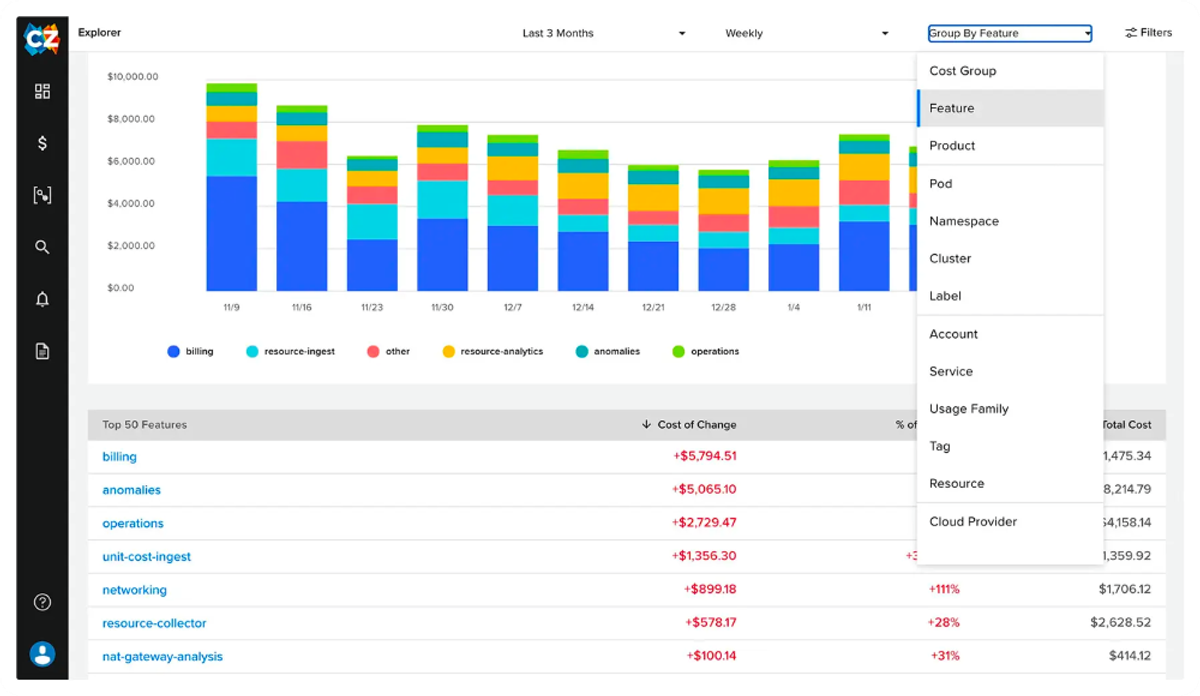
CloudZero is a cost intelligence platform that connects cloud spend to business context, letting teams see which features, customers, or teams are driving costs. It supports imperfect or messy tagging by using normalized logic (e.g. correcting typos, combining variant tags) and “Dimensions” that map cost without requiring perfect tag hygiene.
Pros
- Strong business-context mapping for cloud costs (features, teams, customers)
- Helps normalize tag inconsistencies and handle untagged or shared resources
- Offers “Dimensions” to define cost views independent of strict tagging rules
Cons
- Billing data sometimes arrives slowly, which can delay decision-making.
- Configuration can be tricky initially, especially setting up dimensions and dashboards for accurate attribution.
- Reporting depth is limited in places: users want more detailed usage reports, better alert configuration, and more flexible views.
- Steep learning curve for less mature FinOps teams; getting full value depends on how well the tool is maintained and configured.
Best for
Teams that want clear business context from their cloud costs, even without perfect tagging.
Year Founded
2016
Pricing
Custom plan based on cloud spend; subscription model.
G2 Rating
4.7/5
#3: Apptio Cloudability
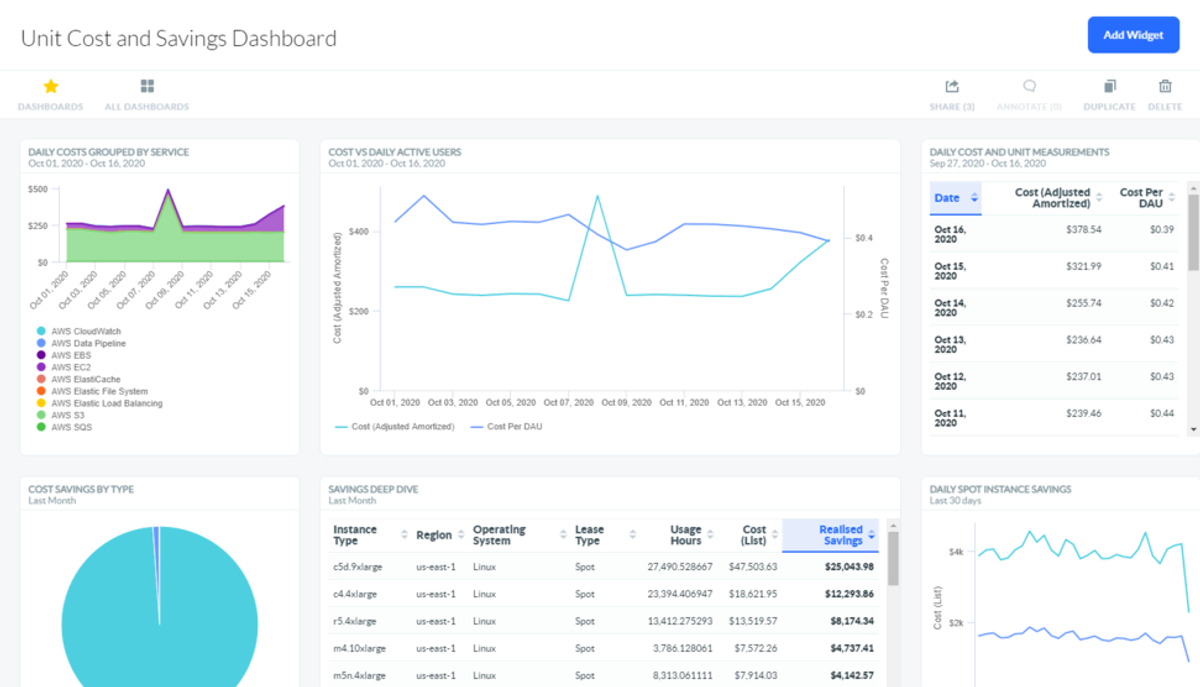
Cloudability, now part of Apptio (acquired by IBM), is a long-standing cloud cost management platform. It focuses heavily on financial governance, budgeting, and forecasting, making it popular with enterprises that need structured FinOps processes. Cloudability supports AWS, Azure, and GCP, and is often used alongside broader Apptio tools for IT financial management.
Pros
- Strong capabilities in budgeting, forecasting, and financial accountability
- Established enterprise pedigree with IBM/Apptio integration
- Multi-cloud support across AWS, Azure, and GCP
Cons
- Can feel complicated to navigate at first, especially when customizing reports, dashboards, or business mappings
- Data updates can lag behind real-time usage, which reduces responsiveness to cost spikes or anomalies
- Initial setup (tagging, cost mapping, and configuring views) often requires substantial work and expertise
- API documentation and automation capabilities are sometimes described as lacking or hard to use
- Dashboard/filter options and cost allocation modeling are not always flexible enough for very complex environments
Best for
Enterprises that need structured budgeting and forecasting as part of a broader IT financial management strategy.
Year Founded
2011 (acquired by Apptio in 2017, now part of IBM)
Pricing
Custom enterprise pricing
G2 Rating
4.2/5
#4: Datadog Cost Management
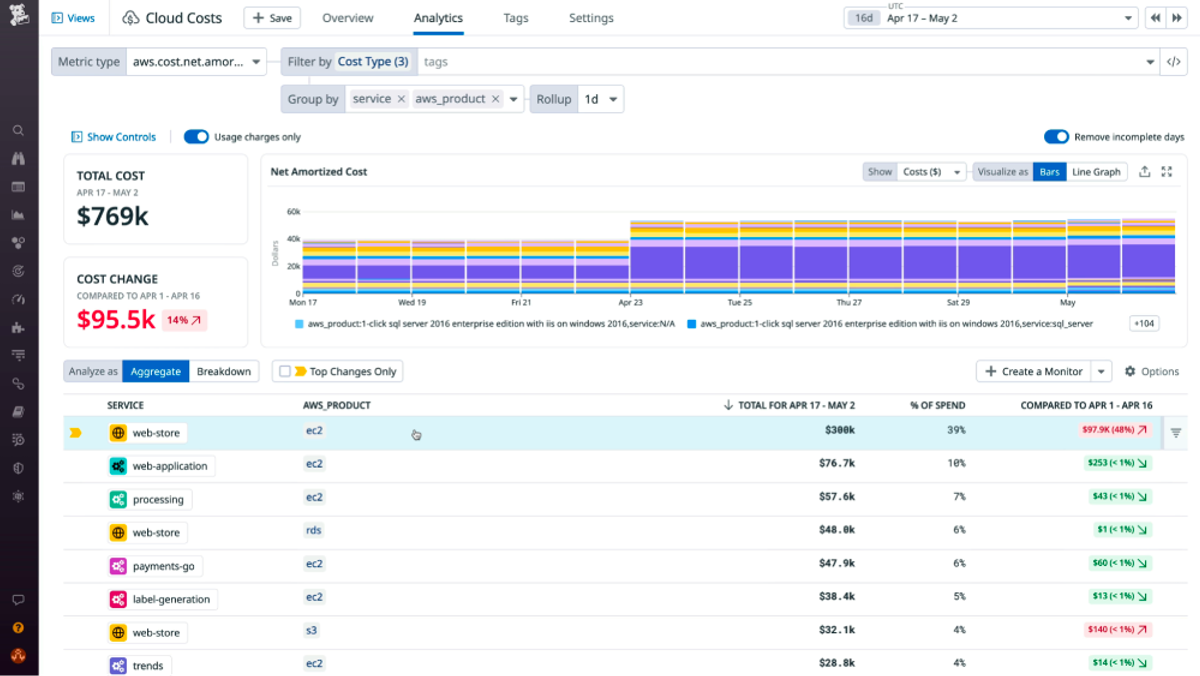
Datadog is best known for observability, but it also offers cloud cost management as part of its platform. The feature ties cost data to performance metrics, so teams can see not only what they’re spending, but also how that spend correlates with service health and usage. This makes it easier to connect infrastructure costs with application behavior.
Pros
- Native integration with Datadog’s monitoring and observability suite
- Links cloud costs directly to performance and usage metrics
- Useful for troubleshooting cost spikes alongside system events
Cons
- High cost, especially as log volume, custom metrics, and APM usage increase — pricing escalates quickly for heavy usage.
- Steep learning curve: Users say it takes time to get comfortable navigating the UI, setting up monitors correctly, and controlling unnecessary data ingestion.
- Feature overload / UI complexity: The wide array of features can feel overwhelming; dashboards and configuration options are powerful but sometimes confusing to set up.
- Expensive log retention and data backup: Retaining logs or keeping data backups for longer periods becomes very costly.
- Cost surprises from usage spikes or feature rollouts: Users sometimes get hit with unexpected charges when usage spikes or when they start using new modules without fully understanding incremental costs.
Best for
Engineering teams already using Datadog who want to layer in cost visibility.
Year Founded
2010
Pricing
Add-on to Datadog’s platform; usage-based pricing
G2 Rating
4.4/5
#5: Finout
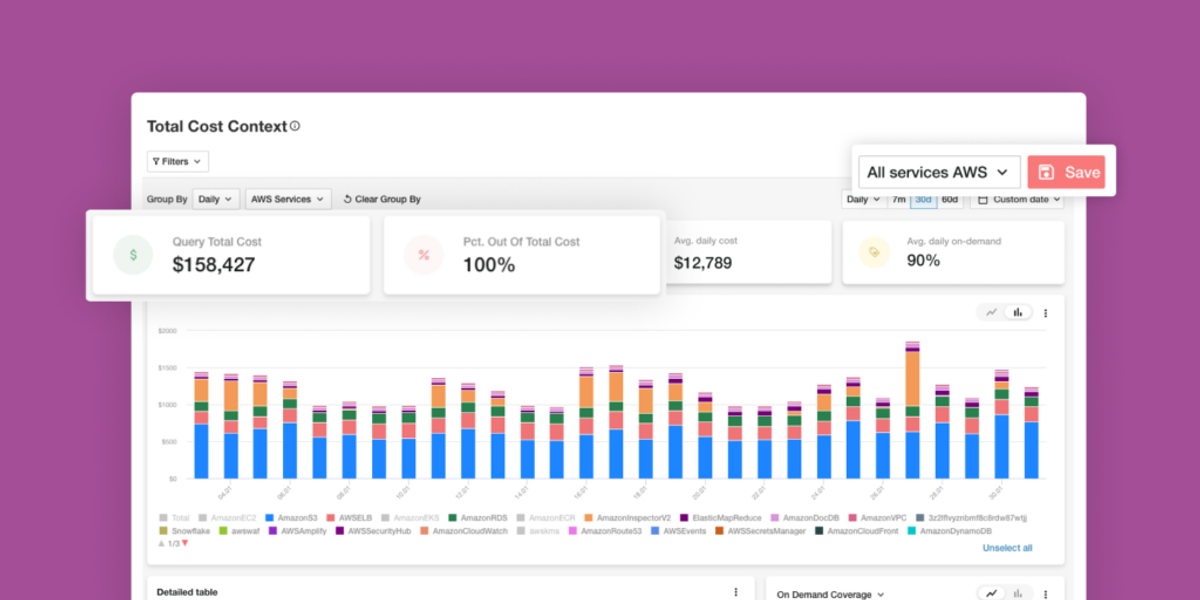
Finout is a newer cost management platform focused on fast, accurate allocation across cloud, SaaS, and Kubernetes environments. It emphasizes flexibility by creating a “virtual tagging” system that can allocate spend even when resources aren’t properly tagged. With its detailed dashboards, Finout aims to give engineering and finance teams a granular, real-time view of costs.
Pros
- Strong cost allocation, even with untagged or shared resources
- Supports SaaS, Kubernetes, and multi-cloud alongside AWS
- Modern, intuitive interface with fast setup
Cons
- Smaller, newer vendor compared to long-standing enterprise platforms, which may raise concerns for large organizations
- Limited automation for optimization; primarily focused on visibility and allocation rather than active cost reduction
- Pricing can scale quickly with very large datasets or heavy usage
- Some users report the platform still maturing, with occasional rough edges in features and integrations
- Requires thoughtful setup to fully align business mappings and dashboards with organizational needs
Best for
Teams that need precise allocation and visibility across multi-cloud and SaaS without perfect tagging.
Year Founded
2021
Pricing
Usage-based, often percentage-of-savings or spend tiering
G2 Rating
4.8/5
#6: Spot by NetApp (formerly Spot.io / CloudCheckr):
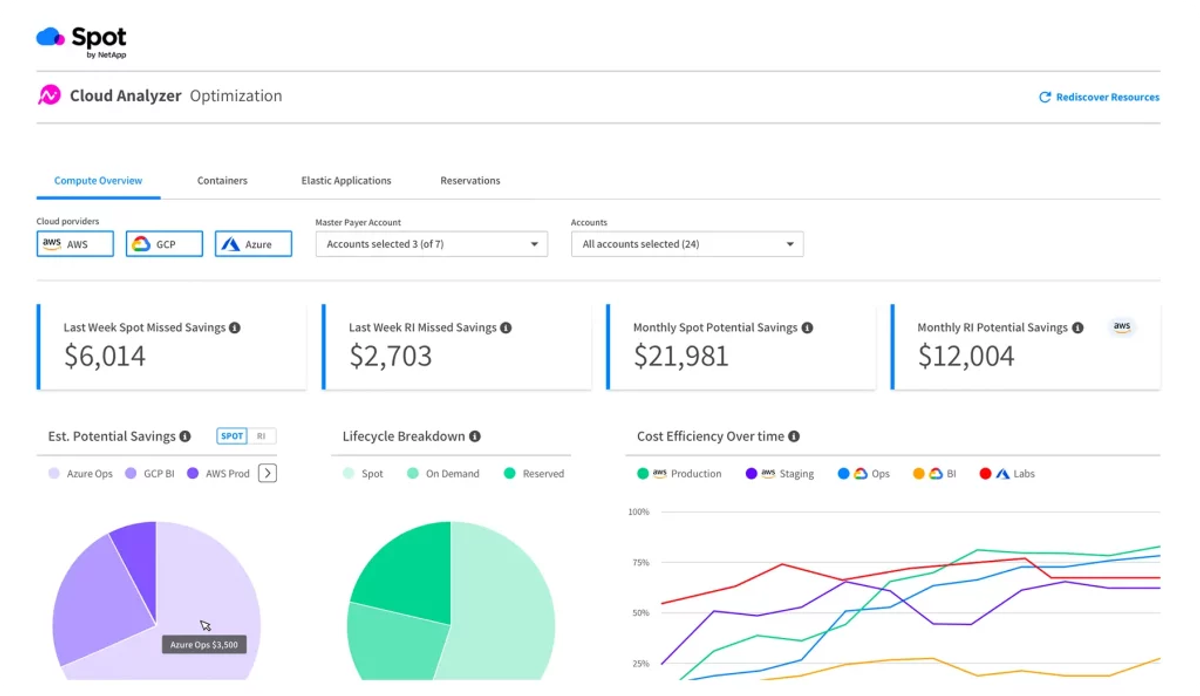
Spot by NetApp is focused on optimizing compute costs through automation. It manages workloads across AWS, Azure, and GCP by automatically provisioning Spot Instances, managing savings plans, and scaling resources based on demand. Spot also integrates CloudCheckr for cost visibility and governance, making it both an optimization and compliance tool.
Pros
- Strong automation for Spot Instances and savings plans
- Multi-cloud support with governance features via CloudCheckr
- Proven compute savings, especially for dynamic workloads
Cons
- Some reports of bugs or features breaking unexpectedly.
- Documentation is confusing or incomplete for certain integrations and regions.
- Delay issues: certain provisioning or scaling actions (especially with newer or less common instance types) don’t keep pace with expectations.
- The reliance on Spot instance availability means fluctuations (spot reclaiming, instance interruptions) can affect reliability.
- Some users find cost calculation / savings estimates to be less precise because they use baseline or expected machine types, not always exactly what they run.
Best for
Organizations prioritizing automated compute optimization across multi-cloud environments.
Year Founded
2015 (acquired by NetApp in 2020)
Pricing
Percentage-of-savings model plus enterprise licensing
G2 Rating
4.6/5
#7: Flexera
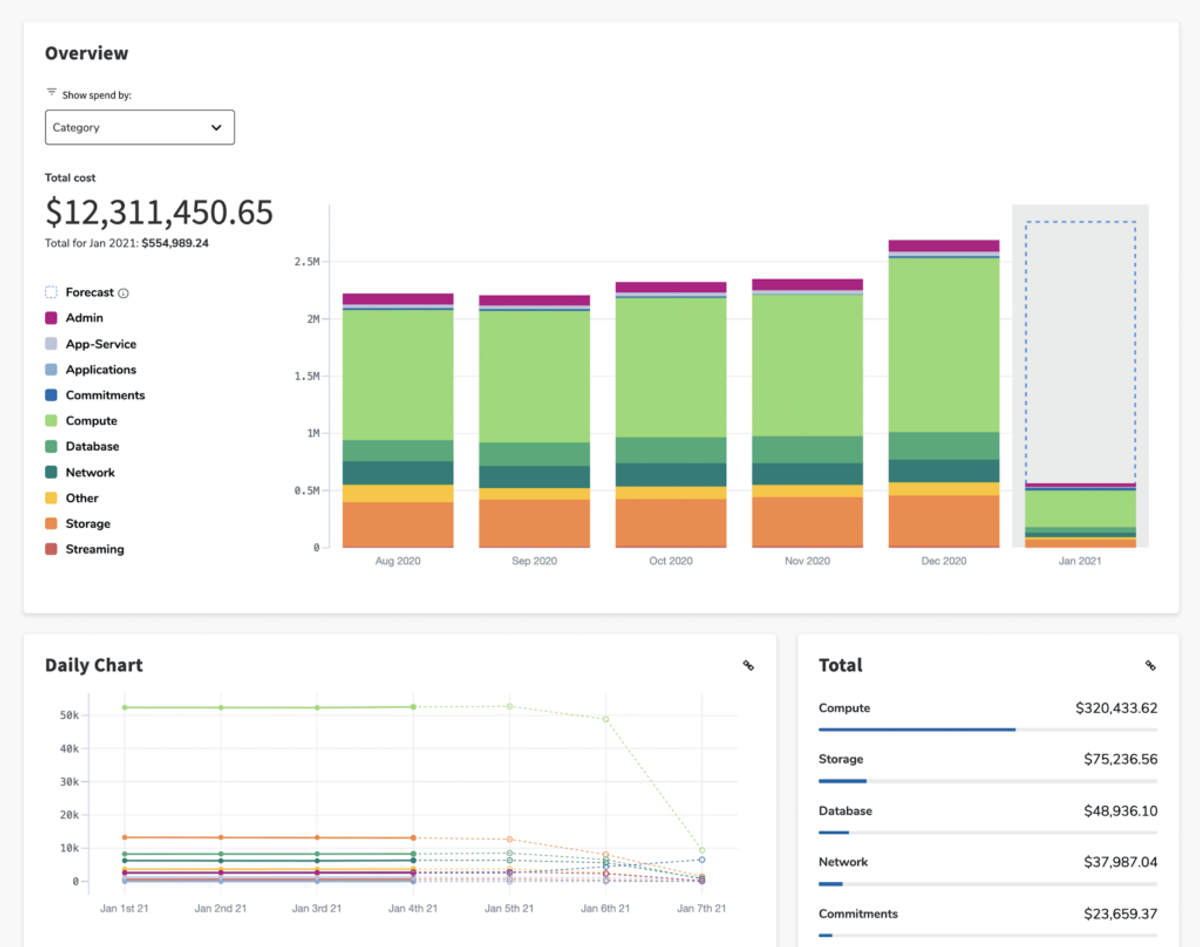
Flexera One is an enterprise IT management suite that includes cloud cost optimization as part of its broader portfolio. With the acquisition of Spot and integration into Flexera One, it offers automated workload optimization alongside governance, compliance, and asset management. It’s designed for enterprises managing hybrid IT — cloud, on-premises, and SaaS — with a strong focus on governance and accountability.
Pros
- Comprehensive enterprise platform that spans beyond cloud costs
- Integrates Spot automation for compute savings
- Strong governance, compliance, and IT asset management features
Cons
- Pricing is high, with substantial minimum annual costs and fees that scale with cloud spend, making it less accessible for smaller organizations.
- The initial setup and integration can be complex and time-consuming, especially when bringing together multiple data sources like SCCM, cloud providers, and licensing systems.
- Performance issues appear when dealing with large datasets; users report slow refresh, lag, or delays in data updates.
- Reporting can be less flexible than some users need, particularly for combining different license types or creating custom dashboards.
- The learning curve is steep for new users
Best for
Large enterprises managing hybrid IT with strict governance requirements.
Year Founded
1987 (expanded into cloud cost management via Spot acquisition in 2020)
Pricing
Enterprise licensing; custom quotes required
G2 Rating
4.3/5
#8: Kubecost
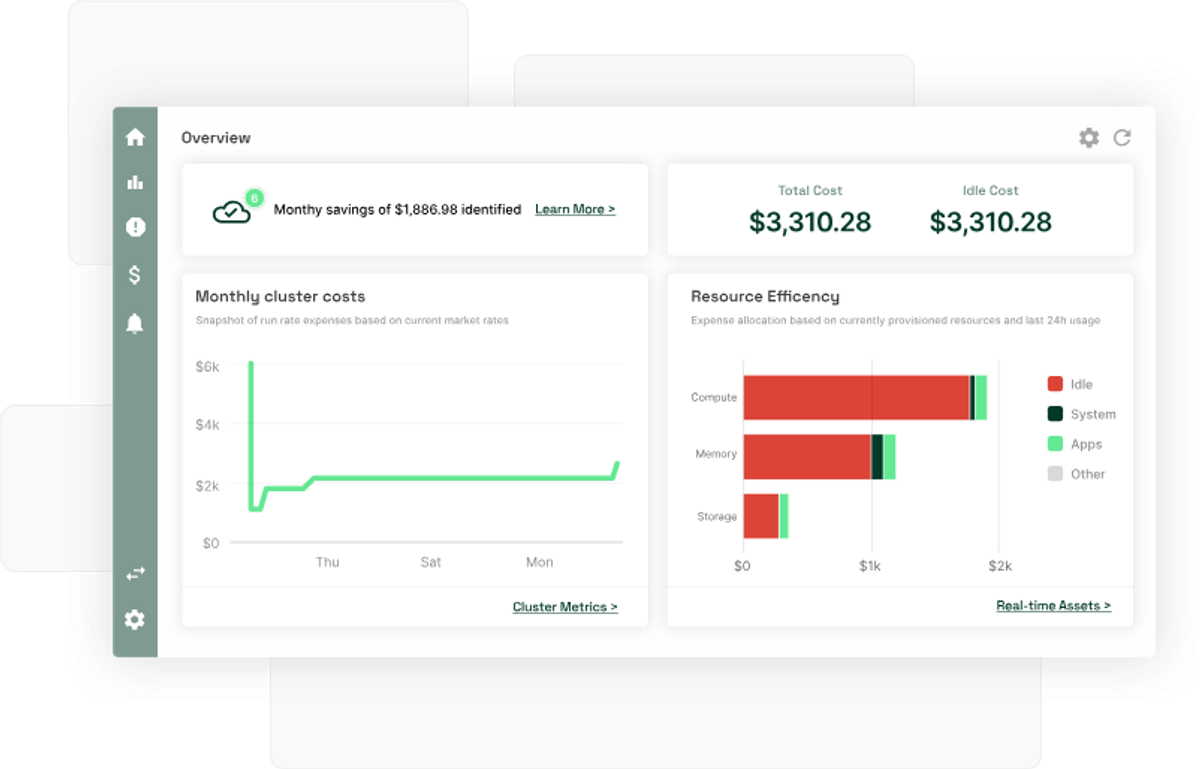
Kubecost specializes in Kubernetes cost visibility and optimization. It gives engineering teams detailed insights into cluster spend, showing costs by namespace, deployment, service, or label. Kubecost also supports chargeback and showback for shared clusters, making it easier to allocate costs to teams and projects. While its strength is Kubernetes, it’s less comprehensive for broader multi-cloud management.
Pros
- Deep, granular visibility into Kubernetes and container workloads
- Supports chargeback/showback for shared clusters
- Open-source option available for flexibility and adoption
Cons
- Cost data is tracked daily rather than hourly, which can miss short-term spikes and usage fluctuations.
- The free tier often relies on estimated prices, so reporting may not match actual cloud bills precisely.
- Managing Kubecost at scale across many clusters can become complex and expensive.
- Limited visibility into non-Kubernetes infrastructure like storage, databases, or SaaS costs.
- Optimization recommendations are available, but most require manual implementation instead of full automation.
Best for
Organizations with heavy Kubernetes usage that need detailed cluster cost allocation.
Year Founded
2019
Pricing
Free open-source tier, with paid enterprise features
G2 Rating
4.4/5
#9: Harness Cloud Cost Management
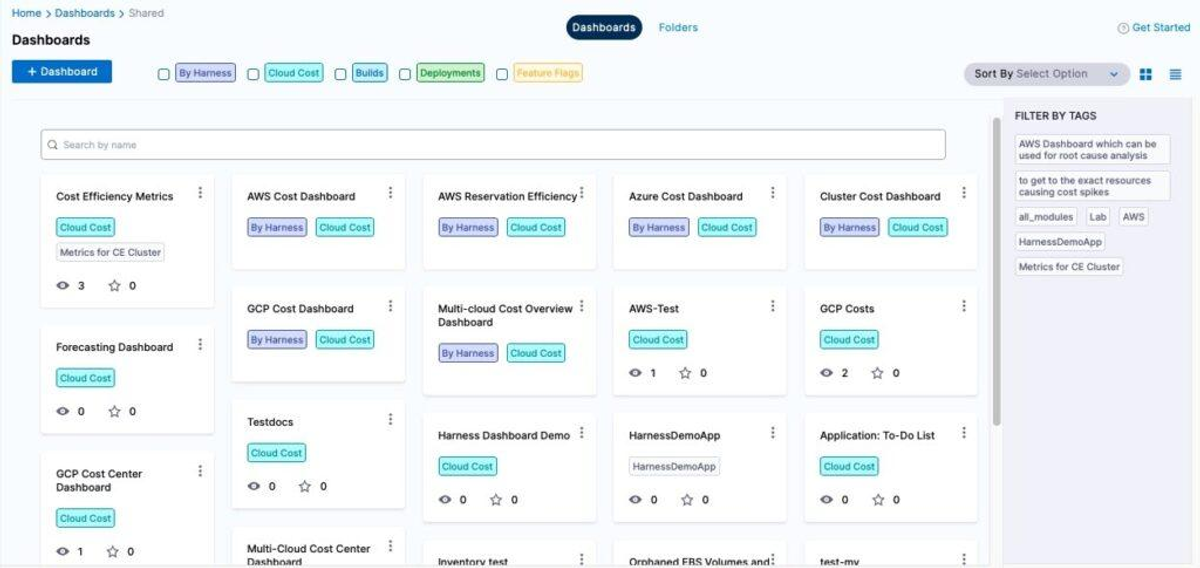
Harness Cloud Cost Management is part of the broader Harness software delivery platform. It focuses on giving engineering teams real-time visibility into cloud and Kubernetes costs, with AI-driven recommendations to optimize resources. Harness emphasizes ease of use with automated anomaly detection and cost forecasting built into the same workflows engineers already use for CI/CD.
Pros
- Strong integration with Kubernetes and CI/CD pipelines
- AI-driven recommendations with anomaly detection and forecasting
- Modern interface designed for engineering teams, not just finance
Cons
- Steep learning curve for teams new to CI/CD or cost management
- Pricing can be high for smaller organizations
- Some features are still maturing, with issues reported in areas like autostopping and multi-environment navigation
- GCP billing data ingestion can be limited to recent history
Best for
Engineering teams that want modern, developer-friendly cost visibility and optimization.
Year Founded
2016
Pricing
Usage-based pricing with free tier available
G2 Rating
4.5/5
The Bottom Line
CloudHealth remains a strong enterprise tool for multi-cloud governance, but it’s not the only option. From leaner platforms focused on automation and AI-driven optimization to Kubernetes-first and commitment-management tools, there are top Tanzu CloudHealth competitors better suited to modern FinOps needs.
nOps was recently ranked #1 with five stars in G2’s cloud cost management category, and we optimize $5 billion in cloud spend for our customers.
At nOps, our mission is to make it easy for engineers to optimize. Join our customers using nOps to understand your cloud costs and leverage automation with complete confidence by booking a demo today!
Demo
AI-Powered Cost Management Platform
Discover how much you can save in just 10 minutes!
Book a Demo
Frequently Asked Questions
Let’s dive into FAQ about the best CloudHealth alternative for FinOps.
What is the difference between CloudHealth and Cloudability?
CloudHealth (VMware) and Cloudability (Apptio) are both cloud cost management platforms, but they approach FinOps differently. CloudHealth emphasizes governance, compliance, and reporting across multi-cloud environments. Cloudability focuses more heavily on budgeting, forecasting, and financial accountability.
What does CloudHealth do?
CloudHealth provides visibility, governance, and cost optimization across AWS, Azure, GCP, and hybrid clouds. It helps organizations analyze spending, allocate costs, enforce policies, and ensure compliance. By consolidating data into a central platform, CloudHealth enables finance, engineering, and operations teams to align cloud usage with budgets and goals.
Why is CloudWatch so expensive?
AWS CloudWatch charges separately for metrics, logs, alarms, dashboards, and retention. Costs rise quickly because it collects data at scale and retains logs for extended periods. Engineering teams often oversubscribe metrics or keep verbose logs longer than needed, driving unexpected bills.
Which is better: CloudHealth vs nOps?
CloudHealth offers broad multi-cloud governance, while nOps specializes in AWS optimization, automation, and FinOps best practices. nOps integrates directly with AWS data, applies automation for rightsizing and Spot usage, and accelerates commitment management. Teams seeking granular, AWS-native optimization often prefer nOps, while enterprises with heavy multi-cloud governance lean toward CloudHealth.