Introducing VMware Integration for AWS Migration Assessments
Plan smarter, faster AWS migrations with deep visibility into your VMware workloads
Migrating from VMware to AWS requires a clear understanding of your on-prem environment. Without visibility into virtual machines, resource utilization, and infrastructure dependencies, it’s difficult to accurately assess migration scope and prioritize workloads.
The new VMware Integration in nOps helps you automatically and intelligently analyze your VMware environment and generate a data-driven migration plan. Gain actionable insights for more informed migration planning, less manual effort, and reduced risk of costly oversights during AWS cloud transitions.
What's New
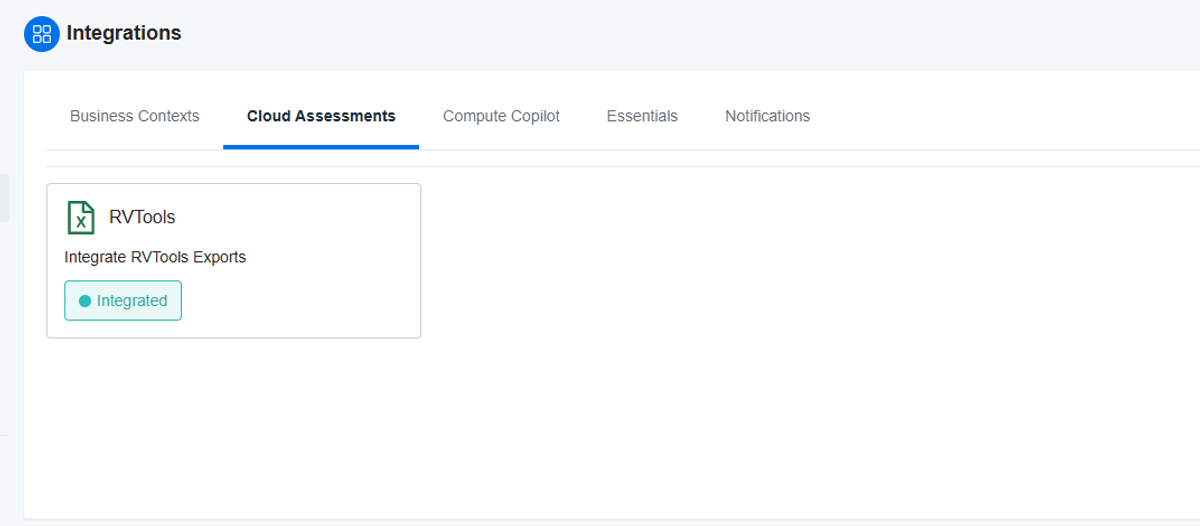
Starting today, you can access the VMWare integration directly from the nOps Cloud Assessments Integration page.
Comprehensive VMWare Infrastructure Analysis
The VMware Infrastructure Analyzer processes and analyzes data from your RVTools export files, providing to help you understand your on-premises VMware infrastructure and plan efficient AWS migrations. Gain immediate visibility and actionable insights with:
Full environment inventory: Automatically map all VMs, hosts, clusters, and datastores with detailed specs from your VMware environment.
Workload classification: Categorize workloads by size, utilization, and migration complexity to identify priorities and quick wins.
Migration planning insights: Understand resource requirements and dependency mapping to build structured, phased migration plans.
How It Works
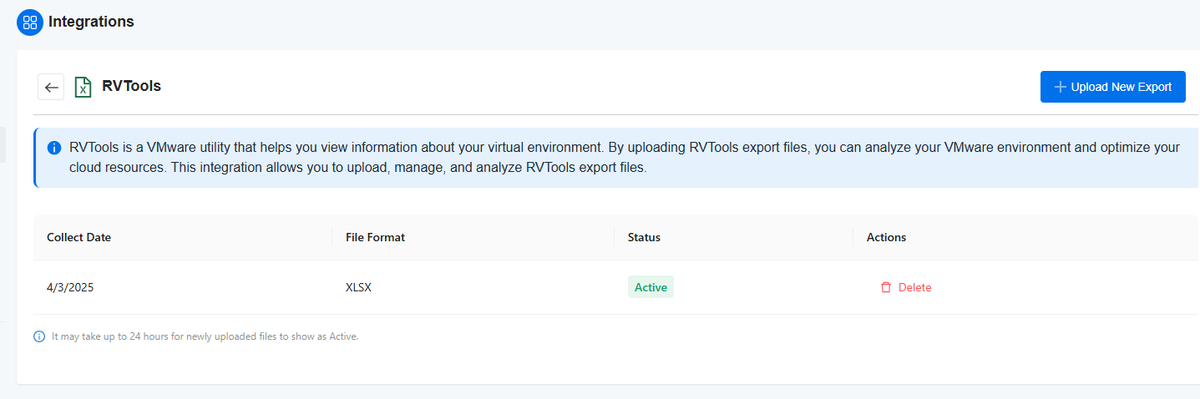
It just takes a few clicks to upload your RVTools export to nOps. The system processes your data and returns an interactive, detailed assessment of your VMware infrastructure, including workload grouping and migration recommendations.
How To Get Started
To start using VMware Integration for AWS Migration Assessment, navigate to the Integrations for Cloud Assessments in your nOps platform and select RVTools.
After selecting RVTools, you’ll be prompted to upload your RVTools export file:
If you’re already on nOps…
Have questions about the VMWare integration? Need help getting started? Our dedicated support team is here for you. Simply reach out to your Customer Success Manager or visit our Help Center. If you’re not sure who your CSM is, send our Support Team a message.
If You're New To nOps...
nOps was recently ranked #1 with five stars in G2’s cloud cost management category, and we optimize $5+ billion in cloud spend for our customers.
Join our customers using nOps to understand your cloud costs and leverage automation with complete confidence by booking a demo with one of our AWS experts.
Demo
AI-Powered Cost Management Platform
Discover how much you can save in just 10 minutes!
Book a Demo