AI Cost Monitoring Tools: How to Track and Control AI Spend in 2026
AI spending is becoming a material cost center. Two-thirds of enterprises now spend more than $250,000 per month on AI, and one in five spend more than $1 million.
But monitoring that spend isn’t straightforward. Costs can come from model APIs like OpenAI and Anthropic, cloud services such as Bedrock and Vertex AI, GPU infrastructure, and the supporting systems around them. And the tools used to track those costs solve very different problems.
This guide breaks AI cost monitoring tools into three main categories — LLM observability platforms, cloud FinOps platforms, and AI gateways — and compares the strongest options in each, including which tools can also track GPU and infrastructure costs.
AI Cost Monitoring Tools: Start by Picking the Right Category
AI cost monitoring tools split into three categories: LLM observability platforms that trace and price individual model calls, cloud FinOps platforms that fold AI spend into the wider cloud bill, and AI gateways that meter cost as traffic passes through a shared proxy. Most teams end up needing more than one.
Category | What It Monitors | Where It Sits | Best For | What It Misses |
|---|---|---|---|---|
LLM observability & token trackers | Per-request tokens, latency, prompt/response traces, cost per call | Instrumented in application code (SDK) or an async logging integration | Engineering teams debugging and pricing individual LLM calls | Cloud/GPU infrastructure cost, commitment discounts, non-AI spend |
Cloud FinOps platforms with AI coverage | AI spend (Bedrock, Vertex AI, Azure OpenAI, GPU instances) alongside the rest of the cloud bill | Ingests billing/usage data at the account or org level | FinOps and finance teams who need AI cost in the context of total cloud spend | Prompt-level tracing, per-request debugging detail |
AI gateways & proxies | Token usage and cost per key/team as requests pass through | Sits in the request path between the app and the model providers | Teams running multiple models/providers who want unified routing plus hard cost caps | Deep tracing/eval depth, infra cost, historical billing reconciliation |
LLM observability and token trackers
This category treats every LLM call as data — the prompt, the completion, token counts, latency, and a cost estimate priced from the model's list rate. Langfuse is the most widely adopted open-source option: it captures full traces, including nested tool calls and retrieval steps, and pairs that cost data with evaluation scores, so a team can tell whether a cheaper model actually holds up on quality. Portkey and Helicone sit closer to the gateway end of this category — Portkey routes requests through its own edge network and prices per logged request, while Helicone's one-line proxy became popular for near-zero-effort setup. Worth knowing before choosing it: Mintlify acquired Helicone in March 2026 and moved it to maintenance mode, so the product keeps running but new feature development has stopped. Datadog LLM Observability and Coralogix's AI Center extend existing enterprise observability platforms with LLM-specific spans and cost tagging, a natural fit for teams that already live in one of those tools for infrastructure monitoring. What all of these share is scope: they see the request, not the GPU or Kubernetes node underneath it, and none of them touch a company's non-AI cloud spend.
Cloud FinOps platforms with AI coverage
These platforms start from the cloud bill rather than the API call. CloudZero, Vantage, Harness, Amnic, and nOps all ingest usage and billing data from AWS, Azure, and GCP, and in most cases from the AI providers themselves — OpenAI, Anthropic, Bedrock, Vertex AI — then allocate it to teams, features, or customers the same way they already allocate EC2 or Kubernetes spend. Harness added this coverage in its May 2026 Cloud & AI Cost Management release, tying request-level AI spend to the agent or workflow that generated it. nOps offers detailed coverage including second-by-second Bedrock invocation logging and cost attribution down to individual request tags. Cast AI sits slightly apart from the rest of this group: instead of tracking API token spend, it automates the GPU and Kubernetes infrastructure underneath self-hosted or fine-tuned models — right-sizing nodes, packing workloads onto fewer GPUs, and shifting eligible jobs to Spot. What this category is built for is the finance conversation: total AI spend next to total cloud spend, allocated the same way, in the same dashboard. What it generally can't do is show a single prompt, trace a hallucination, or explain why one request cost 40 times the one before it.
AI gateways and proxies
Gateways solve a different problem: they sit between the application and the model providers, giving one endpoint, one set of credentials, and one place to enforce budgets no matter how many providers are behind it. LiteLLM, the open-source leader here, supports 140-plus providers behind an OpenAI-compatible proxy, tracks spend per key, user, team, and org, and can hard-stop a request the moment a budget cap is hit. OpenRouter takes a similar approach as a hosted service, routing to hundreds of models from dozens of providers on a prepaid credit balance, with a dashboard that breaks spend down by model and provider. Both give real-time cost caps at the request layer — genuinely useful for stopping a runaway agent loop before it burns through a budget — but neither reconciles that spend against a cloud invoice, and neither sees the GPU or Kubernetes cost sitting underneath a self-hosted model.
Which one you need, based on the problem you actually have
The fastest way to choose is to start from the question that's actually causing friction, not the vendor list:
- Debugging why a specific feature costs what it costs, or whether a cheaper model holds up on quality → an LLM observability platform.
- Reconciling AI spend against the AWS, Azure, or GCP invoice, or explaining AI cost to finance in the same terms as the rest of the cloud bill → a cloud FinOps platform with AI coverage.
- Running several model providers and needing one place to cap spend before a runaway agent burns through the budget → a gateway.
- Optimizing GPU utilization on self-hosted or fine-tuned models → a Kubernetes/GPU-focused tool, layered underneath whichever of the above the team already uses.
Most organizations that get this right end up running two of these together — a gateway or observability layer for engineering, and a FinOps platform for the number finance actually reports on — rather than expecting a single tool to do every job.
Why AI Spend Is Hard to Monitor
AI cost is hard to monitor because the bill is assembled from sources that don't speak the same language, changes shape faster than most finance calendars can keep up with, and routes around every ownership model built for traditional cloud spend.
Token billing does not map to teams, features or customers
Two years ago, only 31% of FinOps practitioners managed AI spend as part of their scope; today it's 98%, per the FinOps Foundation's 2026 State of FinOps survey. The tooling built over the last decade for cloud spend didn't have AI in mind, and it shows most clearly in attribution. A cloud invoice at least starts from an account and a resource — an EC2 instance belongs to someone, a Kubernetes namespace belongs to a team. An AI bill starts from a token, and a token belongs to whoever made the API call a split second ago, which the provider's invoice doesn't record.
Most enterprises don't even simplify the problem by standardizing on one provider: Harness's survey found production usage split across OpenAI (69%), Azure OpenAI (58%), Google Vertex AI (53%), AWS Bedrock (41%), and Anthropic (37%) at the same time, each billed in a different unit — input/output tokens, reserved GPU-hours, per-seat licenses — and each one aggregated at the account level, not the team or feature level. Attribution has to be bolted on after the fact, through metadata tags, custom logging, or a gateway that assigns a key per team, and if that instrumentation wasn't in place when the call was made, the dollar is gone with no team attached to it.
AI cost spreads across model APIs, GPU compute, vector databases and storage
A single AI feature can touch four separate cost surfaces before a user ever sees a response, and each one is priced, billed, and optimized differently:
Cost Surface | What Drives the Cost | Where It Shows Up |
|---|---|---|
Model API calls | Prompt/output length, model tier, retries, caching | The AI provider's own invoice, priced per token |
GPU & compute | Utilization, instance type, Spot vs. on-demand, idle time | The cloud bill, as GPU-hours — often infrastructure nobody is watching closely |
Vector databases & embeddings | Vectors stored, read/write units, index type, region | A separate vendor invoice (Pinecone, Weaviate, Qdrant) or a line inside the database bill (pgvector on RDS) |
Supporting infrastructure | Logging, queues, object storage, egress for retrieved context | Scattered across existing cloud line items, rarely tagged as “AI” |
GPU is usually the most under-watched of the four. Cast AI's 2026 State of Kubernetes Optimization Report, based on tens of thousands of production clusters, found median GPU utilization sitting at just 5% — meaning most teams are paying for roughly 20 times more GPU than they're using. Vector databases carry a version of the same problem: independent 2026 benchmarking found production teams paying 2.5 to 4 times what a vendor's own pricing page implied, once query volume, retention, and multi-region replication were accounted for. None of these four surfaces is monitored by the same tool, and most organizations don't yet have anyone whose job is to look at all four at once.
Spend moves faster than infrastructure cost - a deploy can change the bill in an hour
Traditional cloud spend moves in steps: someone provisions a bigger instance, and the bill goes up in a predictable, roughly linear way. AI spend moves in multiples, and the trigger is often a change nobody flagged as a cost decision:
- A prompt-template edit that adds a few hundred tokens of context can double the cost of every request that uses it.
- Routing a feature to a frontier model instead of a mini or lite tier — often “temporarily,” to fix a quality complaint — can raise the per-call cost 10 to 50 times over, and it's easy to forget to route it back.
- An agent stuck in a retry loop can burn a month's token budget in an afternoon.
- Moving from a consumer-tier AI product to its enterprise API — Google AI Studio to Vertex AI, for instance — can jump the bill by 4x or more for similar usage, as nOps has documented in its own Vertex AI cost guide.
The problem isn't just that spend can move this fast — it's how long it takes most teams to notice. In Harness's 2026 survey, 72% of organizations had hit an unexpected AI cost spike or surprise bill in the past year, and a third had been caught more than once. Asked how long it would take to find the source if AI spend doubled overnight, only 20% said within hours; 40% said a full day, 32% said a full week, and 8% said they'd never reliably find it at all. A monthly billing cycle built for EC2 and S3 simply isn't built to catch a change that happens in an afternoon.
Most of it lands on the cloud bill with no owner attached
Ask five people at a typical enterprise who owns AI cost, and the answers may not agree. It could sit with engineering, platform, FinOps, finance, or some combination of all four. That mismatch is where things get messy. Engineering and platform teams make many of the decisions that drive spend — model selection, prompt design, retry logic, infrastructure choices — while finance or FinOps may be the ones expected to explain the bill later.
When ownership is split like that, AI spend can grow without anyone having a complete view of what changed or why. A more expensive model gets introduced, an agent starts making more calls, a GPU workload gets overprovisioned, and the increase may not be obvious until it shows up somewhere else in the cost stack. And the waste is often spread across infrastructure, software, and model costs rather than concentrated in one obvious place to fix.
What to Look for in an AI Cost Monitoring Tool
Whatever category a tool falls into, the same six questions determine whether it actually solves the problem: how granular the data is, how much of the stack it covers, whether it can attribute cost to a team or customer, whether it alerts or enforces, whether it acts on spend or only reports it, and what it costs to set up. Every tool in the next section is scored against these six criteria.
Criterion | What to Ask | Why It Matters |
|---|---|---|
Granularity | Can it break cost down to a single request, model, team, or customer? | Determines whether spend can actually be assigned to a decision-maker |
Coverage | Does it see API tokens only, or GPU and infrastructure too? | Token-only tools miss the GPU cost that's often the bigger line item |
Attribution & chargeback | Can spend be mapped to a team, feature, or customer without manual tagging? | This is what turns a total into an answer finance can use |
Budgets, quotas & anomaly alerts | Does it flag unusual spend, and can it enforce a hard cap? | The gap between noticing a spike and actually stopping one |
Reports vs. acts | Does it just show the number, or change behavior — routing, caching, rightsizing? | Visibility alone doesn't reduce a bill |
Setup cost | Is it SDK/proxy instrumentation in application code, or a billing-level integration? | Determines how fast it ships and how much engineering time it costs |
Granularity: per-request, per-model, per-team, per-customer
Granularity runs on a spectrum, and where a tool sits on it says more about what it's for than any marketing page will. LLM observability platforms like Langfuse and Datadog LLM Observability report at the level of a single call — one prompt, one completion, one cost line, which is exactly the resolution needed to debug why one request cost 40 times the one before it. Gateways like LiteLLM sit one level up, aggregating to the key, user, team, or org that made the call. Cloud FinOps platforms typically go further still, rolling spend up to a customer, a product feature, or a P&L line, which is what a CFO actually wants to see rather than a single prompt. nOps is a partial exception in this group: its Bedrock integration logs invocation-level detail even while also rolling the same data up to the customer, feature, and P&L views the rest of the category offers. Most cloud FinOps platforms, though, aren't built to spot one expensive outlier prompt buried inside an aggregate total — that's still a job for the observability layer. No single tool is strong at both ends of this spectrum at once.
Coverage: API tokens only, or GPU and infrastructure too
Most tools in this category only see one side of the bill. LLM observability platforms and gateways price the API call — tokens in, tokens out — because that's the data available at the request layer; they have no visibility into the GPU or Kubernetes node serving a self-hosted model. Cloud FinOps platforms and Kubernetes-focused tools like Cast AI cover the other side: infrastructure utilization, node right-sizing, Spot coverage. That gap matters more than most buyers assume — the average production Kubernetes cluster runs GPUs at just 5% utilization, so a tool that only tracks token spend can look clean while a company pays for far more GPU than it needs. Coverage should be evaluated against the actual architecture: a team calling only hosted APIs (OpenAI, Anthropic) needs less infrastructure coverage than one running self-hosted or fine-tuned models on its own GPUs.
Attribution and chargeback
Attribution is the difference between a total and an answer. Every platform in this category claims it, but the mechanism varies, and the gap between approaches is where the real work lives. Some tools require the call to carry metadata at the moment it's made — nOps's Bedrock integration and LiteLLM's per-key and per-team budgets both work this way, which means attribution is only as good as the tagging discipline enforced upstream. Others allocate after the fact from existing tags or cost categories, the way Harness's Cost Categories or Vantage's virtual tagging do, trading some precision for not requiring every team to change their code. Chargeback — actually billing a team's budget for what it used, rather than just reporting it — is a smaller subset of either approach, and worth checking for explicitly if the goal is a real internal billing model rather than a dashboard.
Budgets, quotas and anomaly alerts
Two different capabilities get marketed under the same word. An anomaly alert — the kind nOps and CloudZero build around a rolling spend baseline — tells someone a spike happened, usually within the hour, so a human can investigate. A hard budget cap, the kind LiteLLM and OpenRouter enforce at the gateway layer, actually blocks the next request once a key, workspace, or team hits its limit, no human required. The first is useful to fight overspending without stopping progress; the second is the only one that prevents the runaway-agent scenario that shows up constantly in FinOps surveys — a loop that burns a month's budget in an afternoon before anyone sees a dashboard. A tool that only alerts is doing monitoring; a tool that can also cap is doing control. Most teams end up needing both, usually from two different layers of the stack.
Whether it only reports or also acts
Reporting tells a team what happened. Acting changes what happens next, and far fewer tools in this category do it. On the LLM side, Helicone's and Portkey's caching layers can cut repeat-query cost automatically, without a person approving each change. On the infrastructure side, Cast AI's automation right-sizes GPU nodes and shifts eligible jobs to Spot on its own, and nOps's commitment-management engine goes a step further than most of this list: it automatically purchases and rebalances Reserved Instances and Savings Plans across the compute underneath AI workloads, continuously and without a human approving each transaction, rather than just recommending a coverage target for someone to execute manually. nOps's model-recommendation layer sits closer to the reporting end of the spectrum by comparison — it flags cheaper model substitutions, such as moving a workload from Gemini on Vertex AI to a comparable Bedrock model, but leaves the actual switch to a human to approve. The distinction is worth pressing on in a sales conversation: "we surface a recommendation" and "we make the change" are very different levels of automation, and the second one is where most of the actual savings sits.
Setup cost: SDK instrumentation vs billing-level integration
The two ends of this spectrum trade speed for depth. A billing-level integration — a read-only API key against AWS Cost and Usage Reports, or against an AI provider's usage API — can be live in hours and requires no code changes, which is how most cloud FinOps platforms onboard (Amnic, nOps, Finout…). SDK or proxy instrumentation, the approach Langfuse, Helicone, and LiteLLM all take, requires a code change in every service that calls a model, plus, in LiteLLM's case, standing up and maintaining a database for key management and spend tracking. The payoff for that extra setup is request-level detail no billing export will ever contain: the actual prompt, the actual latency, the actual trace. Teams evaluating setup cost should weigh it against how many services need instrumenting and how much engineering time is actually available this quarter, not just against a vendor's stated integration time.
The Best AI Cost Monitoring Tools in 2026
Each of the 13 platforms below is scored against the same fields: what it is, who it's best for, its key strengths, its real limitations, and how it's priced. They're grouped by category rather than one flat ranked list, because a gateway and a FinOps platform aren't actually competing for the same buyer.
1. nOps — best for teams monitoring AI spend inside a wider cloud bill

nOps pairs autonomous multicloud commitment management (AWS, Azure, and GCP) with dedicated AI cost visibility and attribution for AWS Bedrock. Its Commitment Optimizer continuously weighs 20+ decision variables — usage stability, existing RI/SP portfolio, rightsizing signals, cost basis, and more — against pricing across 4M+ AWS SKUs to buy and rebalance Reserved Instances and Savings Plans on its own, hour by hour. Best for teams that want the compute underneath their AI workloads, and the rest of their cloud footprint, actively optimized on autopilot, with AI-specific spend allocated down to the model, account, and department alongside it.
Strengths
- Autonomous, portfolio-level commitment management across AWS, Azure, and GCP: 20+ decision variables across seven signal families evaluated continuously, with no human approving each purchase
- Results-based, savings-first pricing: nOps is paid only as a percentage of the savings it actually delivers, and offers a free savings analysis upfront to benchmark effective savings rate before signing up
- Publicly documented outcomes: $5B+ in cloud spend under management, 50%+ average autonomous savings, and industry-leading effective savings rates above 55%, with switchers from competing tools seeing roughly 20% more savings on average
- Hourly Bedrock invocation-level logging with 100% spend allocation (no "unassigned" bucket) down to model, account, and department, including developer AI tool spend (Cursor, Claude Code, OpenAI Codex) when routed through Bedrock
Limitations
- Not a request-level tracer — it won't show a full LLM prompt/response trace the way an observability tool like Langfuse will
Pricing: AI Cost Visibility & Allocation is priced as a flat fee based on cloud spend under management; commitment management is results-based — a percentage of realized savings, with nothing owed if it doesn't find any, and a free savings analysis available upfront.
Cloud FinOps platforms with AI coverage
The rest of this category, like nOps, starts from the cloud bill rather than the API call:
2. CloudZero
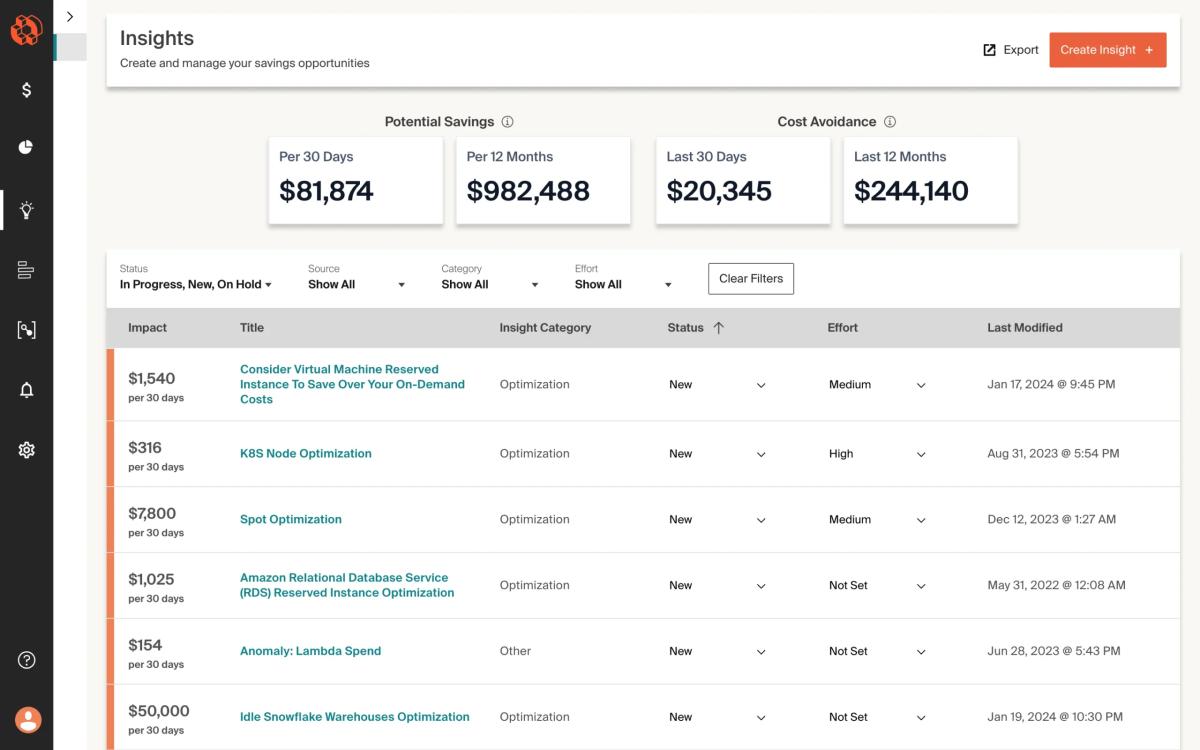
CloudZero is a cloud cost intelligence platform built around tying AWS, Azure, GCP, Kubernetes, SaaS, and AI spend to business dimensions — customer, feature, team — via its own data model, rather than relying solely on native tags. Best for engineering-led SaaS companies that want AI and cloud cost expressed as unit economics for product and pricing decisions, not just a finance rollup.
Strengths
- Ingests spend from AI providers (Anthropic, OpenAI), all three major clouds, Kubernetes, Snowflake, Datadog, and other SaaS tools into one cost model
- Hourly-granularity anomaly detection with thresholds that auto-adjust based on trailing 30-day spend
- Can allocate cost without requiring every resource to be tagged, by inferring dimensions from usage patterns
- Its AI Hub breaks down token usage and cost specifically by model, feature, and customer
Limitations
- No public pricing — cost scales with annualized cloud spend and requires a sales conversation, harder for smaller teams to self-serve evaluate
- Reporting-first: doesn't automatically change infrastructure or route requests to cheaper models the way Cast AI or nOps do
- Setup and dimension-modeling work is nontrivial for teams without an existing FinOps practice
Pricing: Custom quote scaling with annualized cloud spend under management; buyer-reported estimates put entry contracts around $1,500–$2,500/month, rising into five figures at enterprise scale. No published self-serve tier.
3. Vantage
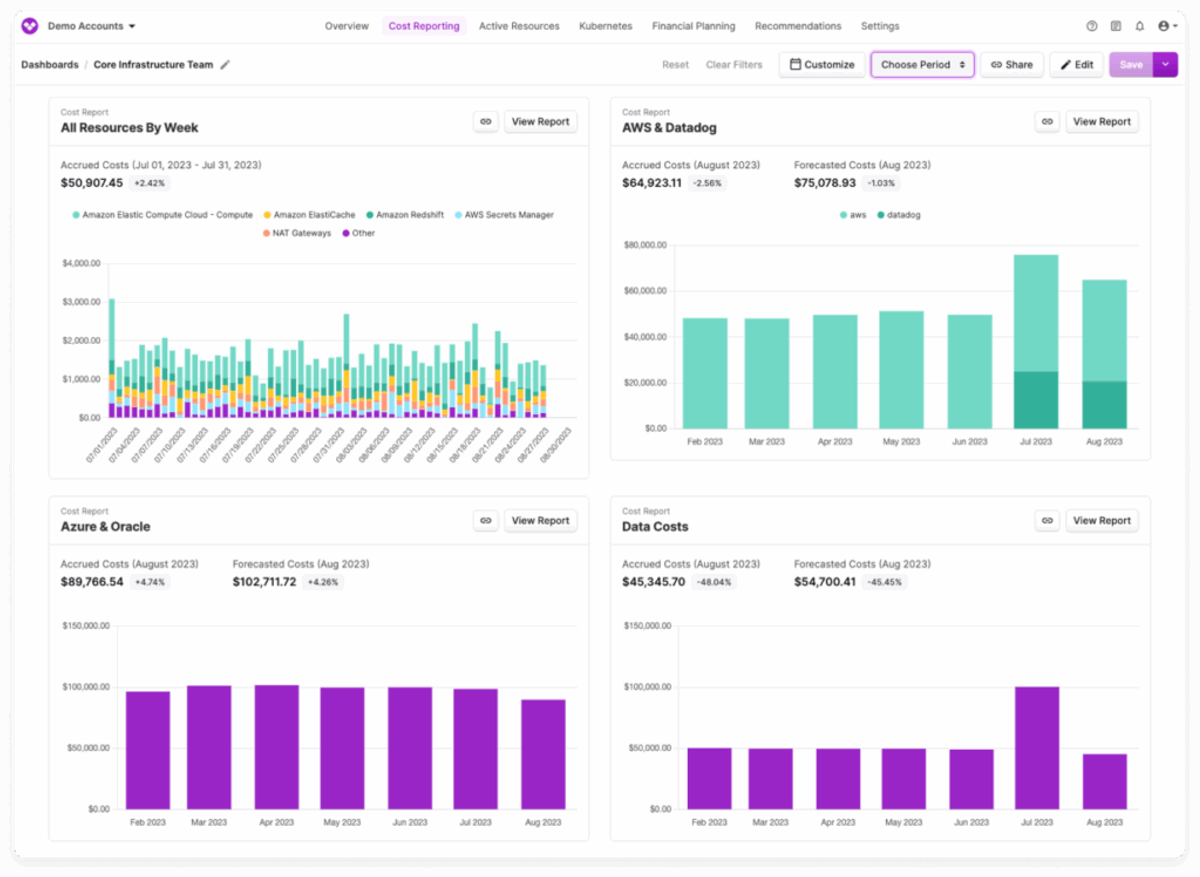
Vantage is an independent, multi-cloud cost management platform with native integrations for OpenAI, Anthropic, and 20+ other cloud and SaaS providers, plus an automated FinOps Agent and MCP support for querying cost data from a developer's own tools. Best for teams that want broad multi-provider AI cost visibility with a comparatively fast, self-service setup, and are comfortable optimizing manually rather than via automation.
Strengths
- Native integrations for OpenAI, Anthropic, and Cursor billing alongside AWS/Azure/GCP, so multi-provider AI spend lands in one dashboard without custom pipelines
- MCP support lets engineers query cost data directly from their own tools rather than switching to a separate dashboard
- Cleaner, more developer-friendly UI relative to older enterprise FinOps suites
- Transparent, spend-based pricing tiers published for accounts under $20,000/month, rather than a fully custom-quote model
Limitations
- Optimization is largely manual — the FinOps Agent surfaces recommendations but doesn't automate GPU right-sizing or Spot shifting the way Cast AI does
- Kubernetes cost detail and GPU-specific visibility are shallower than category leaders focused specifically on infrastructure
- Above $20,000 in monthly tracked spend, pricing moves to a custom quote
Pricing: Subscription tiers based on total tracked cloud spend, with published rates up to roughly $20,000/month; custom pricing above that, plus a separate 5%-of-savings fee for the automated Autopilot feature.
4. Cast AI

Cast AI is a Kubernetes-focused automation platform that continuously right-sizes nodes, manages GPU sharing (time-slicing, MIG), and shifts eligible workloads to Spot — the infrastructure layer underneath AI cost rather than the API-call layer. Best for platform and SRE teams running self-hosted or fine-tuned models on Kubernetes who need automated GPU utilization improvements, not teams whose AI cost is entirely hosted-API tokens.
Strengths
- Automates the actions other tools only recommend: node right-sizing, GPU time-slicing/MIG partitioning, and Spot shifting happen without a human approving each change
- Its own 2026 benchmarking (median 5% GPU utilization across production clusters) is a credible, sourced case for why this category matters
- Publicly documented customer results in the 50–70%+ range for GPU and inference cost reduction on optimized workloads
- Free monitoring tier lets a team see utilization data before committing to paid automation
Limitations
- Kubernetes-only: no visibility into non-K8s cloud spend, hosted-API token cost, or vector database bills
- The free tier is monitoring-only with no SLA; the automation that delivers the savings is a paid tier
- Pricing scales with managed CPU count or as a share of savings (10–20% in some public accounts), which can be harder to predict at scale than a flat-fee competitor
Pricing: Free tier for monitoring only; paid Growth/Enterprise tiers priced per managed CPU or as a percentage of savings generated, depending on the contract.
5. Harness
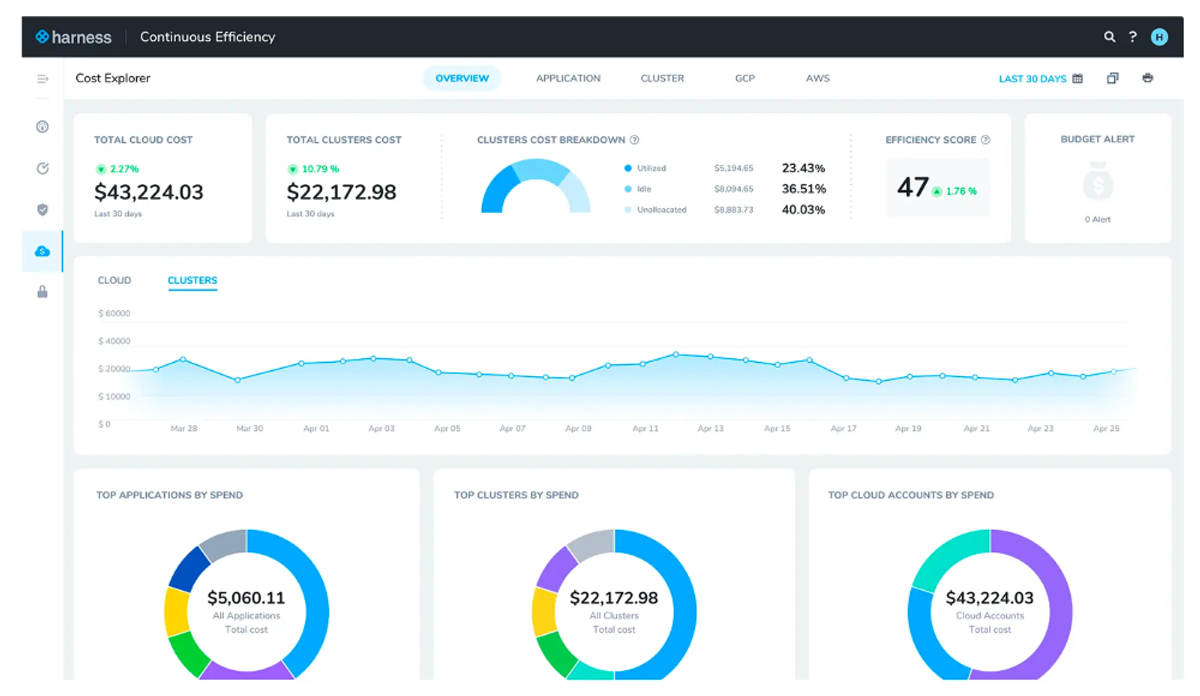
Harness's Cloud & AI Cost Management (CACM) module extends its existing Cloud Cost Management product — already used for EC2/Kubernetes chargeback — to also track AI provider spend (OpenAI, Anthropic, Bedrock, Vertex AI) at the individual request level, tied to the agent or workflow that generated it. Best for teams already using Harness for CI/CD or cloud cost management who want AI spend folded into the same cost-categories and BI-dashboard workflow rather than standing up a separate tool.
Strengths
- Request-level AI spend attribution tied to the specific agent, session, or workflow that generated it, not just an aggregate provider total
- Reuses existing Cost Categories, so chargeback rules a team already built for cloud spend apply automatically to AI spend
- Looker-powered BI dashboards built for exec-level reporting, scheduled and embeddable
- One of the first cloud FinOps platforms to spin AI cost management into its own dedicated product (May 2026), reflecting focused investment
Limitations
- AI cost coverage is new (added May 2026) relative to Harness's decade of cloud cost management, so feature depth may still be catching up in places
- Full value requires buying into the broader Harness platform (CI/CD, feature flags, etc.), a bigger commitment than a point solution
- Published pricing is sparse; real contracts vary widely by module mix and negotiation
Pricing: Modular, SKU-based subscription (cloud spend under management, Kubernetes clusters connected, AutoStopping rules, data retention window); Harness has also cited a percentage-of-managed-spend model, historically around 1–2.5%, for Cloud Cost Management specifically.
6. Amnic
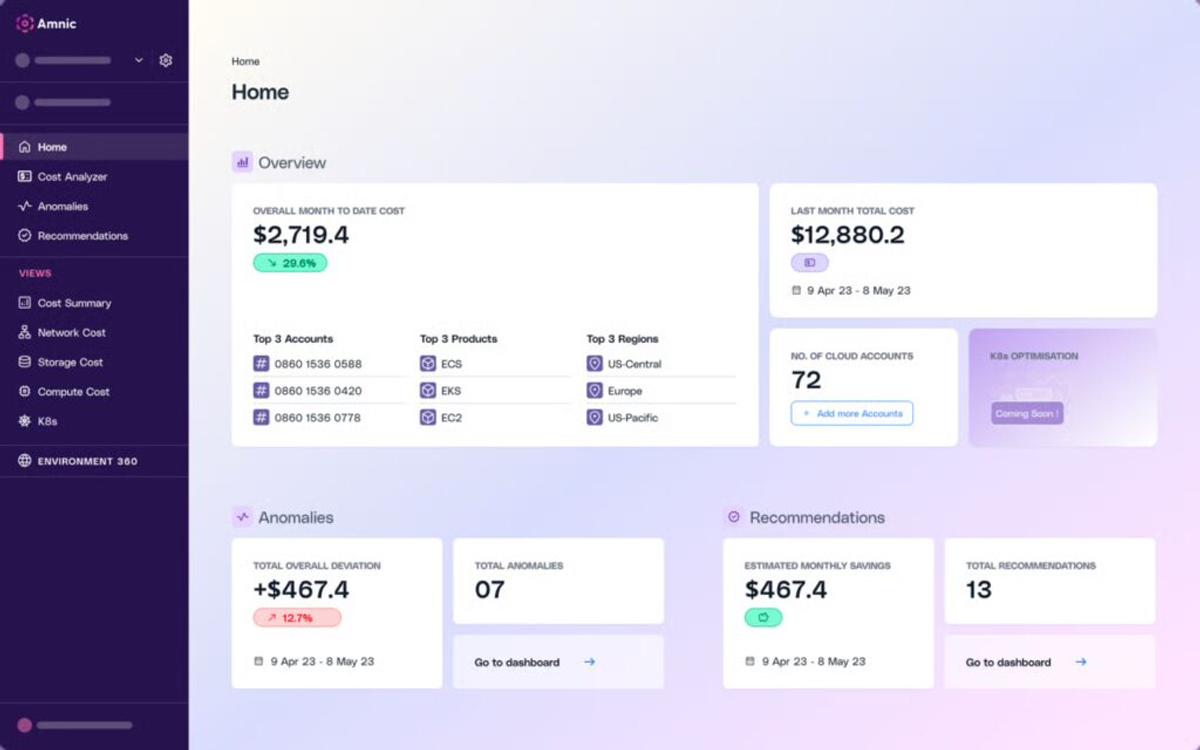
Amnic is an agentless, read-only FinOps platform that combines multi-cloud (AWS/Azure/GCP/Oracle/Alibaba) cost allocation with native LLM token tracking, positioned specifically around never requiring write access to a customer's infrastructure. Best for security-conscious FinOps teams that want AI and cloud spend unified in one read-only model without granting a vendor write access to cloud accounts.
Strengths
- Agentless, read-only by design — a meaningful differentiator for security reviews, since it can't change infrastructure even if compromised
- AI agents (X-Ray, Insights, Governance, Reporting) let non-technical stakeholders query cost data in plain language
- Rolling-baseline anomaly detection specifically tuned for the hours-not-months velocity of AI cost spikes
Limitations
- Newer and smaller vendor than CloudZero or Vantage, with a correspondingly smaller integration and partner ecosystem
- Read-only architecture means it reports and alerts but doesn't automate infrastructure changes the way Cast AI does
- Less independent, third-party case-study depth publicly available to evaluate outcomes against
Pricing: 0.25%–1% of monitored spend according to Amnic.
LLM observability and token trackers
This group operates one layer down, at the individual LLM request:
7. Langfuse
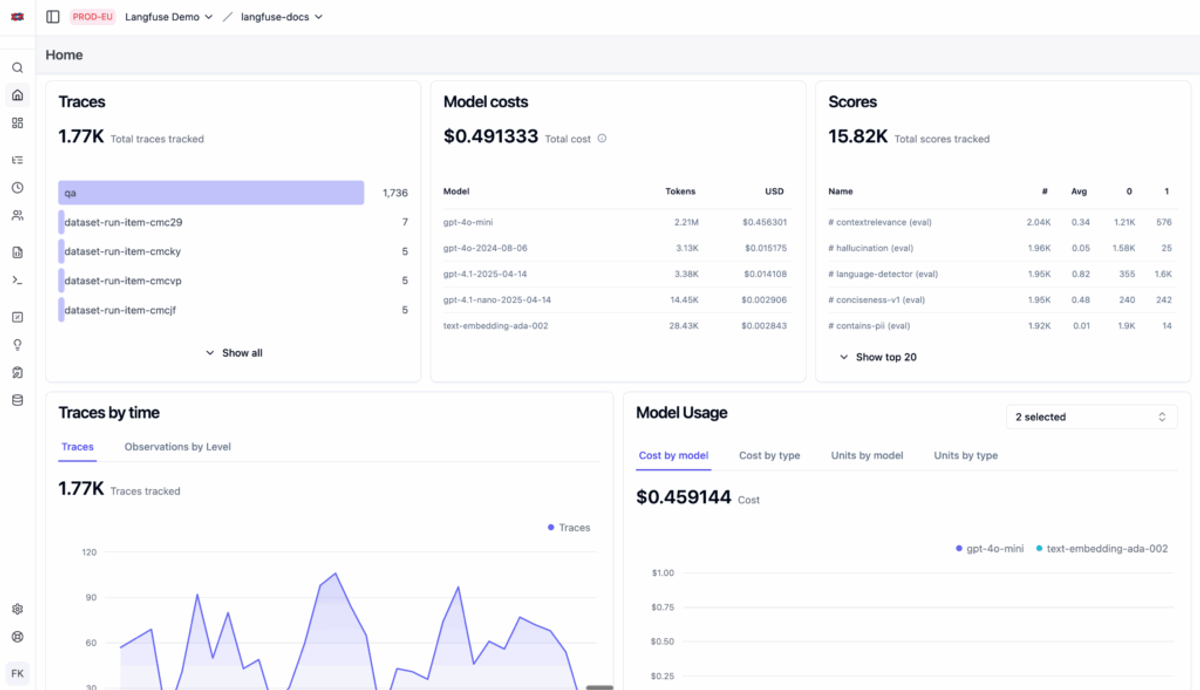
Langfuse is an open-source LLM engineering platform — tracing, evaluation, prompt management, and cost dashboards in one tool — that can be self-hosted or run as a managed cloud service. Best for engineering teams building LLM applications, especially agentic ones, who want deep request-level tracing and quality evaluation alongside cost, and who value being able to self-host.
Strengths
- Full-fidelity tracing of nested tool calls, retrieval steps, and agent graphs, not just a flat list of API calls
- Combines cost data with evaluation scores, so a team can see whether a cheaper model actually holds up on output quality, not just its price
- Free, fully-featured self-hosted option — a real alternative to a SaaS subscription for teams with the infrastructure to run it
- Built on OpenTelemetry, so it integrates into existing distributed-tracing pipelines rather than requiring a siloed dashboard
Limitations
- Costs only what it can see at the request layer — no GPU, Kubernetes, or cloud infrastructure visibility
- Self-hosting requires running and maintaining Postgres, ClickHouse, Redis, and object storage — a real operational commitment
- Reasoning-model token costs aren't inferred automatically without manually supplied token counts, per its own documentation
Pricing: Free self-hosted (open source); managed cloud plans span roughly $29–$2,499/month depending on usage and features, with a free tier for smaller usage.
8. Helicone
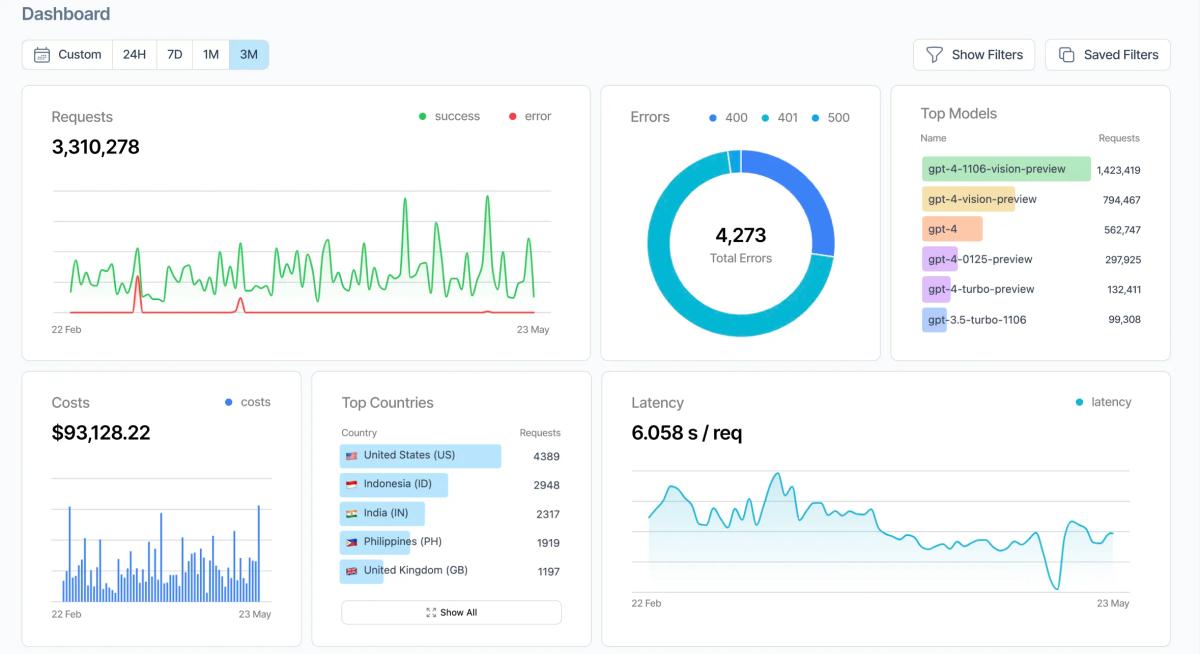
Helicone is an open-source LLM observability platform and AI gateway, known for a one-line proxy integration that gives request-level logging, cost, and latency data with minimal setup. Best for teams that want the fastest possible path to LLM cost visibility — a proxy swap rather than an SDK integration — and don't need Helicone's own product roadmap to keep evolving.
Strengths
- One-line proxy setup (change the API base URL) is genuinely the lowest-friction integration in this category
- Combined observability and gateway functionality — caching, rate limiting, and multi-provider routing alongside cost tracking
- Free Hobby tier (10,000 requests/month) is a real, usable starting point, not just a trial
- Large existing install base (16,000+ organizations) means the current feature set is well battle-tested
Limitations
- Mintlify acquired Helicone in March 2026 and moved it to maintenance mode: security patches continue, but active feature development has stopped
- The proxy architecture adds a network hop on the critical path, a latency tradeoff SDK-based tools like Langfuse avoid
- No GPU or cloud infrastructure visibility, same as the rest of this category
Pricing: Free Hobby tier (10,000 requests/month); Pro at $79/month; Team at $799/month; custom Enterprise tier for SSO, on-prem, and higher-volume needs.
9. Portkey
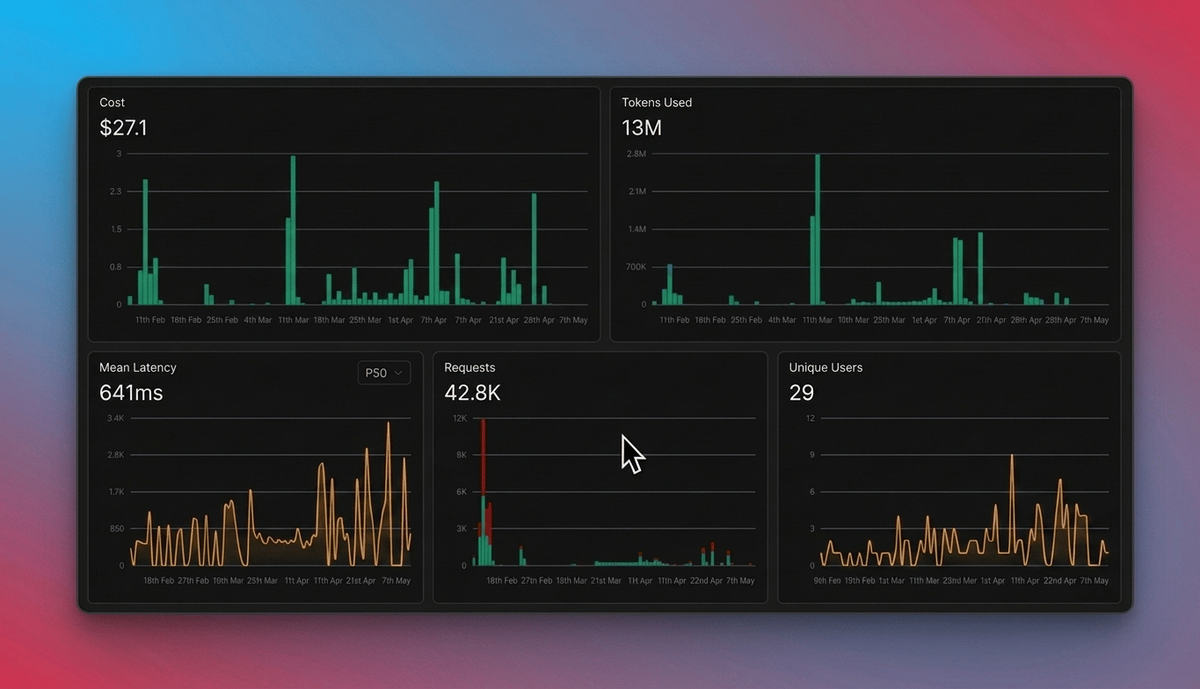
Portkey is an AI gateway and observability platform that routes LLM traffic through its own edge network, giving cost tracking, caching, and governance at the network layer for every request that passes through, without requiring per-service SDK calls. Best for teams that want gateway-level cost enforcement — budgets, guardrails, PII redaction — applied automatically to every request, rather than relying on each service to instrument itself correctly.
Strengths
- Because traffic physically routes through Portkey, logging and cost tracking are structural rather than dependent on a developer remembering to add an SDK call
- Semantic caching can cut cost on near-duplicate queries automatically
- As of March 2026, Portkey open-sourced its unified Gateway, including features — governance, observability, cost controls — that previously required a paid SaaS subscription
- Unified access to 1,600+ models across 40+ providers through one API
Limitations
- Pricing is based on “recorded logs,” a metric that's easy to underestimate at high request volumes and can get expensive with long retention windows
- Adds Portkey as a network hop in the request path, the same latency tradeoff as any proxy-based gateway
- No infrastructure/GPU visibility — purely a request-layer tool
Pricing: Free tier available; paid tiers priced on recorded-log volume, retention duration, and advanced features (semantic caching, advanced routing, governance), with custom Enterprise pricing for higher volumes.
10. Datadog LLM Observability
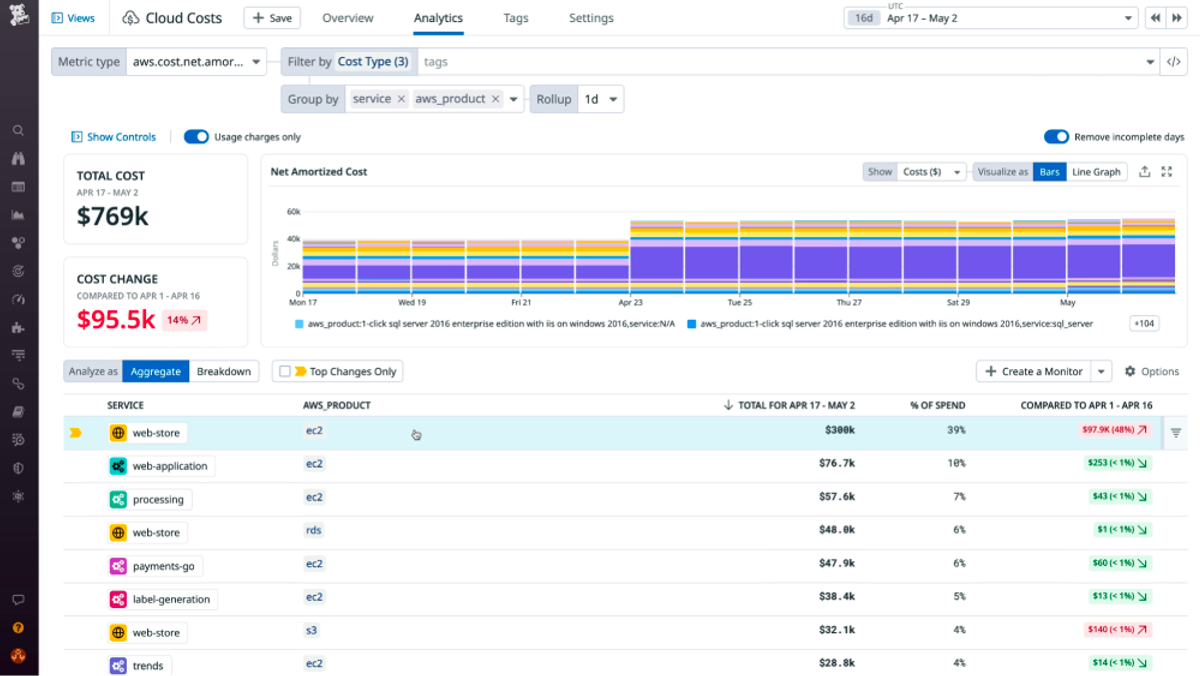
Datadog LLM Observability extends Datadog's existing enterprise observability platform (APM, infrastructure monitoring) with LLM-specific tracing, automated cost estimation across 800+ models, and quality evaluations. Best for organizations that already run Datadog for infrastructure and application monitoring and want LLM cost folded into the same dashboards and alerting workflows, rather than adopting a separate LLM-only tool.
Strengths
- Automatic cost estimation for 800+ models across OpenAI, Anthropic, Gemini, Hugging Face, and OpenRouter-served models, using each provider's public pricing
- Correlates LLM cost with the rest of an application's performance data — latency, error rate, model version — in one view
- Datadog's separate Cloud Cost Management module can show real, not estimated, provider spend down to the model and token level
- Out-of-the-box evaluators for hallucination, prompt injection, and PII exposure ship alongside the cost data
Limitations
- Pricing is per LLM span ingested, and LLM workloads generate a lot of spans — costs can scale quickly and unpredictably at high volume
- No self-hosted option
- It's a monitoring tool, not a gateway — it doesn't enforce budgets or block a request, only reports on it
Pricing: Free tier includes 40,000 LLM spans/month; Pro starts at $160/month for 100,000 spans with 15-day retention (pricing updated May 2026); higher tiers and longer retention priced separately.
11. Coralogix
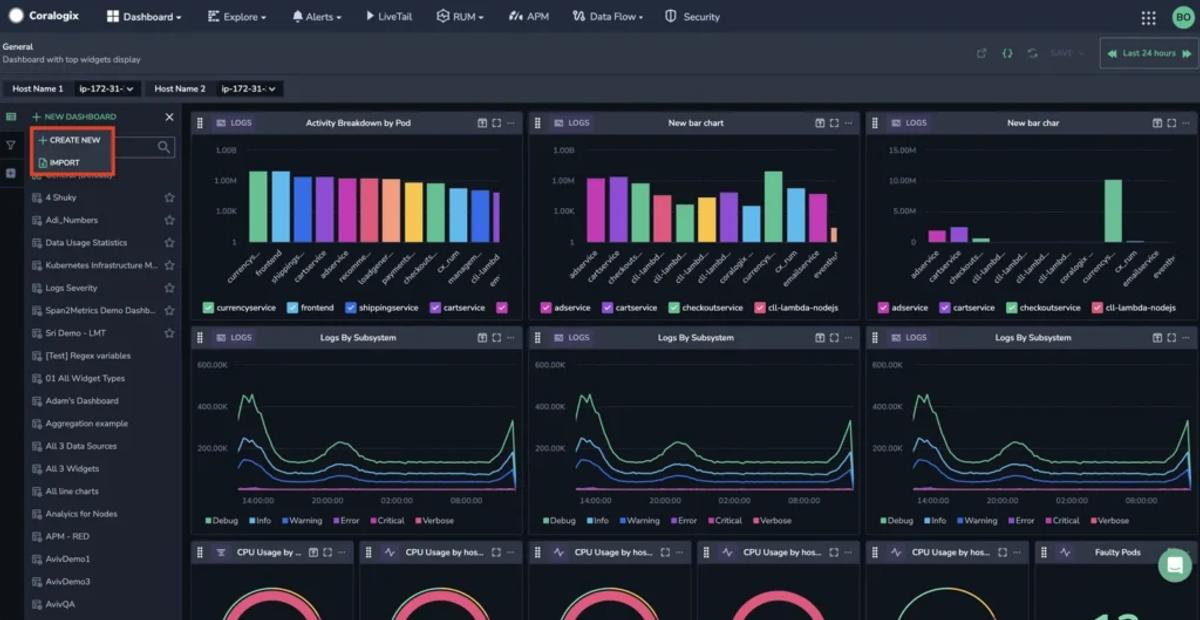
Coralogix's AI Center extends its existing observability platform with LLM- and agent-specific tracing, small-language-model-based evaluators that catch quality problems in flight, and per-message/session/agent cost tracking. Best for teams running multi-step agentic workflows, not just single-turn LLM calls, who need to catch a misbehaving agent loop before it shows up on an invoice.
Strengths
- Purpose-built for agentic (not just single-call) observability: tracks multi-turn shared state and non-deterministic tool sequences that break traditional dashboards
- Cost tracking breaks down by message, session, and agent, with trajectory-detection evaluators designed to flag a runaway recursive tool-call loop as it starts
- AI Discovery scans repositories and live traffic to find AI workloads a platform team doesn't already know about
- Ingestion-based pricing folds AI token cost into the same line item as existing logs, metrics, and traces, rather than a separate LLM-specific SKU
Limitations
- Best suited to teams already invested in agentic architectures; the agent-focused evaluators are less differentiated for simple, single-turn LLM calls
- Like Datadog, this is an extension of a broader observability platform, so adopting it for AI cost alone means taking on the rest of the Coralogix stack
- No infrastructure/GPU cost visibility
Pricing: Ingestion-based pricing consistent with Coralogix's existing logs/metrics/traces model; specific AI Center tier details require a quote.
AI gateways
And these two sit in the request path itself, routing traffic while it happens:
12. LiteLLM
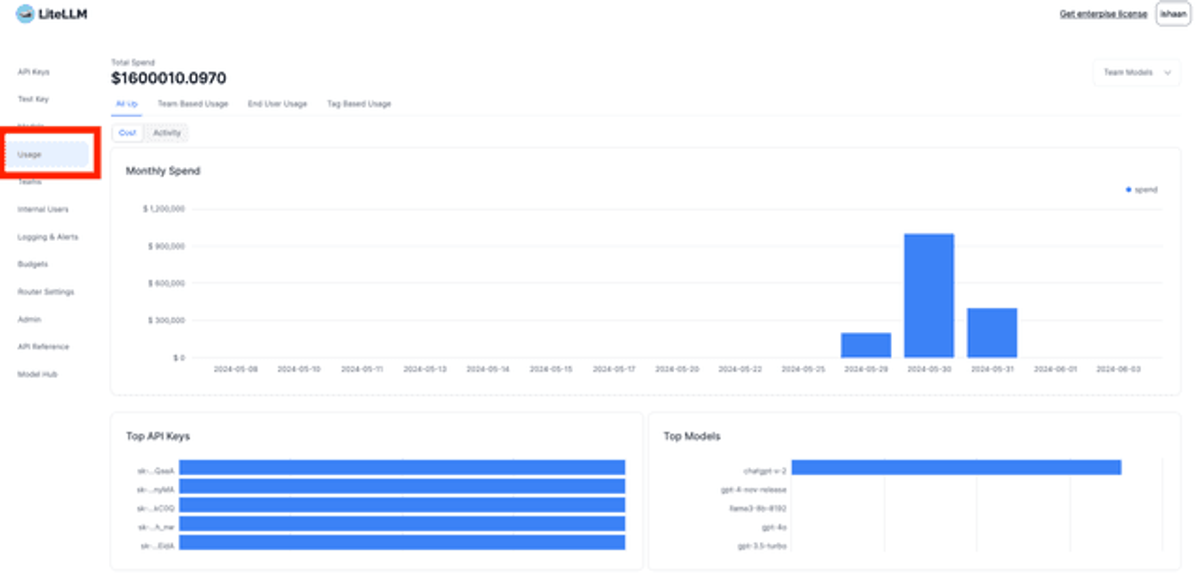
LiteLLM is an open-source LLM gateway and proxy that exposes 100+ providers behind a single OpenAI-compatible API, with built-in spend tracking, budgets, and rate limits per key, user, team, or org. Best for engineering teams that want a self-hosted, vendor-neutral gateway with hard budget enforcement, and are comfortable running and maintaining the supporting infrastructure themselves.
Strengths
- Free and fully open source, with a large (50K+ GitHub stars) and active community
- Hard budget enforcement: LiteLLM rejects a request outright once a key, user, team, or org hits its configured limit — genuinely stops spend, not just alerts on it
- Granular routing and fallback logic (retries across providers, load balancing) alongside cost tracking, so reliability and cost control live in the same layer
- Enterprise chargeback attributes every request to a key, team, org, tool, or MCP server for internal billing
Limitations
- The open-source version doesn't include production-grade observability out of the box — teams typically bolt on Prometheus/Grafana or a partner tool like Langfuse for dashboards and alerting
- Requires standing up and maintaining a database (Postgres/Redis) for key management, budget tracking, and rate-limit state
- No visibility into GPU or cloud infrastructure cost underneath a self-hosted model
Pricing: Free, self-hosted open source; a paid Enterprise tier (cloud or self-hosted, from roughly $250/month) adds support and additional governance features.
13. OpenRouter

OpenRouter is a hosted, unified API that routes requests to 400+ models from 60+ providers on a single prepaid credit balance, with automatic failover and per-key or per-workspace spending controls. Best for teams that want the breadth of a hosted multi-model marketplace — trying or comparing many models without managing separate API keys and contracts for each provider — with less operational overhead than self-hosting a gateway.
Strengths
- Broadest provider/model catalog of any option in this category (400+ models, 60+ providers), useful for teams that experiment across models frequently
- Automatic failover between providers when one is down, plus prompt caching support to cut token cost on repeated context
- Hard spend enforcement available at the per-key level (no organization required) and, on Enterprise, at the workspace level with daily/weekly/monthly/lifetime budgets that block requests once hit
- No markup on provider pricing — OpenRouter charges a flat platform fee on credit purchases rather than inflating the underlying model price
Limitations
- Workspace-level budgets, the more flexible enforcement option, are an Enterprise-only feature; smaller teams are limited to per-key caps
- Hosted-only — no self-hosted option for teams with data residency or network requirements that rule out routing through a third party
- Same infrastructure blind spot as any gateway: no GPU or cloud cost visibility
Pricing: Pay-as-you-go with a 5.5% platform fee on credit purchases (no markup on model pricing); free tier available on select models; Enterprise plans for workspace budgets and higher-volume needs.
Native cloud billing tools and where they stop
AWS Cost Explorer, Azure Cost Management, and Google Cloud's Billing Reports are usually the first place a team looks, and for cloud-native AI spend — Bedrock, Vertex AI, Azure OpenAI Service — they do show up as a line item, broken down by service and, if the account is tagged, by cost allocation tag. What they don't do is see anything outside the cloud bill: a direct OpenAI or Anthropic API invoice, a Pinecone subscription, a LangSmith seat — all of that lives on entirely separate invoices these tools never ingest. Native billing tools are a reasonable starting point for a team that's entirely inside AWS Bedrock or GCP Vertex AI and nowhere else; the moment a team adds a direct OpenAI key, a vector database subscription, or a second cloud, the native tool's picture of AI spend gets a lot less complete than its dashboard suggests.
The GPU and Infrastructure Blind Spot
Most content on AI cost monitoring treats the problem as a token problem: prompts, completions, API invoices. For any team running self-hosted, fine-tuned, or high-volume inference workloads, that's an incomplete picture — GPU and the infrastructure underneath it is very often the bigger line item, and it's invisible to every tool built around the token.
Why GPU compute is usually the bigger line item
Globally, infrastructure is where AI money actually goes. Gartner's 2026 forecast puts total worldwide AI spending at $2.59 trillion, and infrastructure — AI-optimized servers, IaaS, network fabric, semiconductors — accounts for more than 45% of that total, the single largest category, ahead of AI software or services. At the level of an individual workload, the same pattern holds: a single NVIDIA H100 rents for several dollars per hour on the major clouds, and once a team is running fine-tuned or self-hosted models, that GPU line dominates the bill, not the token metering that most cost-monitoring content focuses on. The catch is that GPU spend is also the least efficiently used dollar on the table: Cast AI's 2026 benchmarking across tens of thousands of production Kubernetes clusters found median GPU utilization sitting at just 5%, meaning the typical team is paying for roughly 20 times more GPU capacity than it's actually using.
Idle GPU nodes, over-provisioned inference endpoints, training overruns
GPU waste tends to show up in three recurring patterns, each easy to miss without infrastructure-level visibility:
- Idle GPU nodes: idle accelerators are the single costliest form of waste in AI clusters, per Cast AI, since a GPU sitting idle still bills at its full on-demand rate whether or not anything is running on it.
- Over-provisioned inference endpoints: a common pattern Cast AI documents is a team requesting a full H100 80GB for an inference workload that only needs 9GB, so the GPU runs at roughly 8% utilization while billing for 100% of the instance — a mismatch that GPU time-slicing or MIG partitioning can usually fix without touching the model.
- Training overruns: training jobs are naturally bursty — long idle stretches punctuated by runs that suddenly consume massive resources — and per ProsperOps's guidance on FinOps for AI, without automated monitoring and cost attribution tied to the specific team or model, that spend can balloon well past budget before anyone notices it's happening.
All three respond to the same fix that traditional cloud waste did a decade ago — right-sizing, sharing, and Spot capacity — but only if a tool is actually watching the infrastructure layer instead of just the API layer. Fewer than 2% of GPUs in production Kubernetes clusters run on Spot at all, despite Spot capacity saving 60–91% against on-demand pricing for workloads that can tolerate interruption — one of the more available, least-used levers in this category.
Which tools actually see infrastructure cost and which only see API calls
Laid out against every tool covered in this guide, the coverage gap is stark:
Tool | Sees GPU / Infra Cost | Sees API Token Cost |
|---|---|---|
nOps | Yes | Yes |
CloudZero | Yes | Yes |
Vantage | Yes | Yes |
Cast AI | Yes | No |
Harness | Yes | Yes |
Amnic | Yes | Yes |
Langfuse | No | Yes |
Helicone | No | Yes |
Portkey | No | Yes |
Datadog LLM Observability | Partial* | Yes |
Coralogix | No | Yes |
LiteLLM | No | Yes |
OpenRouter | No | Yes |
Native cloud billing (AWS/Azure/GCP) | Yes | Only for cloud-native AI services |
*Datadog's LLM Observability product itself is request-layer only; GPU and infrastructure visibility requires pairing it with Datadog's separate Cloud Cost Management module.
Of the 13 tools covered in this guide, only six — nOps, CloudZero, Vantage, Cast AI, Harness, and Amnic — see the GPU and infrastructure layer at all, and only nOps and Cast AI actively act on it (commitment optimization and automated right-sizing, respectively) rather than just reporting it. Every LLM observability platform and every gateway in this guide is blind to that side of the bill by design: they're built to watch the request, not the node underneath it. For a team running any meaningful amount of self-hosted or fine-tuned inference, that's not a minor gap — it's the difference between seeing the whole AI bill and seeing the smaller, better-lit half of it.
For a deeper walkthrough of right-sizing, Spot strategy, and commitment tactics specifically for GPU workloads, see nOps's GPU Cost Optimization guide.
Where nOps Fits In
Across the 13 tools in this guide, the pattern holds: the right setup is rarely one tool, and the piece most often left unmonitored — GPU and cloud infrastructure — is usually the biggest line item on the bill. For most FinOps and platform teams facing multi-cloud, Kubernetes, and AI cost complexity at the same time, closing that gap matters more than picking a single “best” tool from the list above.
If you're not sure where the gaps are in your own AI cost stack, nOps offers a free savings analysis to quantify the benefit you could get by automating your cost visibility and optimization.
- Unified visibility: Get all of your spending from AWS, GCP, Azure, AI, and SaaS in one place, with cost allocation by application, customer, team, or business unit to understand what's driving AI spend and where optimization will have the greatest impact.
- Commitment Management: Automatically maximize discounts and minimize commitment risk across eligible cloud infrastructure supporting your AI workloads. Customers typically save ~20% by switching to nOps — and with results-based pricing, you pay only when you get better results.
nOps manages $5B+ in cloud spend and was recently rated #1 in G2's Cloud Cost Management category.
Demo
AI-Powered Cost Management Platform
Discover how much you can save in just 10 minutes!
Book a Demo