Vertex AI Cost Optimization: A Comprehensive Guide
Vertex AI simplifies machine learning on Google Cloud Platform by offering managed training, deployment, and inference infrastructure alongside generative AI models like Gemini. However, costs accumulate quickly across model usage, training compute, online inference endpoints, and supporting services. Organizations scaling AI workloads routinely discover that without structured cost management, monthly Vertex AI bills can spike unpredictably — sometimes by factors of 4x or more when moving from consumer-tier Google AI Studio to enterprise Vertex AI.
This guide focuses on practical optimization strategies across four dimensions: reducing model usage costs through efficient prompting and caching, right-sizing infrastructure for training and inference, leveraging pricing mechanisms like committed use discounts and Spot VMs, and selecting deployment models that align workload patterns with cost structure.
How Does Vertex AI Pricing Work?
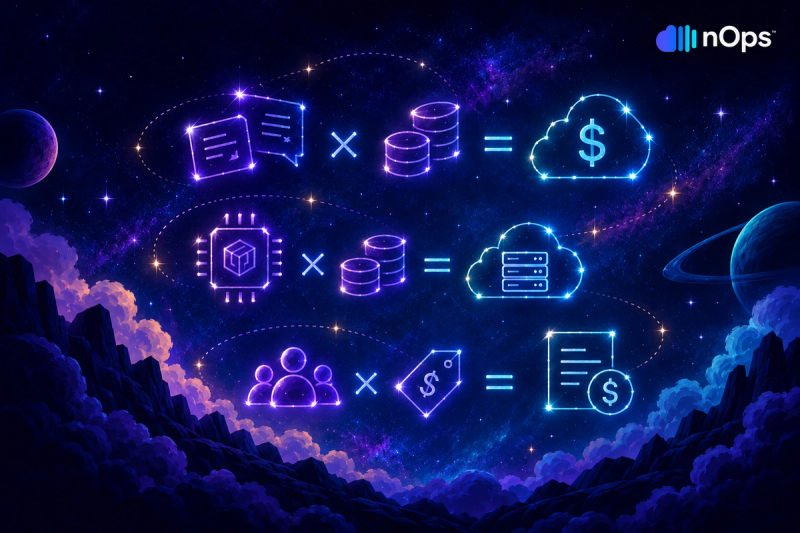
Vertex AI costs generally fall into four buckets:
- Generative AI usage: Input and output token charges for models like Gemini.
- Training: Compute charges based on machine type, runtime, and accelerators such as GPUs or TPUs.
- Inference: Costs for online prediction endpoints or other serving infrastructure.
- Supporting services: Storage, data transfer, and other GCP resources used by Vertex AI workloads.
The biggest pricing levers are the model you choose, whether you pay per token or reserve capacity with Provisioned Throughput, the compute used for training and inference, and whether you can use lower-cost options like Spot VMs. For a detailed breakdown of these pricing models and when each makes sense, see our complete Vertex AI pricing guide.
Optimize Vertex AI Model and AI Usage
Model usage optimization reduces costs without requiring infrastructure changes or commitment purchases. These strategies focus on using AI services more efficiently — choosing appropriate models for each task, minimizing token consumption, and eliminating unnecessary API calls.
Choose the Most Cost-Effective Model for Each Task
Routing requests to appropriately-sized models prevents overspending on capability exceeding task requirements. Gemini Flash-Lite handles simple classification, extraction, and summarization workloads at $0.10/million input tokens — 10-30x cheaper than routing the same requests to Gemini Pro. Applications defaulting to Pro for all requests waste budget on simple tasks better served by Flash-Lite. The performance gap between Flash-Lite and Pro matters for complex reasoning tasks, but simple data extraction or binary classification rarely justifies the premium pricing.
Multi-model routing strategies assign tasks to models based on complexity detected at runtime. A content moderation application might route obvious violations to Flash-Lite for fast, cheap classification while escalating ambiguous cases to Pro for nuanced judgment. Implementing routing logic requires upfront development but delivers ongoing cost savings proportional to the percentage of requests downgradeable to cheaper models. Organizations report 40-60% cost reductions from intelligent routing compared to single-model approaches.
Third-party models available through Vertex AI's Model Garden carry different pricing than Google's first-party models. Claude 4.5 Sonnet on Vertex AI costs $3/$15 per million tokens (input/output), comparable to Gemini Pro but with different capability profiles. Organizations should benchmark model performance against cost for their specific use cases rather than assuming first-party or third-party models universally deliver better value. Some tasks perform better on Claude, others on Gemini, and cost-effectiveness depends entirely on workload characteristics.
Reduce Input and Output Token Usage
Prompt optimization reduces token consumption without sacrificing quality. Verbose system instructions padding prompts with examples and formatting guidance inflate input token counts unnecessarily. Refining prompts to be concise while maintaining clarity can cut input tokens 30-50% for many applications. A 2,000-token system prompt delivering equivalent results as a 500-token prompt wastes 1,500 tokens per request — multiplied across millions of API calls monthly, prompt bloat becomes a significant cost driver.
Output length limits constrain token generation for applications not requiring long responses. Setting max_output_tokens to 500 instead of defaulting to 2,048 prevents models from generating unnecessary elaboration. Content summarization tasks rarely need 1,000+ token outputs — capping generation at 200-300 tokens maintains quality while reducing output token costs 70-80%. Many applications never analyze beyond the first few hundred tokens of model output, making unlimited generation purely wasteful.
Structured output formats (JSON, YAML) often consume fewer tokens than natural language responses for data extraction tasks. Instructing models to return structured data instead of prose reduces output verbosity. An application extracting dates, amounts, and categories from receipts generates 50-100 tokens of JSON versus 300-500 tokens explaining the same information in sentences. Structured outputs additionally simplify downstream parsing, eliminating regex or additional AI calls to extract structured data from prose.
Use Context Caching Where Appropriate
Context caching benefits applications sending repeated instructions, reference documents, or few-shot examples with every request. Customer support bots sending 10KB product documentation with each query waste input tokens on redundant content. Caching that documentation reduces per-request input tokens from 10,000 to near-zero for cached content, with cache storage costing approximately 10% of standard input token rates. For applications making thousands of requests daily with shared context, caching can reduce input token costs by 80-90%.
Cache lifetime also affects savings. Explicit caches use a configurable time-to-live (TTL), while implicit caching uses Google-managed retention based on load and reuse frequency. Applications with sporadic traffic may therefore see fewer cache hits than consistently high-traffic applications. High-traffic applications making thousands of requests hourly benefit most from caching because cache hit rates approach 100%. The sweet spot for caching lies in applications with consistent traffic patterns and substantial repeated context — exactly the profile of production customer-facing chatbots and document analysis systems.
Cache size limits constrain cacheable content. Cache size limits vary by model. Vertex AI supports caching from a minimum of 2,048 tokens up to the model’s context window — more than 1 million tokens for models such as Gemini 2.5 Pro. Applications exceeding cache limits cannot cache full context, forcing partial caching strategies or abandoning caching entirely. For applications with massive reference documents (100K+ tokens), chunking strategies or retrieval-augmented generation may prove more cost-effective than attempting to cache everything. RAG architectures dynamically retrieve relevant context chunks, keeping per-request token counts manageable while accessing effectively unlimited reference material.
Use Batch Processing for Non-Real-Time Workloads
Batch prediction mode processes predictions asynchronously, delivering 50% discounts on prediction costs compared to online inference. Workloads tolerating minutes or hours of latency — such as overnight data pipeline scoring, document classification for archival systems, or periodic analytics model inference — achieve substantial savings through batch processing. The discount applies to the prediction serving cost itself; you still pay for the temporary compute infrastructure Google provisions to process the batch, but at reduced rates compared to maintaining dedicated always-on endpoints.
Batch jobs eliminate endpoint idle costs entirely. Organizations maintaining dedicated endpoints 24/7 for infrequent batch workloads waste money on unused capacity between job runs. Submitting batch jobs creates temporary compute resources that terminate after job completion, charging only for actual processing time. For workloads running once daily or weekly, the cost difference between dedicated endpoints and batch processing often exceeds 80-90%.
The tradeoff centers on latency and scheduling flexibility. Batch prediction introduces startup overhead (typically 2-5 minutes) plus processing time proportional to dataset size. Applications requiring sub-second or even sub-minute response times cannot tolerate batch latency. However, for workloads already running on schedules (nightly, weekly), batch processing delivers identical results at half the cost of maintaining always-on endpoints.
Reduce Unnecessary Model Calls
Application-level caching prevents redundant API calls for identical or similar requests. A customer-facing chatbot receiving the same frequently-asked question hundreds of times daily benefits from caching responses at the application layer. Serving cached responses for repeated questions eliminates model calls entirely, reducing both costs and latency.
Rate limiting and request deduplication prevent runaway costs from misconfigured systems or abusive usage. A development environment accidentally entering an infinite loop making Vertex AI calls can generate thousands of dollars in charges within hours. Implementing per-user, per-endpoint, or per-application rate limits caps maximum spend exposure from such scenarios.
Conditional API calls based on confidence thresholds reduce unnecessary model invocations. A content moderation pipeline might apply simple heuristic rules before invoking Vertex AI models, filtering obvious violations without API calls. If heuristics handle 60% of cases reliably, model invocations drop 60%, cutting costs proportionally while maintaining overall accuracy.
Optimize Vertex AI Infrastructure Costs
Right-Size CPUs, GPUs, and TPUs
Training workloads often provision excess compute capacity based on peak resource requirements or cargo-cult configurations copied without analysis. Profiling actual CPU, memory, and GPU utilization during training jobs reveals whether resources sit idle. Jobs consistently showing <40% GPU utilization indicate over-provisioning — smaller instance types or fewer GPUs would suffice.
GPU selection significantly impacts cost-performance tradeoffs. A100 GPUs ($2.55/hour) deliver 2-3x throughput versus T4 GPUs ($0.35/hour) for certain workloads, making A100s more cost-effective despite 7x higher hourly rates when job completion time reduces proportionally. However, for workloads bottlenecked by memory bandwidth or CPU preprocessing rather than GPU compute, A100s waste money without delivering meaningful speedup.
TPU pricing follows different cost structures than GPU pricing. TPU v2 instances cost approximately $4.50/hour for an 8-core pod, while TPU v4 pods cost $8-12/hour. TPUs excel at large-scale matrix operations like transformer training but offer less flexibility for custom operations than GPUs. Organizations should benchmark TPU performance against GPU performance for their specific models before committing to TPU-based training pipelines.
Use Autoscaling for Inference Workloads
Autoscaling adjusts online prediction endpoint capacity based on actual traffic, preventing idle capacity costs during low-traffic periods. Configuring minimum node counts of 1 versus 3 reduces idle costs by 67% for endpoints serving variable traffic. However, aggressive scale-down introduces cold-start latency when traffic increases, potentially violating latency SLAs.
Autoscaling policies require balancing cost against performance. Scale-up thresholds (e.g., add nodes when CPU exceeds 70%) determine how aggressively the system responds to traffic increases. Conservative thresholds (50%) maintain headroom but provision capacity earlier, increasing costs. Aggressive thresholds (85%) minimize unnecessary capacity but risk latency spikes during rapid traffic growth.
Scheduled scaling accommodates predictable traffic patterns without relying solely on reactive autoscaling. Applications experiencing consistent weekday versus weekend traffic patterns benefit from scheduled minimum node counts — scaling up Monday morning and scaling down Friday evening aligns capacity with demand proactively. Scheduled scaling eliminates cold-start latency from autoscaling lag while avoiding 24/7 peak capacity provisioning.
Shut Down Idle Endpoints and Resources
Dedicated prediction endpoints bill hourly regardless of traffic volume. Organizations maintaining dozens of model endpoints for experimental or low-traffic models often pay hundreds of dollars monthly in idle endpoint costs. Auditing endpoint utilization and deleting endpoints serving <100 predictions weekly eliminates wasteful spend.
Scheduled endpoint lifecycle management automates endpoint startup and shutdown around business hours or known usage windows. Development and staging endpoints serving only during weekday business hours can automatically shut down nights and weekends, reducing endpoint costs by 70% without impacting developer productivity. Production endpoints serving 24/7 traffic cannot use scheduled shutdown, but non-production environments frequently can.
Vertex AI also offers Scale To Zero for eligible online inference deployments (currently in Preview). Setting the minimum replica count to zero eliminates compute billing while the deployment has no traffic. The tradeoff is availability during scale-up: the first request to a scaled-down deployment receives a 429 response while Vertex AI starts the model server, so applications need retry logic and should use the feature primarily for endpoints with long idle periods.
Use Spot VMs for Fault-Tolerant Training Workloads
Spot VMs reduce training costs 60-91% compared to regular instances by leveraging Google's excess capacity. Training jobs running on Spot VMs can be preempted with 30 seconds notice, requiring checkpoint-and-resume logic to handle interruptions gracefully. Jobs that checkpoint frequently (every 15-30 minutes) resume with minimal lost progress when preempted.
Spot availability varies by region and machine type. Popular instance types (n1-standard-4, A100 GPUs) in high-demand regions experience more frequent preemptions than less-common configurations. Organizations experiencing excessive Spot preemptions should experiment with alternative machine types or regions to find better availability-cost balances.
Hybrid provisioning strategies combine Spot and regular instances to balance cost and reliability. For example, you might train the first 80% of a job on Spot VMs to capture maximum savings, then switch to regular instances for the final 20% to ensure job completion without preemption risk as deadlines approach. This strategy delivers 50-70% overall cost reduction while mitigating completion uncertainty from Spot preemptions.
Choose the Right Region for Your Workloads
Regional pricing differences create 10-25% cost variances for identical workloads. us-central1 typically offers the lowest rates for most Vertex AI services, while europe-west1 and asia-southeast1 carry premiums. Organizations without data residency or latency requirements should deploy workloads in cost-optimized regions rather than defaulting to nearest geographic region.
Data transfer costs between regions compound when training data resides in one region but training jobs run in another. A training job in europe-west1 reading 500 GB training data from Cloud Storage in us-central1 incurs cross-region egress fees ($0.08-0.12/GB) totaling $40-60 per training run. Co-locating training jobs and data eliminates cross-region transfer costs.
Multi-region deployments for inference endpoints introduce additional complexity. Serving predictions from endpoints in multiple regions for latency optimization requires maintaining separate endpoints (doubling endpoint idle costs) plus cross-region traffic for any centralized post-processing. Organizations should verify that latency improvements justify additional regional deployment costs before implementing multi-region inference architectures.
Optimize Vertex AI Pricing and Commitments
Compare Pay-As-You-Go and Provisioned Throughput for Generative AI
Pay-as-you-go pricing charges per token, making costs proportional to actual usage. Applications with variable or unpredictable traffic pay only for tokens processed, avoiding capacity commitment risk.
Provisioned Throughput instead reserves capacity using Generative AI Scale Units (GSUs), with the throughput provided by each GSU depending on the model and its input/output burndown rates. Current global pricing ranges from about $7.14 per GSU-hour for a 1-week commitment to $2.74 per GSU-hour for a 1-year commitment, with 1-month and 3-month terms priced at about $3.70 and $3.29 per GSU-hour respectively.
The commitment breakeven depends on utilization. Provisioned Throughput becomes cost-effective when actual usage exceeds 60-70% of committed capacity consistently. Workloads with high variability (e.g., 10 million tokens during business hours, 100K tokens overnight) struggle to maintain high utilization percentages, making pay-as-you-go more economical despite higher unit rates.
Factor | Pay-As-You-Go | Provisioned Throughput |
|---|---|---|
Pricing model | Per-token (input + output) | Reserved capacity purchased in Generative AI Scale Units (GSUs) |
Cost predictability | Variable (scales with usage) | Fixed hourly cost regardless of usage |
Unit cost | Highest per-token rates | 20–40% lower effective per-token cost at high utilization |
Idle cost | Zero (pay only for tokens processed) | Full hourly cost even with zero usage |
Capacity guarantee | No guarantee (subject to availability) | Reserved capacity guaranteed available |
Best for | Variable or unpredictable traffic | Consistent high-volume traffic (>60–70% utilization) |
Commitment term | None (true pay-per-use) | 1-week, 1-month, 3-month, or 1-year term; fees are non-cancelable during the term |
Traffic variability tolerance | Excellent (costs scale proportionally) | Poor (underutilization wastes committed capacity) |
Use Committed Use Discounts for Predictable Compute
Committed Use Discounts can apply to eligible Vertex AI resources deployed using Compute Engine SKUs. Resource-based CUDs offer discounts of up to 37% with a 1-year commitment and up to 55% with a 3-year commitment for most machine types, with discounts reaching up to 70% for some memory-optimized machine types. Unlike Compute flexible CUDs, resource-based commitments are tied to specific resources and regions.
Determining appropriate CUD levels requires analyzing baseline compute usage — resources running consistently rather than variable or peak capacity. If Vertex AI training jobs consume $2,000/month in steady compute, committing to $1,600-1,800/month covers stable baseline while leaving buffer for growth. Committing to 100% of current usage eliminates flexibility if workload patterns shift.
CUDs do not cover Vertex AI management fees, storage, or network egress — only underlying Compute Engine VM costs. Organizations should calculate CUD savings based on compute-only portions of Vertex AI bills rather than total Vertex AI spend. A $5,000/month Vertex AI bill might include $3,500 compute (CUD-eligible) and $1,500 management/storage/network (CUD-ineligible).
Use Reservations When You Need Guaranteed Compute Capacity
Compute Engine reservations guarantee capacity availability for specific machine types and regions, ensuring training jobs can start immediately without waiting for capacity. Reservations carry no cost premium when utilized — reserved instances bill at standard rates (or discounted rates when combined with CUDs). However, unused reservations bill as if instances were running, making over-reservation expensive.
Reservations suit organizations running frequent training jobs requiring specific GPU types during business-critical periods. A model retraining pipeline running nightly on 8 A100 GPUs benefits from reservation guaranteeing capacity availability. Without reservation, jobs risk delayed startup or failure when A100 capacity is unavailable in the requested region.
The tradeoff centers on utilization certainty versus commitment cost. Reservations make sense when training schedules are predictable and consistent (e.g., daily retraining jobs, weekly batch scoring). Ad-hoc or experimental training workloads with unpredictable timing waste money on unused reservation hours when jobs don't run as scheduled.
Avoid Overcommitting to Unused Capacity
Commitment purchases (CUDs, Provisioned Throughput, reservations) carry financial liability regardless of actual usage. Over-committing to capacity exceeding actual needs results in paying for unused commitments while deriving no value. Organizations should commit conservatively, targeting 70-80% of baseline usage rather than 100% of current usage.
Monitoring commitment utilization reveals whether purchased commitments align with actual usage patterns. CUD utilization <60% indicates over-commitment — actual workloads don't consume the committed spend level consistently. Provisioned Throughput utilization <70% similarly signals wasted capacity, with organizations paying for reserved capacity that goes unused.
Commitment terms impose lock-in periods (1-3 years for CUDs; 1 week, 1 month, 3 months, or 1 year for Provisioned Throughput). Organizations undergoing architectural transitions (migrating to different model families, evaluating alternative AI platforms) should favor shorter commitment terms or avoid commitments entirely until workload patterns stabilize.
How nOps Helps Optimize Vertex AI Costs
Fully optimizing AI spend means understanding how model usage, infrastructure choices, and application demand affect the broader cloud environment — and, for multi-cloud organizations, AWS and Azure as well.
That’s where nOps comes in: helping FinOps teams understand, allocate, and optimize Vertex AI costs alongside the rest of their cloud and AI infrastructure.
- Unified visibility: Get all of your spending from GCP, AWS, Azure, AI, and SaaS in one place, with cost allocation by application, customer, team, or business unit to understand what is driving AI spend and where optimization will have the greatest impact.
- Commitment Management: Automatically maximize discounts and minimize commitment risk across eligible cloud infrastructure supporting your AI workloads. Customers typically save ~20% by switching to nOps — and with results-based pricing, you pay only when you get better results.
We’ve talked to companies that can save millions on their cloud bills by switching to nOps from competitors. Book a free savings analysis to quantify exactly how much more you could save across the infrastructure supporting Vertex AI and the rest of your cloud environment.
nOps manages $5B+ in cloud spend and was recently rated #1 in G2’s Cloud Cost Management category.
Demo
AI-Powered Cost Management Platform
Discover how much you can save in just 10 minutes!
Book a Demo
Frequently Asked Questions
Let’s dive into a few FAQ about reducing your Vertex AI costs.
What is the difference between Vertex AI and Google AI Studio pricing?
Google AI Studio provides a free tier for experimenting with Gemini through the Gemini Developer API, while Vertex AI is designed for production enterprise workloads with Google Cloud features such as IAM, VPC controls, data residency, and SLAs. For paid usage, equivalent Gemini models can have the same standard token rates across the Gemini Developer API and Vertex AI: for example, Gemini 2.5 Pro costs $1.25 per million input tokens and $10 per million output tokens for prompts up to 200K tokens on both platforms, while Gemini 2.5 Flash-Lite costs 0.40 per million input/output tokens. The choice is therefore primarily about platform capabilities and consumption options rather than a blanket Vertex AI price premium.
Do Committed Use Discounts apply to Vertex AI management fees?
No. CUDs apply exclusively to underlying Compute Engine costs (vCPU and memory) for training jobs and inference endpoints. Vertex AI management fees (typically 10-15% of compute costs), storage charges, network egress, and generative AI token usage continue billing at standard rates regardless of CUD purchases. Organizations seeking comprehensive cost reduction must address compute commitments, model selection, token optimization, and infrastructure right-sizing separately.
Can I use Spot VMs for online prediction endpoints?
Yes. Vertex AI now supports Spot VMs for inference workloads as well as fault-tolerant training. Spot capacity can be reclaimed by Google at any time, so it is best suited to inference workloads that can tolerate interruptions or distribute traffic across multiple replicas. For availability-sensitive production inference, standard capacity or a mix of Spot and standard capacity may be safer.