 Skip to content



DynamoDB is one of AWS’s most heavily used building blocks for high-throughput applications; AWS has reported DynamoDB peaks as high as 151 million requests per second during Prime Day.
Recently, AWS has made a few shifts that change how teams think about DynamoDB costs. The biggest is AWS Database Savings Plans, which let you commit to a simple $/hour amount and apply discounts across multiple managed database services—including DynamoDB. For DynamoDB specifically, this is notable as the first commitment-based discount for on-demand usage. At the same time, DynamoDB costs are increasingly shaped by how teams use newer features in production—Global Tables, the infrequent access table class, and optional capabilities like DynamoDB streams and backups.
This guide breaks down DynamoDB pricing end-to-end: the Free Tier, on-demand vs provisioned capacity modes, how Database Savings Plans change the economics (and how they compare to reserved capacity), the inputs that actually drive your monthly cost, and the most reliable levers to optimize spend without creating performance risk.
What is DynamoDB?
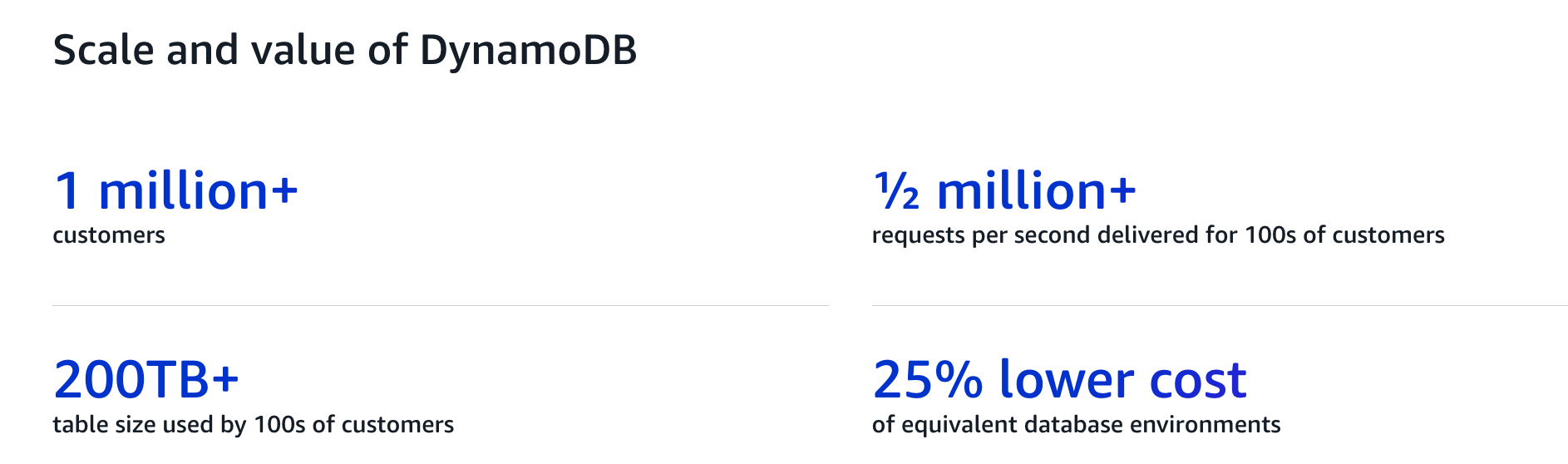
Amazon DynamoDB is a fully managed, serverless NoSQL database designed for applications that require single-digit millisecond latency at any scale. It stores data as items identified by primary keys and automatically handles infrastructure management, scaling, and availability.
DynamoDB is commonly used for workloads such as user profiles, session stores, metadata services, event tracking, and high-throughput APIs. It supports key-value and document data models and integrates tightly with other AWS services.
From a pricing perspective, DynamoDB is different from traditional databases: you don’t pay for instances or nodes. Instead, costs are driven by how much data you read, write, and store, along with any optional features you enable. This makes pricing highly predictable when access patterns are well understood—and easy to misjudge when they aren’t.
DynamoDB Free Tier
The DynamoDB Free Tier provides a small amount of usage at no cost, primarily for development and very light workloads. Included each month (as of today):
- 25 GB of table and index storage
- Provisioned capacity: 25 read capacity units (RCUs) and 25 write capacity units (WCUs)
or - On Demand equivalent: up to 2.5 million read request units and 2.5 million write request units
The Free Tier applies at the account level and is shared across all DynamoDB tables.
Pricing options
DynamoDB offers two capacity modes—On-Demand and provisioned.
On-Demand capacity mode
DynamoDB On-Demand mode is a serverless option with pay-per-request pricing and automatic scaling, without the need to plan, provision, and manage capacity. You are billed per read or write request consumed.
On-demand pricing is recommended by AWS in most scenarios, if you:
- Have new or existing workloads and you don’t want to manage capacity
- Want a serverless database that automatically scales with traffic
- Prefer paying only for what you use
Provisioned capacity mode
With provisioned capacity mode, you specify the number of reads and writes per second you expect your application to require. You’re charged based on the hourly read and write capacity you provision—not how much your application consumes (with optional auto scaling to adjust capacity over time).
Provisioned capacity mode may be a better fit if you:
- Have steady and predictable throughput patterns
- Can forecast capacity requirements to control costs
Database Savings Plans
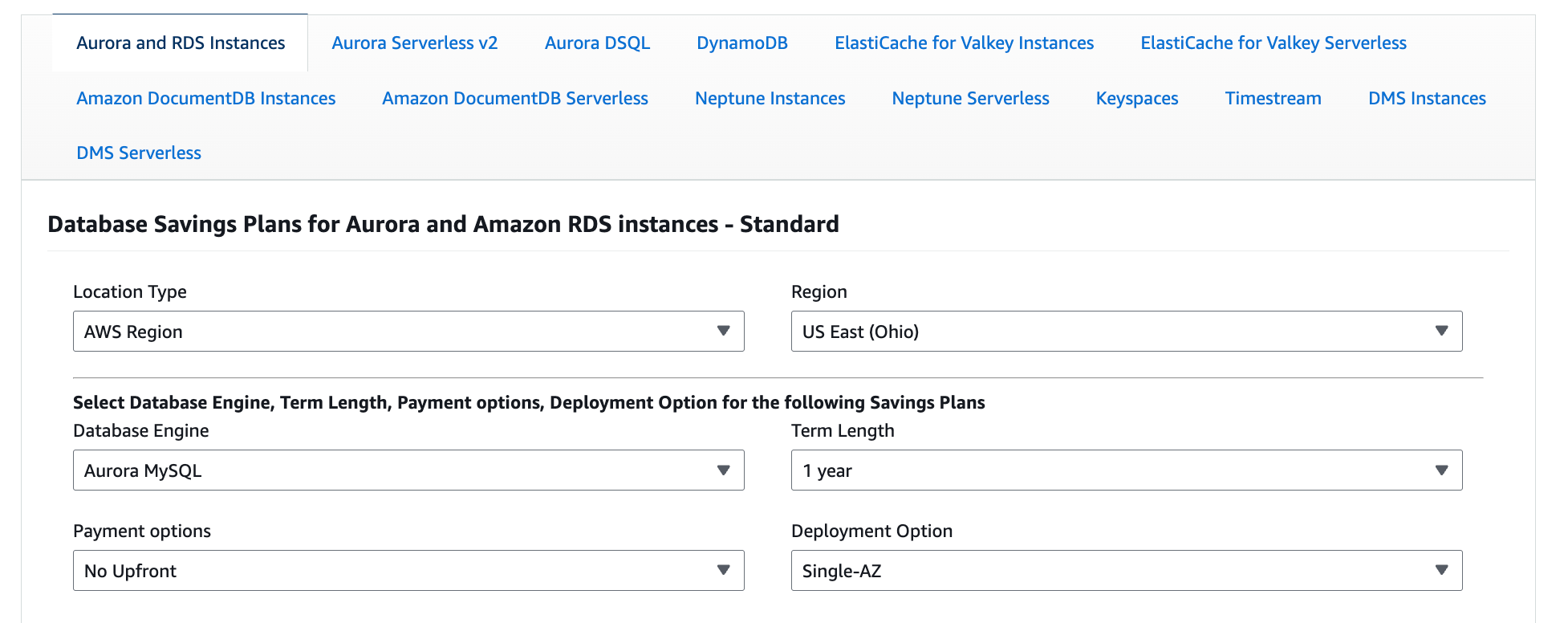
AWS introduced Database Savings Plans (DSPs) in December 2025 as a new commitment model for managed databases. Instead of committing to a specific instance family or a specific service, you commit to a $/hour amount for a 1-year term (no upfront), and AWS automatically applies discounted rates to eligible database usage each hour up to your commitment.
How Database Savings Plans affect DynamoDB pricing
This matters for DynamoDB because DSPs introduce commitment-based discounts for both DynamoDB billing modes, including on-demand (pay-per-request), which historically had no commitment discount mechanism. Eligible DynamoDB usage can receive Savings Plan rates up to the committed $/hour amount, with any usage above the commitment billed at standard on-demand rates.
In practice, AWS has indicated the discount ranges for DynamoDB as:
- On-demand throughput: up to ~18% savings
- Provisioned capacity: up to ~12% savings
How DSPs fit with on-demand vs provisioned capacity mode
Think of DSPs as a discount layer, not a third capacity mode: you still choose on-demand or provisioned for how DynamoDB bills requests, and DSPs can then reduce the effective price of eligible usage.
What to watch for
DSPs trade discount depth for flexibility. For stable, long-lived DynamoDB provisioned workloads, DynamoDB Reserved Capacity can still provide deeper savings than a DSP, but it’s less flexible. That’s why many teams end up with a hybrid approach: use Reserved Capacity where usage is truly steady, and use DSPs to cover variable usage (including on-demand tables) and to keep coverage during migrations.
How to Calculate DynamoDB Costs
DynamoDB pricing is driven by a small number of factors, but not all of them matter equally. In practice, most cost variance comes from request volume, data shape, and index design.
Capacity model
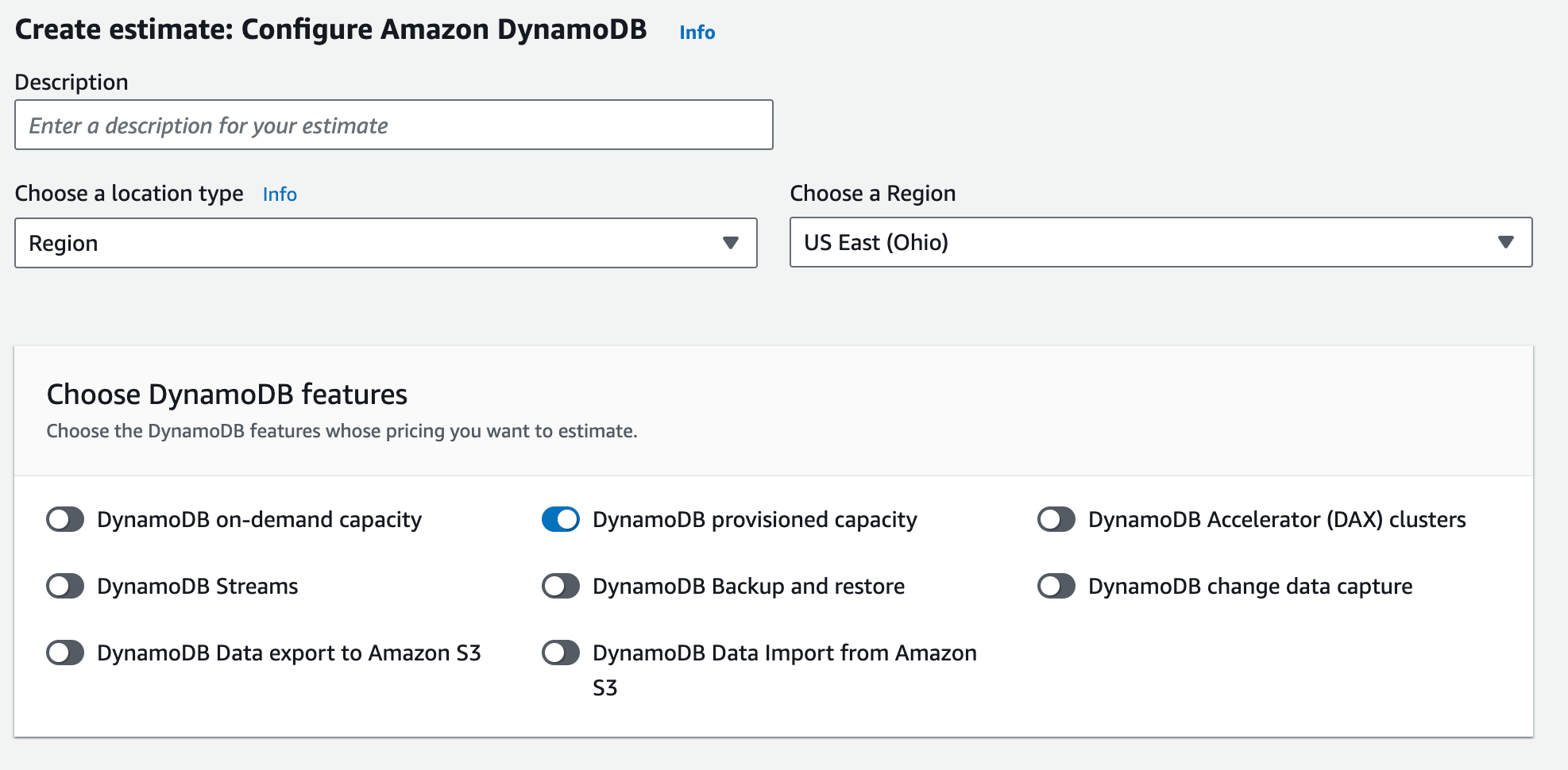
On-demand and provisioned capacity determine how DynamoDB bills usage, but they do not change the underlying drivers of cost.
Read and write request volume
Read and write traffic is the single biggest driver of DynamoDB spend. Costs scale with requests per second, the balance between reads and writes, and how traffic behaves over time. Baseline traffic establishes your steady-state cost, while peak traffic and the duration of those peaks determine how much additional capacity you pay for. Two workloads with the same monthly request count can have very different costs if one has short, frequent spikes and the other is steady. Inefficient access patterns—such as retries, hot partitions, or unnecessary scans—can increase request volume without adding business value.
Data storage and item size
Storage cost is driven by the total amount of data stored and how quickly it grows, but item size also affects request cost. Larger items consume more read and write capacity per operation, which means storage decisions can indirectly increase request charges. Attributes you rarely access still contribute to both storage and per-request cost unless explicitly projected out.
Secondary indexes
Global secondary indexes (GSIs) are a common—and often underestimated—cost multiplier. Every write to a DynamoDB table is also written to each GSI, increasing write capacity usage. GSIs also store their own copies of projected attributes, which adds storage cost. Indexes that are over-projected, unused, or poorly aligned to access patterns are one of the most frequent causes of unexpected DynamoDB spend.
Consistency and transactions
Strongly consistent reads and transactional reads and writes consume more capacity than eventually consistent operations. While these features are often necessary for correctness, their cost impact becomes noticeable at higher request volumes and should be factored into estimates early.
Commitments and discounts
Reserved capacity and Database Savings Plans can lower the effective price of DynamoDB usage.
Optional features
Features such as point-in-time recovery, backups, DynamoDB Streams, global tables, change data capture, DynamoDB accelerator DAX, and data import/export add incremental costs. These are usually smaller than request and index costs, but retention settings, stream consumers, or export frequency can make them material in some workloads.
DynamoDB Cost optimization
Once you understand what drives DynamoDB costs, optimization comes down to design discipline and operational hygiene, not constant tuning.

1. Optimize item size deliberately
DynamoDB charges reads in 4 KB increments and writes in 1 KB increments, rounding up. This means small increases in item size can disproportionately increase cost. Keeping items reliably under size thresholds (for example, staying under 1 KB for writes) can materially reduce spend at scale. Common techniques include using shorter attribute names, compact data types, binary encoding, and compression where appropriate.
2. Design secondary indexes conservatively
Global secondary indexes are powerful, but expensive. Each GSI multiplies write cost and adds independent data storage cost. Indexes should be created only for access patterns that are critical and latency-sensitive. Over-projecting attributes or keeping unused GSIs is one of the fastest ways DynamoDB costs drift upward over time.
3. Prefer queries over scans—even when filtering
DynamoDB charges based on the data read, not the data returned. Filter expressions reduce response size, not cost. Designing access patterns that rely on queries with precise partition and sort keys is far more cost-effective than scanning and filtering large datasets, especially as tables grow.
4. Use eventual consistency where correctness allows
Eventually consistent reads consume half the read capacity of strongly consistent reads. For many workloads—analytics, caching layers, or user-facing views where slight staleness is acceptable—this can meaningfully reduce cost without impacting user experience.
5. Be intentional with transactions
Transactional reads and writes provide strong guarantees but incur higher capacity usage due to the two-phase commit process. Transactions should be reserved for workflows that truly require atomic, multi-item guarantees, rather than used by default.
6. Right-size DynamoDB table classes based on access frequency
The Standard-IA table class can reduce data storage costs for infrequently accessed data, but read and write request units are more expensive. This makes it a good fit for cold or archival data, not active application tables. Misapplying Standard-IA often increases total cost rather than reducing it.
7. Clean up unused and low-traffic resources
Unused DynamoDB tables, forgotten GSIs, and legacy backup configurations quietly accumulate cost. Periodic reviews to remove unused resources often yield immediate savings with no architectural changes.
8. Use tagging to make costs actionable
Cost allocation tags at the DynamoDB table level allow teams to attribute spend to applications, services, or owners. This makes it easier to spot anomalies, justify optimization work, and avoid DynamoDB costs becoming “shared overhead” that no one owns.
Optimize DynamoDB Pricing with nOps
Database Savings Plans introduced a new way to discount DynamoDB spend—including on-demand usage—but the real work is keeping coverage high as tables, traffic, and regions change. nOps automates DynamoDB commitment management end to end: we continuously monitor eligible spend, apply the right mix of discounts over time, and adjust as usage shifts so you don’t have to run forecasts or manage commitments manually.
nOps is savings-first by design. We take a percentage of the savings we generate, so our incentives stay aligned with yours: if we don’t save you money, we don’t win.
What you get:
- Automated commitment management for DynamoDB across on-demand and provisioned usage
- Continuous coverage and utilization tracking (so discounts stay aligned as usage changes)
- Clear savings reporting and accountability without spreadsheet work
Curious what that looks like in your environment? Book a demo call with one of our AWS Experts to find out how much you can save today.
nOps manages $2 billion in cloud spend for our customers and is rated 5 stars on G2.
Frequently Asked Questions
Let’s dive into some FAQ about DynamoDB pricing and DynamoDB cost optimization.
Is DynamoDB cheaper than S3?
DynamoDB can be cheaper than S3, but it depends. S3 is object storage priced mostly per GB stored and requests; it’s usually cheaper for storing large files. DynamoDB is a low-latency database priced mainly by reads, writes, and optional features. If you’re just storing blobs, S3 wins. If you need key lookups, DynamoDB can be worth it.
Does Netflix use DynamoDB?
Netflix is a long-time AWS customer, but it doesn’t publish a complete list of every service it uses today. Netflix engineers and conference talks have referenced DynamoDB for certain low-latency, high-scale use cases in production systems, and various case studies mention it. Treat specifics as workload-dependent and subject to change.
Is DynamoDB expensive?
DynamoDB can be expensive, depending on access patterns. DynamoDB is cost-effective when you do efficient key-based queries and keep item sizes and indexes under control. It gets expensive when items creep over size increments, scans read lots of data, GSIs multiply writes, or optional features add overhead. Model traffic and revisit.
How does data transfer affect DynamoDB pricing?
DynamoDB pricing is primarily based on read and write requests and storage, not on the amount of data transferred over the network. Most data transfer within the same AWS Region is included at no additional cost. However, data transfer across Regions, out to the internet, or between AWS services in different Regions can incur standard AWS data transfer charges.
Should I use DynamoDB Reserved Capacity or a Database Savings Plan?
It depends on how steady your DynamoDB usage is and how much flexibility you need. DynamoDB Reserved Capacity can deliver deeper discounts for stable, long-lived provisioned throughput, but it’s more specific and easier to strand if usage patterns change. Database Savings Plans are a $ per hour commitment that can apply across multiple AWS database services and can also discount DynamoDB on-demand usage, making them a better fit when usage is variable or when you want flexibility across services while still improving coverage.

