Introducing Budgets & Targets within Explorer
Visualize, forecast, and track your budgets within Explorer (in nOps Inform)
To effectively track, manage, and optimize cloud spending across a multitude of cloud providers and third-party SaaS integrations, thoughtfully designed tools are essential. These tools enable teams to easily visualize, forecast, and proactively manage their budgets, preventing cost overruns.
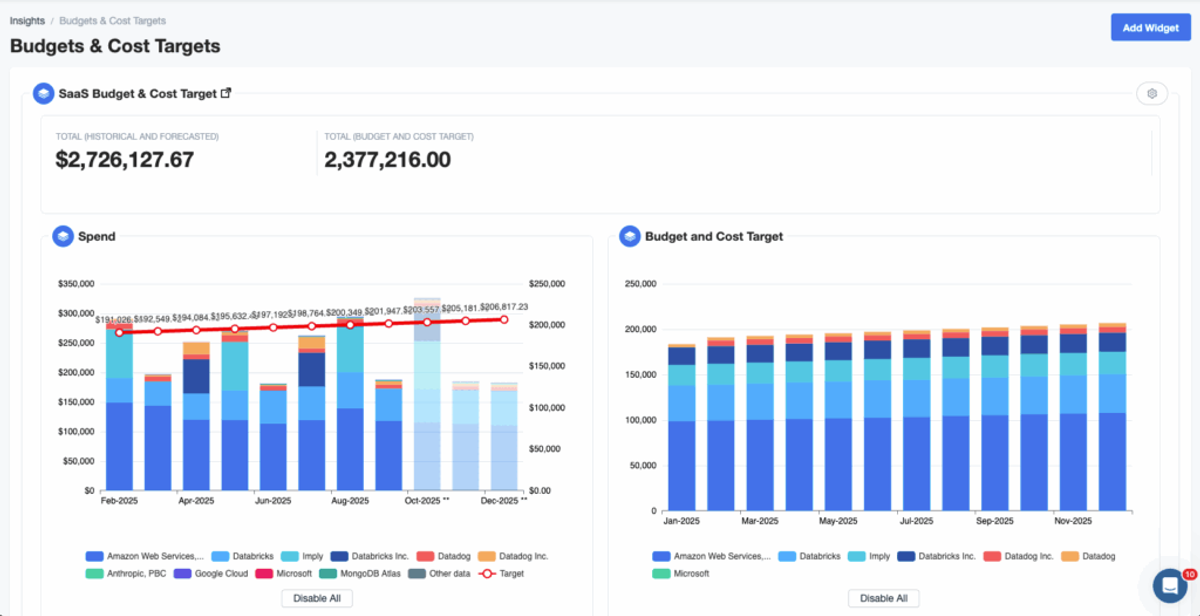
The ability to build and reference your budgets directly on top of your real-time data has always been a key part of our Budgets & Targets feature. We have now added those key metrics to Explorer (Cloud Cost Analysis). This means you can visualize the data, drill into specific costs, save reports, extract CSVs, and receive alerts.
What’s New
We’re excited to unveil Budgets & Targets within Explorer, the latest addition to nOps Inform, designed specifically to help your business visualize, track, and forecast your budgets before cost overruns occur. Starting today, you can access this new feature directly from Inform → Explorer.
Budgets & Targets Integrated into Explorer
Now, you can visualize and forecast your budgets directly within Explorer.
Forecast your Budgets & Targets within Explorer
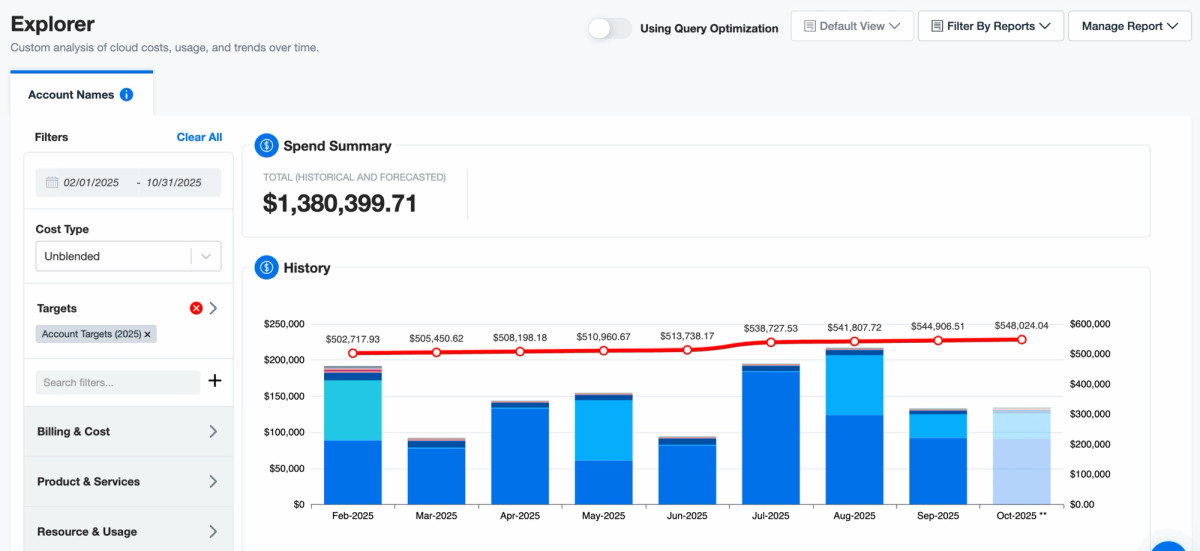
In addition to now being able to visualize your budgets over the chosen time period, Budgets & Targets also now includes advanced ML forecasting. When you view a budget over a time period that extends into future months, Explorer will display a semi-opaque forecast bar automatically generated from your past months’ spend data, helping you anticipate future costs.
Who Benefits Most
- FinOps Departments: Easily track planned vs. actual spend across teams to improve forecasting, accountability, and budget governance.
- CFO & CTO: Gain clear visibility into whether cloud investments align with financial plans and strategic priorities.
- Engineering Department Leads: See real-time budget usage to proactively manage costs and avoid unexpected overruns.
How It Works
Explorer now includes Budgets & Targets, allowing you to select a Target’s name or value. This updates the graph to display the full tracking period, with a visible target line indicating your progress toward your goals.
Once a Budget & Target is created and selected within Explorer, you can create your own reports to save your personalized view. As with all nOps reports, you can create your own Insight Dashboards with the data.
How To Get Started
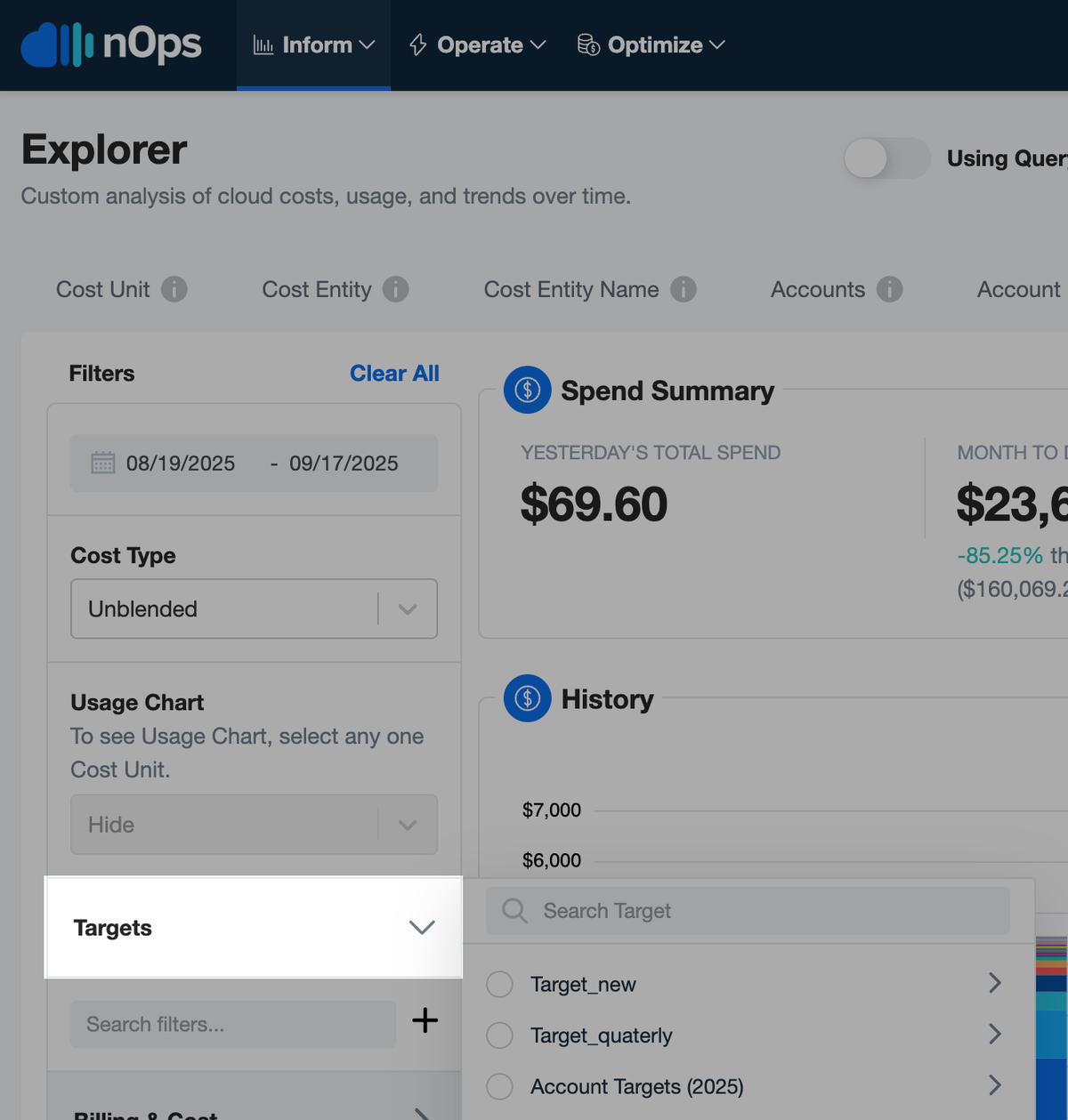
To start using Budgets & Targets within Explorer, navigate to the Operate tab, select Budgets and Cost Targets and create your first Budget if none exists. Once your budget is created, you can now go to the Explorer page, within the Inform Tab, and select Targets on the left pane, among the various filters.
If you’re already on nOps…
Have questions about the new feature? Need help getting started? Our dedicated support team is here for you. Simply reach out to your Customer Success Manager or visit our Help Center. If you’re not sure who your CSM is, send our Support Team a message.
If you’re not yet on nOps…
nOps was recently ranked #1 with five stars in G2’s cloud cost management category, and we optimize $5+ billion in cloud spend for our customers.
Join our customers using nOps to understand your cloud costs and leverage automation with complete confidence by booking a demo with one of our AWS experts.
Demo
AI-Powered Cost Management Platform
Discover how much you can save in just 10 minutes!
Book a Demo