30+ Best Cloud Cost Management Tools In 2026 (Ranked)
Cloud spending is forecasted to exceed $723 billion this year, with 82% of IT professionals citing high cost as their top cloud challenge. Cloud cost management is more crucial than ever as business leaders face pressure to control costs. Yet, the challenges of evolving cloud usage, complex pricing, and lack of visibility mean that optimizing your cloud spend can become a full-time job.
The good news is that automation is now more advanced than ever, and there are now tools available on the market to help you with everything from monitoring to rightsizing to autoscaling.
Here are the 30+ best cloud cost management tools to choose in 2026, and how your organization can use them to reduce your cloud spending with less manual effort.
TL;DR - The Best Cloud Cost Management Tools at a Glance
With all the tools on the market — from free native options to enterprise platforms — the right choice depends on your biggest problem today. Here’s the quick breakdown by use case:
• Commitment & discount automation: nOps, Flexera (ProsperOps), Archera
• Kubernetes cost allocation & optimization: Cast AI, Kubecost (IBM), ScaleOps
• Enterprise FinOps governance & forecasting: Apptio Cloudability (IBM), CloudHealth (Broadcom), Harness
• Multi-cloud visibility & unit economics: CloudZero, Finout, nOps, Datadog
• AI/GPU spend tracking (2026): Vantage, Finout, Kubecost
What's New in 2026: Acquisitions, AI Cost & Kubernetes
If you evaluated cloud cost tools even a year ago, the landscape has already changed — and the tool you shortlisted might not be the same product anymore.
Vendor acquisitions you should know
The cloud cost market has consolidated fast. Flexera acquired ProsperOps and Chaos Genius in early 2026, adding autonomous commitment optimization and Snowflake/Databricks cost management to its IT asset platform. IBM now owns both Kubecost and Cloudability (via Apptio), giving it the dominant K8s cost tool and a leading enterprise FinOps platform under one roof. And CloudHealth became “Tanzu CloudHealth” under Broadcom after the VMware acquisition — with many customers reporting pricing changes and roadmap uncertainty since.
If you’re evaluating any of these tools, ask what integration looks like today versus what’s on a roadmap.
AI workload cost management is the new FinOps frontier
GPU instances, inference endpoints, training jobs, and third-party AI services (Bedrock, OpenAI, Databricks) don’t fit neatly into traditional cost allocation models. The FinOps Foundation launched a dedicated “FinOps for AI” working group recognizing that most frameworks weren’t designed for cost-per-token or GPU utilization tracking.
What to look for: tools that break down AI spend by model, endpoint, team, or job — not just the aggregate service bill.
Kubernetes cost allocation moves from “nice to have” to default
Container cost allocation was a differentiator two years ago. Now it’s table stakes. The FinOps Foundation published updated guidance on calculating container costs, and the CNCF’s OpenCost project has become the de facto open-source standard for namespace-level monitoring.
If your cost tool can’t show spend by namespace, pod, or label — broken out from the underlying node cost — it’s already a generation behind.
Find Your Cloud Cost Tool by Problem
The right tool depends on which cost problem is bleeding the most. Here’s the quick map:
Problem 1: You’re paying on-demand with low commitment coverage
Your effective savings rate is under 30%, and most compute is on-demand. Reserved Instances and Savings Plans could cut 40–70%, but manual commitment management is too risky or time-consuming.
Best for this: nOps, Flexera(ProsperOps), Archera — platforms that automatically buy, exchange, and manage commitments hourly or daily.
Problem 2: You have idle or over-provisioned resources
EC2 instances running 24/7 with traffic only during business hours. RDS databases sized for peak but idle most of the week. High bill, low utilization.
Best for this: IBM Turbonomic, Densify, Zesty — tools that analyze workload patterns and rightsize automatically, or AWS Compute Optimizer(free) for manual recommendations.
Problem 3: Kubernetes is your fastest-growing cost line
Your EKS/GKE bill is climbing, but you can’t tell which teams or namespaces are driving it.
Best for this: Cast AI, Kubecost(IBM), ScaleOps, Finout — platforms that provide namespace and pod-level cost allocation, with some offering automatic container rightsizing and spot instance orchestration.
Problem 4: You can’t see costs clearly enough to act
Cost Explorer shows $200K/month in EC2, but you can’t break it down by team, product, or customer. Tagging is incomplete.
Best for this: CloudZero, nOps, Finout, Datadog — tools specializing in cost allocation and unit economics (cost-per-customer, cost-per-feature) even without tags.
Problem 5: You can’t allocate AI/GPU spend by team or model
You’re running SageMaker, Bedrock, OpenAI, or Databricks, and the AI bill is climbing — but you can’t tell which model or team is driving it.
Best for this: Vantage, Finout, Kubecost (IBM) (for K8s-based ML) — the handful of platforms that can break down cost-per-token, cost-per-inference, or GPU spend by workload.
Find Your Cloud Cost Tool by Spend Tier
Your monthly cloud spend determines both what you can afford and what you actually need. Here’s the breakdown:
Under $10K/month – Native + free tools
At this scale, native cloud tools are often enough. AWS COST Explorer, Azure Cost Management, and Google Cloud Cost Management provide basic visibility, budgets, and anomaly detection for free. Add AWS Compute Optimizer for rightsizing recommendations and Infracost if you’re using Terraform. The ROI on a paid platform doesn’t justify the cost yet — focus on tagging, budgets, and manual cleanup.
$10K–$100K/month – Self-service mid-market platforms
Now the math changes. Even a 15% reduction saves $1.5K–$15K/month, easily covering the cost of a platform. Look for tools with commitment management automation and clear visibility: nOps, Vantage, Zesty, CloudAdmin. These platforms typically charge a percentage of savings or a flat monthly fee, and most offer free trials so you can prove ROI before committing. At this tier, you likely don’t have a dedicated FinOps team yet — pick a tool that’s self-service and doesn’t require professional services to onboard.
$100K–$500K/month – Enterprise-grade automation
At this scale, you need automation that acts, not just recommends. Look for platforms with autonomous commitment management, automatic rightsizing, and Kubernetes cost allocation: nOps, Spot By NetApp, Flexera, IBM Turbonomic, Cast AI. You’re likely managing multiple teams, environments, and possibly multiple clouds — so cost allocation and chargeback become critical. Expect to spend 2–5% of your total cloud bill on tooling, but a good platform should return 20–35% in savings.
$500K+/month – Multi-tool stack & dedicated FinOps
At this tier, no single tool does everything. Most enterprises run a visibility platform (CloudZero, Apptio Cloudability, Datadog), a commitment manager (nOps, Flexera(ProsperOps)), and a K8s optimizer (Kubecost, Cast AI) — plus native cloud tools for specific services. You have (or need) a dedicated FinOps team bridging finance and engineering. Budget for professional services, custom integrations, and multi-year contracts.
What Drives Cloud Cost?
At its core, cloud cost is a reflection of how much infrastructure you consume and the way you choose to pay for it. Every API call, database query, storage request, or compute cycle has a price tag attached. Multiply that across hundreds of services, regions, and teams, and even small inefficiencies can snowball. The cloud is elastic by design—spend rises and falls directly with how your engineers deploy, scale, and maintain workloads.
Another key driver is pricing complexity. Cloud providers offer dozens of pricing models—on-demand, reserved, spot, tiered storage, and enterprise agreements—each with trade-offs around flexibility and discounts. Choosing the wrong model or failing to align commitments with actual usage is one of the fastest ways to waste money.
Organizational factors, like shadow IT, poor tagging, or unclear ownership, can lead to unaccountable usage — leaving finance teams with rising bills and few explanations.
Why Is Cloud Cost Management So Difficult?
Managing cloud spend means more than tracking totals—it’s about making sense of fragmented data across multicloud, SaaS tools, Kubernetes, and GenAI workloads. Each generates its own billing format and metrics, making unified visibility a challenge.
Even with visibility, it’s hard to know what “good” looks like. Bills naturally rise as your business scales, but without clear benchmarks it’s tough to tell whether growth reflects efficient expansion or hidden waste.
Aligning finance and engineering on the same goals also adds another layer of complexity. For example, engineers might focus on performance and speed, while finance focuses on budget discipline.
Benefits of Cloud Cost Management
Cloud cost management has major benefits, including:
- Accurate realtime budgeting. Forecast and plan your cloud spending with more reliability and less manual effort.
- Data-driven business decisions. Determine which features, products and teams are actually profitable. And when organizations are confident in their cloud spend ROI, it becomes faster and easier to accelerate future investments.
- Strategic planning: Tracking cost data and understanding usage help organizations shape their overall cloud, product, and pricing strategy, with a direct impact on profitability.
- Scalability: Optimizing your cloud infrastructure as you go makes it easier to scale tools and practices as your organization grows.
- Visibility for engineers and finance. Cloud cost management helps to identify inefficiencies and optimize resources. It also helps align engineering and finance on strategic goals.
- Faster innovation. Automation tools enable engineers to tackle optimization tasks more quickly and easily, so they can focus more of their time on building and innovating.
- Cost savings. The bottom line is that most organizations are wasting a large portion of their cloud spend; cutting these costs provides essentially free resources that can be reinvested back into the business.
Related Content
A Buyer’s Guide to Cloud Cost Optimization
Choose the right optimization tool with updated market analysis
Download Now
What are Cloud Cost Management Tools?
Cloud cost management tools monitor, analyze, and optimize spending across multicloud, SaaS, and AI workloads. They provide visibility into costs, allocate spend by team or project, and recommend rightsizing, commitments, and waste elimination. Most include forecasting, budgets, automation, and governance to proactively manage costs while maintaining performance.
How to Choose the Right Cloud Cost Management Tool
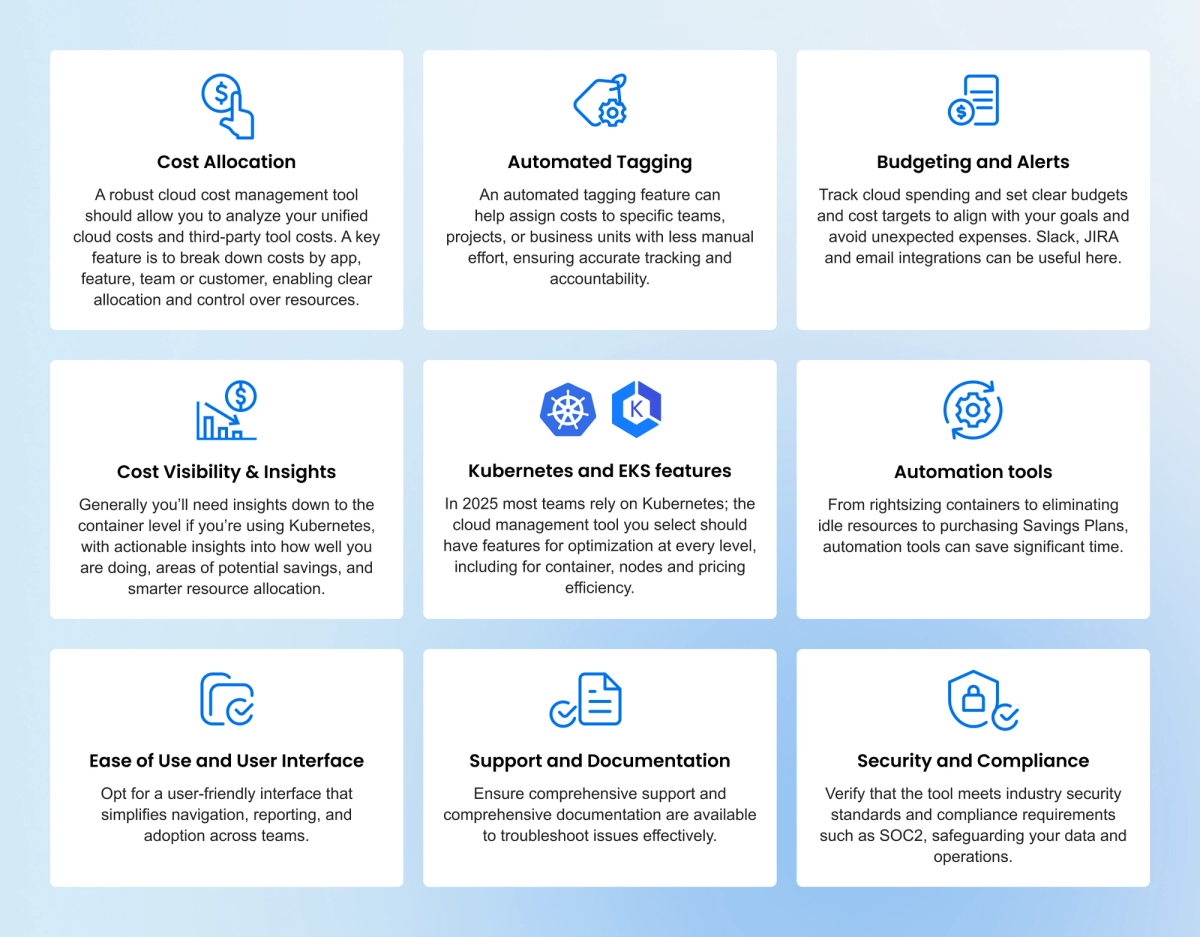
Here are key features to consider when you’re evaluating the right platform for your needs.
Cost Visibility
A good tool should give you a clear, consolidated view of where your money is going across services, accounts, and regions. Without transparency, optimization is guesswork. Look for platforms that not only surface raw billing data but also contextualize it by workloads, environments, or business units.
Cost Allocation and Tagging
Accurate tagging and allocation are critical for accountability. Tools that support flexible tagging policies, shared cost splitting, and automated attribution make it possible to map spend back to products, teams, or customers—even when tagging practices aren’t perfect.
Cost Optimization Recommendations
Beyond reporting, the best platforms identify actionable savings opportunities. This includes rightsizing compute, shutting down idle resources, and suggesting more efficient pricing models. Ideally, the tool should automate or at least streamline the process of implementing these recommendations.
Real-Time Monitoring and Alerts
Cloud costs change quickly, and delayed insights mean delayed action. Real-time alerts for anomalies, budget thresholds, or sudden usage spikes help teams prevent runaway bills before they become end-of-month surprises.
Integration with Multiple Cloud Providers
Most organizations operate in multi-cloud or hybrid environments. A strong cost management tool should ingest data from all major providers and SaaS platforms, giving you a single pane of glass instead of fragmented, provider-specific dashboards.
Total Cost of Ownership
The cost of the tool itself matters. Evaluate not just licensing fees, but also the hidden costs of implementation, configuration, and the level of effort required to maintain it. A tool should generate net savings far beyond its own price tag.
Budgeting and Forecasting
Look for forecasting models that go beyond static reports. Tools with predictive analytics can model growth, simulate workload changes, and forecast commitment utilization—helping finance and engineering plan cloud spend with more confidence.
Ease of Use and User Interface
A platform is only as useful as it is usable. The interface should be intuitive for both engineers and finance, with dashboards and reports that are clear, customizable, and easy to act on without steep training curves.
Scalability
As your cloud footprint grows, your cost management tool must scale with it. Check that the platform can handle larger data volumes, more complex environments, and advanced automation without performance degradation.
Security and Compliance
Since these tools access sensitive billing and infrastructure data, security is non-negotiable. Ensure they offer strong access controls, encryption, and compliance with relevant standards like SOC 2 or ISO certifications.
Support and Documentation
Even the best tools need reliable support. Prioritize vendors that provide real engineers in support, rich API docs, and an active knowledge base.
30+ Best Cloud Cost Management Tools In 2026
We analyzed all the best cloud cost optimization tools on the market and distilled the takeaways for you here. Here are the best ones for your team to consider.
1. nOps — Best for Commitments & Automated Cost Optimization
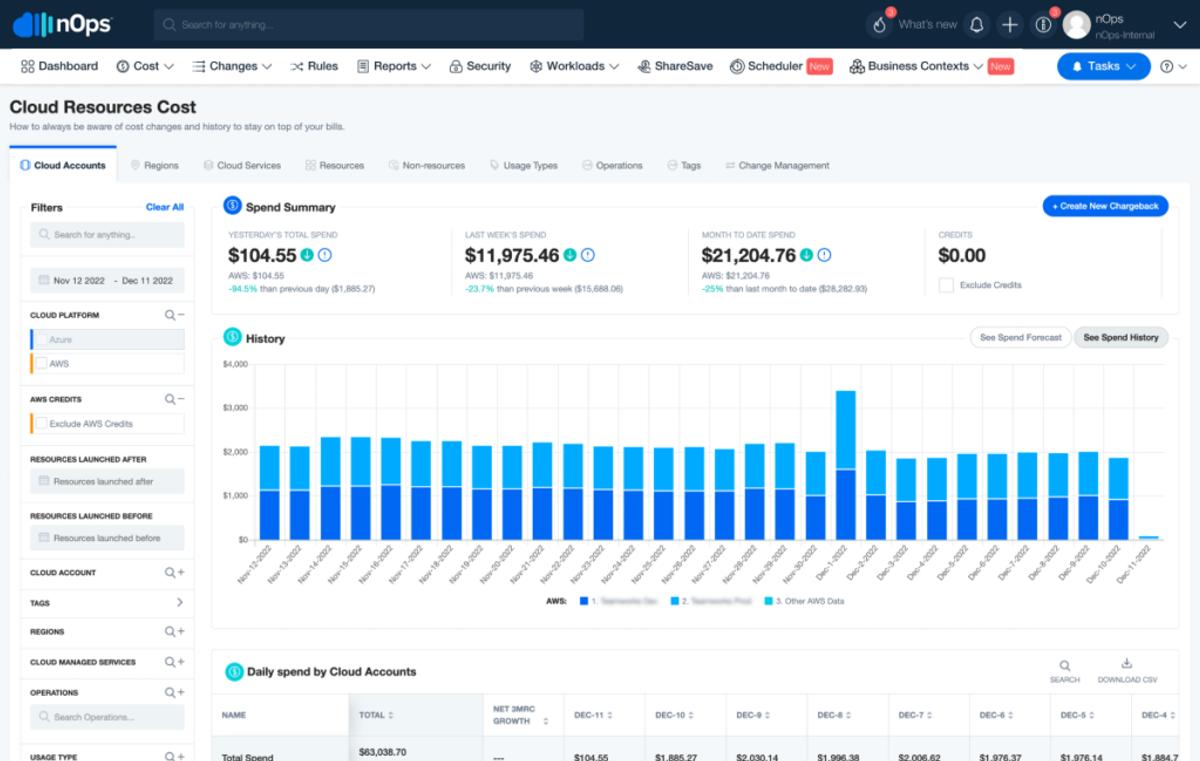
nOps is a cost optimization platform that helps users reduce their costs by up to 60% on autopilot. nOps makes it easy to allocate your multicloud, Kubernetes, AI and SaaS costs and get complete visibility into spending. It also intelligently manages all your commitments and pricing discounts automatically so you get optimal performance and costs.
- Visibility: understand 100% of your cloud costs with dashboards, reports, container cost allocation, budgets, forecasting, anomaly detection
- Commitment Management: get industry-leading savings rates (up to 55%) while minimizing your commitment lock-in risk.
Pros of nOps
- Industry-leading savings rates often reach 20% higher than competitors
- No work required — nOps manages your commitments end-to-end with no infra changes
- Adaptive layering for dynamic workloads to reduce risk and increase flexibility without sacrificing savings
- Multicloud coverage for AWS, Google Cloud, Azure, Kubernetes and AI cost optimization
- Savings-first pricing: results-based / value-aligned models mean the tool pays for itself as savings scale.
Cons of nOps
- Doesn’t offer container optimization, though it is compatible with it
You can book a free savings analysis to try out these G2 5-star rated features with your own AWS account.
Related Content
A Buyer’s Guide to Cloud Cost Optimization
Choose the right optimization tool with updated market analysis
Download Now2. Apptio Cloudability (IBM) - Best for enterprise FinOps governance
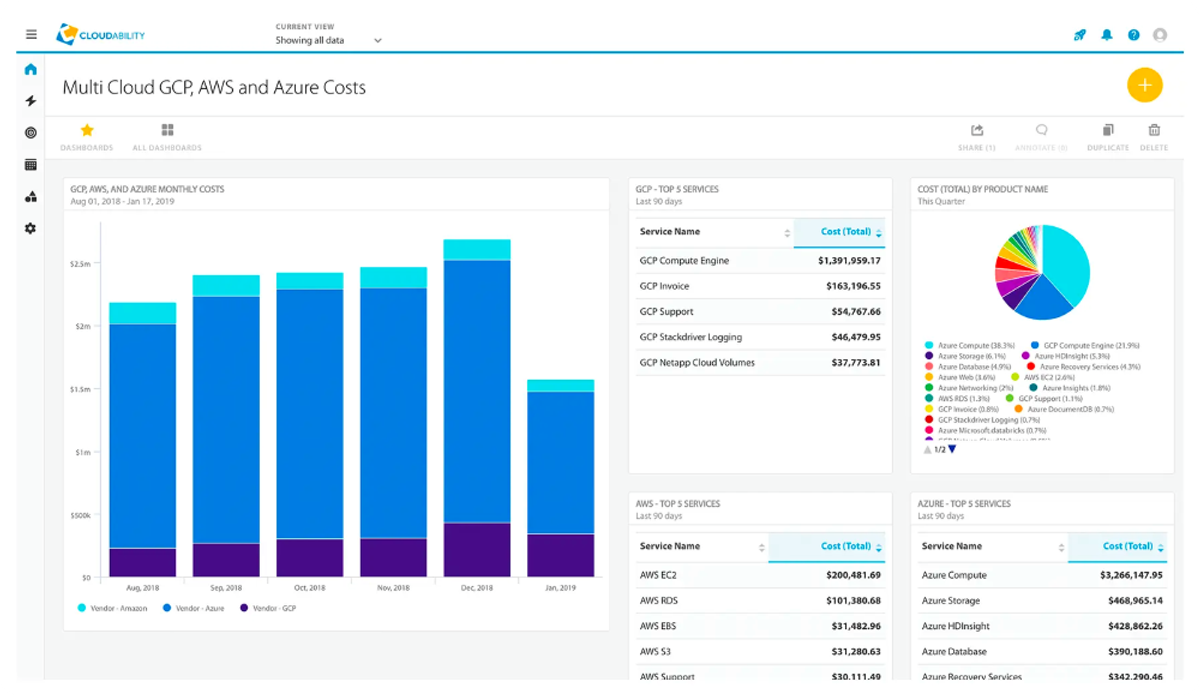
Apptio Cloudability is a cloud financial management platform that improves visibility and governance across cloud environments. It helps organizations optimize their cloud resources for cost, speed, and quality.
Cloudability provides budgeting, forecasting, and rightsizing features as part of its financial management solution. One major advantage of the tools is its FinOps focus. It helps executives correlate cloud spending to business value and helps Finance teams accurately track and forecast cloud spend for more robust budgeting.
While the tool has many financial and budgeting capabilities, it focuses less on linking cost changes and recommendations to the practical engineering side. Once Cloudability provides recommendations, it still falls to the engineering team to determine which recommendations to accept and how to take action on them.
Pros of Cloudability
- Mature budgeting, forecasting, and anomaly detection
- Good rightsizing and commitment (RI/Savings Plan/CUD) guidance, plus dashboards built for finance + engineering stakeholders.
- Expanding governance integrations (including IaC/Terraform workflows) to push cost decisions earlier into the delivery cycle.
Cons of Cloudability
- Mostly recommendation-only — a lot of optimization still requires teams to execute changes.
- Pricing and packaging tend to skew enterprise, so cost can feel high for mid-market teams.
3. IBM Turbonomic - Best for AI-driven workload optimization
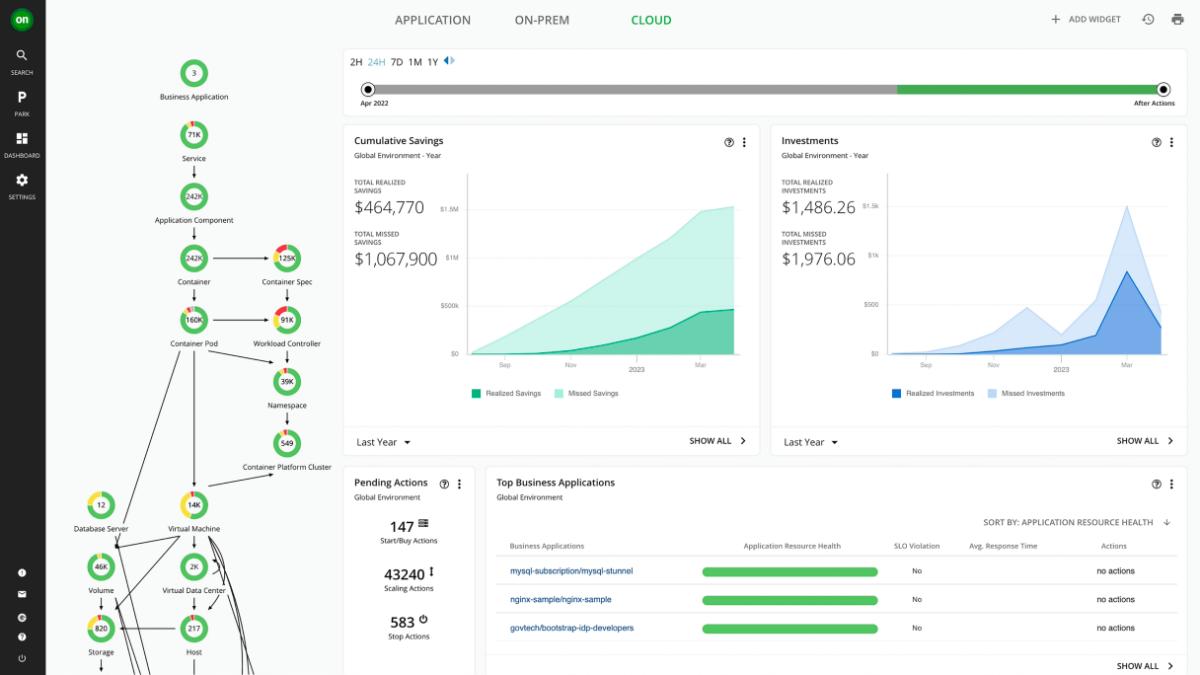
Turbonomic allows you to continuously automate critical actions in real time to deliver the most efficient use of compute, storage, and network resources to your apps at every layer of the stack. It focuses on helping you avoid overprovisioning resources to your cloud environment and only use what you need for reduced cloud costs.
The solution offers a robust feature set for cloud cost optimization, though some report that the platform can be complex to configure and that pricing can be out of reach for many smaller organizations.
Pros of Turbonomic
- Full-stack, app-aware rightsizing and placement across VMs and Kubernetes, so cost cuts don’t risk performance or SLOs.
- Strong fit for hybrid/multi-cloud enterprises, where keeping performance stable matters as much as savings.
Cons of Turbonomic
- Heavier platform and rollout than lightweight FinOps tools; best results need good data connections and policy tuning.
- Licensing can feel expensive for smaller teams, and value is highest at scale.
- Allocation/showback depth is improving via Kubecost/OpenCost integration, but cost visibility isn’t its historical core compared to pure FinOps suites.
4. CloudHealth by Broadcom - Best for multi-cloud policy management
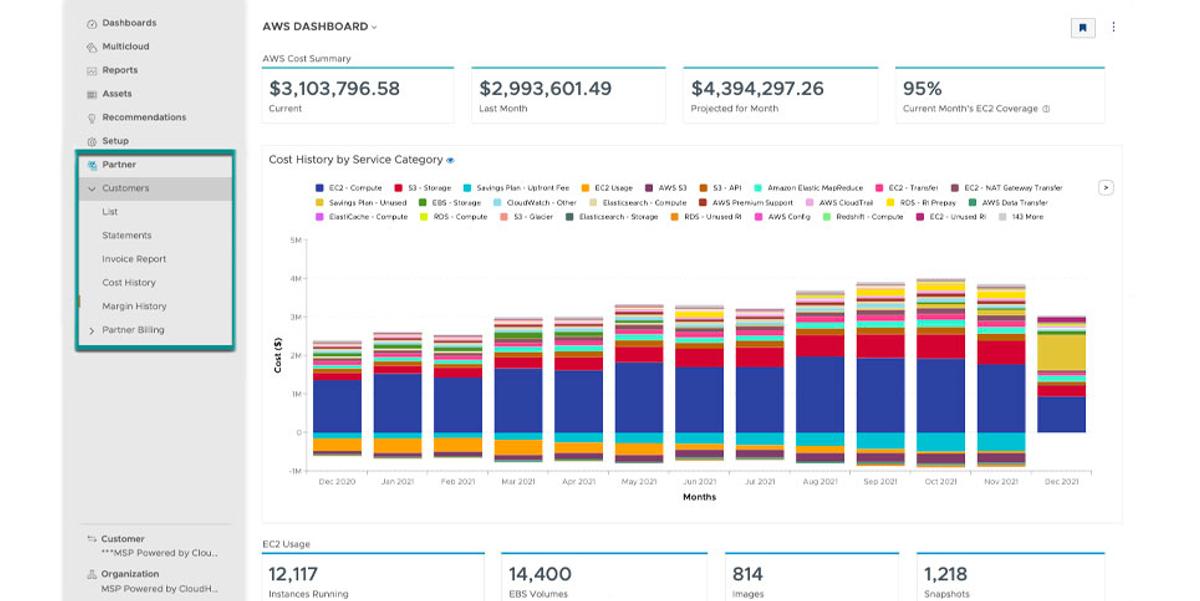
VMWare Tanzu CloudHealth enables users to manage their cloud costs, usage, performance and security through a single interface. Since the platform was acquired by VMWare, the CloudHealth Partner Program leverages the technology to help partners of VMWare manage their cloud costs, improve efficiency and monetize their public cloud businesses.
Some of CloudHealth’s advantages include its comprehensive set tools to manage, analyze, and optimize cloud spend, as well as its multicloud capabilities.
Pros of CloudHealth
- Proven multi-cloud visibility and allocation
- Solid governance layer: policy-based controls, budgets, and compliance-oriented guardrails that fit enterprise cloud ops.
- Broad optimization guidance (rightsizing plus RI/Savings Plan management) with mature dashboards for FinOps + engineering.
Cons of CloudHealth
- More recommendation-driven than fully automated; many savings moves still rely on teams to execute.
- Can feel heavyweight and slower to adapt than newer FinOps tools, especially for fast-moving cloud-native teams.
- Some find its reporting capabilities to be lacking in customization and granularity.
5. Spot by NetApp - Best for spot instance & commitment automation
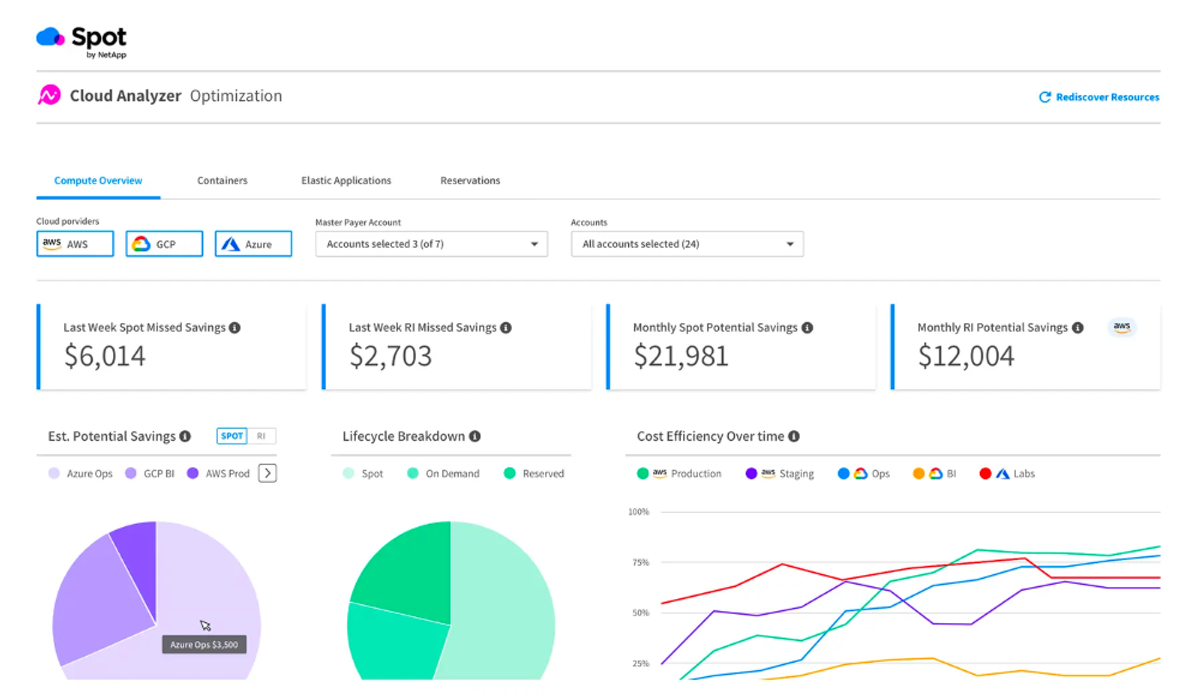
Spot by NetApp (formerly known as Spot.io, which was formerly known as Spotinst) is a CloudOps tool for reliably, securely, and efficiently deploying and operating cloud infrastructure and applications.
Spot.io is able to automate workload management across various cloud providers by constantly analyzing cloud resource usage using machine learning algorithms. Spot helps users identify and leverage cost-saving opportunities for automatic cloud cost control and efficient scaling of workloads.
While Spot’s automation capabilities make it one of the most useful cloud cost management tools, it has some limitations — including a lack of resource scheduling guidelines and real-time pricing detail.
Pros of Spot by NetApp
- Automatically optimizes Kubernetes and VM compute with Spot-focused orchestration
- Ocean is good for K8s: pod-aware autoscaling, bin-packing, and instance selection for highly dynamic clusters.
Cons of Spot by NetApp
- Spot-centric strategy isn’t ideal for workloads that need strict stability or can’t tolerate interruptions.
- Strongest in compute/Kubernetes; lighter coverage for storage, data platforms, SaaS, or AI cost management.
6. Flexera (incl. ProsperOps) - Best for autonomous commitment management
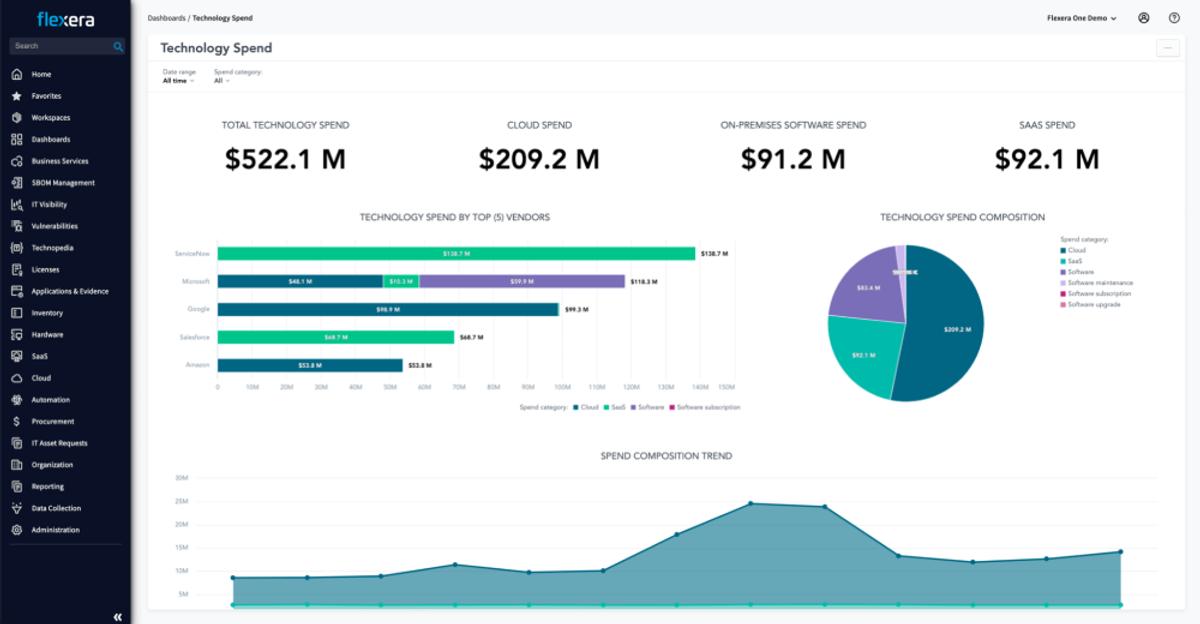
Flexera’s mission is to improve visibility, allocation and efficiency of cloud spend at scale. It provides actionable recommendations, budget controls, and cost policies to help your organization avoid surprises and reduce unnecessary cloud spend.
Pros of Flexera
- Good automation tools to act on recommendations,
- Strong allocation + governance for big orgs
- Solid commitment and waste programs across clouds, with structured workflows to track savings opportunities to closure.
Cons of Flexera
- Relatively simple dashboards, monitoring, and reporting capabilities. Some find that these features require further development and documentation to reach their full potential.
- Policy/optimization depth is powerful but not “set-and-forget”; it needs tuning and owners to drive actions.
- Less Kubernetes-native than K8s-first tools, so container-heavy teams may want an extra layer for cluster-specific optimization.
7. Harness - Best for CI/CD-integrated cost governance
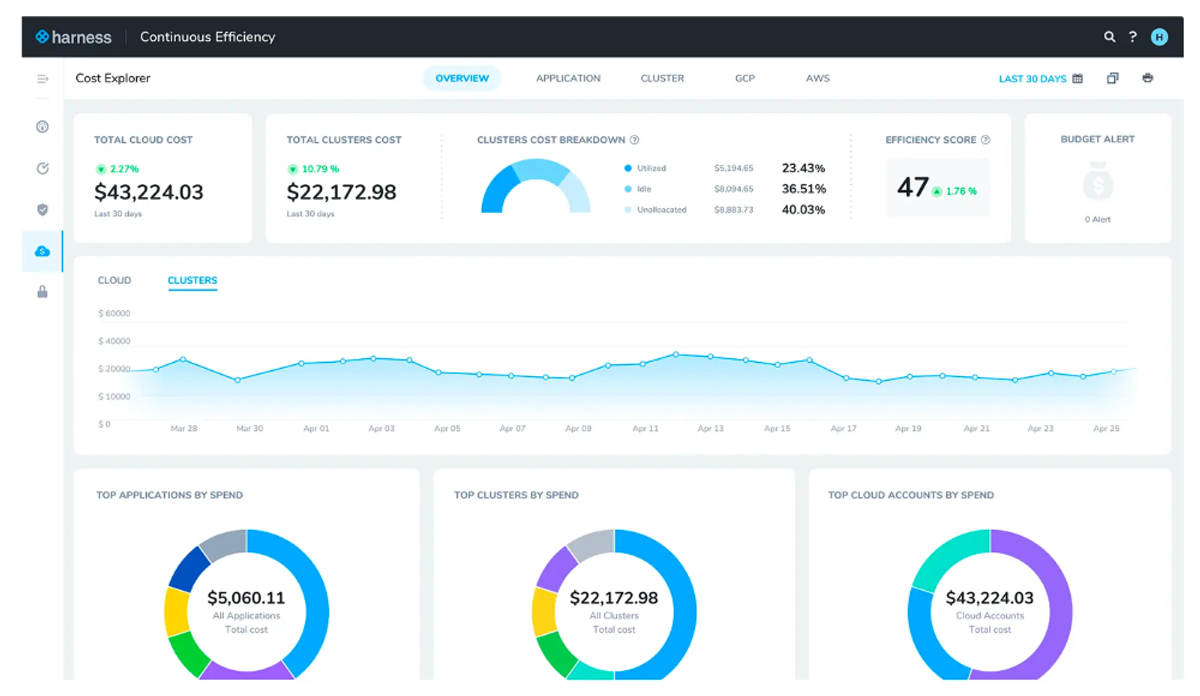
Harness is a CI/CD platform that helps manage cloud costs. It focuses on enhancing cost transparency, optimization, and governance through features such as Continuous Integration, Continuous Delivery, Feature Flags, Cloud Cost Management, Service Reliability Management, Security Testing Orchestration, and Chaos Engineering.
Harness provides suggestions for optimizing workloads for savings and helps automatically shut down idle cloud resources. However, it lacks some key cloud automation features and cloud cost optimization tools, such as spot instance utilization, autoscaling, and rightsizing.
Pros of Harness
- Strong Kubernetes cost visibility and recommendations
- Cloud scheduling capabilities help cut costs in off-hours
- Fits well in DevOps-heavy orgs already using Harness, tying cost governance into delivery workflows and dashboards.
Cons of Harness
- Can be complex to roll out if you’re not already in the Harness ecosystem (delegates/connectors, permissions, multi-module platform).
- Best depth is Kubernetes/compute; broader multi-cloud FinOps coverage is less deep than purpose-built FinOps suites.
8. Densify - Best for workload pattern analysis & rightsizing
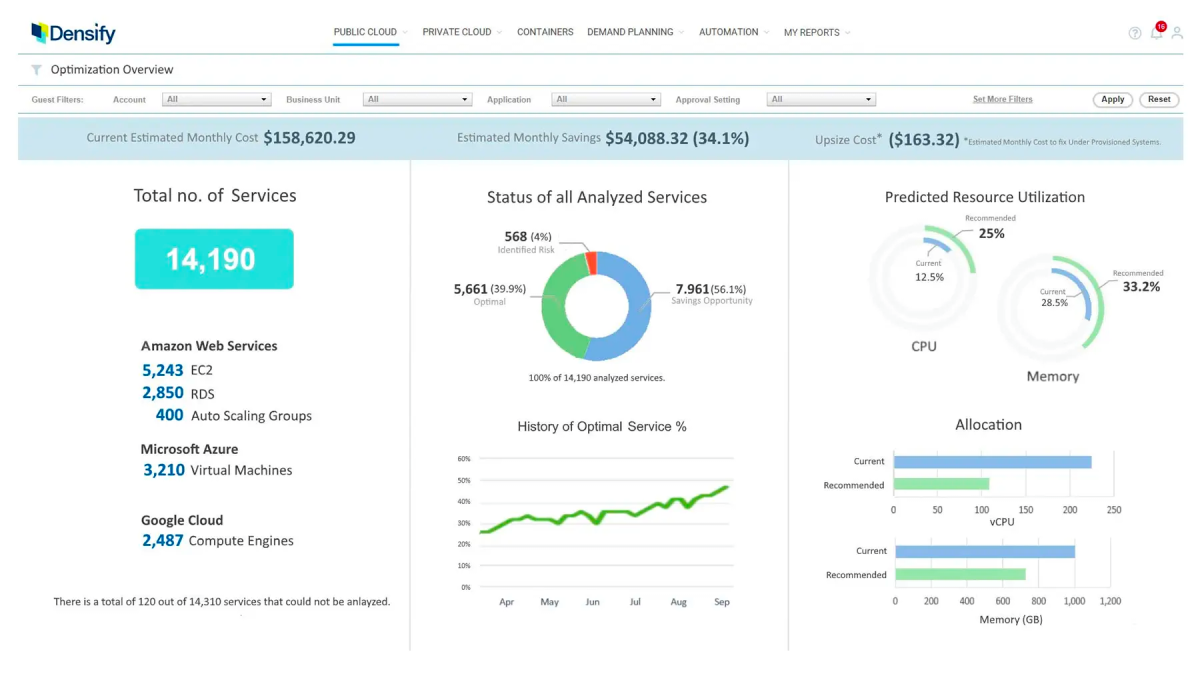
Densify is used to automatically optimize your Kubernetes resources and automatically configure your cloud instances. The platform is also known as Intel Cost Optimizer powered by Densify, and its license subscription is covered by Intel for qualifying organizations.
One of Densify’s strong points is its use of Machine Learning to perform deep analysis of workload characteristics and cloud provider capabilities, to continuously match cloud applications and services to the right cloud infrastructure. And the platform is flexible — it runs on multiple cloud services and is suitable for multicloud and hybrid cloud architectures.
Pros of Densify
- AI-driven rightsizing recommendations for VMs and Kubernetes makes it stronger for container and newer AI/GPU heavy environments
Cons of Densify
- Primarily a recommendation engine; many savings still depend on teams executing resizes or placement changes.
- Setup can be involved for smaller teams (data connections, policy tuning, change workflows).
- Best results require mature ops/FinOps ownership to act on guidance
9. CloudZero- Best for unit cost & cost-per-customer analytics
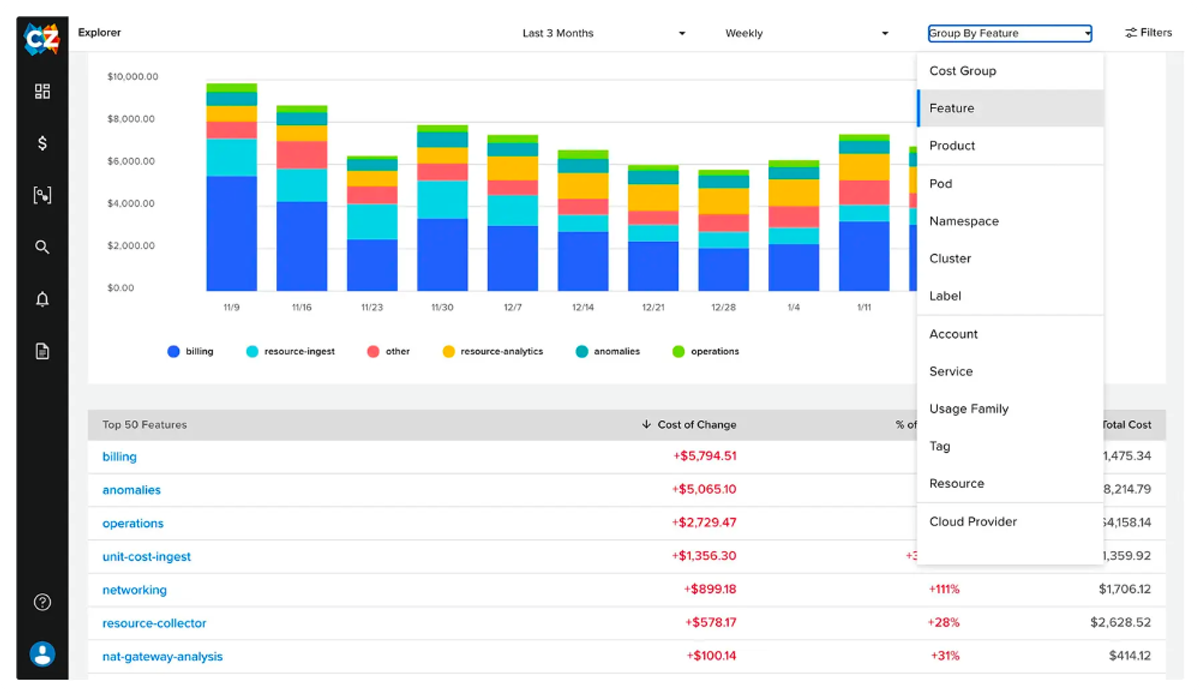
CloudZero as a cloud cost management software delves deep and breaks down expenditures so you can know where, when, and also how your cloud spends its money. With features such as automated tagging and Slack alerts, it helps you to track and attribute cloud costs to teams, customers, unit cost KPIs, and product features.
The platform enables you to obtain real-time cost monitoring for Kubernetes and Snowflake costs across public, private, hybrid, and multi-cloud systems. And, it offers coaching support to help inform your cost optimization strategy.
Pros of CloudZero
- Strong cost visibility down to business dimensions (cost per feature, customer, team)
- Surfaces “what’s driving spend” and anomalies, helping teams diagnose waste
Cons of CloudZero
- Visibility/analysis first: lacks optimization tools
- Best value depends on teams acting on the data; without a FinOps/engineering follow-through loop, you won’t save
- Not a “single-suite” answer if you need deep commitment management or automated compute optimization.
10. Vantage - Best for self-service multi-cloud visibility
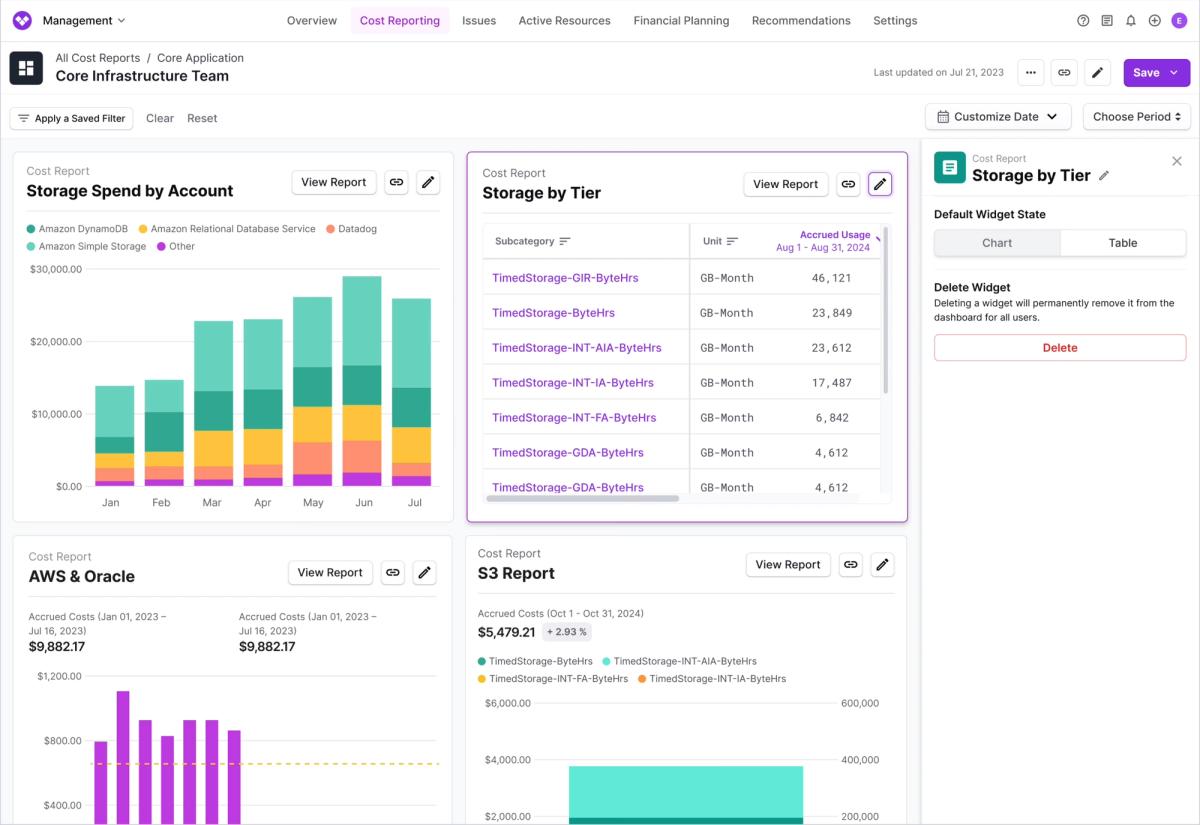
Vantage is a cloud cost analysis platform focused on interactive cost exploration and allocation. Its primary strength is normalizing billing data from AWS, Azure, GCP, Kubernetes, and SaaS providers into a consistent schema that makes ad-hoc analysis fast and repeatable.
Instead of using dashboards or recommendations, Vantage is built to help teams query cloud spend across services, SKUs, tags, labels, and time ranges without pre-modeling every report. Costs can be retroactively re-attributed using virtual tagging and allocation rules, which is especially useful in environments with inconsistent or incomplete tagging.
Vantage supports budgeting, anomaly detection, and unit cost tracking, but it avoids infrastructure-level automation such as rightsizing or commitment purchasing. In practice, it’s often used as a read-only cost intelligence layer that feeds insights into native cloud tools or separate optimization platforms.
Pros of Vantage
- Strong cost normalization across cloud and SaaS providers, enabling consistent analysis.
- Fast, flexible ad-hoc querying without heavy upfront modeling or data pipelines.
- Low operational risk since it doesn’t modify infrastructure or purchasing.
Cons of Vantage
- No built-in automated optimization or commitment management.
- Savings depend entirely on downstream action by teams or other tools.
- Less suitable as a standalone solution if you need execution, governance enforcement, or autopilot cost reduction.
11. Finout - Best for shared cost allocation & virtual tagging
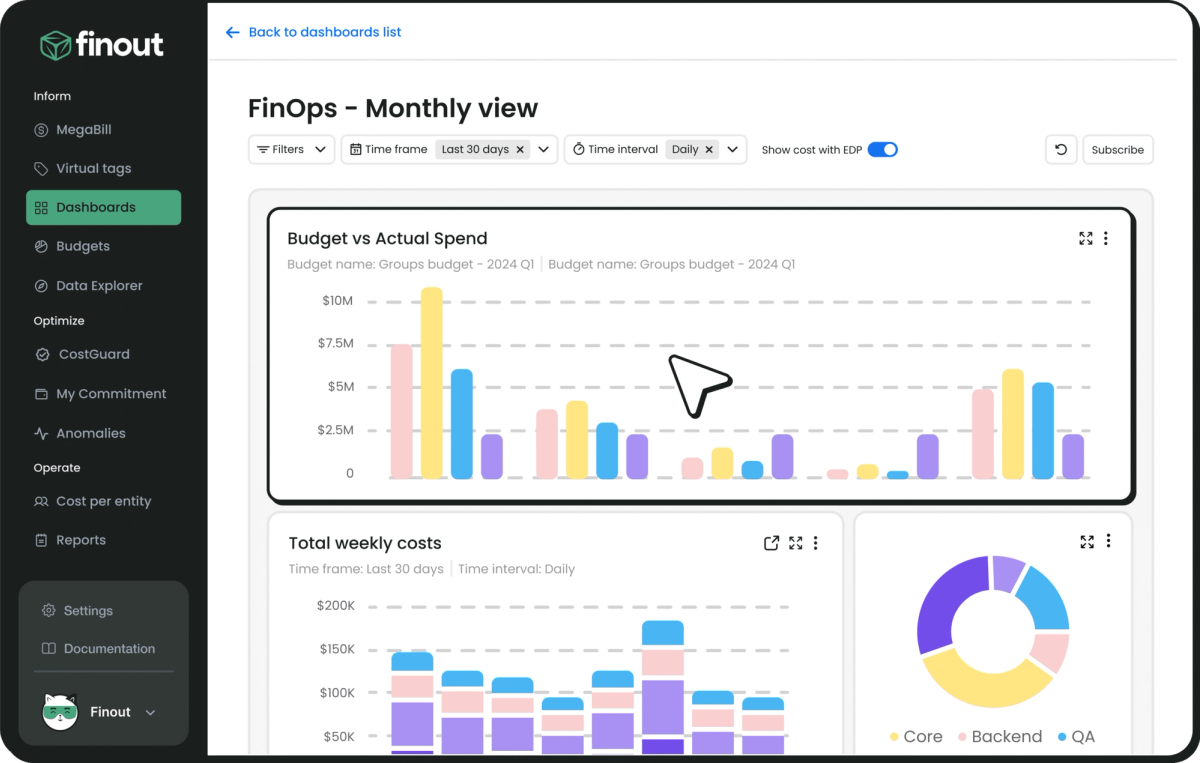
Finout provides cloud cost visibility across AWS, Azure, GCP, Kubernetes, and third-party services like Datadog, Snowflake, and New Relic. It ingests billing data via integrations and presents a unified cost layer that maps spend to business units, teams, or features.
A core feature is Finout’s “MegaBill,” which consolidates spend from multiple providers into a single view with custom dashboards, cost allocation, and usage breakdowns. It’s designed for engineering and finance teams who need a shared source of truth for distributed costs.
Finout also supports cost anomaly detection, usage trends, and COGS tracking, making it a fit for organizations that need multi-source visibility without building a custom data pipeline.
Pros of Finout
- Strong allocation layer (virtual tagging and shared-cost modeling) that gets you to granular ownership
- Unified visibility across multi-cloud, Kubernetes, and major SaaS spend, so you can track total infra cost in one place.
Cons of Finout
- Optimization is lighter than allocation/visibility; many savings actions still rely on teams executing recommendations.
- Enterprise-leaning platform and pricing can be high
- Some teams report a learning curve and want richer visuals in certain workflows
12. Cast AI - Best for autonomous Kubernetes optimization
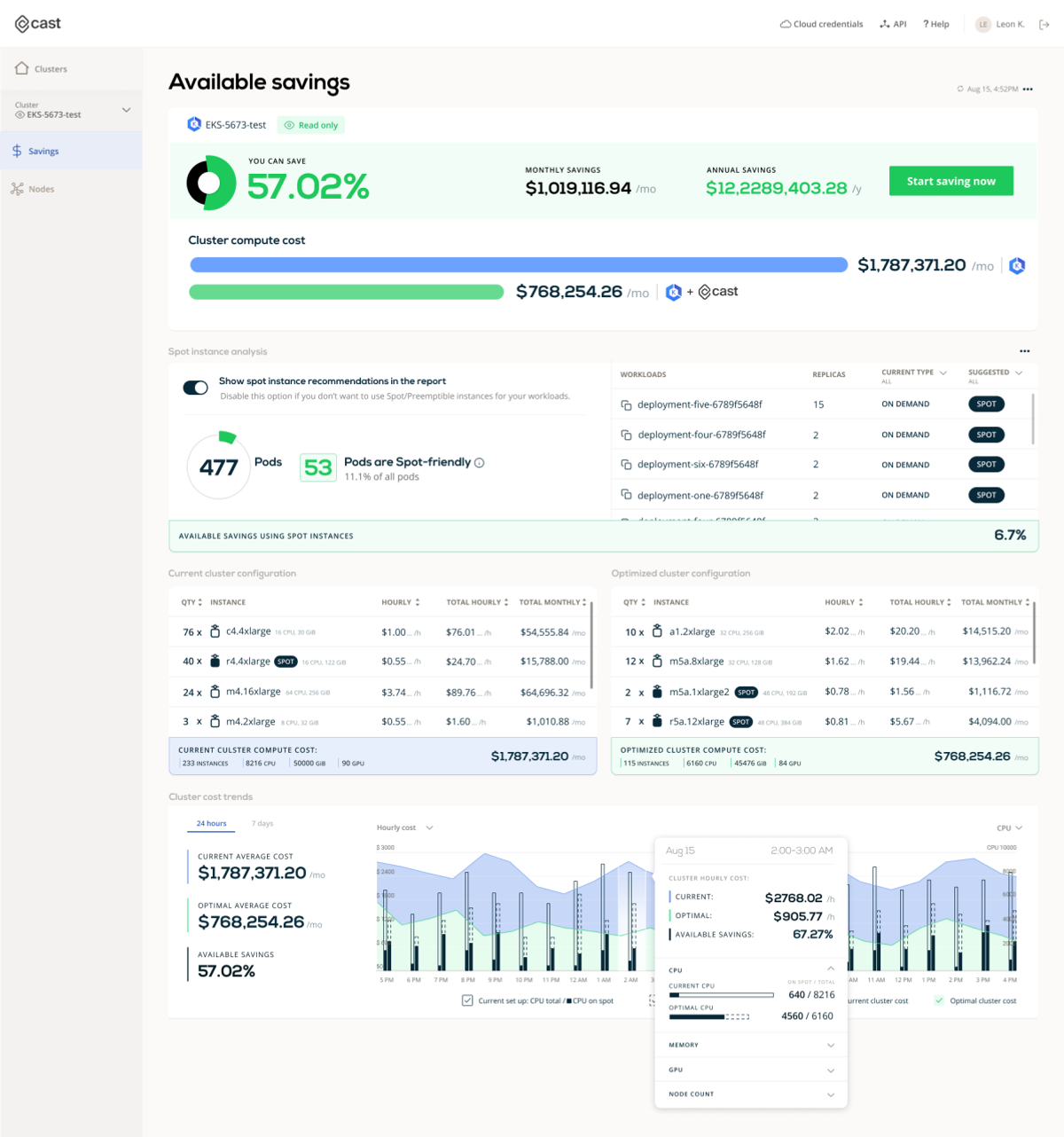
Cast AI offers a suite of tools purpose-built for Kubernetes environments, with a focus on automated cost reduction, monitoring, and cluster security.
Its cost optimization engine analyzes workloads and automatically scales clusters to minimize waste — including rightsizing, bin packing, and switching to Spot instances. Monitoring features provide real-time visibility into Kubernetes costs, breaking down spend by namespace, workload, or label.
Cast AI also includes automated security policies for containers and infrastructure, and recently introduced support for optimizing large language model (LLM) workloads to balance performance with compute cost in GenAI pipelines.
Pros of Cast AI
- High-automation Kubernetes optimization: rightsizing, bin-packing, and pod-driven autoscaling
- Strong Spot automation for K8s and GPU/AI workloads.
- Quick onboarding and fast time-to-savings for cloud-native teams already running EKS/GKE/AKS at scale.
Cons of Cast AI
- Kubernetes-centric, not a full FinOps suite for broad multi-cloud, SaaS, or commitments
- Proprietary autoscaler increases vendor lock-in and reduces control compared to open source cloud cost management tools
- Cluster-based pricing can feel steep
13. Kubecost (IBM) - Best for namespace-level Kubernetes allocation
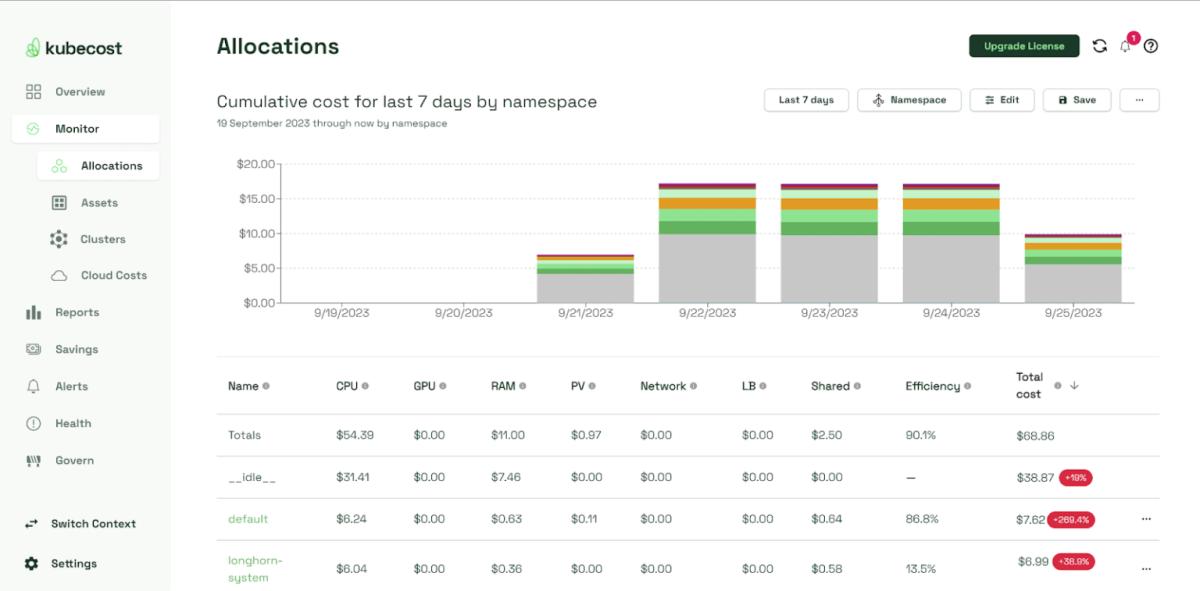
Kubecost (like Cast.ai) provides real-time cost monitoring and optimization for Kubernetes, offering insights into how resources are being utilized and where savings can be made.
It integrates directly into your Kubernetes environment in AWS, GCP, Azure or on-prem, delivering detailed reports on costs by namespace, deployment, or other common Kubernetes concepts, enabling teams to understand the financial impact of their Kubernetes workloads.
Kubecost is a fairly lightweight low cost cloud management solution, but it also offers features such as cost allocation, spend efficiency, and budget alerts that help organizations to implement cost-saving measures.
Pros of Kubecost
- Strong Kubernetes-native cost allocation
- Real-time in-cluster visibility (CPU, memory, storage, network)
- Built around OpenCost and integrates well with K8s tooling, so it’s a familiar, flexible option for platform teams.
Cons of Kubecost
- Mostly visibility and recommendations only
- Pricing scales with monitored vCPUs, which can get really expensive in large or high-core EKS/GKE/AKS footprints.
14. ScaleOps - Best for Kubernetes rightsizing & autoscaling
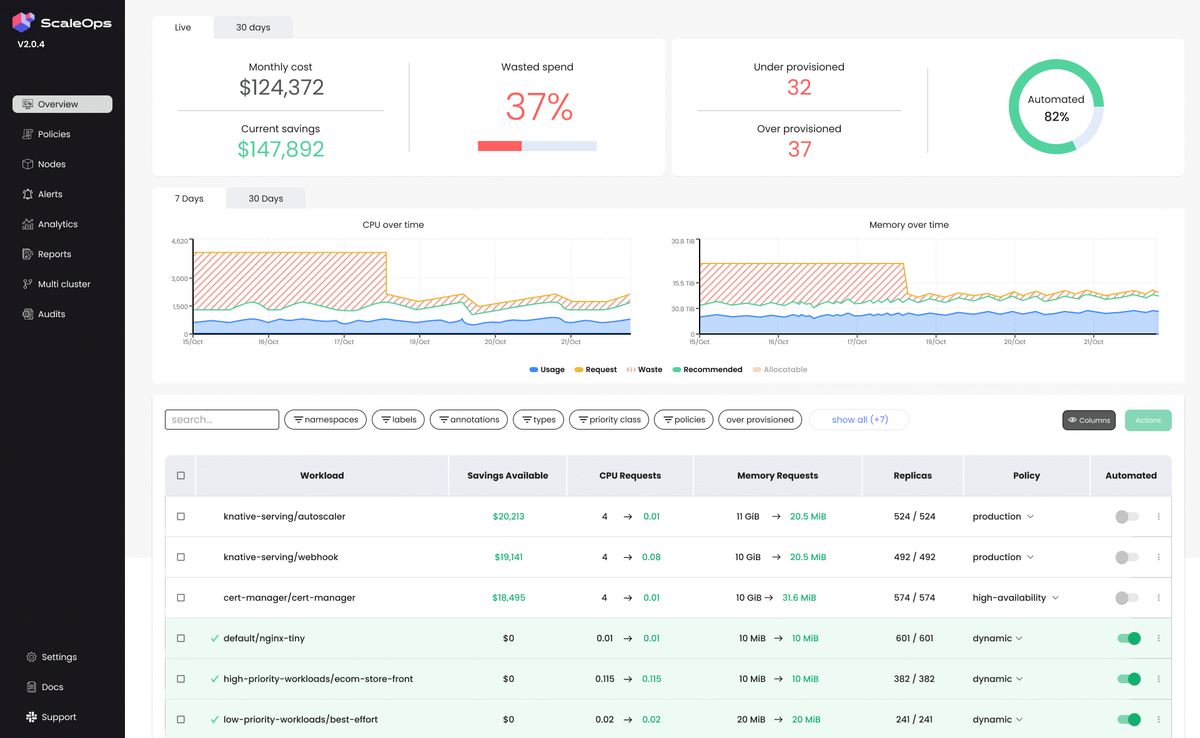
ScaleOps is a Kubernetes cost optimization tool that focuses on workload efficiency inside the cluster—specifically the pod layer. Its core value is automatically tightening CPU/memory requests and limits based on real usage, which improves bin-packing and reduces wasted capacity without forcing you to change your underlying cloud purchasing strategy or replace your existing autoscaler.
To sum it up, ScaleOps is best when your waste is driven by over-provisioned pods and uneven utilization, and you want a Kubernetes-native way to improve efficiency with minimal disruption to your infrastructure strategy.
Pros of ScaleOps
- Improves pod-level CPU and memory sizing using live usage data
- Helps autoscalers remove underutilized nodes by improving bin-packing
- Works with HPA, Cluster Autoscaler, and Karpenter rather than replacing them
Cons of ScaleOps
- Only addresses Kubernetes workloads and does not cover broader cloud or SaaS spend
- Does not manage Reserved Instances, Savings Plans, or pricing strategy
- Runs as an in-cluster operator that requires ongoing maintenance and upgrades
- Lacks finance-oriented reporting, allocation, or governance features
- Savings are limited when inefficiency is driven by node types, scaling strategy, or pricing rather than pod sizing
15. Zesty - Best for variable AWS workloads & EBS automation
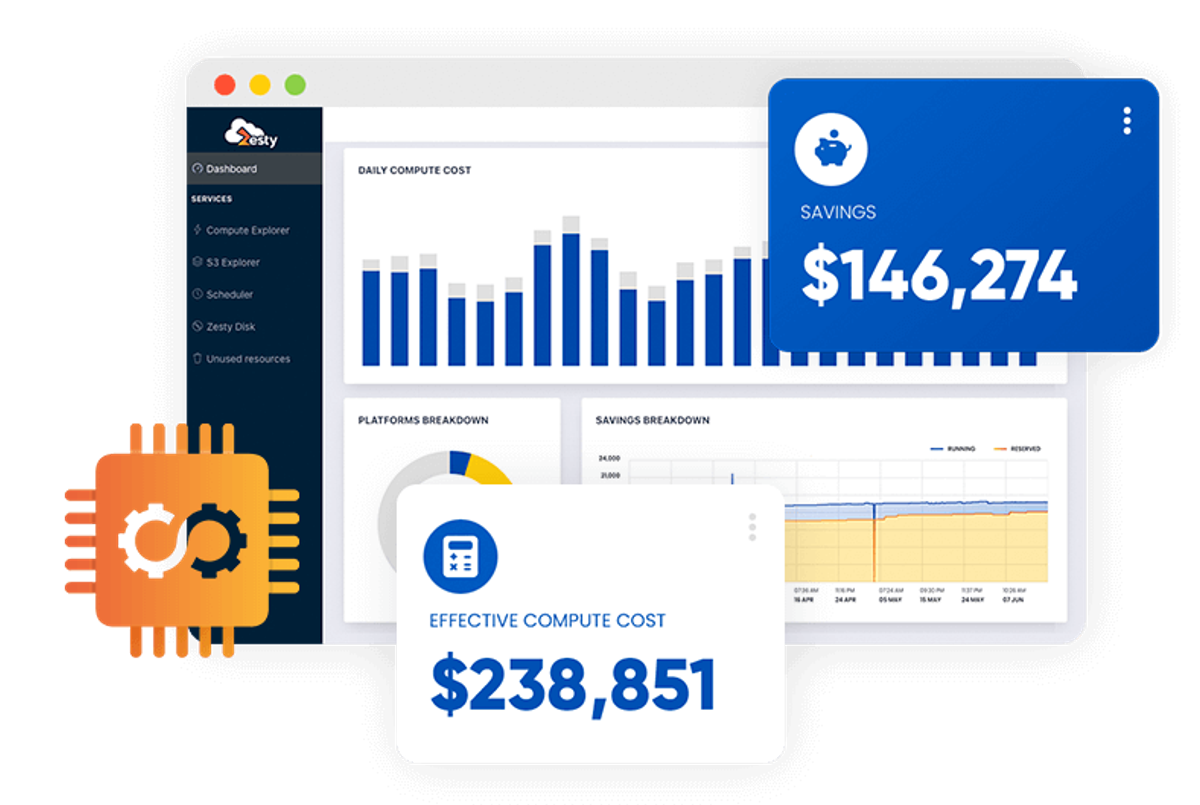
Zesty is an automated cloud cost optimization solution. It uses an AI model that has been trained using both actual and simulated cloud resource consumption data, in order to forecast the precise cloud resources required by an application in real-time, including aspects such as CPU cores and storage.
Zesty leverages these predictions in its cloud cost optimization software to execute various automated actions, such as resizing, scaling up or down, modifying storage volumes, and procuring or offloading public cloud instances based on the insights provided by the model. So far, the tool only covers EC2 instances.
Pros of Zesty
- Success-based “pay as you save” model, so cost is directly tied to realized savings.
- Low lift to adopt for AWS teams that want better commitment outcomes without building deep in-house forecasting.
Cons of Zesty
- Focused on commitments, not a full FinOps suite for allocation, showback, or broader optimization levers.
- Primarily AWS-centered; limited value if most spend is outside AWS or in non-compute areas.
- If your org already manages commitments well, incremental savings may be small.
16. ProsperOps (Flexera) - Best for autonomous RI/SP management
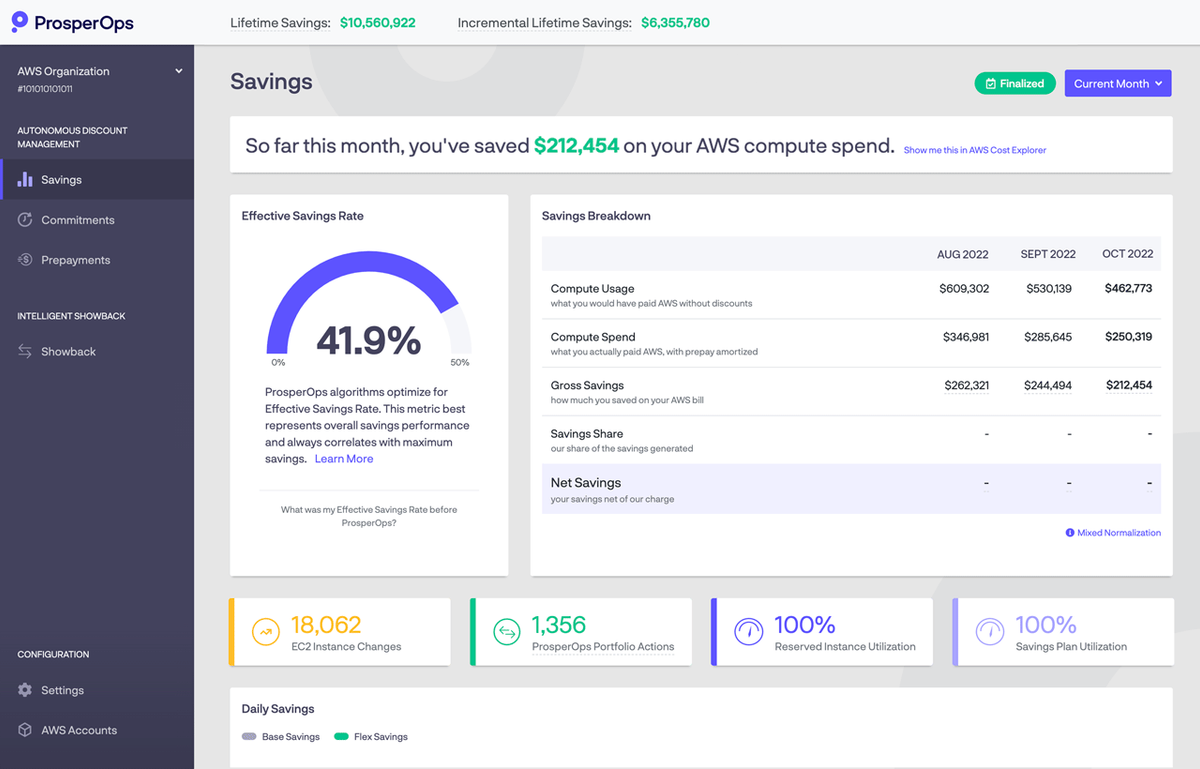
ProsperOps is an automated optimization service that manages purchase commitments on AWS and GCP. The service monitors usage of your resources and automatically adjusts discount instruments.
For example, it manages AWS Reserved Instance and Savings Plan commitments on your behalf, analyzing your usage to purchase and sell commitments as needed to maximize savings outcomes while preserving sufficient flexibility.
While ProsperOps does not manage your Spot instances (in contrast to tools such as Spot by NetApp or Xosphere), its algorithms are Spot-aware.
Pros of ProsperOps
- Fully automated commitment optimization
- Low operational burden for FinOps teams—designed to replace manual spreadsheets and quarterly commitment meetings
Cons of ProsperOps
- Commitment-focused value: only pulls one cost lever while not touching resource or usage optimization
- Best fit where there’s enough steady compute to optimize
17. Xosphere - Best for AWS spot instance automation

Xosphere is a Spot instance orchestration platform that uses ML to learn your usage patterns and pick the most optimal AWS Spot instances for your workloads. It integrates natively with Amazon Auto Scaling Groups and monitors the instances within each group.
When Spot instance capacity is available at a favorable price, Instance Orchestrator will replace On-Demand instances with Spot instances. On the other hand, when Spot instance capacity is no longer available at a favorable price, it will switch back to On-Demand to ensure your application remains available. XOSphere helps you to switch between Spot and On-Demand to take advantage of Spot prices without a lot of manual effort.
Pros of Xosphere
- Automates EC2 Spot orchestration with safe fallbacks
- Focused product: does one job very well (compute cost reduction), which keeps the UI and workflows lightweight.
Cons of Xosphere
- Narrow scope compared to full FinOps suites
- AWS-only; limited relevance if your largest spend is multi-cloud or non-EC2.
- Spot-based savings depend on workload tolerance for interruptions and the quality of your diversification/fallback configuration.
18. Archera - Best for commitment insurance
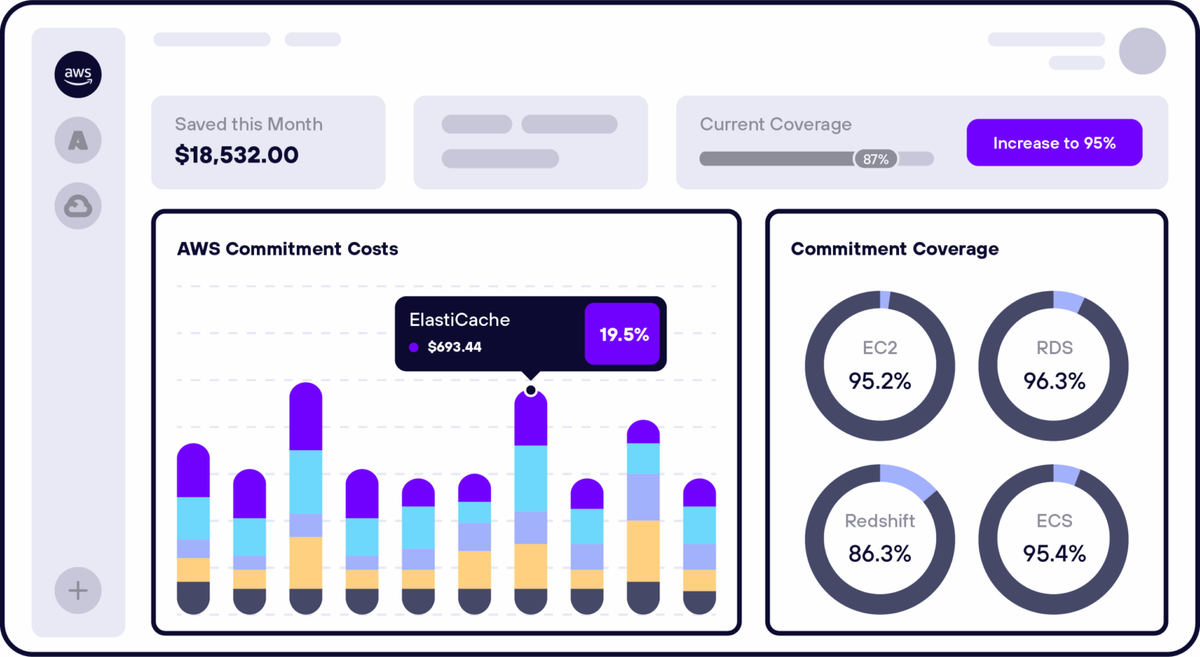
Archera is a commitment management platform that stands out for its risk-first approach to AWS discount programs. Instead of optimizing commitments purely around utilization, Archera is designed to help teams buy commitments with more confidence by reducing the downside of getting the forecast wrong. In practice, it appeals to organizations that want deeper Savings Plan/RI coverage but are constrained by finance concerns about lock-in.
Where many commitment tools look like “autopilot purchasing,” Archera positions itself closer to a risk and flexibility layer for commitments—prioritizing optionality and protection over maximizing savings at all costs. The key takeaway: it’s a fit when commitment risk is the blocker, not lack of visibility or optimization ideas.
Pros of Archera
- Unique “insurance/financing” approach: designed to reduce commitment risk when usage fluctuates.
- Shorter-term commitment flexibility (e.g., ~30-day options) can help teams avoid long lock-in.
- Useful for orgs that want higher commitment coverage but are constrained by finance risk tolerance.
Cons of Archera
- Premium-style pricing: you pay for risk protection regardless of whether savings materialize (not strictly aligned to realized savings).
- Less transparency/clarity on the mechanics of handling unused commitments; buyers should validate the workflow and guarantees.
- Primarily commitment-focused; doesn’t cover broader levers like resource rightsizing, Spot orchestration, or end-to-end waste cleanup.
19. Ternary - Best for engineering-led GCP cost insights
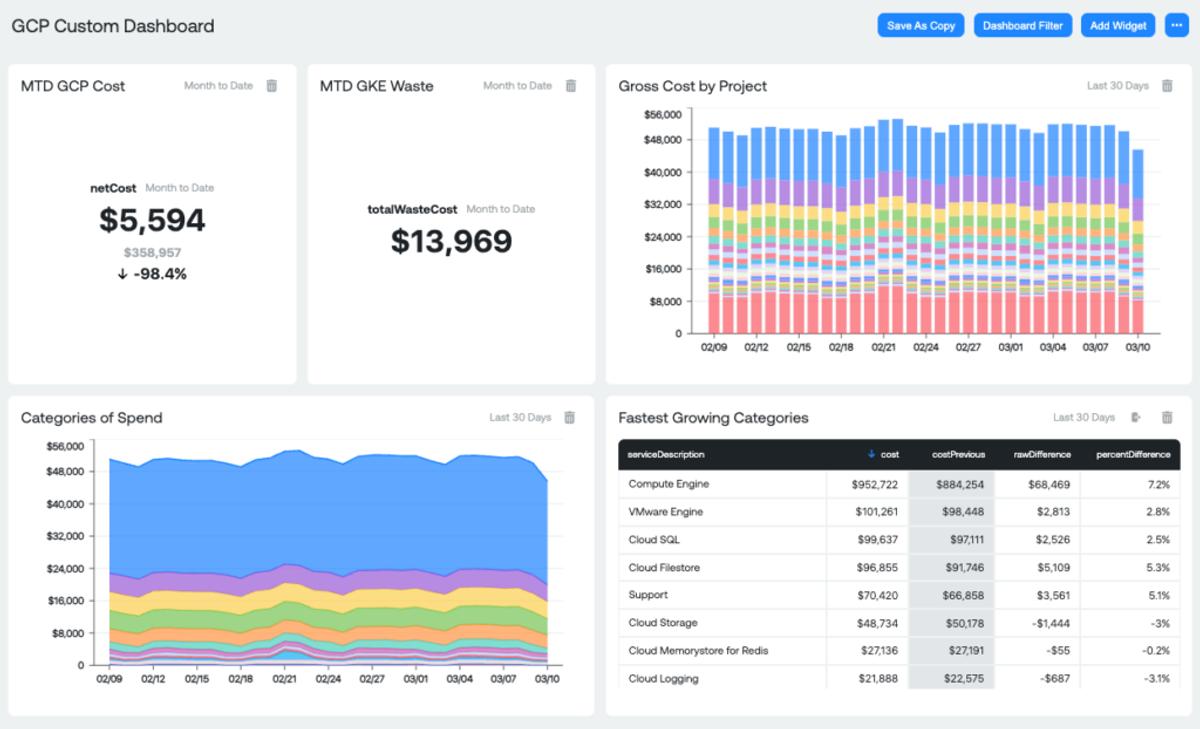
Ternary is a FinOps-driven platform for organizations seeking to maximize the business value of their cloud investments. Ternary emphasizes FinOps principles such as collaboration across finance, engineering, and operations teams to build a proactive, cost-conscious culture. With roots in Google Cloud Platform, Ternary now supports all major cloud providers including AWS, Microsoft Azure, Oracle Cloud Infrastructure, and Alibaba Cloud.
Its features include real-time budget tracking, anomaly detection, and granular cost allocation. Available as both SaaS and self-hosted solutions, Ternary offers flexibility for companies with varying compliance needs.
Pros of Ternary
- FOCUS-first model to reconcile costs across multiple clouds.
- Offers SaaS or self-hosted deployment, which is useful for orgs with strict data residency / compliance needs.
- Built-in FinOps workflows and integrations (e.g., ticketing/chat ops) to route anomalies and cost items to owners.
Cons of Ternary
- Pricing is spend-tiered/fixed-contract style, which can feel pricey as your cloud bill grows compared to narrower tools.
- If you choose self-hosted, you’re taking on platform ops (upgrades, scaling, reliability), so it’s best for orgs that want that control.
20. Yotascale - Best for engineering team chargeback
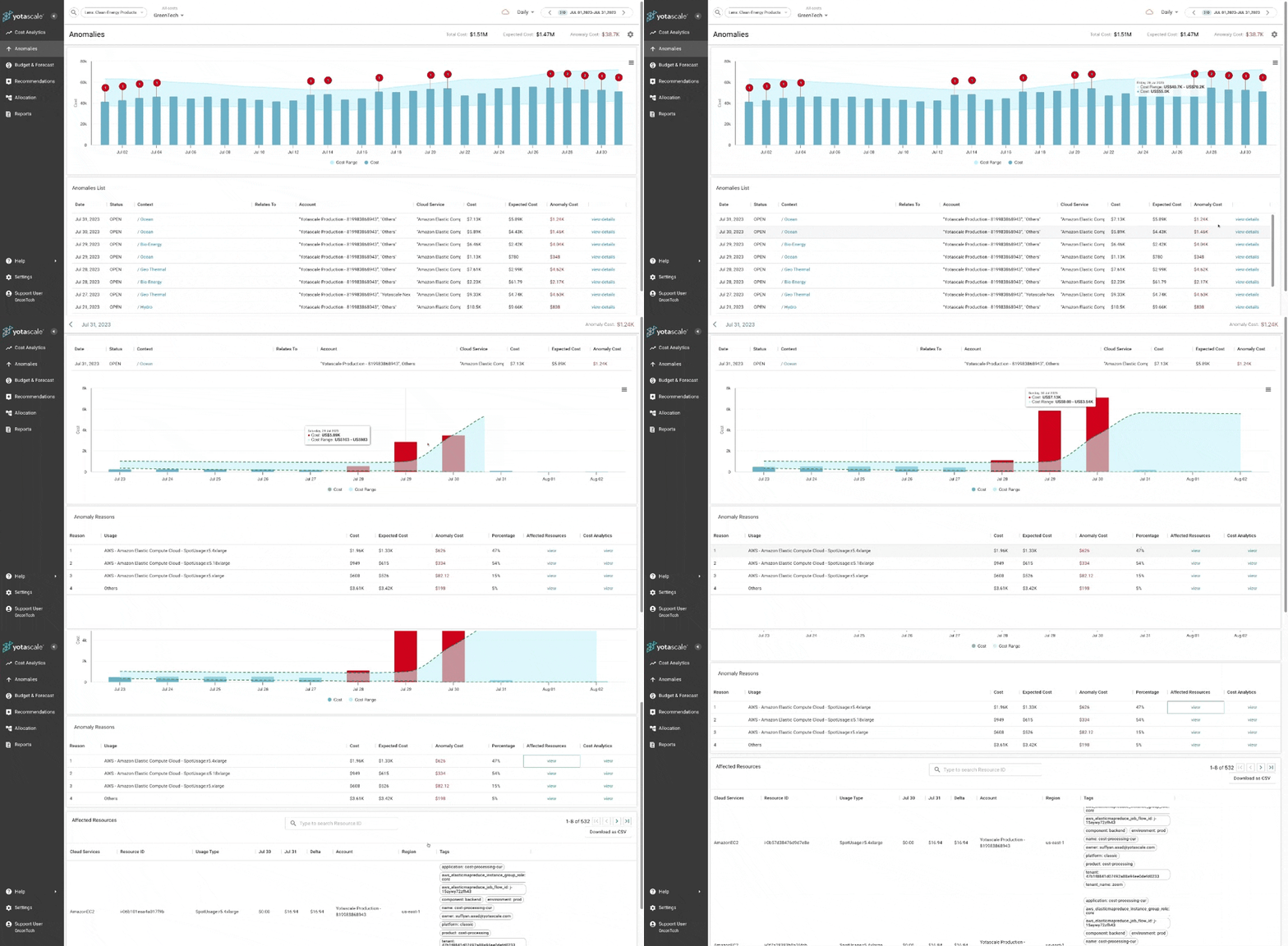
Yotascale offers a cloud cost management solution specifically engineered for dynamic and complex multicloud environments. It provides granular insights into cloud spend, attributed down to the team, application, and resource levels.
Among other features, the platform’s key features include automated cost allocation, rightsizing recommendations, cost anomaly detection, as well as cloud budgeting reconciliation and forecasting. Recently, it announced Yota AI Assist, a Gen-AI assistant to help you more easily understand your cloud costs.
Pros of Yotascale
- Multi-cloud + Kubernetes visibility, good at cleaning up imperfect tagging via reconciliation/virtual allocation
- Useful FinOps ops layer (alerts, budgets/forecasting, ownership workflows) to keep costs governed.
Cons of Yotascale
- More visibility and guided optimization than hands-off automation
- Allocation power depends on good data connections and modeling setup, so there’s some upfront work to get to “trusted numbers.”
21. Vega Cloud - Best for autonomous cloud optimization
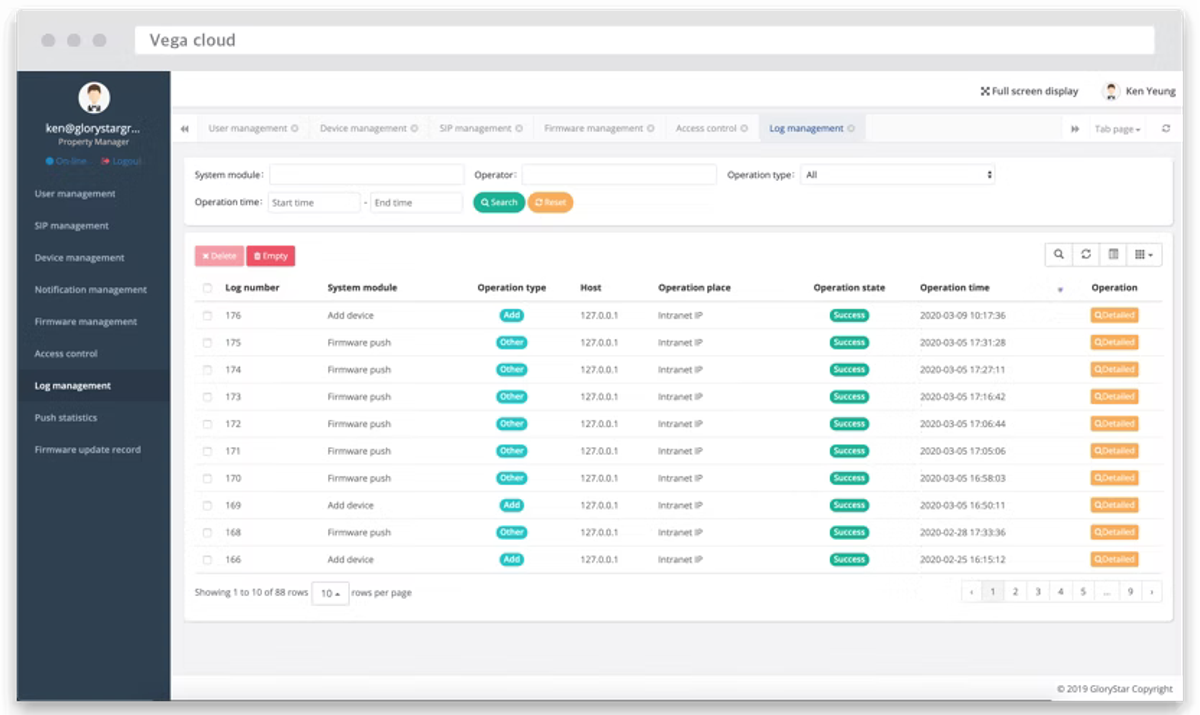
Similarly to Ternary, Vega Cloud is a platform designed on the principles of FinOps to help organizations align financial accountability with cloud operations across multi-cloud environments, including AWS, Azure, and Google Cloud.
Vega Cloud is based on the FinOps principles of “Inform, Optimize, Operate”. Vega Inform provides detailed cost visibility with reporting, budgeting, and forecasting tools. Vega Optimize builds on this by generating prioritized recommendations based on specific business objectives. Vega Operate automates corrective actions to implement these recommendations, reducing manual intervention. According to Vega Cloud, companies using the platform can save 22% on average.
Pros of Vega
- FinOps-phase structure (Inform / Optimize / Operate) gives a clean path from visibility to prioritized recommendations to automated corrective actions.
- Adds FinOps expert support on top of the platform, helping enterprises turn insights into sequenced action plans faster.
Cons of Vega
- Leans enterprise/consultative, which may not be a fit for all teams
- Automation depends on granting permissions and agreeing on guardrails, which some orgs move slowly on.
22. Virtana Optimize - Best for hybrid infrastructure visibility
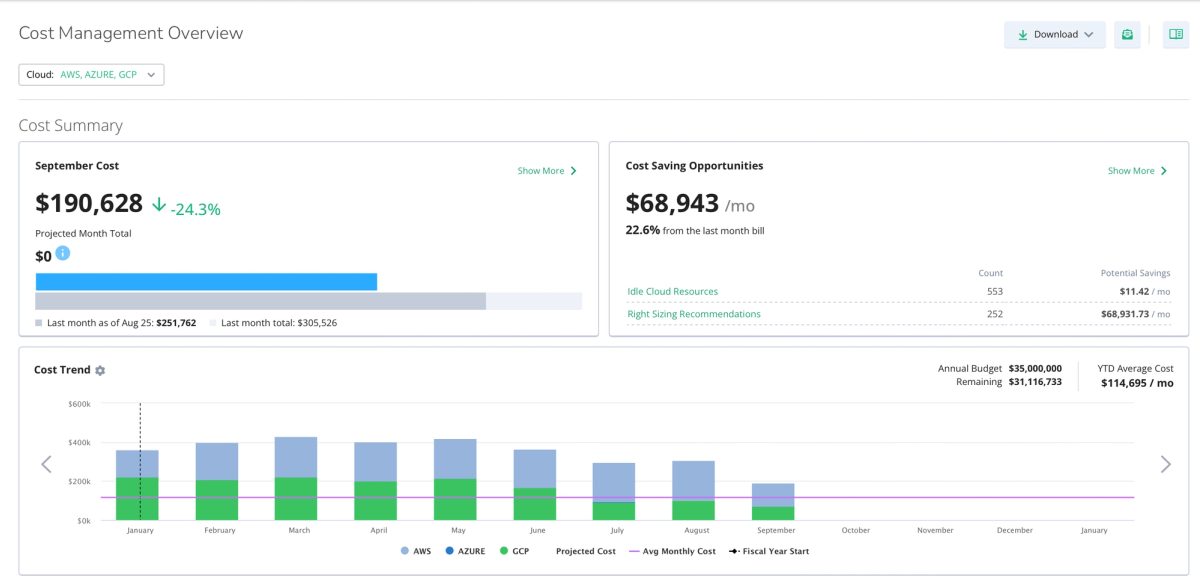
Virtana focuses on cloud cost optimization for hybrid and multi-cloud environments. It supports AWS, Azure, GCP, and VMware, helping teams track usage and cost across both cloud and on-prem workloads.
Virtana Optimize provides visibility into instance utilization, wasted spend, and cloud migration readiness. Its rightsizing engine analyzes CPU, memory, and storage patterns to surface idle or oversized resources, including VM-level metrics for on-prem.
It also connects cloud costs to CMDB or application metadata, allowing teams to understand business impact and improve chargeback. Enterprises use Virtana to identify cost-saving opportunities before migrating workloads and to continuously manage hybrid infrastructure post-migration.
Pros of Virtana Optimize
- Strong continuous rightsizing and waste detection, backed by real-time/predictive analytics and anomaly signals.
- Good fit for hybrid estates (on-prem + cloud + Kubernetes)
Cons of Virtana Optimize
- Product story/branding can be confusing (Optimize/CloudWisdom/Metricly under Virtana CCM), so buyers may need a careful demo to map modules to needs.
- More value in recommendation + workflow than fully hands-off cost autopilot; teams often still execute many actions.
23. Kion - Best for cloud governance & enablement
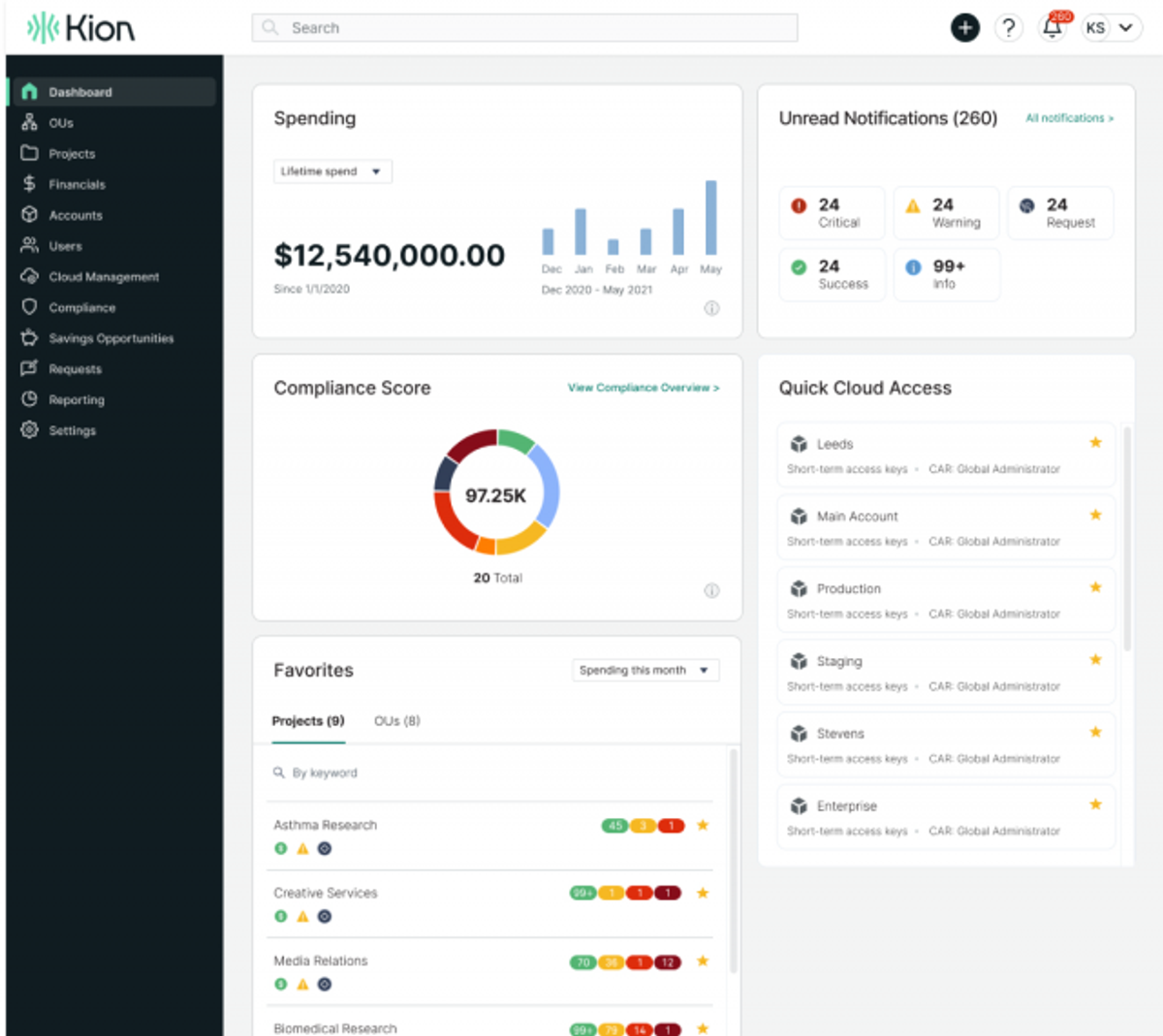
Kion is a cloud governance platform (billed as “CloudOps”) designed to help organizations control cloud costs through effective budgeting and enforcement mechanisms. It allows teams to set and track budgets across AWS, Azure, and Google Cloud, with tools for cost allocation and budget management.
Pros of Kion
- Standard features for rightsizing, eliminating idle resources, managing commitments, and other resource management strategies.
- Supports FOCUS enabling aggregation of data across multicloud.
Cons of Kion
- Leans heavy on governance and policy, as opposed to getting starting quickly with FinOps
- Optimization depth depends on pairing with workload/commitment optimizers; it’s not purely a savings-autopilot product on its own.
24. Nutanix Cloud Manager - Best for hybrid/private cloud cost
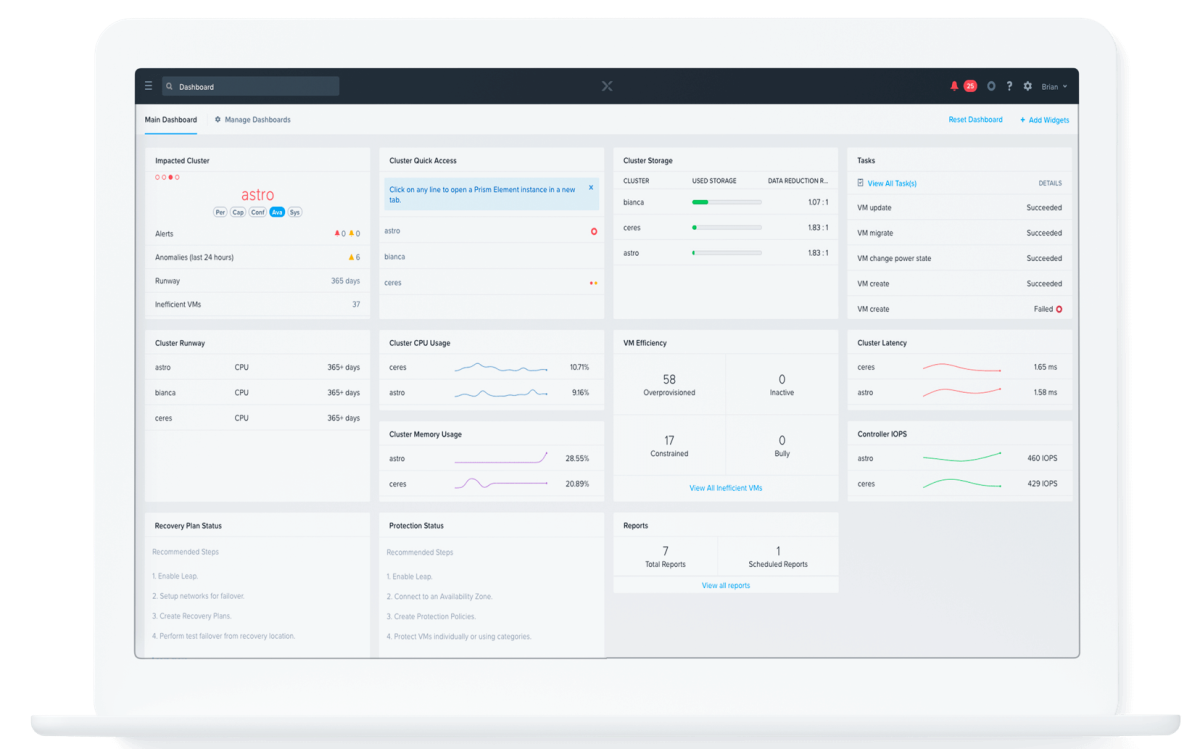
Nutanix Cloud Manager is a multi-cloud IaaS framework that creates a self-service portal for the consumption of IT resources. With NCM, SysAdmins and Architects can define VMs and applications via simple blueprints and control all aspects of the application lifecycle, such as provisioning, scaling and cleanup. Once created, a blueprint can be published to end users through the Nutanix Marketplace, simplifying the complexity of provisioning.
As a result, it is most suited for teams already using Nutanix Marketplace. Some additional benefits include:
Pros of Nutanix
- Unified Management and governance across clouds, hypervisors, and application types
- Single Language for Application Modeling with flexibility to integrate with each team’s tool of choice
- Removes IT bottlenecks by turning specialized operations into push- button automation
- Orchestrate across VMs, containers, and cloud resources to build any application
Cons of Nutanix
- FinOps strength is highest inside the Nutanix ecosystem; less compelling if most spend is native public cloud or you want a cloud-only tool.
- Value depends on having/committing to Nutanix infrastructure and licensing, which can be a heavier lift for smaller teams.
25. Datadog - Best for cost + observability correlation
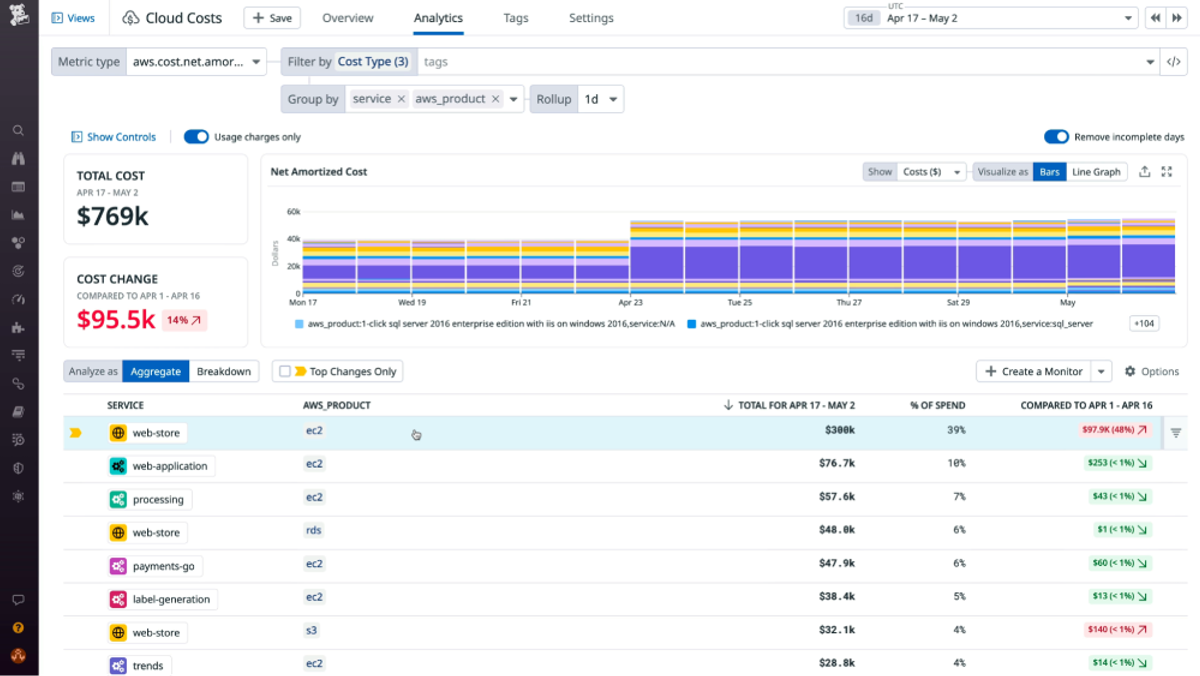
Datadog is one of the most popular monitoring and observability tools today, aggregating metrics and events across the full DevOps stack. While it’s not purely a cloud cost management tool, Datadog Cloud Cost Management can help you optimize your cloud spending by delivering the cost data engineers need and with resource-level context like CPU, memory, and requests. This data is easily scoped to their services and applications so that they can take action and spend effectively.
Datadog also helps you drill down into your AWS or Azure bill, helping you to allocate your cloud costs and make better cost decisions with confidence. Recently, Datadog and nOps have partnered together to make it even easier for engineers to take action on rightsizing recommendations.
Pros of Datadog
- Pulls cloud costs into the same place engineers already debug performance, so cost and usage changes can be traced to specific services, deployments, or incidents.
- High-resolution, telemetry-driven allocation for Kubernetes and containers (clusters/namespaces/pods)
- Good FinOps basics inside the platform—budgeting, alerts/anomaly detection, and cost recommendations—without switching tools.
Cons of Datadog
- Cost optimization is mostly insight + recommendations; it doesn’t replace a dedicated “autopilot” FinOps optimizer.
- Datadog pricing can scale quickly (especially logs/custom metrics), so you have to manage Datadog spend alongside cloud spend.
26. CloudBolt - Best for self-service provisioning + cost
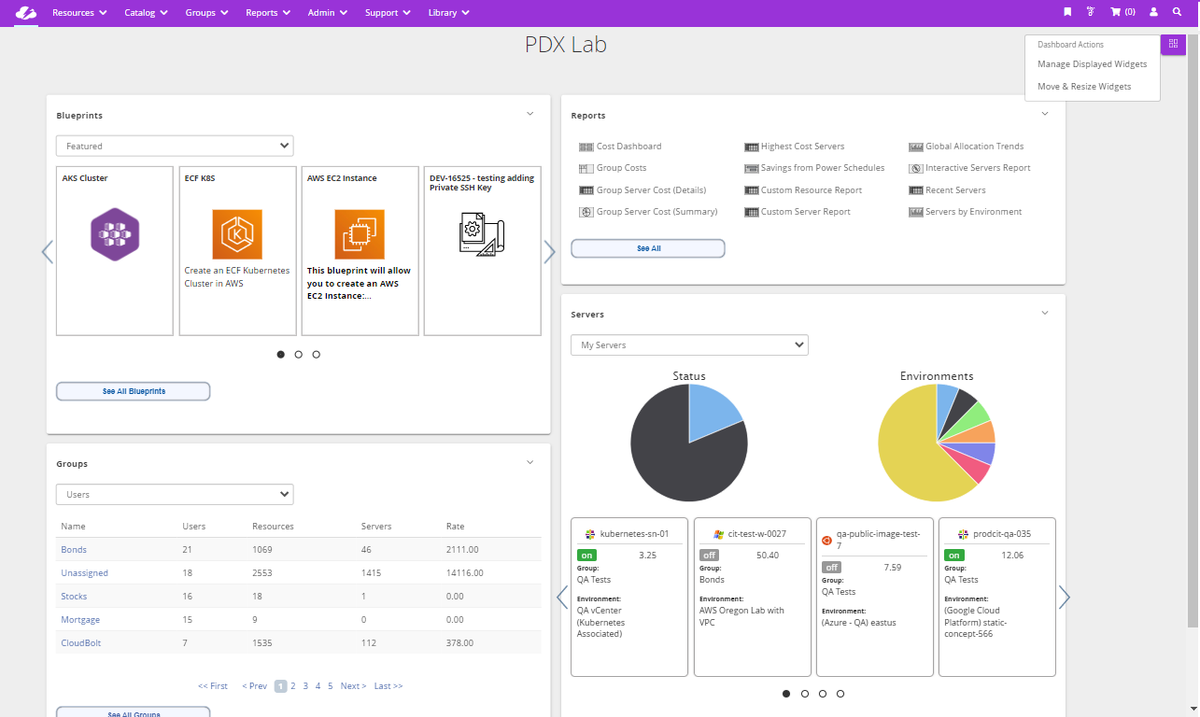
CloudBolt approaches cloud cost management through the lens of provisioning and governance. Instead of focusing solely on post-deployment optimization, it helps teams prevent waste at the time of resource requests.
It integrates with AWS, Azure, GCP, and VMware, offering policy-based guardrails, role-based access controls, and budget-aware provisioning. Users can define templates and workflows that enforce tagging, cost thresholds, and cloud usage policies before infrastructure is spun up.
Cloud cost reports and chargeback features are included, but the strength of CloudBolt lies in helping platform and IT teams standardize deployments across hybrid environments with cost controls built in.
Pros of CloudBolt
- Full-lifecycle FinOps (visibility → allocation → optimization → governance) with AI-driven recommendations and automation
- Hybrid-friendly via an agent approach that extends cost control beyond public cloud into private cloud and K8s/PaaS environments.
Cons of CloudBolt
- Pricing and packaging are enterprise-oriented, so many orgs or narrow use cases might not see clean ROI
- To get the hybrid/K8s depth, you’ll likely deploy and manage agents/connectors, which adds rollout effort.
27. CloudAdmin - Best for SMB AWS cost optimization
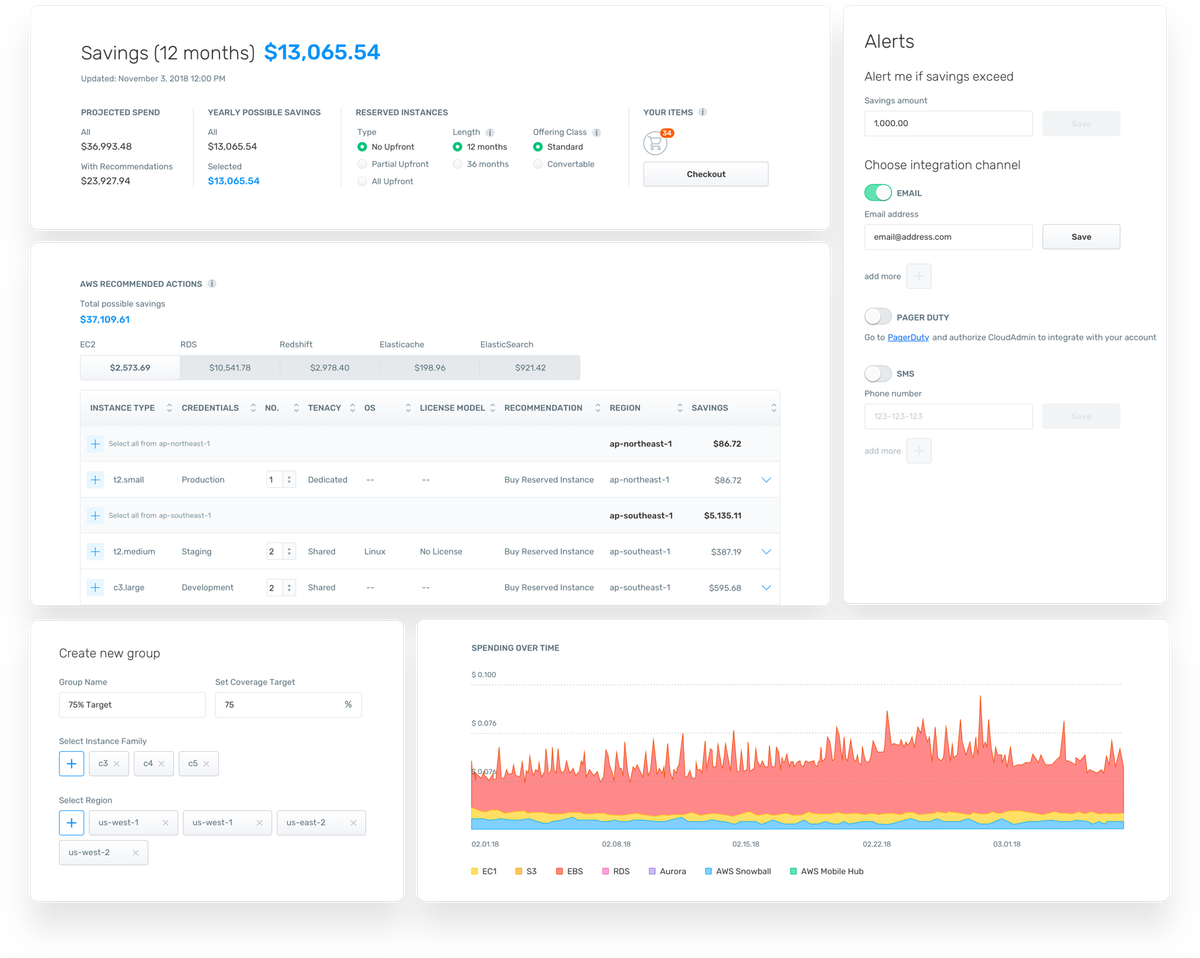
CloudAdmin is designed to simplify cloud cost management for businesses leveraging multiple cloud platforms. It provides a unified dashboard that aggregates cost data from various cloud services, offering a comprehensive view of your cloud expenditure. With CloudAdmin, users can easily track, analyze, and optimize their cloud spending, identify underutilized resources, and receive recommendations for cost-saving opportunities.
Pros of CloudAdmin
- Lightweight cost-optimization tool that surfaces AWS waste fast and is easy to get value from quickly.
- Simple, executive-friendly UI and dashboards focused on “where are we overspending” and quick wins
Cons of CloudAdmin
- Narrower scope than full FinOps suites—primarily instance/compute cost optimization, not end-to-end allocation + governance.
- Smaller ecosystem and fewer advanced features (e.g., deep Kubernetes allocation or commitment automation) compared to larger platforms.
28. Infracost - Best for shift-left cost in Terraform/IaC
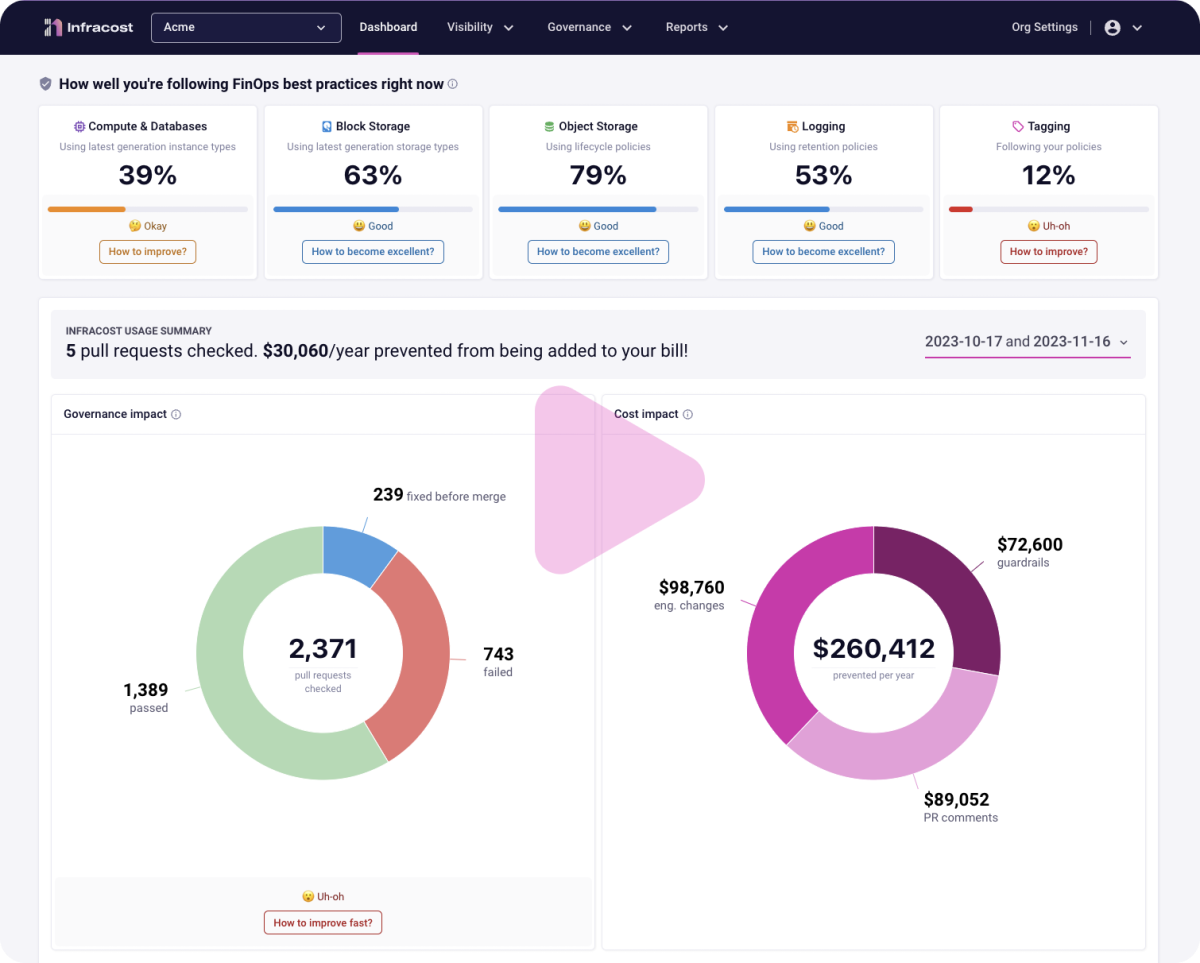
Infracost is a cloud cost management tool that integrates FinOps principles directly into engineering workflows, helping teams “Shift FinOps Left” by addressing cloud costs and best practices before deployment. It provides detailed cost estimates for code changes during pull requests, enabling engineers to understand the financial impact of their decisions in real-time. Infracost also enforces tagging policies and checks code against best practices, such as migrating GP2 to GP3 volumes, during reviews.
Pros of Infracost
- Shifts FinOps left by showing cloud cost impact directly in IaC workflows (Terraform/OpenTofu/Pulumi) before anything ships.
- Tight CI/CD + PR integrations
- Open-source core with a free tier, so teams can start quickly without lock-in and scale up if needed.
Cons of Infracost
- IaC-centric view only: great for planned infra changes, but not a full FinOps suite
- Value drops if your estate isn’t mostly managed through IaC or Terraform-style workflows.
29. AWS Cost Explorer - Best free AWS-native baseline
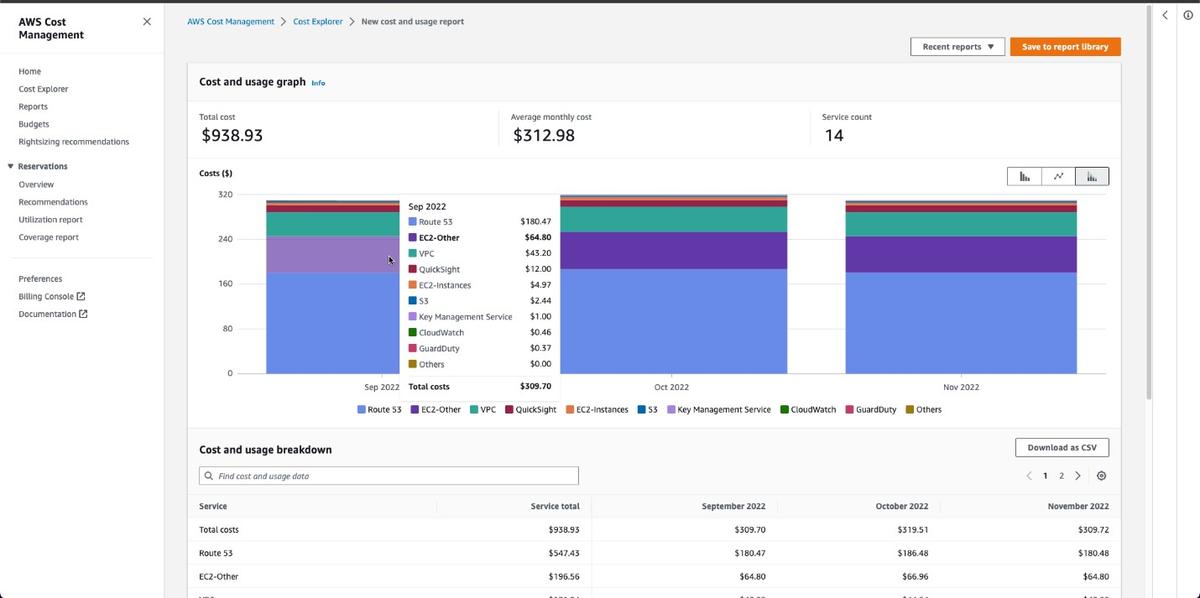
AWS Cost Explorer is a native tool built into the AWS Billing console. It helps users visualize and analyze historical AWS spend and usage, with filtering by service, linked account, tag, or Region.
Cost Explorer is useful for high-level reporting, trend analysis, and tracking changes in spend over time. It includes daily and monthly granularity, forecasts based on past usage, and basic RI/SP coverage reporting.
Unlike third-party tools, it’s limited to AWS and doesn’t provide recommendations or automation. But for teams looking to get started with cost visibility or validate billing data directly in AWS, it’s a core part of the native toolset (as well as a low cost cloud management option).
Pros of Cost Explorer
- Good core views for trends, service-level drivers, RI/Savings Plan coverage, and basic forecasting.
- Easy to slice by tags/accounts/regions, making it a solid baseline for chargeback or team reporting.
Cons of Cost Explorer
- Visibility only inside AWS
- Limited FinOps depth: attribution gets messy when tagging is inconsistent, and shared/K8s overhead needs extra modeling.
30. AWS CloudWatch - Best for cost-aware monitoring (not standalone)
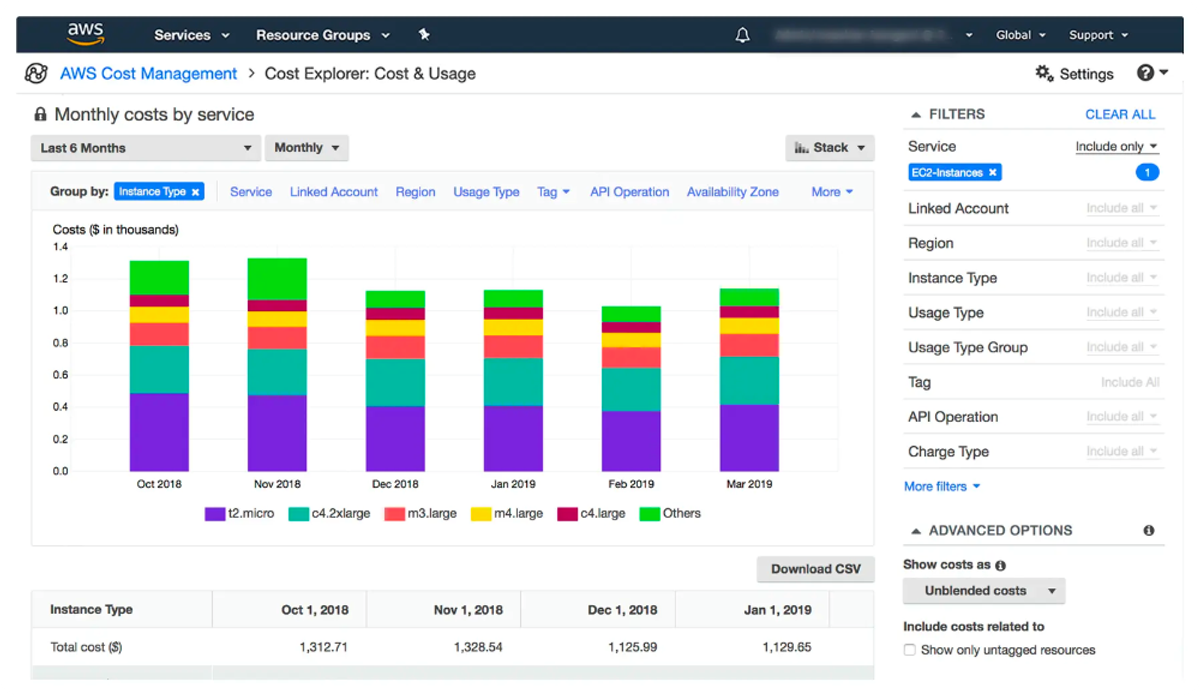
CloudWatch is a monitoring and observability service provided by Amazon Web Services (AWS). It is one of the most widely used cloud cost monitoring tools for its seamless integration with over 70 highly popular AWS services.
This AWS cost management platform provides in-depth monitoring and observability for AWS resources and applications, allowing users to gain insights into performance, resource utilization, and operational health. Its features include customized dashboards, alarms and notifications, automated resource scaling, troubleshooting, debugging, and many more.
While CloudWatch is undoubtedly one of the most widely used tools to manage cloud costs, it may have limitations in some cases. Setting up, configuring, and fully leveraging its capabilities can be complex. And while it can be used to monitor on-premises and other cloud services, its main focus is geared towards AWS.
Pros of CloudWatch
- Native AWS observability with tight integration across EC2, EKS, Lambda, RDS, etc.
- Pay-as-you-go with a meaningful free tier, making it easy to start and scale monitoring as needed.
Cons of CloudWatch
- Not a full FinOps platform: great for operational signals, but limited for allocation, showback/chargeback, or automated cost optimization.
- Costs can creep fast, especially from high-volume logs, custom metrics, dashboards, and Logs Insights queries
31. Azure Cost Management + Billing - Best free Azure baseline
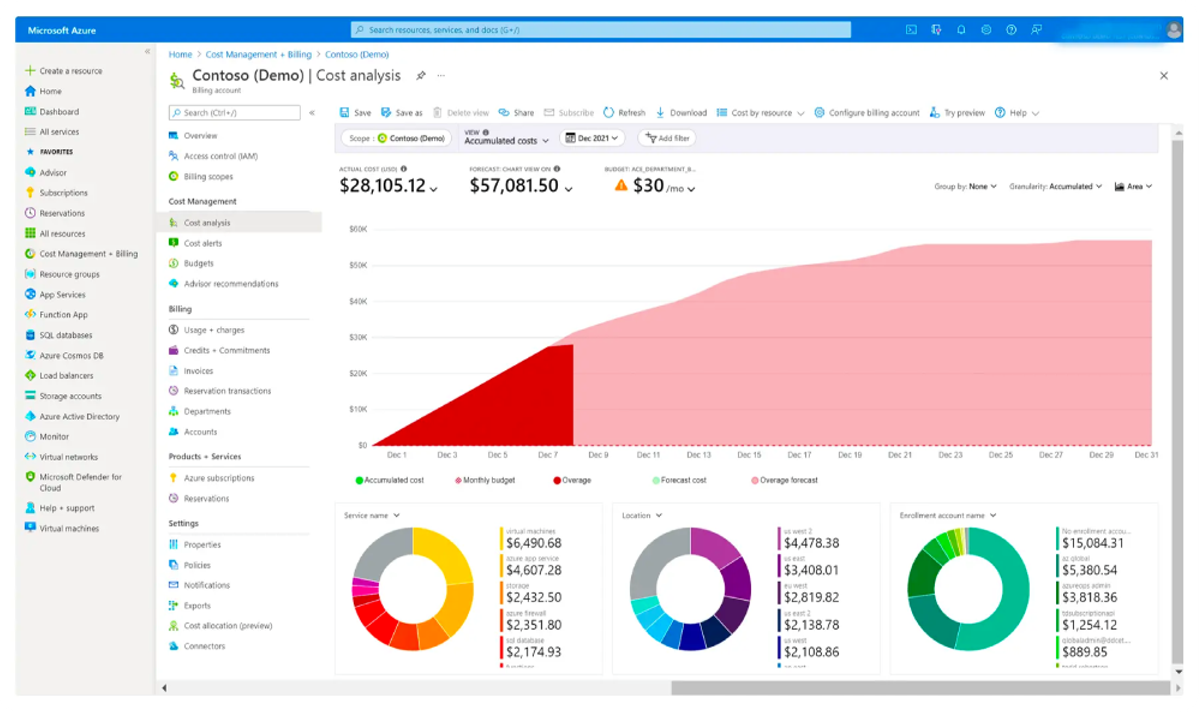
Microsoft Azure Cost Management + Billing is a suite of tools that help organizations monitor, allocate, and optimize the cost of their Microsoft Cloud workloads. The tools are available for free for Azure. However, Microsoft Cost Management has a 1 percent charge on total AWS-managed spend at general availability.
Microsoft Cost Management can be used to report on and analyze cloud costs, as well as monitor costs proactively with budget, anomaly, and scheduled alerts. For monitoring and observability, Microsoft also offers Azure Monitor to provide insights into the operation and performance of your Azure resources.
Pros of Azure Cost Management
- Solid core FinOps features: cost analysis, budgets, alerts, forecasting, and anomaly detection built into the portal.
- Works well with Azure governance (management groups, RBAC, Azure Policy) and exports to Power BI/Data Lake for custom reporting.
Cons of Azure Cost Management
- Best for Azure spend; multi-cloud visibility exists via exports/connectors, but it’s not a unified FinOps experience for your cloud, K8s, SaaS, or other costs
- Recommendations and optimization are mostly guidance—automation is limited compared to dedicated FinOps platforms
32. GCP Cost Management - Best free GCP baseline
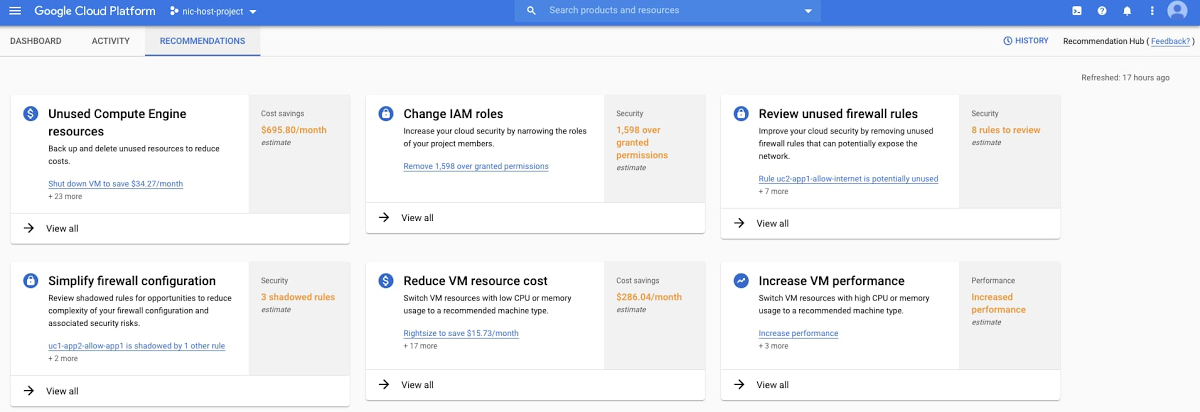
Google Cloud Cost Management is a suite of tools that help organizations monitor, allocate, and optimize the cost of their Google Cloud workloads. The tools are available for free for GCP users and include cost reporting, budgets, forecasts, and recommendations for rightsizing and committed use discounts.
Google Cloud Cost Management can be used to analyze spending trends, set budget thresholds with automated alerts, and receive AI-powered recommendations for optimizing compute, storage, and BigQuery usage. For monitoring and observability, Google also offers Cloud Monitoring to provide insights into the operation and performance of your GCP resources.
Pros of Google Cloud Cost Management
• Solid core FinOps features: cost breakdown reports, budgets, forecasting, and anomaly detection built into the console
• Works well with GCP governance (organizations, folders, IAM, labels) and exports to BigQuery for custom dashboards and analysis
• Strong BigQuery cost controls and query optimization recommendations
Cons of Google Cloud Cost Management
• Best for GCP spend; multi-cloud visibility requires exports or third-party connectors — not a unified FinOps experience across clouds, K8s, SaaS, or AI workloads
• Recommendations are mostly guidance — automation (commitment purchases, rightsizing execution) is limited compared to dedicated FinOps platforms
• GKE cost allocation is basic; pod/namespace-level visibility requires tools like Kubecost or third-party integrations
33. Apache CloudStack - Best open-source IaaS cost layer
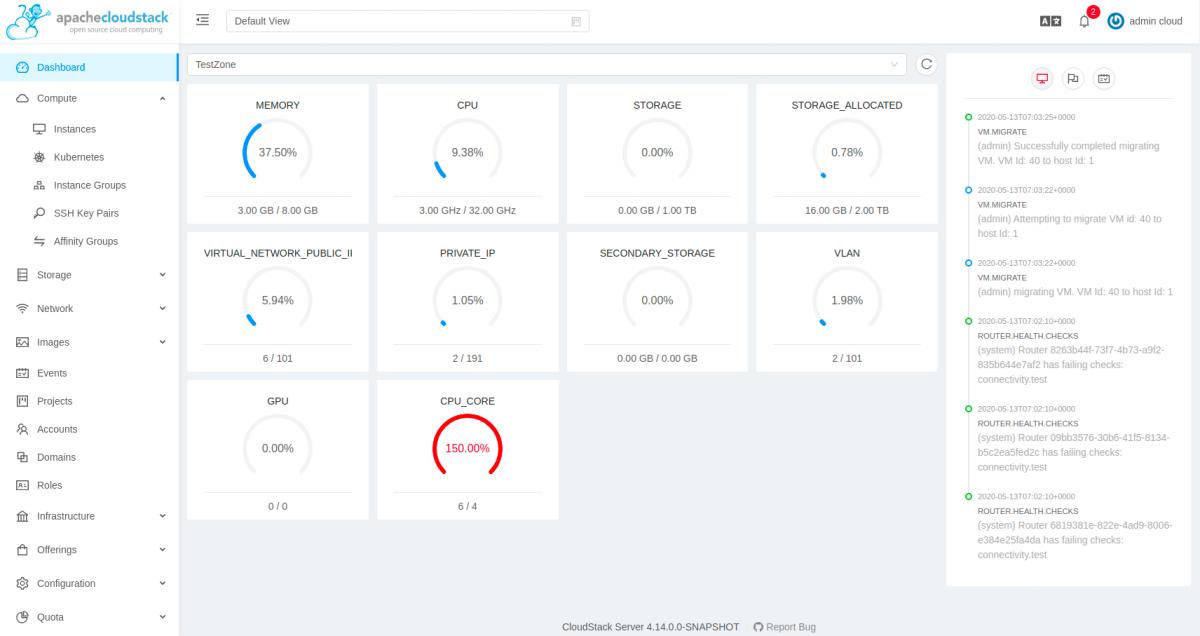
Apache CloudStack is a versatile open-source cloud computing platform. It offers robust capabilities for managing VMs, as a highly available, highly scalable IaaS platform. One of CloudStack’s main selling points is in the name: it aims to include the entire “stack” of features needed for IaaS, including compute orchestration, Network-as-a-Service, user and account management, a full and open native API, resource accounting, with an easy to use User Interface (UI).
While CloudStack offers a robust feature set to manage cloud costs, it may pose a learning curve for newcomers with resource-intensive setup and maintenance. And, intricate configurations may be required for complex deployments, meaning that your team may have to invest some time to fully utilize CloudStack’s benefits.
Pros of Apache CloudStack
- Open-source IaaS platform with no licensing fees
- Hypervisor-agnostic and vendor-neutral (works with KVM, VMware, XenServer, etc.)
Cons of Apache CloudStack
- Primarily VM/IaaS focused; less native coverage for modern PaaS/serverless patterns without layering extra tools.
- Upgrades and multi-region operations can be non-trivial
- Support ecosystem is community-led unless you buy a partner offering
The Best Cloud Cost Management Tools Compared
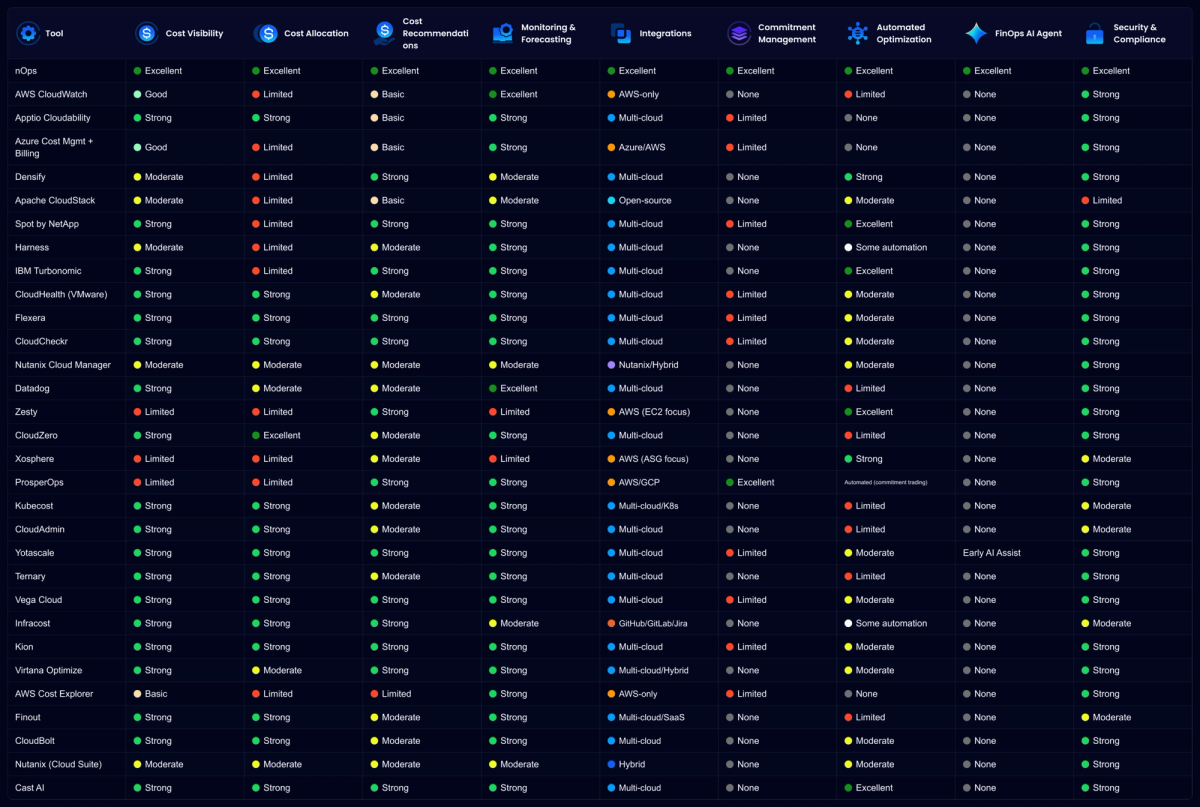
To help you compare, we’ve mapped the top cloud cost management solutions against key features like visibility, allocation, automation, and security. This chart shows where each cloud spend management platform stands, making it easier to spot the right fit for your organization.
How to Build a Cloud Cost Management Strategy
Nearly every company already has a governance plan, usually centered on security, compliance, and reliability. A cloud cost management strategy belongs in that same tier of importance because cost is a direct lever on margin, growth, and engineering velocity. Your strategy can include:
- Define value-aligned KPIs first: choose 2–4 unit metrics (cost per customer/transaction/env/feature) so teams optimize for business output, not just lower bills.
- Standardize allocation rules: enforce required tagging + account/project structure (owner, app, env, cost center) and treat untagged resources as deployment failures.
- Create an anomaly playbook: alerts route to owners with a first-check checklist (recent deployments, traffic spikes, pricing changes, runaway jobs).
- Establish a FinOps cadence: weekly anomaly + quick wins, monthly optimization sprint, quarterly commitment planning and business review tied to KPIs.
Choosing the Best Cloud Cost Management Tool For Your Company
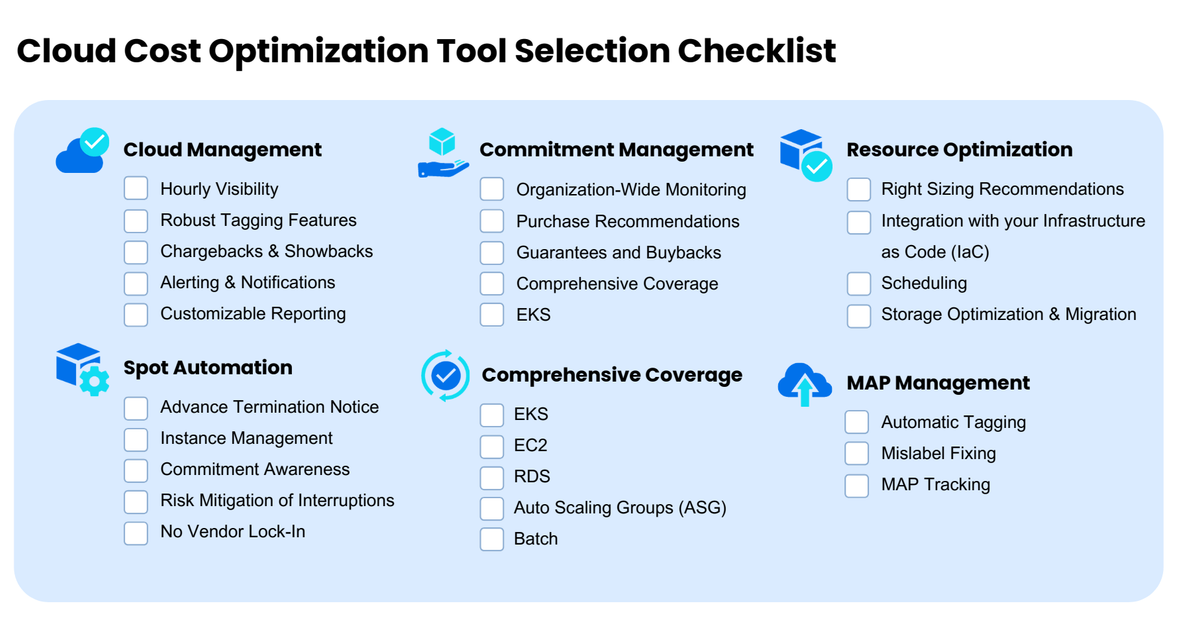
There’s no shortage of cloud cost analysis tools on the market — but not all of them offer the depth or breadth needed to manage today’s complex environments. From commitment management and resource optimization to Spot automation and MAP tracking, the checklist below helps you evaluate which platforms truly cover it all.
How nOps Compares (and When It Isn't the Right Fit)
We’re transparent about what we do well and where other tools may be better.
nOps is a good fit if:
• You run workloads across AWS, Azure, and/or GCP and want automated commitment management
• You want to increase your effective savings while decreasing your commitment lock-in risk
• You want a percentage-of-savings pricing model (you only pay when you save)
• You need visibility across cloud, Kubernetes and third-party SaaS tools in one platform
nOps might NOT be the right fit if:
• You need pod-level optimization (tools like Kubecost or Cast AI specialize here)
• You want a pure visibility/dashboarding tool without automation (we’re built to act, not just report)
• You’re spending under $5K/month (native tools are probably enough at that scale)
• You need deep enterprise governance workflows with multi-year contracts and dedicated professional services
nOps manages $5B+ in cloud spend and is rated 5 stars on G2 — book a free savings analysis to see how much you can save!
Demo
AI-Powered Cost Management Platform
Discover how much you can save in just 10 minutes!
Book a Demo
FAQ
Cloud cost management tools monitor, analyze, and optimize spending across cloud providers, SaaS services, and AI workloads. They provide visibility into where money is spent, allocate costs by team or project, and recommend or automate actions like rightsizing, commitment planning, and waste elimination — helping teams reduce costs while maintaining performance.
How much do cloud cost management tools cost?
Pricing varies widely: flat monthly subscription ($500–$5K+), percentage of cloud spend (1–5%), or percentage of savings generated (10–30%). Some offer free tiers or trials. Tools charging on savings tend to align incentives better — you only pay when you save. Expect to spend 2–5% of your cloud bill on tooling at enterprise scale.
What’s the difference between cloud cost management and FinOps?
FinOps is the practice — a cultural framework for managing cloud costs collaboratively across finance, engineering, and leadership. Cloud cost management tools are the platforms that enable FinOps practices. FinOps defines the processes (allocate, optimize, forecast). Tools provide the data, automation, and workflows to execute those processes at scale.
Are AWS Cost Explorer, Azure Cost Management, and GCP native tools enough?
For spend under $10K/month, yes. Native tools provide visibility, budgets, and basic recommendations for free. But they won’t automate commitment management, allocate costs without perfect tagging, or optimize across multiple clouds. Once you hit $10K+/month, third-party platforms usually deliver ROI quickly through automation and deeper insights.
Can one cloud cost tool cover AWS, Azure, GCP, and Kubernetes?
Some can. Platforms like nOps, Flexera, CloudZero, and Vantage support multi-cloud visibility and cost allocation across AWS, Azure, and GCP. Kubernetes cost allocation often requires specialized tools (Kubecost, Cast AI, ScaleOps) or platforms with dedicated K8s integrations. Most enterprises run one visibility platform plus specialized optimizers for specific workloads.
How do cloud cost management tools handle AI and GPU spend?
Most tools show AI/GPU costs as aggregate line items (SageMaker, Bedrock, Databricks). Newer platforms — nOps, Vantage, Finout, Kubecost — can break down spend by model, endpoint, job, or team, and track cost-per-token or cost-per-inference. This category is still maturing; many legacy tools haven’t caught up yet.
How fast do cloud cost tools deliver measurable savings?
Commitment management platforms can deliver 10–30% savings within 30–60 days. Rightsizing and idle resource cleanup often show results in the first billing cycle after changes are applied. Full FinOps maturity (allocation, forecasting, cultural adoption) typically takes 6–12 months. Look for tools offering free trials or proof-of-concept periods to validate ROI before committing.
When should you use multiple cloud cost tools together?
At $500K+/month, a single tool rarely covers everything. Most teams run a visibility platform (CloudZero, Cloudability, Datadog), a commitment manager (nOps, Flexera), and specialized optimizers for Kubernetes (Kubecost, Cast AI) or storage (Zesty, Lucidity). Multiple tools make sense when each solves a distinct problem better than an all-in-one suite.
30+ Best Cloud Cost Management Tools In 2026