 Skip to content



Amazon OpenSearch Service is a go-to building block on AWS for search, log analytics, and observability workloads—used broadly enough that AWS says the service has tens of thousands of active customers, manages hundreds of thousands of clusters, and processes trillions of requests per month. OpenSearch costs don’t behave like a simple “pay per query” service. They’re driven by always-on infrastructure choices—instance-hours, storage footprint, replicas / multi-AZ, and how quickly your data grows based on ingestion and retention. And as teams adopt newer patterns (vector search, tiered storage like UltraWarm/cold, higher ingest pipelines, tighter security requirements), the cost profile becomes more about architecture than raw usage. This guide breaks down OpenSearch pricing end to end so you know exactly what you’re paying for and how to reduce costs.
What is Amazon OpenSearch Service?
Amazon OpenSearch Service is an AWS-managed service for running and scaling OpenSearch clusters without having to handle the day-to-day infrastructure work (like provisioning, monitoring, patching, and maintenance) or deep search-operations expertise. OpenSearch itself is a distributed, community-driven, Apache 2.0–licensed open-source search and analytics suite. With OpenSearch Service, you can build real-time search and analytics applications—including vector search use cases—using either fully managed clusters for more direct configuration control or OpenSearch Serverless for more automatic scaling and capacity management.
OpenSearch Free Tier
The AWS Free Tier provides a small amount of usage at no cost, primarily for dev/test and very light workloads. Included in the free tier each month:- Compute: up to 750 hours/month of one entry-level data node: t2.small.search or t3.small.search (enough to run a single node continuously for a month)
- Storage: up to 10 GB/month of optional Amazon EBS storage attached to the domain
Pricing option 1: OpenSearch Service domains (provisioned)
Provisioned domains are the original and most commonly used deployment model for Amazon OpenSearch Service. With this option, you explicitly choose the shape of your OpenSearch cluster—instance families (compute optimized, memory optimized, etc.) and sizes, number of data nodes, storage type and size, and availability settings—and AWS runs that cluster continuously on your behalf. Because capacity is pre-allocated and always on, provisioned OpenSearch domains are priced like managed infrastructure rather than per-request usage. You pay for the resources you provision while they’re running, regardless of how many queries you execute at a given moment. This model gives you the most direct control over performance, scaling behavior, and architecture, which is why it’s widely used for production search, log analytics, and observability workloads with predictable baseline demand.On-Demand pricing
On-Demand instance pricing is pay-as-you-go with no long-term commitment: you’re billed for the instance-hours of the nodes you run (including any dedicated master or warm nodes), plus the storage you use (for example, EBS attached to nodes and any warm/cold storage tiers you enable). Multi-AZ and replica choices can increase the amount of capacity you run, which is why availability and architecture decisions typically show up directly in your monthly cost.Reserved Instances
With AWS OpenSearch Service Reserved Instances, you commit to a specific amount of OpenSearch instance capacity for a 1-year or 3-year term in exchange for a lower effective rate compared to On-Demand. Functionally, nothing about your domain changes—Reserved and On-Demand instances are identical from a performance and operations standpoint. The difference is purely how you’re billed. Reserved Instances are best thought of as a way to discount the “baseline” compute you expect to run continuously (for example, your always-on data nodes, dedicated master nodes, and/or warm nodes—assuming those node types and instance families are eligible). Any additional capacity above your reserved baseline is still billed at On-Demand rates, which is why many teams mix the two: reserve the steady portion, and leave headroom for bursts. Reserved Instances payment options trade off cash up front vs. discount level:- No Upfront (NURI): No upfront payment; you pay a discounted hourly rate over the term. This is the most flexible from a cash-flow standpoint, typically with lower savings than upfront options.
- Partial Upfront (PURI): You pay a portion up front and the remainder as a discounted hourly rate over the term. This usually increases savings versus No Upfront while avoiding a full upfront payment.
- All Upfront (AURI): You pay the full reservation cost up front and pay no hourly recurring charge for the reserved capacity. This typically provides the highest savings.
- Region and configuration specific: Reserved Instance pricing varies by region and is tied to what you purchase (term, payment option, instance family/size).
- You’re charged even if you don’t use it: Once purchased, you pay the applicable upfront and/or hourly charges for the reservation during the term—whether or not you’re actively running matching OpenSearch capacity.
- It doesn’t cover everything: Reserved Instances discount the instance (compute) portion of provisioned domains; storage and other billable components still accrue separately.
- How to buy: Purchases are made from the Reserved Instance section in the OpenSearch Service console.
Pricing option 2: OpenSearch Serverless
 OpenSearch Serverless is the “no cluster to manage” deployment model for Amazon OpenSearch Service. Instead of choosing instance types, node counts, and storage up front, you create a collection and AWS automatically provisions and scales the underlying capacity for indexing and query workloads. Pricing is split into two independent buckets:
 - Compute: measured in OpenSearch Compute Units (OCUs) and billed as OCU-hours, with Indexing and Search/Query metered separately.
- Storage: billed separately as GB-months of durable managed storage.
- Baseline capacity for the first collection: by default, Serverless enables redundancy and instantiates 4 OCUs for the first collection in an account (2 for indexing + 2 for search) to support high availability, and those OCUs exist even when there’s no activity.
- Turning off redundancy changes the baseline: for dev/test you can disable redundancy, which reduces the instantiated baseline to 2 OCUs (1 indexing + 1 search).
- Capacity sharing + guardrails: subsequent collections can share OCUs (with sharing behavior depending on encryption/collection type), and you can set account-level capacity limits (max OCUs) to guardrail spend if scaling ramps unexpectedly.
Storage pricing for OpenSearch domains
For provisioned OpenSearch domains, storage is billed separately from compute and typically falls into two buckets: hot storage attached to your data nodes (most commonly EBS), and optional tiered storage (UltraWarm and cold) for older indexes. In practice, storage spend is driven by how fast your indexed data grows and how long you retain it, with architecture choices like replicas and Multi-AZ increasing the amount of data your domain needs to store.EBS volume pricing
With EBS-backed hot nodes, you pay for the EBS volumes you provision (GB-month) and, depending on the EBS volume type, you may also pay for provisioned performance characteristics like IOPS and throughput. The biggest billing input is the straightforward one: (EBS size per node × number of data nodes)—which means over-allocating disk “just in case” across many nodes can become a major monthly cost driver. EBS usage is also sensitive to index overhead (segments, merges, and metadata), so the gap between “raw ingest size” and “on-disk index size” can be material, especially for logs with lots of fields. Some instance families include local instance storage (NVMe), which can be attractive for hot-tier performance because you’re not paying for separate EBS volumes and you can get very high I/O.UltraWarm and cold storage
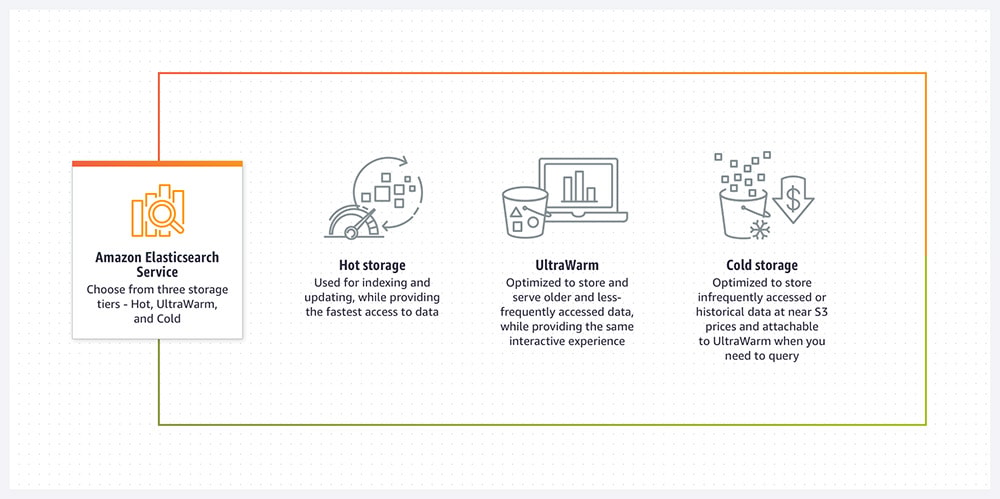 UltraWarm and cold storage are designed to reduce costs by moving older, less-frequently queried indexes out of the hot tier while keeping them searchable. Instead of paying hot-tier EBS for everything, you shift a large portion of retained data into tiers optimized to store infrequently accessed data for lower cost and different performance expectations.
 Managed storage pricing
In OpenSearch Serverless, storage is billed as GB-month of managed storage and is separate from your compute charges (OCU-hours). Because you aren’t provisioning EBS per node, storage cost follows the amount of data retained in your collections over time, plus the typical index overhead OpenSearch introduces (compression, doc values, and index structures).Data transfer charges
AWS OpenSearch service can also generate network-related charges depending on how data moves in and out of the service. The most common contributors are cross-AZ traffic in highly available designs, ingestion from producers in other AZs/VPCs, and query traffic patterns from clients or downstream systems. Data transfer often isn’t the dominant portion of the bill compared to compute and storage, but it’s a frequent “surprise” line item in multi-AZ deployments and high-ingest observability environments.Additional OpenSearch costs (snapshots and extended support)
Beyond domain/serverless capacity and storage, two common extra cost areas are snapshots and extended support. Snapshots are stored in Amazon S3, so you’ll see S3 storage charges (and sometimes request charges) tied to snapshot frequency and retention. Extended support can apply when running certain older versions or configurations where AWS charges an additional fee to continue receiving support.How to calculate OpenSearch costs
First pick your deployment model, then estimate the few inputs that actually move the bill. Provisioned domains: Compute = (all node hourly rates) × hours/month, plus Storage = (GB provisioned across hot/warm/cold tiers) × GB-month. Multi-AZ and replicas usually increase both. Serverless: Compute = indexing OCUs + search OCUs (OCU-hours), plus Storage = retained GB-month. Redundancy settings affect baseline OCUs.A quick example (provisioned)
If you run:- 3 data nodes at ~$0.25/hour each
- 1 dedicated master at ~$0.07/hour
- 500 GB of EBS per data node
- Compute: (3 × 0.25 + 0.07) × ~730 hours ≈ $620/month
- Storage: 1.5 TB × EBS GB-month pricing ≈ $150–$200/month (region and volume type dependent)
Tools that help
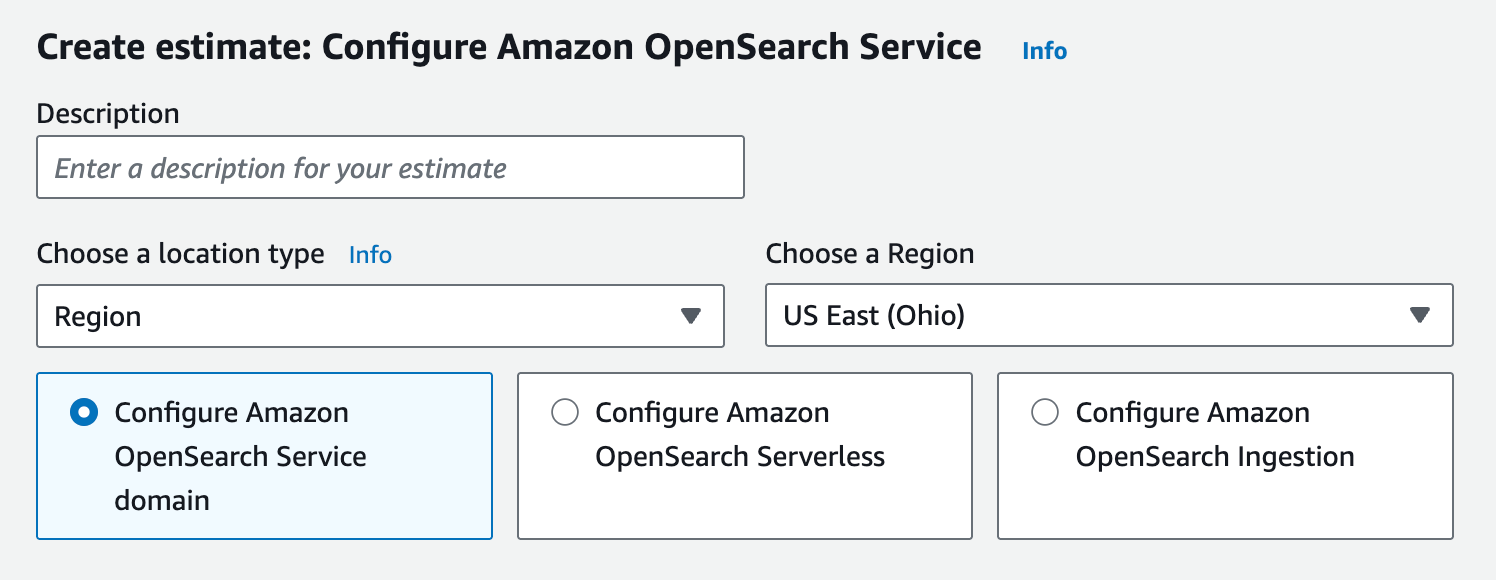
- AWS Pricing Calculator: the AWS OpenSearch pricing calculator is best for quickly modeling provisioned nodes + storage (or Serverless OCUs + storage) by region
- CloudWatch + historical usage: best for validating utilization and data growth before committing to Reserved Instances
OpenSearch cost optimization
OpenSearch costs are shaped less by query volume and more by how long capacity stays online and how fast data accumulates. The most reliable savings come from fixing structural inefficiencies first, then layering in commitments and automation.1. Right-size baseline capacity before anything else
Most OpenSearch spend comes from always-on resources. Start by validating that your steady-state cluster isn’t oversized.- Look at sustained CPU, JVM heap, and disk utilization—not short-lived peaks
- Reduce instance sizes or node counts if utilization stays consistently low
- Avoid long-term commitments until baseline usage has stabilized
- Evaluate the amortized hourly instance cost against sustained utilization; consistently low utilization usually means you’re paying a high effective cost for idle capacity.
2. Treat retention as a cost lever, not a default setting
Retention decisions often dwarf instance-level tuning. If hot storage contains data that’s rarely queried, you’re paying premium rates for cold behavior. Define rollover + retention policies per index pattern, and enforce them consistently to keep both compute and storage growth predictable.3. Match storage tier to access patterns
| Data access pattern | Recommended tier | Cost impact |
|---|---|---|
| Frequent queries and dashboards | Hot (EBS-backed) | Highest cost, lowest latency |
| Periodic investigations | UltraWarm | Lower storage and compute cost |
| Compliance or audit logs | Cold | Lowest cost storage tier |

4. Keep shard count under control
Over-sharding is one of the most common—and expensive—OpenSearch mistakes. Too many small shards increase memory overhead and JVM pressure, which often forces larger instance sizes. Reducing shard count can realize significant savings without changing ingestion volume or retention.5. Put guardrails around Serverless usage
OpenSearch Serverless removes cluster management, but baseline capacity still exists.- Disable redundancy for dev/test collections
- Set account-level OCU limits to prevent surprise scaling
- Monitor indexing and search OCUs separately
6. Audit secondary cost drivers after the big levers
Snapshot retention, cross-AZ data transfer, and extended support fees usually aren’t the biggest line items, but they can create slow cost creep. Once baseline capacity and data growth are under control, these are easy areas to standardize and keep predictable.7. Commitments can save money—but they’re easy to get wrong
Reserved Instances can provide significant cost savings, but only when they match stable, always-on usage. In practice, OpenSearch makes this tricky: tiering changes, shard strategy, retention adjustments, and version upgrades can all shift the “true baseline,” and teams often discover too late that they committed to the wrong shape or amount of capacity. The safest approach is to commit only to the portion of usage you’re confident will remain steady, then continuously re-measure and adjust as the workload evolves—which is where automated commitment management becomes valuable.Optimize OpenSearch pricing with nOps
nOps simplifies OpenSearch cost optimization by giving you complete visibility into your OpenSearch spend, storage tiers, and domain/serverless utilization—so you can reduce waste, right-size always-on capacity, and avoid surprise charges as data grows. And with nOps automated commitment management, getting the most out of every dollar you spend on OpenSearch is easier.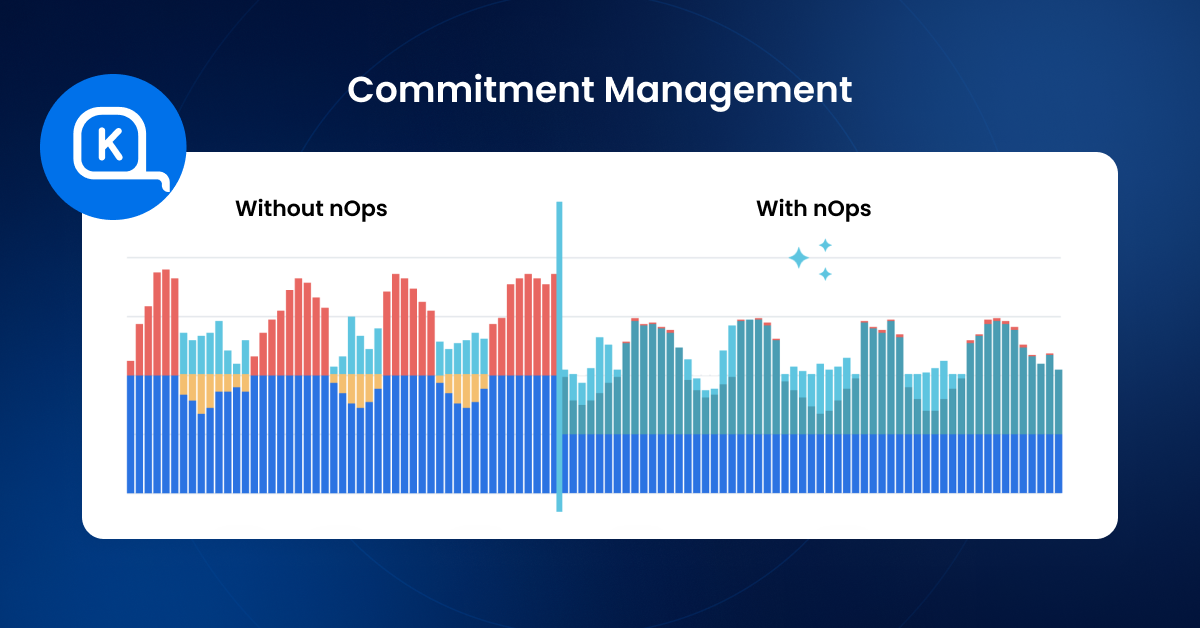 Quickly spot hidden cost drivers in nOps Understand and optimize your OpenSearch infrastructure costs: nOps helps you see OpenSearch spend across domains and Serverless collections alongside the drivers that inflate bills—always-on instance-hours, storage footprint, tiering (EBS vs UltraWarm/cold), Multi-AZ/replicas, and rapid data growth—so you can quickly identify overprovisioning and cost creep. Reduce ongoing waste with automation-ready insights From pinpointing consistently underutilized domains to identifying storage growth hotspots and retention mismatches (hot-tier data that should be warm/cold), nOps helps teams act faster and standardize optimization without relying on one-off manual audits. Automated commitment management nOps continuously evaluates your steady-state OpenSearch baseline and existing commitments, then helps maintain the right coverage mix over time—reducing the risk of committing to the wrong capacity as node counts, instance families, and architecture choices evolve, and keeping more eligible spend discounted as workloads change. nOps was recently ranked #1 in G2’s cloud cost management category, and we optimize $2 billion in cloud spend for our startup and enterprise customers. Join our customers using nOps to understand your cloud costs and leverage automation with complete confidence by booking a demo today!
 Frequently Asked Questions
Let’s dive into some FAQ about AWS OpenSearch costs.Is OpenSearch free?
No, typically OpenSearch is not free — though Amazon OpenSearch Service offers a Free Tier intended for dev/test and very small workloads, including limited instance-hours and storage each month. Beyond those thresholds, you’re billed for provisioned infrastructure or serverless capacity, storage, and any additional usage.How much does OpenSearch cost?
Small workloads may cost tens of dollars per month, while production search or observability clusters commonly range from hundreds to thousands of dollars monthly. OpenSearch costs vary widely based on deployment model, instance types or OCUs, storage tiers, retention, and availability settings.How to reduce AWS OpenSearch costs?
The most effective ways to get significant cost savings on OpenSearch include right-sizing always-on capacity, enforcing retention policies, using UltraWarm or cold storage data pricing, and applying commitments like upfront reserved instances carefully. Tools like nOps help teams continuously identify waste, optimize usage, and manage commitments as OpenSearch workloads change.
