Skip to content




- Blog
- Announcement
- AWS PPA & EDP Tracker — Automated PPA / Private Pricing Agreement Deal Manager
AWS PPA & EDP Tracker — Automated PPA / Private Pricing Agreement Deal Manager

Real-time Tracking & Historical Analysis for AWS PPA and EDP Commitments
Managing AWS PPAs and EDPs has traditionally required stitching together spreadsheets, internal forecasts, and scattered billing data. Teams often lack visibility into whether they’re on track to meet spending commitments — jeopardizing their discounts or missing opportunities to renegotiate better terms.
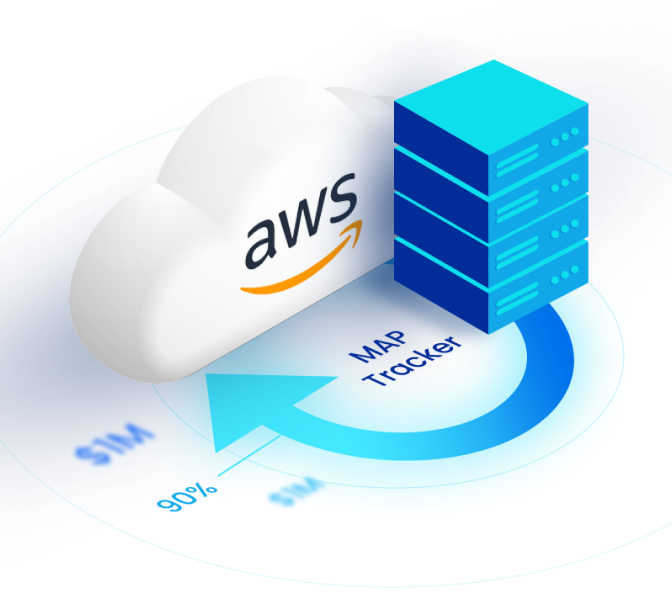
Today, we’re introducing the AWS Private Pricing Agreement (PPA) and Enterprise Discount Program (EDP) Tracker — designed to help you track, and manage your PPA and EDP spending. You can now get organizational and service-specific insights and review trends in historical data to help you stay compliant and maximize your agreements. No more guesswork or spreadsheets; you can use the tracker to manage your AWS commitments with confidence.
Before diving into how the PPA & EDP tracker can help, let’s briefly touch on a few basics about maximizing your PPA/EDP.
AWS PPA vs EDP — Which Deal Type Is Right for You?
PPA and EDP are the same thing today. Both mean a custom AWS discount in return for a multi-year spend commitment. EDP is the older name; PPA is the name AWS uses now.
They were different before. EDP used to refer to one big, enterprise-wide discount program. PPA originally showed up more as private, service-level pricing. AWS has since unified this into a single modern deal approach, so today the terms point to the same type of agreement.
Key Differences Between AWS PPA and EDP
While PPA and EDP are two names for the same thing today, historically, here’s what they referred to:
| Feature | AWS PPA (Private Pricing Agreement) | AWS EDP (Enterprise Discount Program) |
| Scope | Includes both cross-service and service-specific discounts | Historically focused on cross-service discounts |
| Flexibility | Allows customized, service-specific discounts | Originally a flat discount across all AWS services |
| Status | Actively used, most contracts today are labeled as PPA | Mostly depreciated in favor of PPA — older and smaller contracts may still reference EDP |
When to Choose AWS PPA/EDP?
Choose an AWS PPA when your company has meaningful, steady AWS spend and you’re ready to lock in a multi-year commitment for better rates.
Checklist:
AWS spend is already ~7 figures annually or will reach that level soon.
You can forecast AWS usage confidently for the next 1–5 years.
Finance/procurement wants multi-year budget & pricing certainty and is willing to commit to a level of spend
Multiple teams/accounts would benefit from one org-wide discount.
You plan to purchase third-party tools via AWS Marketplace (including private offers).
On the flip side, wait or commit smaller if your usage is volatile, you’re mid-migration with unclear architecture, or you’re unsure you can meet a minimum spend floor.
What’s New in the AWS PPA & EDP Tracker
New features to help with your PPA tracking include:
Commitment Progress Visualization
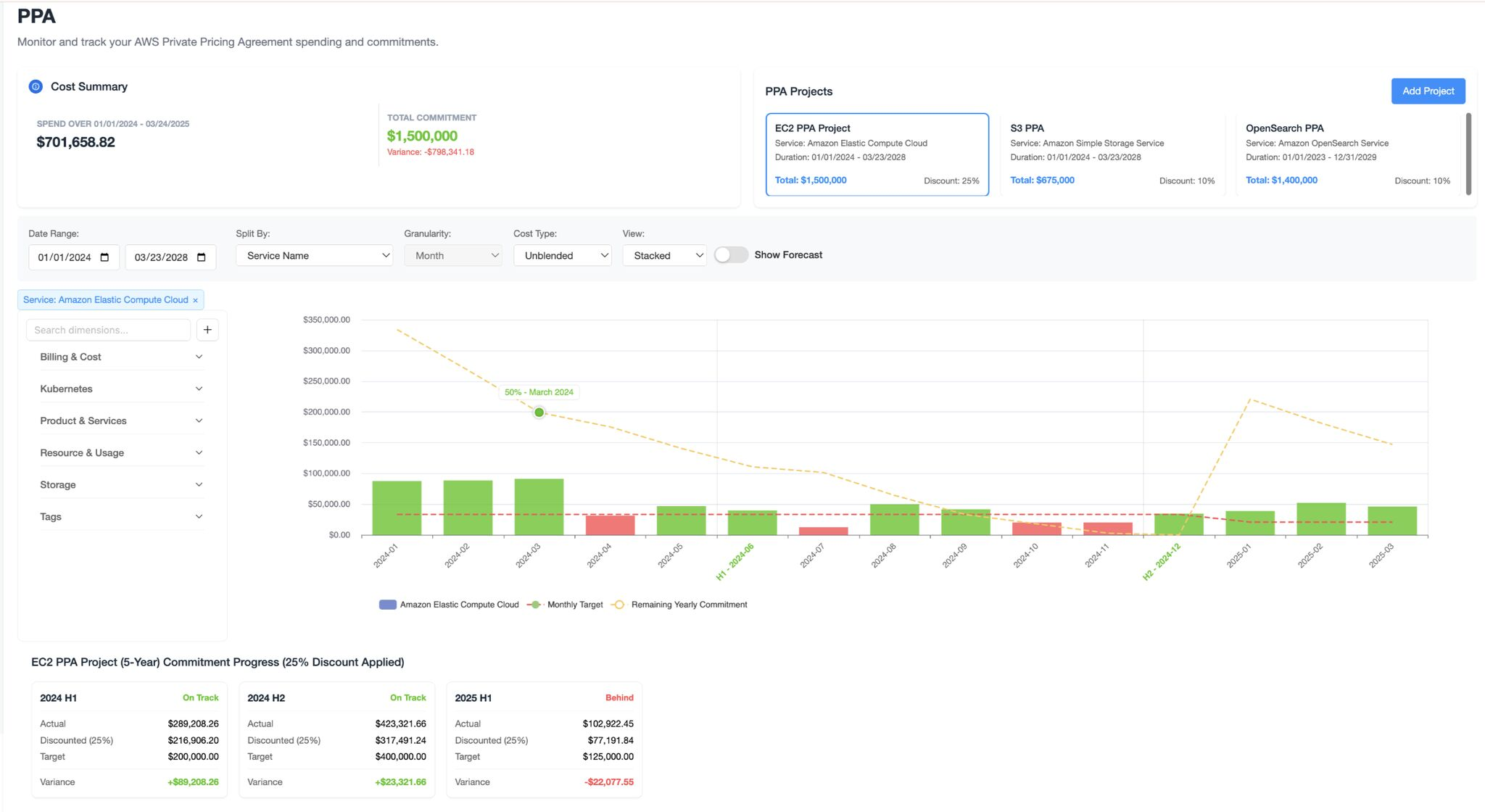
See how your actual AWS usage compares to your commitment on a monthly basis. The tracker shows overages, shortfalls, and recovery trends across all your accounts and services, with historical and forecasted views. For example, if your monthly target is $1.5M and you’re currently spending $1.3M, you can quickly understand whether expected growth will close the gap — or if intervention is needed.
Manage Multiple PPAs/EDPs in One Dashboard
Service-Specific Budgeting and Spend Breakdown
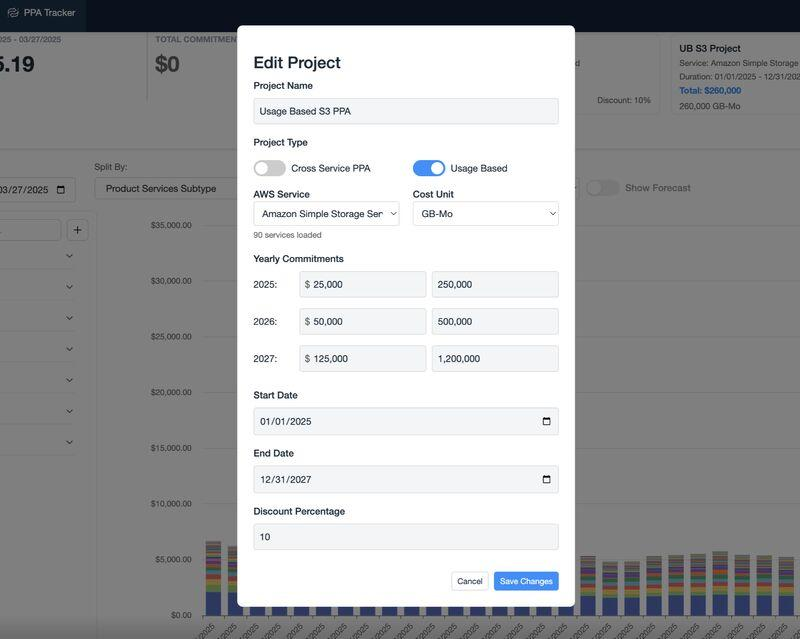
Automated PPA Validation & Compliance Alerts
How the Tracker Works
The tracker analyzes your historical AWS usage, applies your commitment terms (like EDP thresholds or PPA service-level commitments), and overlays projected growth scenarios to show whether you’re on track. It provides a real-time commitment summary (total commitment, utilized amount, and remaining balance) plus interactive charts for historical trends and current burn rates, so you can spot risk early. With filters, service-level and cost-entity breakdowns, and burndown views (spend over time vs. commitment), teams get the granularity to identify underutilization or overperformance and take action quickly.
For additional information on how it works and how to use it, visit nOps documentation.
How to Get Started
Already Using nOps? Getting Started
Have questions about the PPA/EDP Tracker? Need help getting started? Our dedicated support team is here for you. Simply reach out to your Customer Success Manager or visit our Help Center. If you’re not sure who your CSM is, send our Support Team an email.
New to nOps? Here’s What to Do
nOps was recently ranked #1 with five stars in G2’s cloud cost management category, and we optimize $2+ billion in cloud spend for our customers.
Join our customers using nOps to understand your cloud costs and leverage automation with complete confidence by booking a demo with one of our AWS experts.
Demo
AI-Powered Cost Management Platform
Discover how much you can save in just 10 minutes!
Frequently Asked Questions
Let’s dive into some FAQ about AWS EDP vs PPA, automated PPA validation tools, and how nOps can help.
What’s the Difference Between an EDP and a PPA?
AWS now uses “Private Pricing Agreement (PPA)” as the umbrella term; it effectively replaces or rebrands the older “Enterprise Discount Program (EDP).” Both are custom, negotiated discounts tied to a multi-year spend commitment. Historically, EDP implied broad, cross-service discounts, while PPA could be service-specific. Today, they’re functionally equivalent.
How to Track AWS Enterprise Discount Program using nOps?
In nOps, use the PPA/EDP Tracker to monitor commitment progress and discounted spend. Connect your AWS org, then view dashboards for org-wide and per-service burn, trend lines, and forecasted attainment. Set alerts for under- or over-consumption, and review historical compliance to prevent missing targets or renegotiation opportunities.
How to Apply and Negotiate AWS EDP Program?
Start 3–6 months before renewal: build a clean spend forecast, growth narrative, and workload roadmap. Engage your AWS account team or reseller, request a PPA/EDP proposal, and benchmark discounts. Tools like a corporate PPA deal tracker can help with gathering the data you need to negotiate term length, ramp schedule, marketplace drawdown, and service exclusions.