 Skip to content



- Blog
- Cost Optimization
- Top 13 Azure Cost Optimization Tools in 2026 | nOps
As Azure environments grow, it’s easy to overspend on resources that are idle, oversized, or no longer needed. Manual cost management doesn’t scale, especially as teams move faster and cloud usage increases.
Reducing waste is no longer something you can tackle monthly or quarterly. It requires continuous visibility and automation so spending stays aligned with hour-by-hour usage.
To help, we reviewed 13 Azure cost optimization tools for 2026. We’ll look at where Azure-native tooling is enough and where third-party automation platforms deliver more control and better outcomes.
Why Azure Cost Optimization Matters in 2026
In 2026, cloud waste remains the first problem FinOps teams are trying to solve. The State of FinOps surveys each year consistently rank workload optimization and waste reduction as the top priority across organizations.
What’s changed is the scope of what teams need to manage. Pricing options continue to multiply, and cloud usage now spans AI, multi-cloud, SaaS, and beyond. According to the State of FinOps, 98% of teams now manage AI spend, and most also manage (or plan to manage) SaaS and other categories.
At the same time, commitment management has become higher stakes. Reservations and Savings Plans can reduce Azure costs, but only when they stay aligned with real usage as workloads change. And choosing the right types among tens of thousands of price points across services, SKUs, and regions is much easier to do with automation.
How We Evaluated These Azure Cost Optimization Tools
We evaluated each tool using criteria that map to the FinOps Foundation’s optimization guidance—especially the idea that effective optimization combines workload optimization (using less) with rate optimization (paying less for what you use).
Commitment optimization (Reservations & Savings Plans)
Commitment discounts are one of the biggest levers for lowering Azure spend, but they only work when commitments stay aligned with real usage as workloads shift. The FinOps Foundation frames the goal as maximizing savings while managing the risk of over-committing, which is why ongoing monitoring and process rigor matter as much as the initial purchase. When rating tools in this category, we looked for:
Recommendations: right type + right size
Utilization tracking: coverage, waste, drift
Renewals: expirations and refresh cycles
Reporting: realized vs. potential savings
Rightsizing & idle resource detection
Workload optimization means making sure resources are properly selected, correctly sized, only run when needed, and highly utilized—so you meet performance requirements at the lowest cost.
Our checklist for this category evaluates tools on how well they help teams consistently find and eliminate waste (not just report it), including common “usage optimization” opportunities:
Idle detection: stopped/unused resources, orphaned assets
Rightsizing: CPU/memory/storage sizing recommendations
Evidence: clear usage signals + lookback window
Actionability: one-click fixes or safe workflows
Safety: performance guardrails (no breaking changes)
Autoscaling & automation depth
The FinOps playbook on automation-focused optimization is to run resources only when needed and build mechanisms that automatically adjust what’s running so supply matches demand. FinOps is also designed to be iterative—teams loop through Inform → Optimize → Operate—so automation matters because it keeps optimization continuous, not occasional.
When it comes to tools, we suggest you look for:
Multi-Dimensional Autoscaling: scales horizontally and vertically based on demand
Scheduling: start/stop by time (esp. non-prod)
Automation loops: detect → act → verify
Policies & Guardrails: rules/thresholds that trigger actions with approvals and rollbacks
Outcomes: shows savings after changes
Azure-native integrations
The FinOps Foundation’s Allocation and Data Analysis & Showback guidance makes one thing clear: optimization only works if your cost data is complete, attributable, and consistently available—often using cloud account structure plus tags/labels and exported cost & usage data. Look for:
Azure Cost data access: exports/APIs, high-fidelity billing data
Allocation support: tags, hierarchy, shared-cost handling
Showback/chargeback: finance-friendly views by team/app/env
Multi-cloud support
The Finops Framework now explicitly uses Scopes so teams can apply FinOps practices across different technology spend areas—this can be one cloud or multiple clouds, and it can also extend into SaaS and AI. When rating tools in this category, we looked for:
Cloud coverage: AWS + Azure + GCP (plus SaaS and AI)
Normalized data: consistent categories/fields across providers (FOCUS-aligned)
Terminology translation: maps “native” concepts across clouds and services
Unified reporting: one view for finance (not three portals)
Unit economics: cost per output (per customer, transaction, workload, or AI interaction)
Anomaly detection: flags unusual spend fast, with enough context to triage
Top 13 Azure Cost Optimization Tools in 2026
We surveyed the landscape of Azure cost management tools to select the top industry-leading platforms that can help you save on cloud costs.
1. nOps

nOps is a purpose-built FinOps automation platform designed to maximize your effective savings rate and flexibility while minimizing overhead for finance and engineering.
Key Azure Optimization Capabilities: nOps continuously optimizes Azure Reservations and Savings Plans using adaptive “commitment laddering.” It automatically adjusts coverage hourly based on real usage patterns to get more incremental savings each hour for more savings compared to competitors.
Automation Depth: High—nOps is built to take all the work off your hands so engineers can focus on building and innovating rather than cost optimization.
Multi-Cloud Support: Yes—supports AWS, Azure, and GCP with unified visibility across cloud, SaaS, AI, and licensing spend.
Best For: FinOps and platform teams that want autonomous commitment optimization and maximum savings outcomes without adding operational burden or financial lock-in.
Pros & Cons:
- Pros: Continuous commitment rebalancing; comprehensive visibility including allocation reporting and anomaly detection; savings-first pricing with no upfront cost; manages $3B+ in cloud spend.
- Cons: Primarily optimized for organizations with meaningful cloud scale where commitment strategy materially impacts spend.
Pricing Model: Savings-first model—nOps only gets paid after delivering measurable savings, with no upfront fees, long-term contracts, or downside risk.
2. Azure Advisor
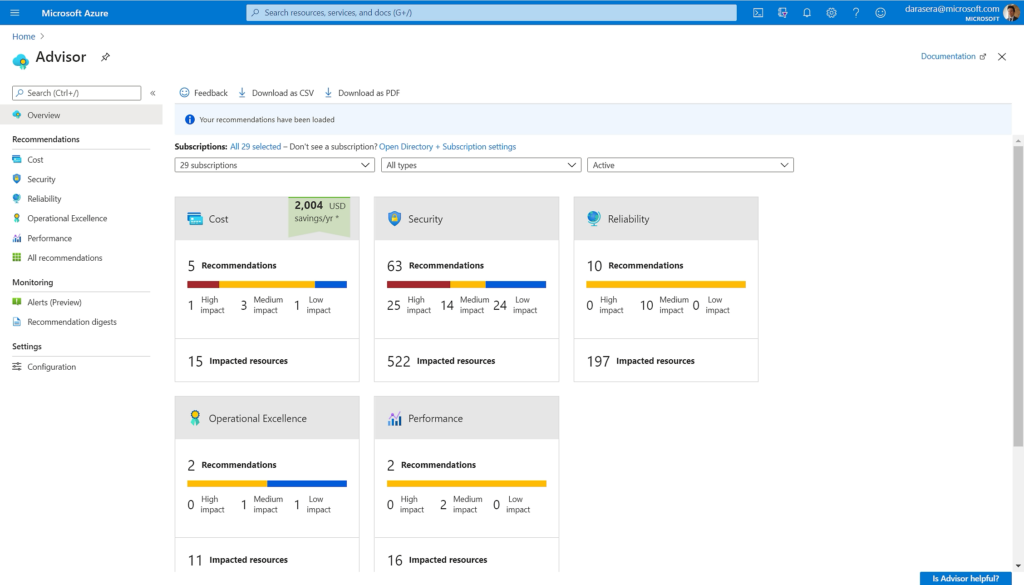
Azure Advisor is Microsoft’s native Azure recommendation service that analyzes Azure resource configuration and usage telemetry to deliver best-practice guidance across cost, performance, reliability, security, and operational excellence, focused exclusively on Microsoft cost management.
Key Azure Optimization Capabilities: Provides cost optimization recommendations such as right-sizing resources, eliminating unnecessary cost, and identifying opportunities like Reservations or Savings Plans.
Automation Depth: Primarily recommendation-driven with limited one-click remediation for select items, with deeper automation requiring integration with Azure APIs or automation services.
Multi-Cloud Support: Azure-only and not designed for optimization or visibility across AWS, GCP, or other cloud providers.
Best For: Azure-centric teams that want built-in, no-additional-cost optimization guidance directly within the Azure ecosystem.
Pros & Cons:
- Pros: Native Azure integration; broad best-practice coverage; no additional charge.
- Cons: Limited automation depth; Azure-only; not a full-featured FinOps or commitment management platform.
Pricing Model: Included at no additional cost with Azure subscriptions.
3. Finout
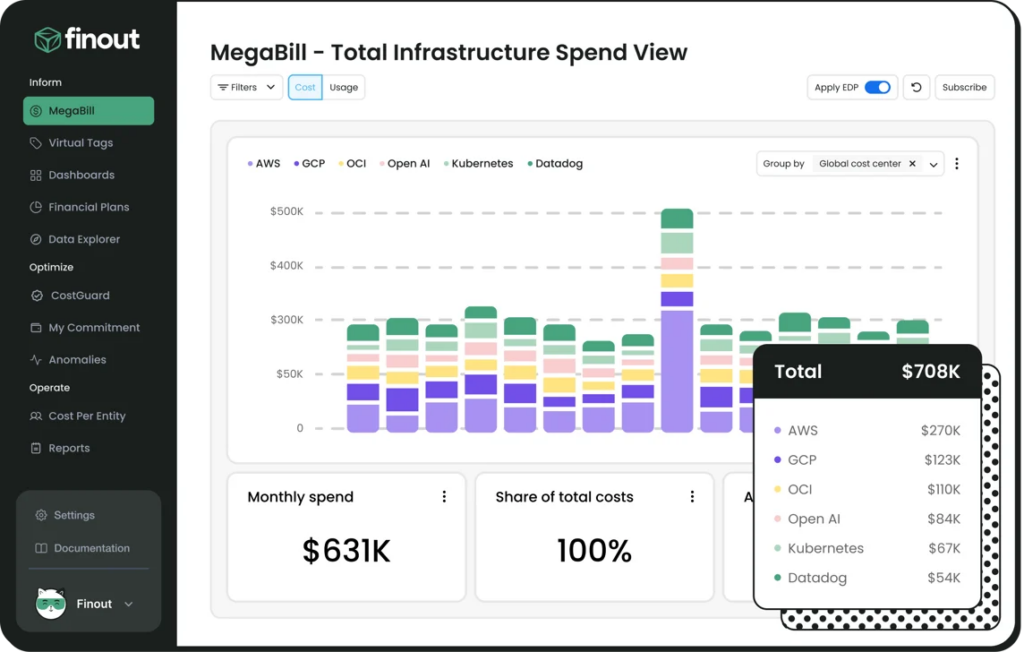
Finout is a third-party FinOps cost management/visibility platform built to unify and allocate spend across cloud providers and Azure services into a single “MegaBill,” with a focus on granular cost allocation and visibility for engineering and finance.
Key Azure Optimization Capabilities: Finout ingests Azure billing data into its unified cost layer so you can allocate Azure spend (including shared costs) to teams/apps/features and track optimization signals alongside the rest of your environment.
Automation Depth: Finout provides automated anomaly detection and alerting workflows (including cost alerts delivered to collaboration tools like Slack/Teams) to speed investigation and response to unplanned spend changes.
Multi-Cloud Support: Yes—Finout positions itself as multi-cloud, combining AWS, Azure, and GCP (and additional services) into one consolidated cost view.
Best For: Organizations running multi-cloud plus Kubernetes/SaaS that need high-fidelity cost allocation and a unified cost data layer without heavy tagging or manual overhead.
Pros & Cons:
- Pros: Strong multi-cloud consolidation (“MegaBill”) and allocation focus (including shared cost reallocation) with built-in dashboards/reporting and anomaly detection.
- Cons: Not a native Microsoft Azure feature and it is more focused on visibility than optimization
Pricing Model: Finout markets a fixed-fee subscription priced yearly based on forecasted cloud spend, with “no overage penalties,” and plans typically require requesting a quote.
4. CAST AI
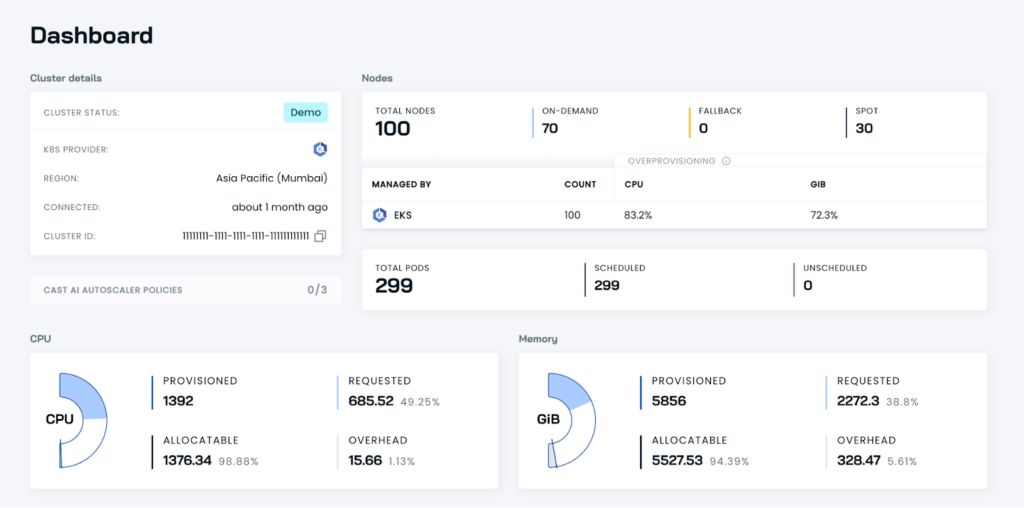
CAST AI is a third-party, Kubernetes-focused automation and optimization platform designed to continuously reduce Kubernetes infrastructure cost and operational toil across managed Kubernetes environments.
Key Azure Optimization Capabilities: CAST AI supports optimizing Kubernetes workloads running on Azure Kubernetes Service (AKS) through workload optimization and cost monitoring.
Automation Depth: High—CAST AI emphasizes autonomous Kubernetes optimization (autoscaling, rightsizing, rebalancing/bin-packing, and Spot automation) intended to run continuously with minimal manual tuning.
Multi-Cloud Support: Yes—CAST AI is built for Kubernetes across major clouds, including AWS (EKS), Google Cloud (GKE), and Azure (AKS).
Best For: Platform/infra teams running Kubernetes (including AKS) who want “autopilot-style” optimization—automated cost reduction and cluster efficiency—rather than a general-purpose cloud billing/FinOps suite.
Pros & Cons:
- Pros: Purpose-built for Kubernetes with strong automation for compute efficiency (rightsizing, autoscaling, bin-packing/rebalancing, Spot automation) and cost visibility at cluster/workload levels.
- Cons: Kubernetes-centric (less useful for optimizing non-Kubernetes cloud spend); requires adopting another optimization layer/tooling (integration, governance, and change management) and savings can vary depending on workload patterns and operational constraints.
Pricing Model: CAST AI markets usage-based pricing tied to actual Kubernetes compute consumption, which can get pricey at scale.
5. Spot
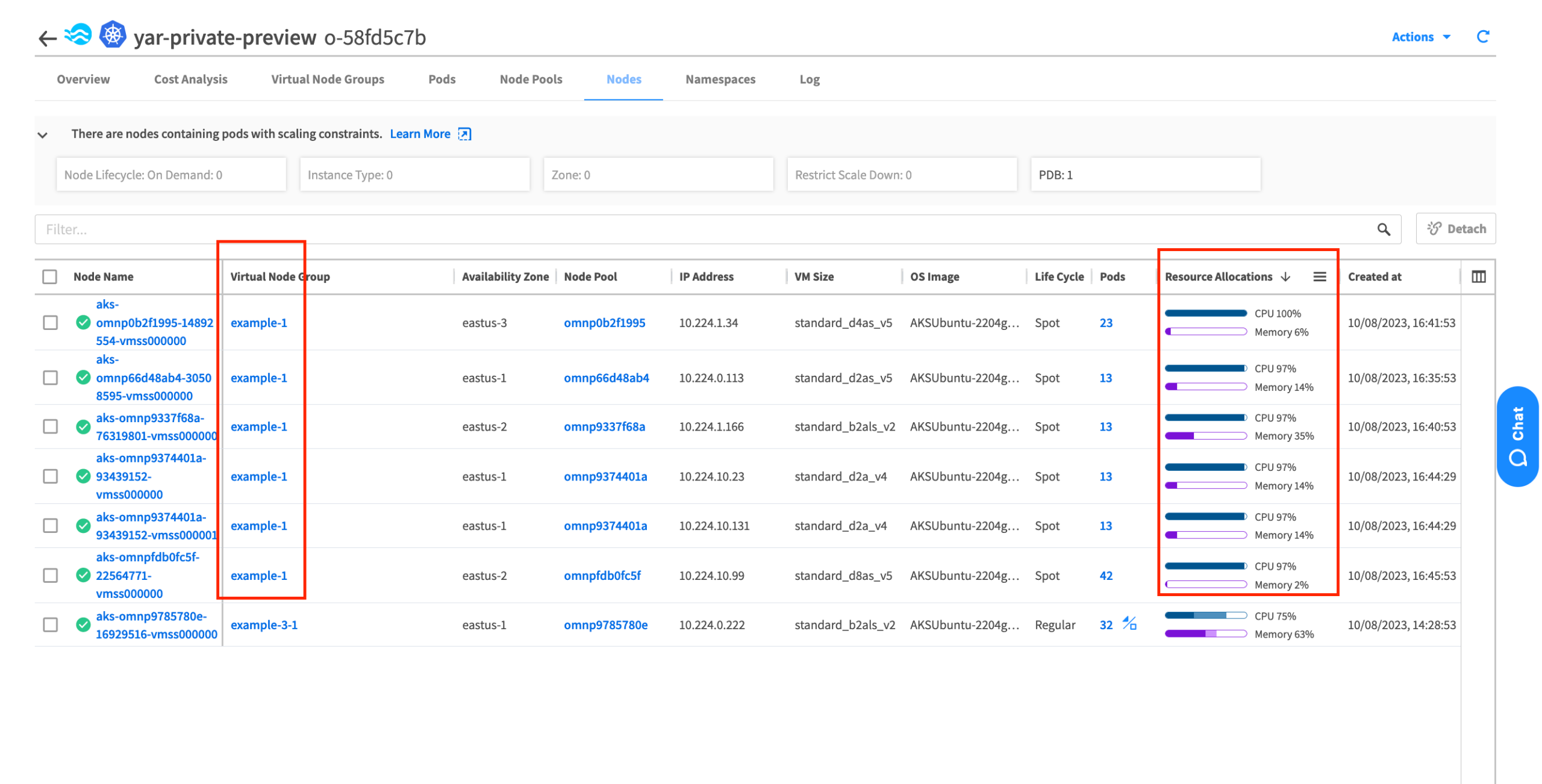
Spot is a third-party cloud infrastructure optimization suite recently acquired by Flexera.
Key Azure Optimization Capabilities: Spot focuses on actively optimizing compute and Kubernetes through automation—most commonly via Ocean (Kubernetes/AKS infrastructure automation), Elastigroup (scale-out compute + Spot VM automation), and commitment optimization (formerly Spot Eco).
Automation Depth: High—Spot is designed for continuous, policy-driven automation (scaling, capacity optimization, and pricing-model selection) rather than just reporting.
Multi-Cloud Support: Yes—Spot’s optimization products and Flexera’s commitment management are positioned for AWS, Azure, and GCP (module coverage varies).
Best For: Teams with meaningful Kubernetes and/or variable compute spend who want “active optimization” automation rather than a passive cost visibility-only tool.
Pros & Cons:
- Pros: Strong automation across Kubernetes, Spot, and commitments that can drive real infrastructure efficiency gains.
- Cons: As part of a suite of solutions that has changed hands multiple times, long-term product direction, integration consistency, and packaging can feel complex for buyers evaluating where specific capabilities live within the broader Flexera portfolio.
Pricing Model: Charges scale with managed optimization usage and/or savings impact.
6. Cloudability
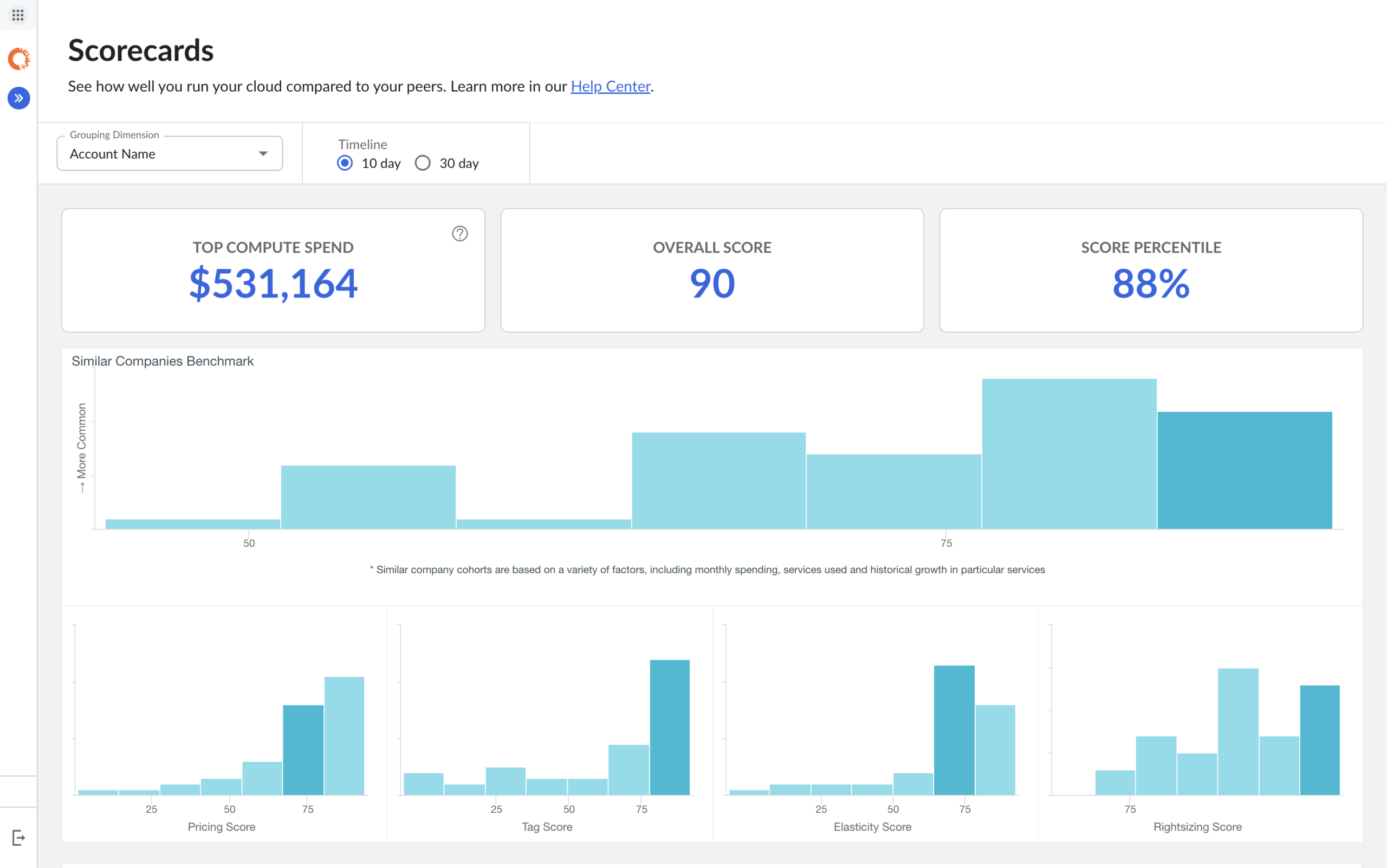
IBM Cloudability is a third-party FinOps cost management that provides multi-cloud visibility, allocation, forecasting, and optimization workflows aimed at enterprises.
Key Azure Optimization Capabilities: Cloudability can unlock Microsoft Azure-specific optimization workflows (e.g. rightsizing and Azure reserved instance planning) and cost controls.
Automation Depth: Medium—beyond pure reporting, it supports some cost savings through anomaly detection and automated optimization/commitment coverage workflows.
Multi-Cloud Support: Yes—Cloudability is designed for multi-cloud cost visibility and FinOps workflows across major cloud providers (including Azure).
Best For: Enterprise FinOps teams that need a multi-cloud system of record for allocation/showback, forecasting, governance, and optimization/commitment workflows across many teams and business units.
Pros & Cons:
- Pros: Broad enterprise FinOps coverage with many Azure cloud cost management features to analyze your cloud spending.
- Cons: Implementation and ongoing operations can be heavier than lighter-weight tools (data onboarding, taxonomy, governance), and pricing that scales with monitored spend can become expensive at large cloud scale.
Pricing Model: Annual SaaS fee aligned to “monitored costs” (cloud spend under management), with public-sector pricing documentation describing a range of roughly 0.75% to 3% of monitored cost.
7. Holori
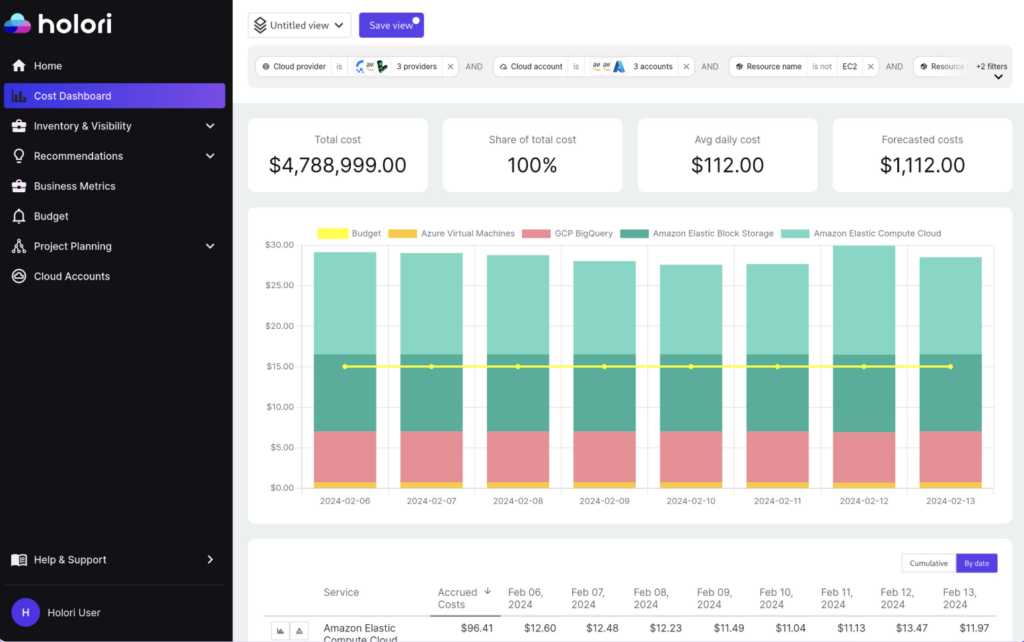
Holori is a third-party FinOps and cloud cost optimization platform that combines multi-cloud cost visibility with infrastructure “diagram-first” observability and actionable optimization recommendations, positioning it as both a visibility/allocation tool and a lightweight optimization layer.
Key Azure Optimization Capabilities: Holori pulls optimization recommendations from connected cloud accounts (including Azure) to highlight underutilized resources, rightsizing opportunities, and commitment discount opportunities.
Automation Depth: Mostly insight-and-workflow driven and Azure cost analysis rather than executing autonomous infrastructure changes in-cluster or in-cloud.
Multi-Cloud Support: Yes—Holori supports recommendations and comprehensive cost visibility across multiple providers
Best For: Teams that want easy-to-digest multi-cloud cost management with lightweight optimization.
Pros & Cons:
- Pros: Distinctive infrastructure diagrams + dashboards for visibility, plus cross-cloud optimization recommendations and virtual tagging for allocation.
- Cons: Optimization is primarily advisory (you still implement changes in Azure/Kubernetes), and the platform’s value is strongest when you invest in building/maintaining allocation structures and governance in the tool.
Pricing Model: Tiered monthly SaaS pricing that automatically scales based on your prior month’s total cloud costs.
8. ProsperOps
ProsperOps is a commitment management platform focused on automating cloud discount instruments (Reservations and Savings Plans) to continuously maximize savings and reduce commitment risk across cloud environments.
Key Azure Optimization Capabilities: Automatically manages Azure Reservations and Savings Plans for Compute by optimizing coverage levels and adjusting commitment strategy to align with changing usage patterns.
Automation Depth: High—built around continuous, autonomous commitment lifecycle management rather than manual recommendation review.
Multi-Cloud Support: Supports Azure, AWS, and Google Cloud for commitment optimization.
Best For: FinOps teams that want automated commitment optimization and are willing to invest in a different tool for general Azure cost management and cost analysis.
Pros & Cons:
- Pros: Highly specialized in commitment automation, reduces coverage gaps and overcommitment risk, and directly ties optimization to measurable savings outcomes.
- Cons: Narrow in scope (focused on commitments rather than full cloud cost visibility or workload optimization), and pricing tied to savings can become expensive as cloud spend scales.
Pricing Model: Typically priced as a percentage of realized savings, meaning costs increase as savings increase.
9. Flexera
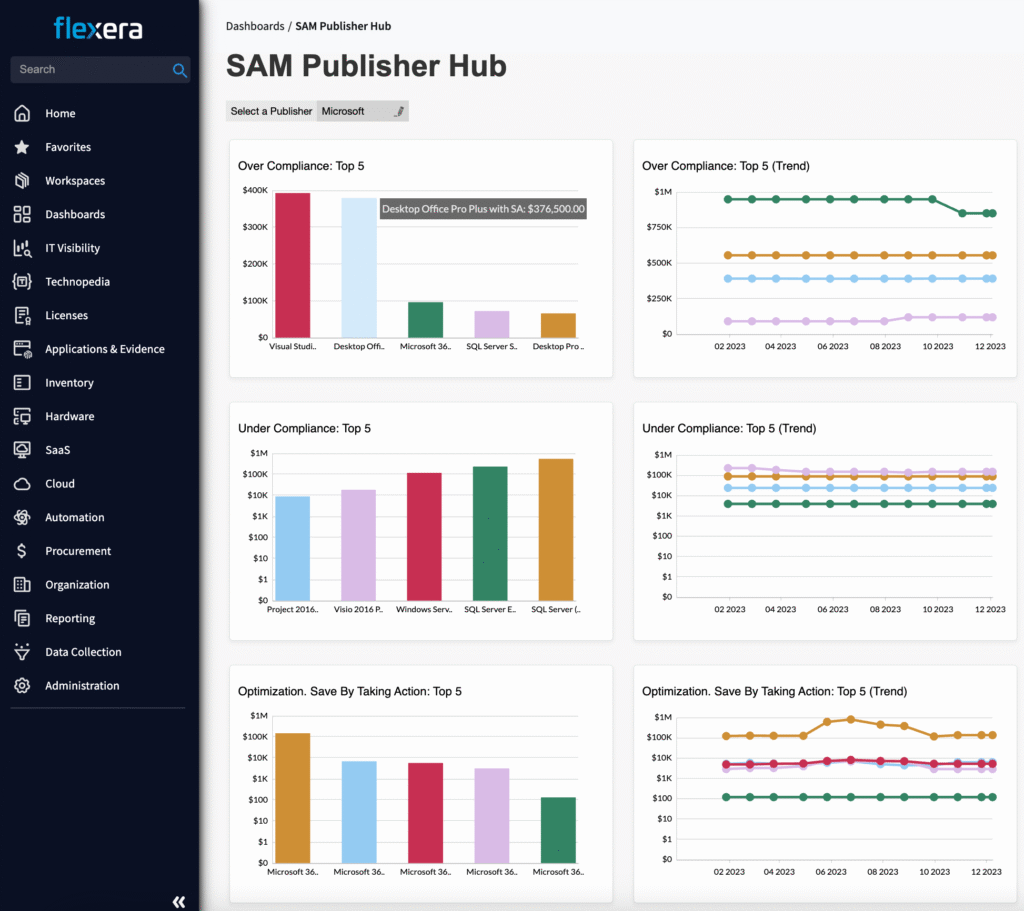
Flexera is an enterprise FinOps and technology spend management suite that provides multi-cloud cost visibility, allocation/governance, and optimization workflows, and it also owns key “active optimization” products on this list—Spot (acquired from NetApp) and ProsperOps (acquired January 6, 2026).
Key Azure Optimization Capabilities: Flexera supports a broad variety of optimizations through its suite of multiple Azure cost management solutions.
Automation Depth: Medium-to-high—strong recommendation and policy automation at scale, with deeper “active optimization” available via its Spot and ProsperOps product lines.
Multi-Cloud Support: Yes—positioned for unified cost controls and optimization workflows across AWS, Azure, and Google Cloud.
Best For: Larger orgs that want an enterprise FinOps system of record plus governance and optimization workflows that can extend into automated commitments and infrastructure optimization.
Pros & Cons:
- Pros: Broad enterprise coverage (inform/optimize/operate FinOps) with strong governance and optimization workflows, plus owned products that cover commitment automation (ProsperOps) and active infrastructure/Kubernetes optimization (Spot).
- Cons: Heavier platform adoption (taxonomy, governance, and rollout) and suite-style packaging can be complex, and subscription costs typically rise meaningfully as your cloud footprint and modules expand.
Pricing Model: Subscription pricing varies by modules and scale but can get expensive as managed cloud expenses grows and more portfolio capabilities are added.
10. Kubix (formerly Densify)
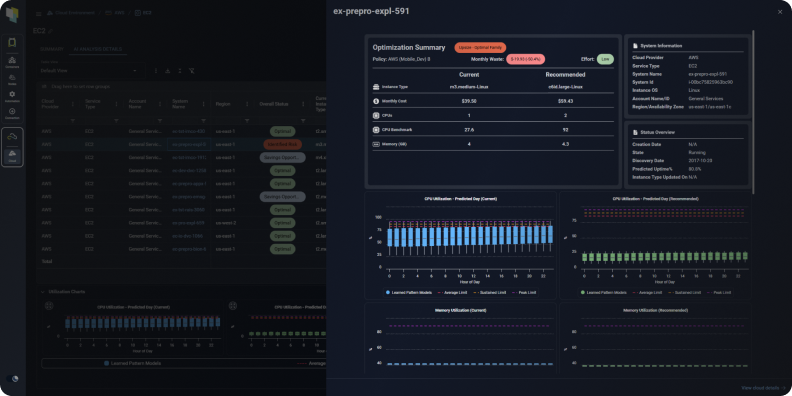
Densify is a cloud and container resource optimization platform focused on analytics-driven rightsizing and workload placement recommendations across cloud VMs and Kubernetes (it is a workload optimization engine rather than a billing-only visibility tool or a commitment-only platform).
Key Azure Optimization Capabilities: Densify analyzes Azure VM and AKS workload performance data to generate rightsizing recommendations, instance family changes, and purchasing guidance (including reserved capacity alignment) to reduce overprovisioning.
Automation Depth: Medium—Densify provides detailed analytics and actionable recommendations with integration options, but infrastructure changes are typically executed by teams rather than autonomously enforced by the platform.
Multi-Cloud Support: Yes—supports optimization across Kubernetes and multi cloud environments.
Best For: Engineering and cloud platform teams that want data-science-driven rightsizing guidance for VMs and containers without deploying an autopilot infrastructure controller.
Pros & Cons:
- Pros: Strong workload-level analytics and rightsizing precision across VMs and Kubernetes, with emphasis on performance-safe optimization.
- Cons: Primarily recommendation-based (not continuous autonomous execution), and value depends on teams consistently acting on optimization guidance.
Pricing Model: Subscription SaaS pricing typically aligned to the number of resources or cloud spend under management, so costs scale with the size of the environment being optimized.
11. Ternary
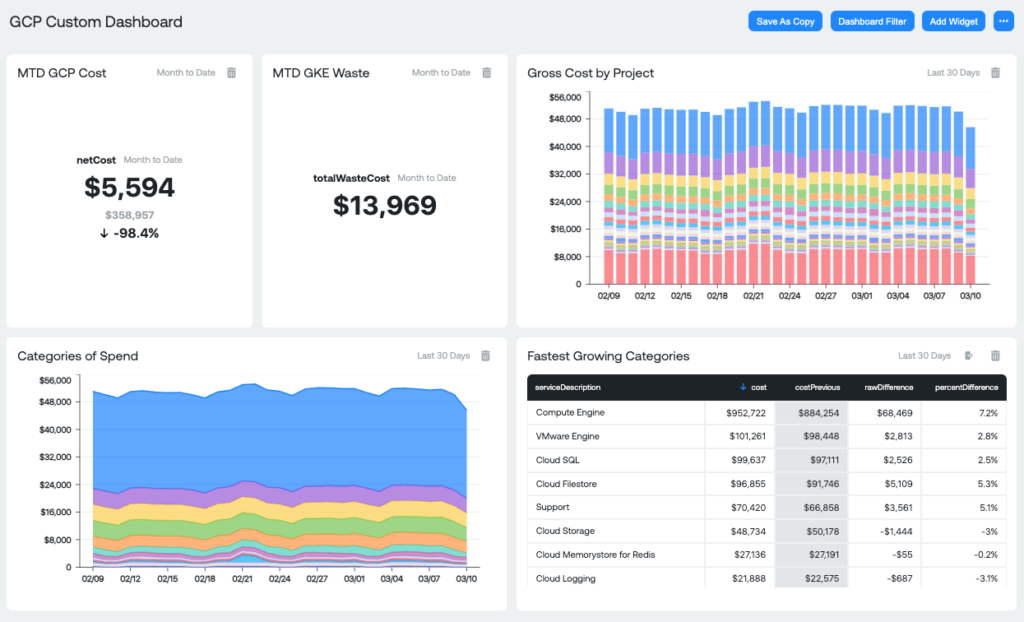
Ternary is a multi-cloud FinOps platform that provides unified cost visibility, allocation, forecasting, anomaly detection, and optimization recommendations, acting as a cloud cost management and FinOps system of record.
Key Azure Optimization Capabilities: Normalizes and attributes Azure spend, with optimization recommendations for your cloud investments across compute, storage, databases, Kubernetes, and commitments.
Automation Depth: Low/medium—provides real-time insights, ML-powered anomaly detection, and actionable recommendations, but taking action to optimize Azure costs requires manual effort for teams.
Multi-Cloud Support: Yes—built to ingest, normalize, and manage costs across multi cloud environments.
Best For: FinOps teams and engineering/finance stakeholders that want a single source of truth for cloud and technology cost visibility.
Pros & Cons:
- Pros: Comprehensive multi-cloud cost visibility and allocation with forecasting, anomaly detection, and case/workflow management; integrates with existing tools and supports complex reporting.
- Cons: Not an autonomous optimizer (recommendations require action by teams), and depth of features can drive operational overhead for setup and governance as environments scale.
Pricing Model: Fixed-fee annual subscription based on cloud spend tiers
12. CloudZero
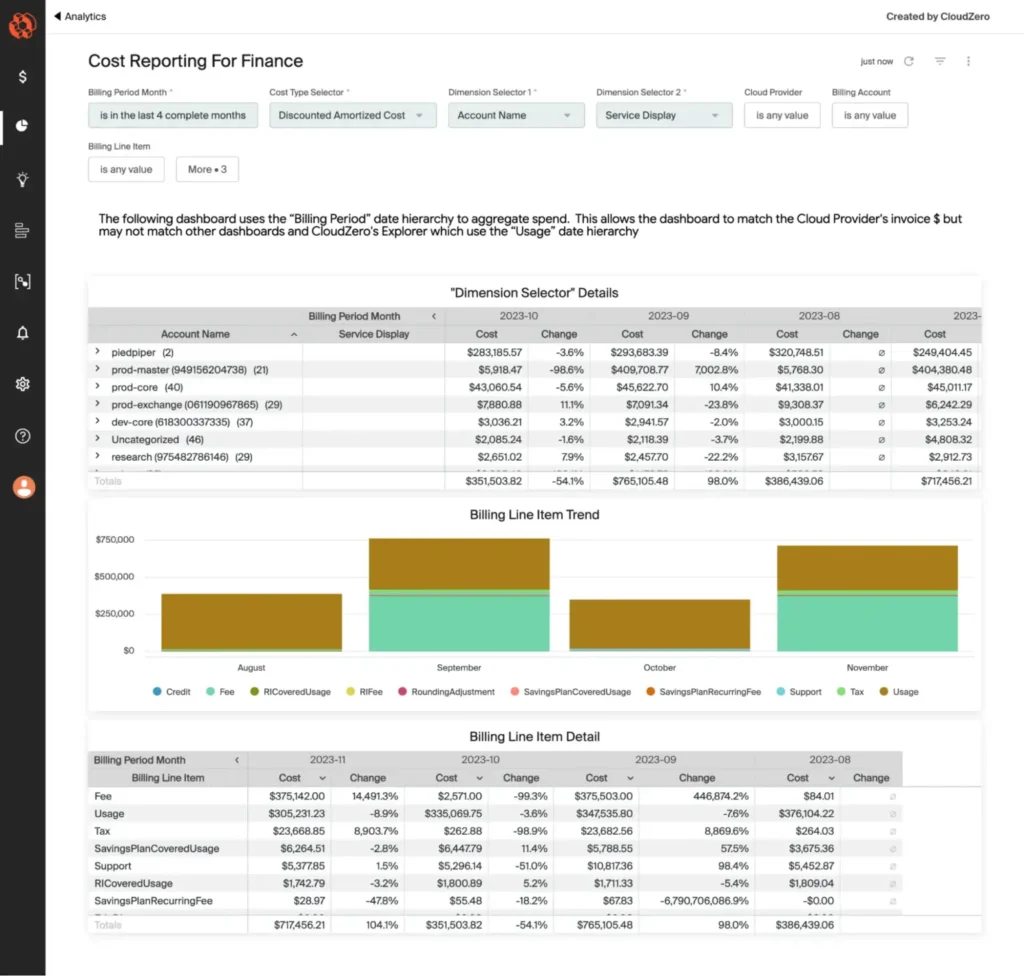
CloudZero is a cloud cost intelligence and cost observability platform that focuses translating billing data into business-aligned unit costs (cost per product feature/customer/transaction) and surfacing anomalies and insights to optimize costs.
Key Azure Optimization Capabilities: CloudZero connects to Azure Cost Management and Billing APIs with read-only permissions to ingest Azure usage/billing data so teams can allocate Azure costs, track unit economics, and spot optimization opportunities alongside other cloud spend.
Automation Depth: Low/medium—CloudZero automates cost anomaly detection and alerting plus insight generation.
Multi-Cloud Support: Yes—CloudZero supports multi-cloud cost analysis, including Azure alongside other major cloud providers.
Best For: Engineering-led FinOps teams that want deep cost observability and unit-cost accounting (not just dashboards) to drive accountability and optimization decisions at the product/service level.
Pros & Cons:
- Pros: Strong cost intelligence around unit economics plus built-in anomaly detection to catch spend spikes quickly and make costs actionable for engineers.
- Cons: It’s primarily a cost intelligence/visibility-and-workflows layer (not an “autopilot” optimizer for compute costs), and pricing can become a meaningful line item at scale.
Pricing Model: CloudZero markets tiered monthly pricing, and marketplace listings show spend-scaled consumption pricing (for example, an on-demand rate priced per $1,000 of monthly AWS spend).
13. VMware Tanzu CloudHealth
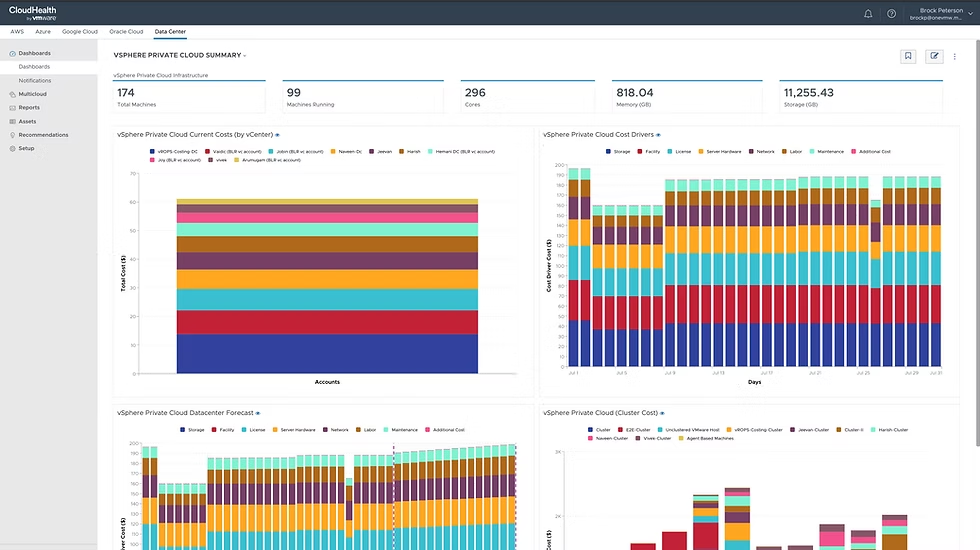
VMware Tanzu CloudHealth is an enterprise FinOps and cloud cost management suite for multi-cloud visibility, allocation, governance, and optimization recommendations across large cloud footprints.
Key Azure Optimization Capabilities: CloudHealth supports Azure rightsizing and waste reduction among other Azure cost optimizations.
Automation Depth: Medium—it provides policy-based governance and optimization recommendations, but most savings actions are implemented by teams rather than autonomously executed.
Multi-Cloud Support: Yes—built to ingest and normalize spend across multi-cloud environments to provide a holistic view of applications, infrastructure, and business costs.
Best For: Enterprise FinOps teams that need multi-cloud cost allocation/chargeback, governance controls, and optimization recommendations in one platform.
Pros & Cons:
- Pros: Strong enterprise-grade multi-cloud reporting and allocation with governance and optimization features like rightsizing and commitment planning/management workflows.
- Cons: Heavier implementation and ongoing governance overhead than lighter-weight tools, and spend-based licensing can become expensive as cloud usage scales.
Pricing Model: Licensed on a spend-scaled metric (Broadcom’s SaaS listing describes “Cloud Spend Units” where 1 unit represents 1 USD of cloud spend per month).
Azure Native Tools vs Third-Party Optimization Platforms
Azure gives you real optimization tooling out of the box. The question isn’t whether Azure Cost Management works — it’s when it stops being enough.
When Azure Cost Management Is Enough
If you’re primarily Azure-only and your cloud environment is relatively centralized, Azure Cost Management + Azure Advisor can carry you.
You get built-in cost visibility, budgeting, alerts, tagging-based allocation, and native recommendations for rightsizing, idle resource cleanup, and commitment purchases. For many small to mid-sized environments with less than around $10k of monthly cloud spend, that’s sufficient.
It’s also enough when:
Your team manually reviews and acts on recommendations.
Your commitment strategy is straightforward (a few Reservations or Savings Plans).
You don’t need deep cost allocation beyond subscriptions and tags.
Engineering and finance coordination is lightweight.
When External Automation Tools Deliver More Value
Things change as complexity increases. When you’re managing dozens (or hundreds) of subscriptions, multi-team Kubernetes clusters, variable workloads, or multi-cloud environments, optimization becomes key.
Third-party platforms tend to deliver more value when:
You need multi-cloud normalization across Azure, AWS, and GCP.
Cost allocation must reflect business constructs (features, customers, products), not just tags.
Savings depend on continuous automation (Kubernetes bin-packing, Spot orchestration, autonomous commitment management).
Engineering teams need cost signals embedded in their workflows.
Commitment coverage requires active rebalancing rather than periodic manual purchases.
AWS Cloud Cost Allocation: The Complete Guide
Feature Comparison Table
Let’s summarize the key features for all 13 tools:
Feature Comparison Table: All 13 Azure Cost Optimization Tools (2026)
| Tool | Commitment automation | Rightsizing | Idle detection | Multi-cloud coverage | Governance features |
|---|---|---|---|---|---|
| nOps | ✔️ | ✔️ | ✔️ | ✔️ | ✔️ |
| Azure Advisor | ✔️ | ✔️ | |||
| Finout | ✔️ | ||||
| Cast AI | ✔️ | ✔️ | |||
| Spot (Flexera) | ✔️ | ✔️ | ✔️ | ✔️ | |
| Cloudability (IBM) | ✔️ | ✔️ | ✔️ | ✔️ | |
| Holori | ✔️ | ✔️ | ✔️ | ||
| ProsperOps | ✔️ | ✔️ | |||
| Flexera | ✔️ | ✔️ | ✔️ | ✔️ | |
| Kubix (formerly Densify) | |||||
| Ternary | ✔️ | ✔️ | |||
| CloudZero | ✔️ | ||||
| VMware Tanzu CloudHealth | ✔️ | ✔️ | ✔️ | ✔️ |
How to Choose the Right Azure Cost Optimization Tool
The best Azure cost optimization tool depends on your cloud maturity, org structure, and how hands-on you want optimization to be.
Startup vs Enterprise considerations
Startups should prioritize speed, clarity, and low operational overhead: the right tool is one that surfaces obvious waste quickly, supports simple commitment decisions, and doesn’t require a dedicated FinOps function to operate. Look for one unified platform, fast implementation, intuitive dashboards engineers will actually use, and pricing that won’t meaningfully erode savings at lower spend levels.
Enterprises, by contrast, may need more features and control: granular allocation across business units, policy enforcement, commitment lifecycle management, auditability, and workflow support between engineering and finance.
Single-cloud vs Multi-cloud
If you operate in a single cloud, your evaluation should focus on depth: how well the tool understands Azure pricing constructs, commitment mechanics, and workload patterns, and whether it can continuously optimize within that ecosystem. In multi-cloud environments, breadth and normalization become critical — finance needs one coherent view of spend, engineering needs consistent optimization signals, and leadership needs comparable unit economics across providers.
Automation-first vs reporting-first
Reporting-first tools help teams understand spend through allocation, forecasting, anomaly detection, and recommendations — but they rely on humans to close the loop. Automation-first platforms extend beyond visibility by continuously executing rightsizing, commitment adjustments, scaling changes, or policy-based actions to keep spend aligned with real usage. The practical decision comes down to operating model: if your team has the bandwidth and discipline to act on insights consistently, reporting may be sufficient; if optimization cycles lag behind infrastructure changes or waste keeps recurring, deeper automation becomes key.
nOps for Azure Cost Optimization
Across the tools in this guide, commitment optimization remains one of the largest savings levers in Azure. nOps focuses on maximizing that lever automatically — increasing your effective savings rate without adding operational overhead. And, we only get paid after delivering you measurable savings.
In 2026, “good enough” means you’re likely leaving money on the table. We’ve talked to companies that can save millions on their cloud bills by switching to nOps from competitors.
There’s no risk to book a free savings analysis to find out if nOps can help you get more value out of your cloud investments.
nOps manages $3B+ in cloud spend and was recently rated #1 in G2’s Cloud Cost Management category.

Demo
AI-Powered Cost Management Platform
Discover how much you can save in just 10 minutes!

Last Updated: March 2, 2026, Cost Optimization
Tags
Last Updated: March 2, 2026, Cost Optimization
