Google Cost Optimization: The Ultimate Guide for 2026
Google Cloud pricing gets complicated fast. Teams have to decide which discount model fits each workload, untangle bills made up of compute, storage, network, database, and analytics charges, and now account for a growing layer of AI spend on top of traditional infrastructure costs.
This guide walks through how core GCP pricing works, where cost typically leaks out, how commitment programs stack up against each other, and which levers actually move the needle for teams running workloads on Google Cloud in 2026.
Understanding GCP Pricing
Every GCP service has its own pricing mechanics, but the same handful of decisions — machine family, storage class, discount program, region — drive most of the bill. Here's where the biggest levers sit, and where teams typically leave money on the table:
Service | What drives it | Where teams overspend |
|---|---|---|
Per-second billing on vCPUs and memory, priced by machine family | Oversized instances, idle nodes, and machine families (like E2) that don't qualify for automatic discounts | |
Bytes scanned under on-demand pricing, or reserved slot-hours under capacity pricing | Unpartitioned tables, SELECT * queries, and slot commitments sized above actual usage | |
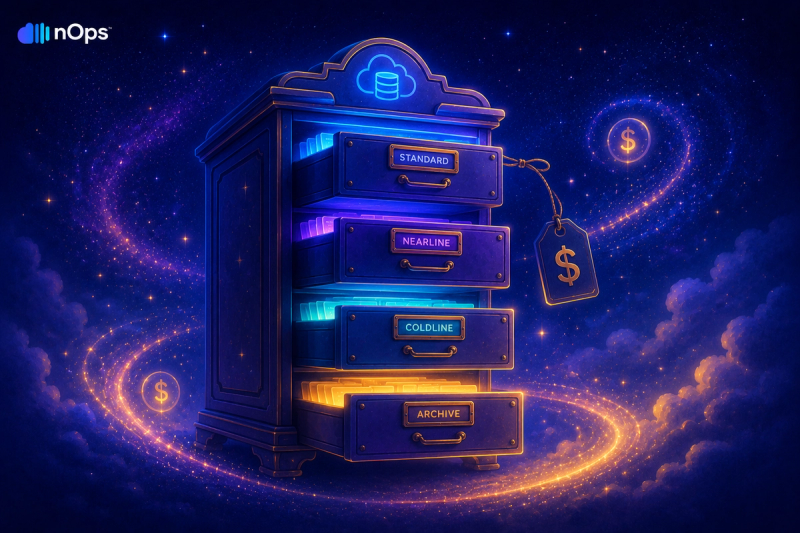
Storage class, retrieval frequency, and operation type | Data sitting in Standard storage long after it should have moved to Nearline, Coldline, or Archive | |
Data volume leaving Google's network, billed per GB in tiers | Defaulting to Premium Tier for latency-insensitive traffic, and cross-region chatter between services | |
Tokens processed per call, or node-hours for training and dedicated serving | Running steady, high-volume inference on pay-as-you-go pricing instead of provisioned throughput, and forgotten always-on endpoints |
Compute discounts are where GCP diverges most from AWS and Azure — we cover how CUDs and Sustained Use Discounts compare in detail below.
GCP Cost Visibility & Monitoring
Before optimizing anything, you need to see where the spend is actually going. That starts with monitoring Google Cloud spend at the project and label level, and extends to estimating costs before you deploy so new workloads don't show up as a surprise on next month's invoice.
Eliminate Waste & Right-Size
Discounts only help once the underlying usage is right-sized — a resource-based CUD on an oversized instance still overpays, just at a lower rate. The biggest waste sources are consistent across GCP compute services: idle capacity, oversized machine types, and workloads left running after they're no longer needed.
- Right-sizing Compute Engine starts with matching machine family and size to actual CPU/memory utilization rather than provisioning for peak.
- Cutting GKE costs means right-sizing nodes and pods together — cluster autoscaler and pod autoscaler settings that don't agree with each other are a common source of idle capacity.
- Optimizing Cloud Run comes down to minimum-instance settings and concurrency — Cloud Run bills for allocated CPU and memory while a request is being processed, so idle minimum instances add up fast.
Committed Use Discounts (CUDs)
GCP layers two independent discount mechanisms on top of on-demand pricing, and they work very differently. Sustained Use Discounts (SUDs) are automatic: any eligible resource you run for more than 25% of a billing month starts earning a discount with zero commitment, climbing to a maximum of about 30% off for a VM that runs the full month. They apply to N1, N2, N2D, and C2 machine types, plus M1 and M2 memory-optimized machines — but not to E2, C3, C4, or accelerator-optimized instances, which is a common surprise for teams that default to E2 for its lower base price. Committed Use Discounts (CUDs) require a 1- or 3-year term but go much deeper: resource-based commitments (locked to a machine series and region) can save up to 55% on most machine families and up to 70% on memory-optimized series, while flexible, spend-based commitments trade some of that depth for portability — roughly 28% on a 1-year term and 46% on a 3-year term, floating across projects, regions, and eligible machine families. Both CUD types are non-cancellable for the full term, and a given resource can't stack a CUD and a SUD at the same time — GCP applies whichever program covers it, not both.
Discount type | Applies to | Commitment | Flexibility |
|---|---|---|---|
Compute Engine, GKE, Cloud Run, and other eligible services (resource-based) | 1 or 3 years, non-cancellable | Locked to a specific machine series and region | |
Spend across eligible compute, GKE, and Cloud Run usage | 1 or 3 years, non-cancellable | Floats across projects, regions, and machine families | |
N1, N2, N2D, C2, M1, M2 machine types | None — applied automatically | Fully flexible, no lock-in, capped around 30% |
Getting the commitment size wrong is the single biggest risk in this section — avoiding overcommitment means sizing against your lowest sustained usage, not your average or peak.
Full guide: GCP Committed Use Discounts: CUDs, Flex CUDs & SUDs Explained
Cost Guides by GCP Service
Compute is rarely the whole story. Databases, analytics, and AI workloads each have their own pricing mechanics worth understanding on their own terms:
Service | Primary cost driver | Guide |
|---|---|---|
Compute Engine | vCPU/memory hours by machine family | |
GKE | Node vCPU/memory plus underlying Compute Engine spend | |
Cloud Run | Allocated CPU/memory while a request is processed | |
BigQuery | Bytes scanned (on-demand) or slot-hours (capacity) | |
Vertex AI | Tokens per call, or node-hours for training/serving | |
AI provisioned throughput | Reserved capacity billed hourly regardless of usage |
Choosing a GCP Cost Tool
Native tools like the CUD Analysis dashboard and Billing Reports cover the basics, but most teams outgrow them once spend crosses multiple projects, teams, or clouds. Our breakdowns of GCP cost optimization best practices, GCP FinOps tools, and GCP cost management tools walk through what to look for and how the options compare.
Cost Optimize Google Cloud Platform with nOps
For centralized GCP cost visibility and egress tracking alongside compute, storage, and commitment spend, nOps provides multi-cloud cost management with anomaly detection, budget alerts, and per-service attribution across AWS, Azure, and GCP.
- Unified visibility: Get all of your spending from GCP, AWS, Azure, AI, and SaaS in one place, with cost allocation by application, customer, team, or business unit to understand what is driving spend and where optimization will have the greatest impact.
- Commitment Management: Automatically maximize discounts and minimize commitment risk across eligible cloud infrastructure supporting your GCP workloads. Customers typically save ~20% by switching to nOps — and with results-based pricing, you pay only when you get better results.
We’ve talked to companies that can save millions on their cloud bills by switching to nOps from competitors. Book a free savings analysis to quantify exactly how much more you could save across the infrastructure supporting GCP and the rest of your cloud environment.
nOps manages $5B+ in cloud spend and was recently rated #1 in G2’s Cloud Cost Management category.
FAQ
How is GCP pricing different from AWS?
The biggest structural difference is how automatic discounts work. GCP applies Sustained Use Discounts automatically — no purchase required — for eligible machine families that run more than a quarter of the billing month. AWS has no direct equivalent; its comparable programs (Reserved Instances, Savings Plans) all require you to actively buy a commitment before any discount applies. For deeper savings, both platforms then layer a 1- or 3-year commitment program on top (GCP's CUDs, AWS's Savings Plans), which work on broadly similar logic. Egress is priced differently too: GCP's Premium Tier starts at $0.12/GB versus AWS's $0.09/GB for the first tier, though GCP's Standard Tier ($0.085/GB) undercuts AWS for latency-insensitive traffic. BigQuery's on-demand-vs-capacity billing choice doesn't have a clean AWS parallel either — Redshift's serverless/provisioned split is the closest comparison, but the mechanics aren't identical.
What is a Committed Use Discount?
A Committed Use Discount (CUD) is a 1- or 3-year commitment to a minimum level of GCP usage or spend, in exchange for a discounted rate. Resource-based CUDs lock in a specific machine series and region and can save up to 55% (up to 70% for memory-optimized machines); flexible, spend-based CUDs trade some of that discount for portability across projects and machine families (roughly 28% on a 1-year term, 46% on a 3-year term). Both types are non-cancellable for the full term, which makes sizing the commitment correctly the most important part of the decision.
CUDs or Sustained Use Discounts — which applies?
It depends on the machine type and whether you're willing to commit. Sustained Use Discounts apply automatically to N1, N2, N2D, C2, M1, and M2 machines with no commitment and a cap around 30%. Committed Use Discounts require a 1- or 3-year term but go deeper — up to 55-70% — and also cover machine families (like E2) that never qualify for SUDs. A given resource can't receive both discounts at once; GCP applies whichever program covers it.
How much can GCP costs be reduced?
There's no single percentage that applies across every workload — the answer depends on how oversized your current instances are, how much of your usage is steady versus spiky, and which discount programs you're not yet using. The levers that move the needle most are right-sizing first (fixing waste before discounting it), matching workloads to SUD-eligible machine families where the workload allows it, sizing CUD commitments against your lowest sustained usage rather than your average, and choosing the cheaper egress or storage tier where latency allows it. Combined, these typically account for the bulk of the savings teams find in a GCP cost review.
What are the biggest GCP cost drivers?
For most organizations: Compute Engine and GKE (vCPU/memory usage and machine family choice), BigQuery (bytes scanned on unoptimized queries or oversized slot commitments), Cloud Storage (data sitting in the wrong storage class), egress (cross-region and internet-bound traffic), and, increasingly, Vertex AI — token-based generative AI usage that scales less predictably than traditional compute.
Does GCP charge for data egress?
Yes. Ingress is free, but data leaving Google's network is billed per GB in tiers. On the default Premium Tier, the first 1 GiB/month is free, then it's roughly $0.12/GB for the first TB, $0.11/GB for the next 9 TB, and $0.08/GB above 10 TB. Standard Tier is cheaper — about $0.085/GB after a 200 GiB free allowance — but routes over the public internet rather than Google's private backbone, so it's a better fit for latency-insensitive traffic. See the full breakdown of GCP egress costs for the regional and intercontinental tiers.