Model Routing: When to Switch AI Models and What It Actually Saves
It's easy to pick one model, make it the default, and send everything to it. Meanwhile new models and versions ship constantly, many of them cheaper or better suited to a specific kind of task, and almost nobody has time to evaluate them against the work they actually run. Prices can differ by 20x or more between tiers of the same provider, so the default model can cost many times what a cheaper one would for work it handles just as well.
This guide covers how to decide which model each kind of task needs, when switching is worth it, what a switch costs in engineering time and risk, how routing is built, and how to measure whether it saved money. It doesn't compare prices model by model. For current rate cards, see our LLM cost comparison.
Why Price Per Token Is Not the Real Cost
A recent study, The Price Reversal Phenomenon, compared reasoning models on real tasks and found that the model with the lower listed price ended up costing more to run in 32% of comparisons. A price per million tokens says what each token costs, but not how many tokens a task will use or how often it will have to run again. Four things explain the gap: how long the model's answers are, how much it reasons before answering, how often it fails, and how many tasks come out right.
Longer answers cost more
You pay for every token a model writes, and output tokens cost several times more than input tokens. Two models can charge the same rate and still write very different amounts. One might answer a question in 200 tokens while another needs 800 to say the same thing, which makes the second four times more expensive for that task even though the rate card looks identical. Because the extra length is spread across thousands of requests, it rarely stands out until you compare cost per task.
Hidden reasoning tokens
Reasoning models work through a problem before they answer, and that thinking is billed as output tokens even when you never see it. The amount varies widely between models. In the Price Reversal study, Gemini 3 Flash used more than 60,000 thinking tokens on a problem that GPT-5.4 solved with 25. A model with a lower rate per token can lose that comparison simply by thinking far longer.
Retries and failure rates
A cheaper model that fails more often has to run more often. Every retry is a full extra charge, and failures that reach users add support tickets and lost trust that never appear on the invoice. Token counts can also shift between model generations. OpenRouter's analysis of Opus 4.7's new tokenizer cites Anthropic's own range of roughly 1.0 to 1.35 times as many tokens for the same text, and measured more than that on real prompts. A price per token from one generation therefore doesn't compare cleanly with the next.
Task success rate
A model that completes 95 of 100 tasks costs you 100 attempts for 95 results. A model that completes 70 of 100 has to be much cheaper per attempt just to break even, because 30 of those attempts produced nothing you can use. Dividing spend by the tasks that succeed gives the price per result.
Cost per completed task
Cost per completed task is total spend on a workload divided by the number of tasks that actually succeeded. It folds verbosity, reasoning tokens, retries and failures into one figure, which price per million tokens cannot do. Track it for each workload rather than for the whole account, since a model can be the right choice for one workload and the wrong one for another. It is also the number to compare before and after any switch.
What Is Model Routing?
Model routing is the practice of sending each request to the AI model that fits it best instead of sending everything to one model. The choice can follow a fixed rule, such as one model per endpoint, or a learned decision made by a classifier. Simple requests go to cheaper models and hard ones go to stronger models.
Why one model for everything overpays
Many teams start with a single model because it is easy to build, test and reason about. The cost shows up later, when traffic that is not uniform all lands on the same expensive model. Intent detection, field extraction and a hard planning question need very different amounts of capability, yet all of them are billed at frontier rates. Routing matches the model to the request. The RouteLLM paper reported cost reductions between 35% and over 85% depending on the benchmark while keeping about 95% of GPT-4's quality, and your own savings will depend on your traffic mix.
Routing, failover and cascading
These three terms are often used interchangeably, but they solve different problems. Routing picks a model before the request is sent, based on what the request looks like. Failover switches to another model when the first one errors or times out, and exists to protect availability rather than cost. Cascading sends the request to a cheap model first and escalates to a stronger one only if the answer looks weak. Many production setups combine all three.
Which Tasks Need the Expensive Model?
Many teams find that a large share of their traffic is simple enough for a smaller model, while a handful of request types genuinely need the strongest one. Treat the table below as a starting point for sorting your own workloads. It shows the smallest model tier that usually holds up on each kind of task, what tends to break first when you go cheaper, and how large the price gap is between tiers.
Task type | Typical starting tier | What breaks if you go cheaper | Typical cost delta |
|---|---|---|---|
Classification and intent detection | Small | Ambiguous and edge-case inputs get the wrong label | Small is about 20x cheaper than mid |
Extraction and structured output | Small to mid | Malformed JSON, missed fields, invented values | Up to about 20x per token |
Summarization | Small to mid | Dropped details and invented facts on long documents | Up to about 20x per token |
Code generation | Mid | Subtle bugs and weak handling of large codebases | Upper tier costs about 2x mid |
Complex reasoning and planning | Upper | Confident answers that are wrong | Frontier costs about 2x upper |
Agentic workflows | Upper to frontier | Wrong tool calls, loops, errors that compound across steps | Frontier costs about 2x upper |
The small, mid, upper and frontier tiers map to Anthropic's Haiku, Sonnet, Opus and Fable models, and the cost deltas are the input-price gaps per token on Anthropic's rate card. The 20x gap holds for Haiku prompts up to 100,000 tokens; above that, Haiku's price rises and the gap is about 4x. Effective cost per task can also differ from these gaps, as the first section of this guide explains.
Classification and intent detection
Sorting a message into one of a few labels, such as which team should get a support ticket or whether a user wants to cancel or upgrade, is the easiest job to hand to a small model. The label set is fixed, the answer is a single word or number, and a wrong answer is usually easy to spot and cheap to correct. These tasks also tend to be the highest-volume calls in an application, which makes them the best place to start routing. The main thing to watch is ambiguous input, where a small model may pick a label with confidence when a stronger one would flag the message as unclear.
Extraction and structured output
Pulling fields out of text, such as invoice totals, dates or names, works well on small and mid-tier models as long as the schema is clear and the source text actually contains the answer. The failures are easy to miss. A cheaper model may return malformed JSON that breaks the next step, or fill in a plausible value for a field the document never mentioned, and that bad data can travel a long way before anyone notices. Validate every output against the schema and count a validation failure as a failed task, so cost per completed task reflects it.
Summarization
Short, clean documents summarize well on small models, and the quality gap between tiers is narrow. The gap widens on long or messy inputs such as meeting transcripts and legal text, where cheaper models are more likely to drop a detail that matters or add a claim the source never made. Because a wrong summary still reads smoothly, the only reliable check is comparing a sample of outputs against their sources before you commit to a cheaper tier.
Code generation
Boilerplate, unit tests and well-defined functions are usually fine on a mid-tier model, since the task is clear and the output can be checked by running it. Problems show up with large codebases and subtle logic, where a cheaper model may pass a quick test and still ship a bug that surfaces later. Public benchmarks only partly predict how a model will do on your code, so measure with your own tests and your own repositories.
Complex reasoning and planning
Multi-step logic, ambiguous instructions and high-stakes answers favor the upper tiers, because each added step is another chance for a weaker model to go wrong. The cost of a wrong answer is also higher here, whether that is a flawed analysis or a plan that someone acts on. Going cheaper on these tasks often costs more in the end, since people have to catch and fix the errors.
Agentic workflows
Agents chain many steps together, choosing tools, reading the results and deciding what to do next, so small errors compound. A wrong tool call at step two can send the following eight steps in the wrong direction, and the run keeps spending tokens the whole way. These workloads also run long, which makes retries expensive. Many teams split the work, using a stronger model to plan and a smaller one to carry out the simple steps. Our guide to AI agent governance covers budgets and guardrails for these workloads.
How to find the cheapest model that works
The cheapest model that works is the smallest one that still meets your quality bar on your own traffic, and public benchmarks can't tell you where that is. Finding it takes a small test run on real examples.
- Collect a few hundred real requests from production, including some hard ones.
- Decide what a good result looks like, ideally with an automatic check.
- Run the examples on your current model to set a baseline.
- Run the same examples on cheaper candidates.
- Compare cost per completed task, not price per token, and pick the cheapest model that clears your bar.
Repeat the test whenever your workload or the model lineup changes.
When to Switch Models
A switch pays off when a workload has more headroom than its current model uses, and it backfires when the cheaper model fails in ways the token bill doesn't show. The sections below cover the signs of each, how to treat new releases and price changes, and how to test a candidate cheaply.
Signs you are overpaying
The clearest sign is quality headroom. If you could drop to a smaller model and results would barely change, you are paying for capability you don't use. That usually shows up in three ways.
- Cost per task is high while quality scores sit near the ceiling.
- Simple, repetitive requests make up most of your volume.
- Your current model is a generation or two behind on price for the same quality.
Signs you switched too fast
After a switch, watch for friction that the token bill doesn't show.
- Retries and escalations to a stronger model climb.
- Users correct or regenerate answers more often.
- Support tickets mention wrong or odd answers.
- Cost per completed task rises even though token cost fell.
New model releases
You don't need to react to every launch. A release is worth testing when it lands in the tier you already use, when it comes with a clear price drop, or when it improves on a task that looks like yours. It is usually safe to skip a model whose headline benchmark covers work you don't do, or one that performs better but is priced above what the workload justifies. A fixed evaluation set keeps this decision quick, because every candidate is tested against the same examples.
Price changes and deprecations
Sometimes the decision is made for you, when a provider retires a model or changes its prices. Treat the announcement as a deadline and run your evaluation early, so you can choose the best replacement instead of the nearest one, which isn't always the same price. Our guides to Claude API pricing and OpenAI API pricing cover current rates.
Testing a switch cheaply
If testing a switch is painful, it won't happen, so build the process to be cheap enough to repeat.
- Keep a fixed evaluation set and reuse it for every candidate.
- Automate scoring wherever you can.
- Run candidates on a sample first, then run the full set only for the finalists.
- Record each result so the next test starts from a baseline.
What Switching Costs
Moving a workload to a different model means rewriting prompts, checking outputs and re-running evaluations, and that work is the main reason teams stay on an expensive model. It is a fair reason, and the costs below belong in any comparison because they set how long a cheaper model takes to pay for itself.
Prompt rewrites
Prompts are tuned to a particular model, through phrasing, examples and formatting instructions that happen to work well for it. The same prompt can behave quite differently on another model, sometimes better and sometimes much worse. Plan time to rewrite instructions, adjust examples and retest edge cases for each model you move to, and count that engineering time as part of the cost of the switch.
Output format changes
A new model may format its answers a little differently, adding a preamble, renaming a field or wrapping JSON in explanatory text. Anything downstream that parses the output can break on a change a person would barely notice. Validate formats against the schema before routing live traffic, and keep the old model available as a fallback until the new one has run cleanly for a while.
Re-testing and regressions
Every switch needs a fresh round of evaluation, which takes compute and people's time. Even a careful test can miss regressions that only appear at scale, in rare inputs your test set didn't cover. Rolling out gradually, starting with a small share of traffic, limits the damage if a problem does turn up and gives you real production data to compare.
Losing the prompt cache
Prompt caches belong to a specific model, so when you switch, the cached prefix is gone and the new model starts cold. Caching is one of the larger discounts available. On Anthropic's rate card, reading from the cache costs a fraction of the normal input price, while writing a short-lived cache entry costs 12.5 times what reading one costs. A cheaper model with no warm cache can therefore cost more, for a while, than your current model with a hot one. Our guide to prompt caching explains how the savings work.
When a cheaper model costs more
A cheaper model with a high failure rate can cost more than the expensive one, and the math is simple. Say the cheaper model fails 15% of the time and you retry until it works. The average task then takes about 1.18 calls, which is 1 divided by 0.85. If that model is only 10% cheaper per call, your real cost ends up about 6% higher, so the cheaper option loses.
If it is half the price, the same failure rate still leaves you about 41% ahead, so the size of the price gap decides which side you land on. Retries are only part of the picture. Human review, lost trust and bad outputs that slip through add to the cost of the weaker model and push the break-even point further against it.
Routing Approaches
Routing approaches run from a lookup table that maps endpoints to models to a learned classifier that judges each request. Teams often start with the simplest and add complexity only when it stops saving money.
Static rules
The simplest approach is a fixed rule that maps each endpoint or task type to one model: classification goes to a small model and complex analysis goes to a stronger one. It is easy to build, easy to debug and easy to explain to finance, since you always know which model handled which request. The limit is that a rule can't see difficulty, so a hard request on a cheap endpoint still gets the cheap model. For many teams it is the right place to begin.
Classifier-based routing
A classifier reads each request and decides which model should answer it, using either a small model or a trained router. This works when requests of the same type vary a lot in difficulty, so a fixed rule leaves savings on the table. The router itself has to be cheap and fast, or it eats the savings it creates. RouteLLM is an open framework built around this idea.
Cascade routing
In a cascade, the cheap model answers first. If its confidence is low or an automatic check fails, the request moves up to a stronger model, so you pay for the expensive model only on the requests that need it. The FrugalGPT paper showed this can match top-model quality at up to 98% lower cost in some settings.
The break-even point is low. The cheap model only has to resolve a share of requests equal to its price divided by the strong model's price, which is 5% at a 20x price gap and 50% at a 2x gap. That calculation ignores the cost of judging confidence, so keep the check cheap.
Gateways
A gateway sits between your application and the model providers and handles routing, fallbacks and usage tracking in one place. Options include open-source gateways such as LiteLLM, hosted services such as OpenRouter and cloud features such as Amazon Bedrock's intelligent prompt routing. Because every request passes through one layer, a gateway is also a convenient place to measure cost per model.
Session affinity
Session affinity means keeping one conversation on one model. Switching mid-conversation can change the tone of the replies, break the thread of what was discussed and throw away the cache built up over earlier turns. Route at the start of a session, or at clear task boundaries within one, and keep the rest of the conversation on the model that began it.
Measuring the Results
A saving only counts if cost per completed task falls and quality holds. The checks below cover both, and tie the result to the routing change instead of to everything else that moved spend.
Cost per task before and after
Record cost per completed task for the old model, then for the new one, using the same workload and the same time window. Comparing token costs alone misses the effect of retries and failures, which is where many apparent savings disappear.
Quality checks
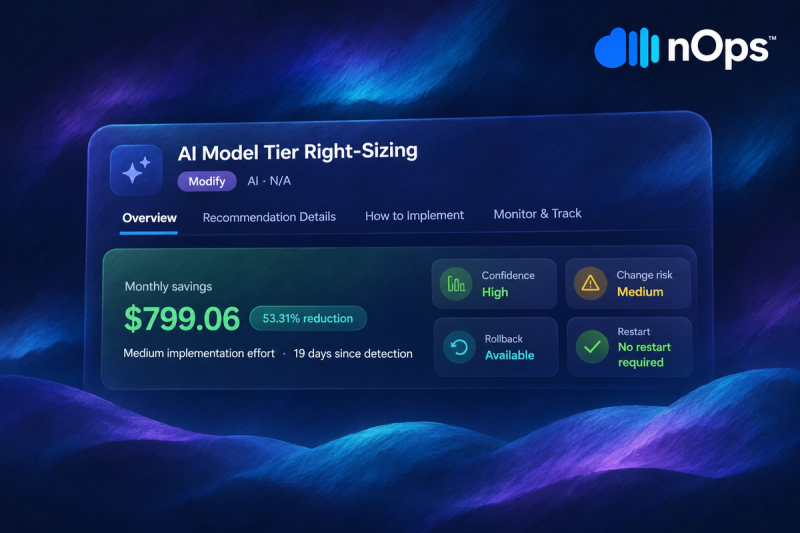
Set a minimum quality bar before you switch and keep a fixed evaluation set that you run after every change. If quality drops below the bar, roll back or send more traffic to the stronger model. nOps's AI cost recommendations score candidate models on quality, speed and latency next to projected savings.
Quality drift
Quality can slip after a switch without anyone changing anything. Providers update their models and your inputs drift over time, so a model that passed your tests at launch may be doing worse months later. Sample live outputs on a schedule and score them against the same bar, so a decline gets caught early, while it is still cheap to fix.
Attributing savings
Spend moves for many reasons: traffic grows, prices change and features launch. To credit a saving to the routing change, tag requests by model and workload so you can compare like with like. Our guide to AI cost attribution shows how.
Managing Model Choice Over Time
Model routing is one of several ways to reduce AI costs, alongside caching, batching work that isn't time-sensitive and trimming the context each request sends. New models and price changes arrive constantly, and each one is a reason to re-check which model every workload should run on.
nOps makes it easy to see where the savings are and act on them:
- All of your AI spend in one view, across every model provider, broken down by team, product and customer with reporting, allocation, budgets, wallets and anomaly detection.
- Recommendations to switch models, fix caching and trim context, each with its estimated savings and the evidence behind it. Make the change yourself from the generated commands, open a Jira or Linear ticket, or hand it to AI to implement.
Book a free savings analysis to see where your AI and cloud spend can be optimized.
nOps manages $5B+ in cloud spend and was recently rated #1 in G2's Cloud Cost Management category.
FAQ
What is model routing?
Model routing is the practice of sending each request to the AI model that fits it best, either by a fixed rule or by a learned decision. Simple requests go to cheaper models and hard ones go to stronger models, so you stop paying frontier prices for easy work.
When should you switch to a cheaper AI model?
Switch when quality has headroom and your cost per completed task is high. Test candidates on your own examples first, and compare cost per task rather than price per token. It is also worth re-testing when a relevant model launches or a provider changes a price.
Why do two models with the same token price cost different amounts?
Because they use tokens differently. One may write longer answers, think longer before answering, or fail more often and need retries, and each of those changes the real cost of a task even when the price per token matches.
How much can model routing save?
It depends on your traffic mix. Published research reports savings from 35% to over 85% across benchmarks for routing and up to 98% for cascades in some settings, and the result depends on how much of your traffic is simple enough for a smaller model.
What tasks can run on a smaller model?
Classification, intent detection, extraction with a clear schema and short summaries are good candidates. Complex reasoning, multi-step planning and agentic work usually need a stronger model.
What breaks when you switch AI models?
Prompts can behave differently, output formats can change and quality can regress on edge cases, and you lose any warm prompt cache. Evaluating before the switch and rolling out gradually helps catch these early.
Is it cheaper to switch models or stay on one?
It depends on the price gap and the failure rate. A model that is only slightly cheaper but fails often can cost more than staying put, while a much cheaper model with a low failure rate usually wins.
What is cascade or fallback routing?
Cascade routing tries a cheap model first and escalates to a stronger one if the answer looks weak. Fallback routing switches models when the first one errors or times out. Cascades save money, and fallbacks protect availability.
How do you measure whether a model switch was worth it?
Compare cost per completed task before and after on the same workload, check quality against a fixed evaluation set, and tag spend by model so the saving can be attributed to the switch.